The Unique Challenges of Multi-Story Smart Homes
Designing a smart home for a large, multi-story property is fundamentally different from outfitting a standard single-family home or apartment. When you scale up to three or more stories, or exceed 3,000 square feet, you immediately run into the physical limitations of radio frequency (RF) signals. Standard smart home hubs placed in a first-floor living room will struggle to maintain reliable connections with smart locks on a third-floor balcony or motion sensors in a basement theater room.
The architectural elements of large homes actively work against wireless signals. HVAC ductwork acts as a Faraday cage, reflecting and absorbing RF waves. Low-E (low-emissivity) windows contain microscopic metallic coatings that block signals from reaching outdoor smart cameras. Furthermore, modern construction materials like concrete floors, metal studs, and radiant floor heating systems create massive dead zones. To overcome these hurdles, you cannot rely on a single, cloud-dependent hub. You need a decentralized, multi-protocol approach that leverages mesh networking, local processing, and strategic node placement.
In this comprehensive buyer's guide, we evaluate the best smart home hubs and networking strategies specifically engineered for large, multi-story properties. We will break down the hardware capabilities, protocol efficiencies, and deployment strategies required to achieve a flawless smart home experience without the dreaded "device not responding" errors.
Top Smart Home Hubs for Large Properties
1. Hubitat Elevation: Best Overall for Local Processing and Range
For large homes where reliability is paramount, the Hubitat Elevation (specifically the Model C-8) is the undisputed champion. Unlike cloud-reliant hubs, Hubitat processes all automations locally on the device itself. This means that if your internet connection drops, your multi-story lighting scenes, security alarms, and HVAC routines continue to function without a millisecond of latency.
The C-8 model features upgraded internal antennas and supports Z-Wave Long Range (LR), which drastically improves signal penetration through thick floors and walls. Z-Wave operates on a sub-gigahertz frequency (908.42 MHz in the US), which naturally penetrates solid objects much better than the 2.4 GHz frequency used by Wi-Fi and Zigbee. By strategically placing Z-Wave repeaters (like smart plugs or hardwired light switches) on each floor, you create a robust mesh network that routes signals around physical obstacles.
- Protocols: Zigbee 3.0, Z-Wave Plus v2, Z-Wave LR, Matter, Thread (via update)
- Processing: 100% Local
- Best Feature: Unmatched local automation speed and Z-Wave mesh mapping tools.
- Estimated Cost: $149 - $199
2. Home Assistant Connect ZBT-1: Best for Power Users and Customization
Home Assistant is an open-source platform that has taken the smart home world by storm. For large homes with hundreds of devices across multiple VLANs (Virtual Local Area Networks), Home Assistant offers unparalleled flexibility. The Home Assistant Connect ZBT-1 (formerly SkyConnect) is a multi-protocol USB radio that plugs into your Home Assistant server (like a Raspberry Pi, Intel NUC, or the official Home Assistant Yellow).
Because Home Assistant is software-defined, you can integrate virtually any device on the market, from high-end Control4 systems to DIY ESPHome sensors. For multi-story homes, advanced users can deploy multiple Zigbee coordinators using Zigbee2MQTT or use PoE (Power over Ethernet) to hardwire access points and Zigbee routers on every floor, ensuring zero dead zones. It requires technical expertise, but the payoff is a perfectly tailored, enterprise-grade smart home.
- Protocols: Zigbee, Thread, Matter (via software integrations)
- Processing: 100% Local
- Best Feature: Infinite customization, dashboard creation, and support for hundreds of integrations.
- Estimated Cost: $29 (Dongle only) / $99+ (with server hardware)
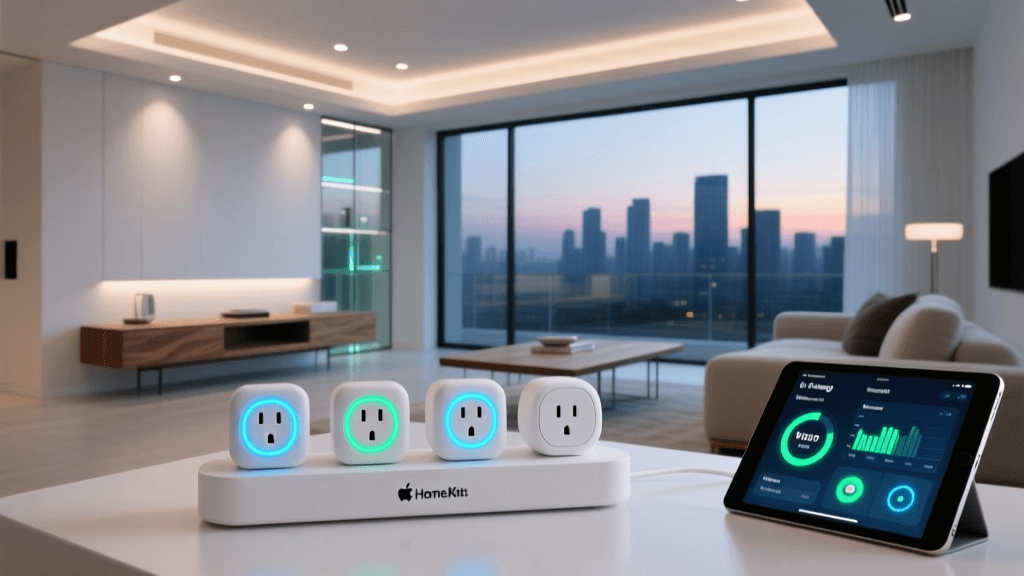
3. Apple TV 4K (Ethernet): Best Thread Border Router for Apple Users
If your household is deeply embedded in the Apple ecosystem, the Apple TV 4K (with Ethernet) is a mandatory addition to every floor of your multi-story home. While primarily a media streamer, it acts as a powerful Home Hub and, crucially, a Thread Border Router.
Thread is a low-power, mesh-networking protocol designed specifically for IoT devices. According to the Thread Group, Thread networks are self-healing and do not rely on a single central hub, meaning every mains-powered Thread device acts as a router, extending the network's range organically throughout your home. By placing an Apple TV 4K on the first floor, and perhaps a HomePod Mini on the second and third floors, you create a seamless Thread mesh that blankets your entire property in reliable smart home coverage.
- Protocols: Thread, Matter, Wi-Fi, Bluetooth
- Processing: Local (for HomeKit/Matter devices)
- Best Feature: Acts as a Thread Border Router and HomeKit Secure Video hub.
- Estimated Cost: $129 - $149
4. Samsung SmartThings Hub: Best for Broad Compatibility and Budget
The Samsung SmartThings ecosystem remains one of the most accessible and broadly compatible platforms available. The latest SmartThings hubs and the SmartThings Station support the new Matter standard, which is critical for future-proofing large homes. The Connectivity Standards Alliance (CSA) developed Matter to ensure cross-brand interoperability, allowing you to mix and match devices from different manufacturers without worrying about protocol fragmentation.
While SmartThings relies more heavily on cloud processing than Hubitat or Home Assistant, its hub acts as an excellent central coordinator. For large homes, the strategy here is to use the main SmartThings hub on the ground floor, and utilize SmartThings-enabled Wi-Fi mesh routers (like certain Aeotec or Eero models) to extend the Zigbee and Thread signals to upper floors.
- Protocols: Zigbee, Z-Wave, Matter, Thread (via compatible border routers)
- Processing: Hybrid (Cloud + Local)
- Best Feature: Massive device compatibility and user-friendly app interface.
- Estimated Cost: $79 - $129
5. Amazon Echo (4th Gen): Best Budget Multi-Room Zigbee Option
For those who want voice control and basic hub functionality without buying dedicated hub hardware, the spherical Amazon Echo (4th Gen) is a stealth powerhouse. It features a built-in Zigbee smart home hub, an Eero mesh network extender, and a Thread/Matter border router.
In a large, multi-story home, you can place an Echo (4th Gen) in the center of each floor. Because they connect to your Wi-Fi, they bypass the need for complex wiring while simultaneously broadcasting a Zigbee mesh network that blankets each story. It is an incredibly cost-effective way to ensure that Zigbee sensors and smart bulbs on distant floors have a strong signal to route their commands through.
- Protocols: Zigbee, Thread, Matter, Wi-Fi, Bluetooth
- Processing: Cloud-dependent
- Best Feature: Built-in Eero mesh extension and Zigbee hub in a consumer-friendly package.
- Estimated Cost: $89 - $99
Feature Comparison Table
| Smart Hub | Primary Protocols | Local Processing | Thread Border Router | Best Use Case |
|---|---|---|---|---|
| Hubitat Elevation C-8 | Z-Wave LR, Zigbee, Matter | Yes | Yes (via update) | Complex automations & reliability |
| Home Assistant ZBT-1 | Zigbee, Thread, Matter | Yes | Yes | Power users & custom dashboards |
| Apple TV 4K (Ethernet) | Thread, Matter, Wi-Fi | Yes (HomeKit) | Yes | Apple ecosystem & Secure Video |
| Samsung SmartThings | Zigbee, Z-Wave, Matter | Hybrid | Depends on Model | Budget-friendly broad compatibility |
| Amazon Echo (4th Gen) | Zigbee, Thread, Matter | No | Yes | Voice control & budget mesh spread |
Coverage and Protocol Performance
When deploying a network across multiple stories, the underlying wireless protocol dictates how well signals penetrate floors and walls. Below is a visual representation of how different protocols perform in complex, multi-story environments based on mesh efficiency, self-healing capabilities, and signal penetration.
Bar chart comparing the multi-story mesh efficiency scores of major smart home protocols.
Strategies for Eliminating Dead Zones in Large Homes
Buying the right hub is only half the battle. To achieve flawless coverage in a sprawling, multi-story residence, you must implement strategic deployment techniques.
1. Embrace Thread and Matter
The transition to Matter and Thread is a game-changer for large properties. Unlike traditional Wi-Fi, which can congest your router when dozens of smart bulbs and plugs connect to it, Thread creates a dedicated, low-latency mesh network. As highlighted by the Thread Group, Thread networks have no single point of failure. If a smart plug acting as a Thread router on the second floor loses power, the network instantly reroutes the signal through a nearby Thread-enabled light switch. For large homes, prioritizing Thread-compatible devices (like Nanoleaf lighting, Eve sensors, and Google Nest thermostats) will vastly improve your network's resilience.
2. Strategic Placement and Ethernet Backhaul
Never place your primary smart home hub in a basement, a metal utility closet, or behind a large television. RF signals degrade rapidly when passing through concrete and metal. Ideally, your main hub should be placed in a central, elevated location on the main living floor. If your home is pre-wired for Ethernet, utilize PoE (Power over Ethernet) switches to hardwire your Zigbee coordinators, Thread border routers, and Wi-Fi access points on each floor. An Ethernet backhaul ensures that your wireless nodes communicate with the main hub at gigabit speeds, completely eliminating the bottleneck of wireless repeating.
3. Leverage Z-Wave and Zigbee Mesh Repeaters
If you are using Zigbee or Z-Wave devices, remember that battery-powered sensors do not repeat signals. Only mains-powered devices (plugged into the wall or hardwired into the ceiling) act as repeaters. To stretch your hub's range to a detached garage or a third-floor bonus room, intentionally install smart plugs, hardwired smart switches, or dedicated repeaters in stairwells and hallways. This creates a "daisy chain" of signals that bounces from floor to floor, ensuring your remote sensors always have a path back to the hub.
4. Optimize Your Wi-Fi Backbone
Even if your smart devices use Zigbee or Z-Wave, your hubs still need a robust Wi-Fi connection to communicate with the cloud and your smartphone. The Wi-Fi Alliance promotes EasyMesh standards to ensure that multi-node Wi-Fi systems work seamlessly together. Invest in a high-end tri-band mesh Wi-Fi system (like Eero Pro 6E, Netgear Orbi, or Asus ZenWiFi) and dedicate a separate 2.4 GHz IoT network specifically for your smart home devices. This prevents your smart bulbs from competing for bandwidth with 4K video streams and large file downloads.
Security and Privacy Considerations
Large homes often feature extensive security setups, including dozens of cameras, smart locks, and motion sensors. Relying on cloud-based hubs means that every command and video feed passes through third-party servers. For privacy-conscious homeowners, local processing hubs like Hubitat and Home Assistant are essential. By keeping your data on a local server, you drastically reduce your attack surface and ensure that your home's security system cannot be disabled by a remote server outage or an internet service provider disruption.
Final Verdict
Equipping a large, multi-story home with smart technology requires moving beyond entry-level, single-hub solutions. For the ultimate in reliability and local control, the Hubitat Elevation C-8 is our top recommendation, leveraging Z-Wave LR to punch through thick floors. If you are deeply invested in the Apple ecosystem, deploying multiple Apple TV 4K units as Thread Border Routers will provide a seamless, self-healing mesh network. Finally, for power users willing to tinker, Home Assistant combined with PoE hardwiring offers an enterprise-grade solution that will scale with your property, no matter how large it gets.