The Case for Local Control in Smart Homes
Smart home technology has evolved rapidly over the last decade, transitioning from niche hobbyist projects to mainstream consumer products. However, this mainstream adoption came with a significant compromise: cloud dependency. For years, major ecosystems required every command, automation, and sensor reading to travel from your home router, out to a remote server farm, and back again just to turn on a living room light. While this made initial setup easier for the average consumer, it introduced critical vulnerabilities regarding latency, reliability, and data privacy.
When your internet connection drops, a cloud-dependent smart home becomes a dumb home. Automated security lights fail to trigger, smart thermostats lose their scheduling, and voice assistants go deaf. Furthermore, routing your home's occupancy data, camera feeds, and daily routines through third-party servers raises substantial privacy concerns. According to the National Institute of Standards and Technology (NIST), IoT devices that rely heavily on cloud communication present unique security and privacy risks, emphasizing the need for localized data processing to mitigate unauthorized access and network eavesdropping.
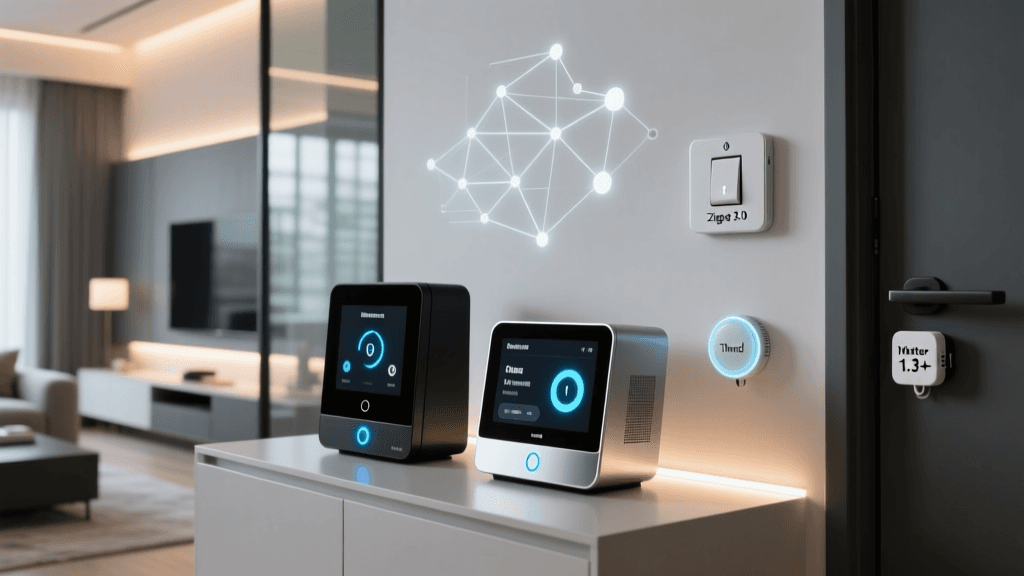
This is where local smart home hubs shine. By processing automations and device states entirely within your local area network (LAN), local hubs ensure that your home continues to function flawlessly even during complete internet outages. They also drastically reduce latency, executing automations in milliseconds rather than seconds. In this comprehensive buyer's guide, we evaluate the best smart home hubs for local control, comparing their protocol support, processing power, ecosystem compatibility, and overall value for both power users and beginners.
Top Picks: Best Hubs for Local Processing
1. Home Assistant Yellow (Best Overall for Power Users)
Home Assistant has long been the undisputed king of local smart home automation, and the Home Assistant Yellow is the first official, purpose-built hardware designed specifically to run it. Unlike previous iterations that required users to flash software onto generic Raspberry Pis, the Yellow is a robust, custom-designed carrier board that integrates seamlessly with the Raspberry Pi Compute Module 4 (CM4).
Key Specifications & Features:
- Processor: Supports Raspberry Pi CM4 (up to 8GB RAM, 32GB eMMC)
- Wireless Protocols: Built-in Silicon Labs MGM210P radio supporting Zigbee 3.0 and Thread (Matter-ready)
- Connectivity: Gigabit Ethernet, Power over Ethernet (PoE) support, M.2 slot for NVMe SSD storage
- Price Range: $99 (Kit without CM4) to $220+ (Fully populated)
The standout feature of the Yellow is its uncompromising commitment to local processing. Through integrations like ESPHome, users can flash custom firmware to local Wi-Fi and Bluetooth devices, completely bypassing manufacturer clouds. Furthermore, with the recent integration of local voice assistants like Whisper (speech-to-text) and Piper (text-to-speech), the Home Assistant Yellow allows for fully offline, privacy-preserving voice control. The learning curve is steep, but the ceiling for customization is virtually limitless.
2. Hubitat Elevation C-8 (Best for Zigbee & Z-Wave Reliability)
For users who want powerful local automations without the steep learning curve of Home Assistant, the Hubitat Elevation C-8 is the premier choice. Hubitat's philosophy centers on the idea that perfect home automation should be local, fast, and reliable, a principle shared across the local control community. The C-8 model represents a massive leap in hardware, specifically regarding Z-Wave performance.
Key Specifications & Features:
- Processor: Quad-core ARM Cortex-A55
- Wireless Protocols: Zigbee 3.0 and Z-Wave 800 Series (with Long Range support)
- Connectivity: Gigabit Ethernet, Wi-Fi 5 (for cloud fallback and OTA updates), USB-C
- Price Range: $149.95
The inclusion of the Z-Wave 800 series chip is a game-changer. It offers significantly improved range, lower power consumption, and enhanced security (S2 authentication) compared to older 700-series hubs. Hubitat's 'Rule Machine' app remains one of the most powerful visual logic builders in the industry, allowing users to create complex, multi-condition automations without writing a single line of code. While it lacks native Thread support out of the box, its Zigbee and Z-Wave mesh management is arguably the most stable on the market.
3. Homey Pro (Best Premium All-in-One Hub)
If budget is less of a concern and you desire a hub that natively supports virtually every wireless protocol known to man, the Homey Pro (2023 edition) is a masterpiece of hardware engineering. Athom, the company behind Homey, designed this puck-shaped hub to act as the ultimate universal translator for the smart home.
Key Specifications & Features:
- Processor: Dual-core 1.7GHz ARM Cortex-A53
- Wireless Protocols: 8 built-in radios (Zigbee, Z-Wave, Thread, Matter, Wi-Fi, Bluetooth LE, 433MHz, 868MHz)
- Connectivity: Gigabit Ethernet, Wi-Fi, NFC
- Price Range: $399
The Homey Pro's inclusion of 433MHz and 868MHz radios means it can control legacy RF devices like older Somfy blinds or weather stations without needing additional USB dongles. Its Thread and Matter support ensures it is future-proofed for the next generation of smart home standards, as outlined by the Connectivity Standards Alliance (CSA). The user interface is polished, mobile-friendly, and features 'Homey Flow', an intuitive visual automation builder. All processing is local, though a cloud connection is used for remote access and app store syncing.
4. Apple TV 4K (Best for Mainstream Apple Ecosystem Users)
While not a traditional 'hub' in the hobbyist sense, the Apple TV 4K (3rd Generation) serves as the central controller and Thread Border Router for Apple HomeKit and Matter ecosystems. For users deeply embedded in the Apple ecosystem who want local control without managing Linux servers or Zigbee meshes, this is the default choice.
Key Specifications & Features:
- Processor: A15 Bionic chip
- Wireless Protocols: Thread Border Router, Matter Controller, Bluetooth 5.0
- Connectivity: Gigabit Ethernet, Wi-Fi 6
- Price Range: $129 - $149
Apple's HomeKit architecture has always prioritized local execution. When you trigger a HomeKit automation, the Apple TV 4K processes the logic locally on your network. Furthermore, its Thread Border Router capabilities allow it to seamlessly route Thread device traffic (like Nanoleaf bulbs or Eve sensors) into your IP network. The limitation, however, is the walled garden; you are restricted to HomeKit-certified or Matter-compatible devices, leaving out thousands of legacy Zigbee and Z-Wave products.
Feature Comparison Matrix
| Hub Model | Primary Protocols | Local Processing | Matter / Thread | Difficulty Level | Est. Price |
|---|---|---|---|---|---|
| Home Assistant Yellow | Zigbee, Thread, Wi-Fi, LAN | 100% Local | Yes (Native) | Advanced | $150 - $220 |
| Hubitat Elevation C-8 | Zigbee 3.0, Z-Wave 800 | 100% Local | Via Bridge/Updates | Intermediate | $149 |
| Homey Pro (2023) | Zigbee, Z-Wave, Thread, RF | 100% Local | Yes (Native) | Beginner/Intermediate | $399 |
| Apple TV 4K | Thread, BLE, Matter | Local (HomeKit) | Yes (Native) | Beginner | $129 |
Data Visualization: Cloud vs. Local Hub Latency
One of the most immediate benefits of migrating to a local hub is the elimination of network latency. The chart below illustrates the average time it takes for a motion sensor trigger to execute a lighting automation across different architectures.
As demonstrated, cloud-dependent hubs routinely suffer from latency spikes exceeding 800ms, which is highly noticeable when walking into a room and waiting for the lights to turn on. Local hubs like Home Assistant and Hubitat execute these same routines in under 100ms, creating a truly instantaneous, 'magical' smart home experience.
Network Architecture Requirements for Local Hubs
Migrating to a local smart home hub requires a more mature home network architecture than simply plugging in a cloud-based smart speaker. To ensure maximum reliability and security, advanced users should consider the following network configurations:
- IoT VLANs: Segregating your smart home devices onto a dedicated Virtual Local Area Network (VLAN) prevents compromised IoT devices from accessing your primary computers and NAS drives. Local hubs act as the bridge between these networks.
- mDNS and IGMP Snooping: Local discovery protocols like mDNS (Multicast DNS) are crucial for hubs to find devices like Chromecasts or local Wi-Fi bulbs. Ensuring your router or managed switch properly handles mDNS forwarding across VLANs is critical for Home Assistant and Homey users.
- Static IP Assignment: Always assign a static IP address or a DHCP reservation to your local hub. If the hub's IP changes during a router reboot, local API calls and webhook integrations will break until configurations are updated.
- DNS Filtering: To enforce local control and prevent devices from 'phoning home' to manufacturer clouds, many users employ DNS sinkholes like Pi-hole or AdGuard Home to block known telemetry and cloud-tracking domains associated with smart bulbs and switches.
How to Choose the Right Local Hub
Evaluate Your Existing Device Fleet
If your home is already wired with Z-Wave light switches and sensors, the Hubitat Elevation C-8 is the logical choice due to its superior Z-Wave 800 series antenna. If you are building a new smart home from scratch and plan to use Thread and Matter-over-Thread devices, Homey Pro or Home Assistant Yellow offer the best native support for these emerging IP-based protocols.
Assess Your Technical Expertise
Home Assistant is incredibly powerful but requires a willingness to read documentation, edit YAML files (though the UI is improving), and troubleshoot network issues. If you prefer a 'set it and forget it' appliance with a polished mobile app and commercial support, Homey Pro or Hubitat are much safer bets. Apple TV 4K is strictly for those who want to stay within the boundaries of Apple's curated, highly secure, but limited ecosystem.
The Matter Standard Factor
The introduction of Matter aims to unify the smart home, allowing devices to be controlled by multiple ecosystems simultaneously via local IP networks. However, Matter is still maturing. A robust local hub today must still support legacy Zigbee and Z-Wave meshes to accommodate the thousands of reliable, low-power sensors that Matter currently struggles to replace due to bandwidth and power constraints. Therefore, a hybrid approach—using a hub that supports both legacy RF meshes and modern Matter/Thread—is the most future-proof investment.
Frequently Asked Questions
Will a local hub still work if my internet goes down?
Yes. The primary advantage of hubs like Home Assistant, Hubitat, and Homey is that their automation engines run entirely on the local processor. As long as your home router and the hub have power, your motion sensors, smart switches, and automated routines will continue to function perfectly without an active WAN (internet) connection.
Do local hubs support voice assistants like Alexa or Siri?
Yes, but with a caveat. Local hubs can expose their virtual switches and scenes to Alexa or Google Home via local skill bridging. However, the voice processing itself still occurs in the cloud of the respective tech giant. For true local voice control, Home Assistant now supports 'Year of the Voice' local pipelines using Whisper and Piper, completely removing the need for cloud-based voice assistants.
Is Matter making local hubs obsolete?
No, Matter actually relies on local hubs. Matter is an application-layer protocol that requires a 'Matter Controller' (which is what these local hubs act as) to manage the network, store device states, and execute automations locally. Matter makes local hubs more versatile by allowing them to control a wider, standardized range of devices without needing proprietary cloud-to-cloud integrations.