The End of Smart Home Fragmentation
For over a decade, smart home enthusiasts and casual users alike have battled a fragmented ecosystem. If you bought a smart bulb that worked with Apple HomeKit, it likely would not communicate with your Amazon Echo. If you invested in Zigbee sensors, you needed a proprietary bridge to connect them to your Wi-Fi network. The result was a cluttered, confusing, and often unreliable smart home experience. Enter Matter: the unified, open-source connectivity standard that promises to tear down the walled gardens of the smart home industry.
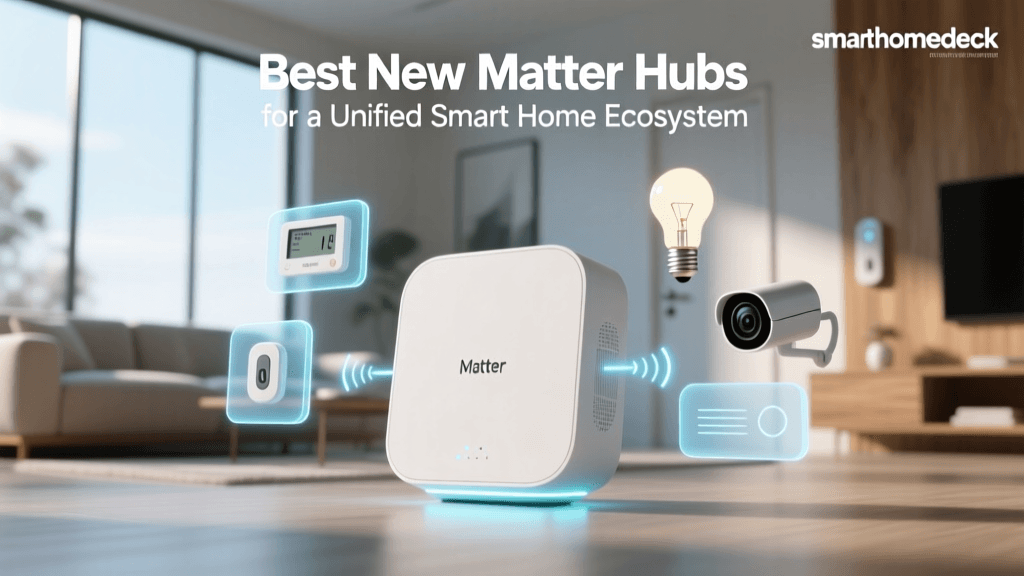
According to the Connectivity Standards Alliance (CSA), Matter is designed to provide reliable, secure, and seamless communication across all major smart home platforms. However, Matter is not a magic wand that works without hardware. To build a robust Matter network, you need a central brain: a Matter Controller and, ideally, a Thread Border Router. These devices act as the traffic cops for your smart home, managing local communications, executing automations when the internet goes down, and bridging low-power mesh networks to your main router.
In this comprehensive buyer's guide, we break down the best Matter-compatible smart home hubs and controllers on the market. Whether you are deeply embedded in the Apple ecosystem, rely on Google Home, or prefer Amazon Alexa, we have identified the exact hardware you need to future-proof your connected home.
Understanding Matter: Controllers vs. Border Routers
Before diving into specific product recommendations, it is crucial to understand the two primary roles that smart home hubs play in a Matter network. While many devices combine these roles, knowing the difference will help you troubleshoot and expand your network effectively.
1. The Matter Controller
A Matter Controller is the central management point for your devices. It is responsible for "commissioning" (adding) new devices to your network, storing the encryption keys, and running automations. Examples include smart displays, smart speakers, and dedicated hub boxes. When you ask your voice assistant to turn off the lights, the request is processed by the controller. The Amazon Developer Matter Overview highlights how controllers also manage "Multi-Admin," a feature that allows a single Matter device to be controlled simultaneously by multiple ecosystems (e.g., Apple Home and Google Home) without complex workarounds.
2. The Thread Border Router
Matter operates over two primary network protocols: Wi-Fi (for high-bandwidth devices like cameras and smart displays) and Thread (for low-power devices like sensors, locks, and smart bulbs). Thread is a low-latency, self-healing mesh network, but it cannot communicate directly with your standard Wi-Fi router. A Thread Border Router bridges the gap, translating Thread signals into IP-based traffic that your Matter Controller can understand. Without a Thread Border Router, you cannot use Matter-over-Thread devices.
"Matter is not just a new protocol; it is a fundamental shift in how smart home devices communicate, prioritizing local control, security, and cross-platform interoperability."
What to Look for in a Matter Hub
When shopping for a Matter-compatible hub, keep the following criteria in mind:
- Ecosystem Alignment: While Matter allows cross-platform control, the hub itself will tie you to a specific app for initial setup and advanced automations (Apple Home, Google Home, or Amazon Alexa).
- Thread Border Router Capabilities: Ensure the hub supports Thread if you plan to use low-power sensors and switches.
- Local Processing: The best hubs process automations locally, ensuring your lights still turn on when the internet goes down.
- Connectivity Options: Hubs with Ethernet ports provide a more stable backbone for your smart home than Wi-Fi-only models.
Top 5 Matter-Compatible Hubs and Controllers
1. Apple TV 4K (3rd Generation) - Best Overall for Apple Users
For those entrenched in the Apple ecosystem, the Apple TV 4K is the undisputed king of the smart home. Running on tvOS, it serves as a powerhouse Matter Controller and a Thread Border Router. However, there is a crucial caveat: only the 128GB model includes an Ethernet port and the Thread radio. The 64GB Wi-Fi-only model does not support Thread.
Pros:
- Exceptional local processing speed for instant automation execution.
- Thread Border Router support (128GB model).
- Ethernet connectivity ensures a rock-solid connection to your main router.
Cons:
- Premium price point, especially for the required 128GB model.
- Useless if your primary smartphone is Android.
Best For: iPhone users who want a premium media streamer that doubles as an ultra-reliable smart home brain.
2. Amazon Echo Show 8 (3rd Gen) - Best for Visual Control and Alexa
Amazon has aggressively updated its Echo lineup to support Matter. The Echo Show 8 (3rd Gen) is a standout because it combines a vibrant 8-inch HD touchscreen, a smart home camera, and a built-in Matter Controller with Thread support. It allows you to view camera feeds, manage routines, and use the visual dashboard to control your home without relying solely on voice commands.
Pros:
- Excellent visual dashboard for managing multiple Matter devices.
- Built-in Thread Border Router and Zigbee bridge for legacy devices.
- Adaptive audio and smart camera features.
Cons:
- Alexa's smart home app interface can feel cluttered compared to Apple or Google.
- Requires a constant Wi-Fi connection; no Ethernet port.
Best For: Families who want a central kitchen or living room command center with visual feedback.
3. Google Nest Hub (2nd Gen) - Best for Google Home on a Budget
Google's approach to Matter is deeply integrated into the Google Home app. The Nest Hub (2nd Gen) remains one of the most cost-effective ways to get a Matter Controller with a Thread Border Router. While it lacks the camera and larger screen of the Nest Hub Max, its 7-inch display is perfect for bedside or countertop use, and its Soli radar chip enables touchless sleep tracking.
Pros:
- Highly affordable entry point into the Matter ecosystem.
- Thread support built-in.
- Google Home app offers excellent multi-user and multi-admin support.
Cons:
- Audio quality is mediocre compared to competing smart speakers.
- Google Assistant's smart home response times can occasionally lag behind Apple's local processing.
Best For: Android users and Google Home enthusiasts looking for an affordable, multi-room smart display.
4. Samsung SmartThings Station - Best Budget Thread Border Router
If you do not need a smart display or a voice assistant speaker, and simply need to expand your Thread mesh network, the Samsung SmartThings Station is a revelation. Priced aggressively, this small, puck-like device acts as a Thread Border Router and a SmartThings Hub. It also doubles as a fast wireless charger for your smartphone and a Galaxy SmartTag finder.
Pros:
- Incredible value for a dedicated Thread Border Router.
- Integrates seamlessly with the SmartThings app and Samsung Find.
- Compact, unobtrusive design.
Cons:
- No built-in microphone or speaker for voice control.
- Best utilized within the Samsung/SmartThings ecosystem rather than standalone Apple/Google setups.
Best For: Expanding Thread coverage in dead zones without buying an expensive smart speaker.
5. Apple HomePod Mini - Best Multi-Purpose Audio and Smart Hub
Not everyone wants a screen in every room. The HomePod Mini remains a staple for Apple users who need a Matter Controller and Thread Border Router in spaces where a TV or smart display is inappropriate, such as bedrooms or hallways. Despite its age, Apple continues to update its software to ensure seamless Matter commissioning and local automation execution.
Pros:
- Beautiful, room-filling 360-degree audio.
- U1 Ultra Wideband chip for precise handoff from iPhone.
- Thread Border Router included.
Cons:
- Lacks the advanced processing power of the Apple TV 4K for complex local automations.
- Requires an Apple device for initial setup.
Best For: Apple users needing audio and smart home control in secondary rooms.
Comprehensive Comparison Table
To help you decide which hub fits your specific needs, we have compiled a comparison of the top Matter-compatible controllers based on ecosystem, networking capabilities, and price.
| Device | Primary Ecosystem | Thread Router | Zigbee Support | Best For |
|---|---|---|---|---|
| Apple TV 4K (128GB) | Apple HomeKit | Yes | No | Heavy automation & media |
| Echo Show 8 (3rd Gen) | Amazon Alexa | Yes | Yes | Visual dashboards |
| Nest Hub (2nd Gen) | Google Home | Yes | No | Budget Google setups |
| SmartThings Station | Samsung SmartThings | Yes | No | Thread mesh expansion |
| HomePod Mini | Apple HomeKit | Yes | No | Audio & secondary rooms |
Price vs. Feature Set Analysis
When investing in a smart home hub, the price often correlates with the number of secondary features (like screens, cameras, and premium audio) rather than just the Matter networking capabilities. The chart below illustrates the average retail price of these top hubs, highlighting how budget-friendly options like the SmartThings Station offer core networking features at a fraction of the cost of premium smart displays.
Average Retail Price of Matter Hubs
How to Commission Your First Matter Device
Once you have selected and set up your Matter Controller, adding new devices is a standardized process across all ecosystems. Here is how to commission a Matter device:
- Open Your Smart Home App: Launch Apple Home, Google Home, or the Alexa app on your smartphone.
- Scan the QR Code: Tap the "+" icon to add a new device and use your phone's camera to scan the Matter QR code located on the device or its packaging. This code contains the encrypted pairing information.
- Connect to Network: If the device is Wi-Fi, the app will pass your network credentials securely. If it is a Thread device, it will automatically join the Thread mesh network via your Border Router.
- Enable Multi-Admin (Optional): During setup, the app will ask if you want to enable Multi-Admin. Always say yes. This allows you to scan the same QR code with a different ecosystem's app later, granting both platforms control over the device.
- Assign to Room: Name the device and assign it to a room for easy voice control and automation grouping.
For a deeper dive into how Apple devices manage these secure connections, refer to the Apple Support Smart Home Hubs documentation, which details the local processing architecture.
Frequently Asked Questions
Do I need to throw away my old smart home devices?
No. Matter is designed to coexist with older protocols. Many modern hubs, like the Echo Show 8, include Zigbee radios to bridge older devices. Additionally, many manufacturers are releasing software updates or dedicated "Matter Bridges" to connect older Wi-Fi and Zigbee devices to your new Matter network.
Is Matter secure?
Yes, Matter is arguably the most secure smart home protocol to date. It utilizes a blockchain-based Device Attestation Certificate (DAC) system. When you scan a Matter QR code, your app verifies the device's cryptographic certificate against a distributed ledger to ensure it is a genuine, certified product and not a malicious imposter on your network.
Will Matter work if my internet goes down?
One of the primary benefits of Matter is local control. As long as your hub and your smart devices are powered on and connected to your local network, automations and voice commands will continue to work even if your ISP is experiencing an outage.
Conclusion
The transition to Matter is the most significant upgrade the smart home industry has seen in a decade. By choosing the right Matter-compatible hub, you are investing in a future where devices work together seamlessly, regardless of the logo on the box. For Apple users, the Apple TV 4K remains the gold standard for local processing. For those who prefer visual dashboards and Alexa integration, the Echo Show 8 is a powerhouse. Meanwhile, budget-conscious builders can rely on the Nest Hub or the SmartThings Station to build a robust Thread mesh network without breaking the bank. Evaluate your current ecosystem, identify your networking needs, and choose the hub that will serve as the foundation for your connected home for years to come.