The Connectivity Challenge in Large, Multi-Story Homes
Outfitting a sprawling, multi-story home with smart technology is a dream for many, but it quickly turns into a logistical nightmare without the right network infrastructure. In homes exceeding 3,500 square feet, or those spread across three or more stories, a single traditional router simply cannot penetrate floors, thick walls, and HVAC ducts to deliver a reliable signal. When you add 50 to 100+ smart home devices—ranging from security cameras and smart locks to automated blinds and thermostats—the standard Wi-Fi network becomes severely congested, leading to dropped connections, lagging automations, and unresponsive devices.
To achieve a truly seamless smart home experience in a large property, you must address two distinct challenges: Wi-Fi coverage and IoT device density. This requires a dual-pronged approach utilizing a high-performance Mesh Wi-Fi system paired with dedicated Smart Hubs that leverage low-power mesh protocols like Thread and Zigbee. By offloading smart home traffic from your primary Wi-Fi bands, you ensure that your laptops and streaming devices have the bandwidth they need, while your smart bulbs and sensors communicate instantly without clogging the network.
Why Thread and Matter are Game-Changers for Large Properties
Before diving into specific hardware, it is crucial to understand the impact of the Matter standard and Thread networking protocol. According to the Connectivity Standards Alliance (CSA), Matter provides a unified language for smart home devices, while Thread provides a low-power, self-healing mesh network specifically designed for IoT. In a large home, Thread is a lifesaver. Every Thread-enabled device (like a smart plug or light bulb) acts as a repeater, extending the mesh network organically throughout your house without taxing your Wi-Fi router. When selecting a mesh system or hub for a large home, ensuring it has a built-in Thread Border Router is one of the most future-proof investments you can make.
Top Mesh Wi-Fi Systems for Expansive Smart Homes
1. Amazon Eero Pro 6E (Best Overall for Smart Homes)
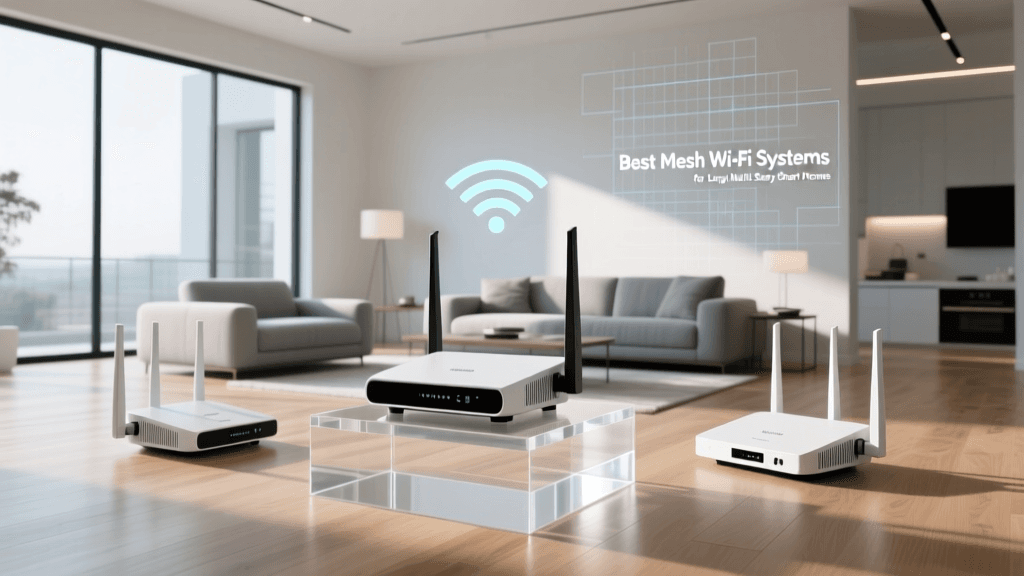
The Amazon Eero Pro 6E is our top pick for smart home enthusiasts with large properties. Unlike many competitors that focus solely on raw internet speed, Eero builds smart home functionality directly into its nodes. Each Eero Pro 6E unit features a built-in Zigbee hub and a Thread border router. This means you can connect hundreds of smart locks, sensors, and lights directly to your Eero nodes without needing third-party dongles or separate hubs. The 6GHz band provides a massive, uncongested highway for backhaul communication between nodes, which is vital for maintaining stability across multiple floors. A 3-pack covers up to 5,500 square feet, though homes with dense materials like plaster or concrete may require an additional node.
2. Netgear Orbi Quad-Band Wi-Fi 6E RBKE963 (Best for Massive Estates)
If budget is secondary to absolute, uncompromising performance, the Netgear Orbi RBKE963 is the undisputed king of large-home networking. This quad-band system utilizes a dedicated 6GHz backhaul, ensuring that the connection between the main router and the satellites is just as fast as your wired internet. For multi-story estates where running Ethernet cables between floors is impossible, the Orbi’s wireless backhaul is robust enough to push gigabit speeds to the furthest corners of your property. While it lacks the native Zigbee hub found in the Eero, its sheer Wi-Fi capacity can handle dozens of high-bandwidth devices, such as 4K security cameras and smart displays, without breaking a sweat. A 3-pack blankets up to 9,000 square feet.
3. TP-Link Deco XE75 (Best Value for Multi-Story Homes)
For homeowners who want Wi-Fi 6E performance and Thread support without the premium price tag of the Orbi or Eero Pro, the TP-Link Deco XE75 is a phenomenal choice. It utilizes the 6GHz band as a wireless backhaul to keep node-to-node communication lightning fast. Furthermore, the XE75 includes built-in Matter and Thread support, allowing it to act as a border router for your low-power IoT devices. It is exceptionally easy to set up via the Deco app, and its sleek, unobtrusive design makes it easy to place in open areas on different floors. A 3-pack provides coverage for up to 7,200 square feet, making it ideal for large, open-concept homes or standard multi-story builds.
Essential Smart Hubs and Border Routers
Even with a robust mesh network, relying entirely on Wi-Fi for smart home devices in a large house is a recipe for latency. Dedicated hubs process automations locally, ensuring your lights turn on instantly even if your internet connection drops.
1. Apple HomePod (2nd Gen) & Apple TV 4K (Best for HomeKit Users)
For users deeply embedded in the Apple ecosystem, the HomePod (2nd Gen) and Apple TV 4K (Wi-Fi + Ethernet) serve as essential Home Hubs and Thread border routers. In a large, multi-story home, a single HomePod is not enough to manage the Bluetooth and Thread radios across the property. Strategically placing a HomePod on the main living floor and an Apple TV 4K in the upstairs media room creates a seamless, redundant hub architecture that ensures local processing and Thread mesh coverage across all levels of the house.
2. Home Assistant Green (Best for Advanced Local Control)
Cloud latency is the enemy of a large smart home. When you trigger an automation, the signal shouldn't have to travel to a server in another state and back. The Home Assistant Green is a dedicated, local-processing hub that integrates with virtually every protocol (Zigbee, Z-Wave, Matter, Wi-Fi). By wiring the Home Assistant Green directly to your primary mesh router via Ethernet, you create a centralized brain for your home. Paired with a few Zigbee/Z-Wave USB dongles and network repeaters placed strategically on each floor, you achieve enterprise-grade reliability for your automations.
Comprehensive Comparison Table
| Product | Protocol Support | Max Coverage (3-Pack) | Smart Hub Built-in? | Price Range |
|---|---|---|---|---|
| Eero Pro 6E | Wi-Fi 6E, Zigbee, Thread | 5,500 sq ft | Yes (Zigbee/Thread) | $399 - $499 |
| Orbi RBKE963 | Wi-Fi 6E (Quad-Band) | 9,000 sq ft | No | $1,299 - $1,499 |
| Deco XE75 | Wi-Fi 6E, Thread/Matter | 7,200 sq ft | Yes (Thread) | $299 - $349 |
| Apple HomePod (2nd) | Thread, HomeKit | Room-Specific | Yes (HomeKit/Thread) | $299 (Each) |
| Home Assistant Green | Local (Zigbee/Z-Wave via dongle) | Wired Hub | Yes (Universal) | $99 - $129 |
Visualizing Coverage vs. Cost
Mesh Coverage Comparison
Strategic Placement Guide for Multi-Story Homes
Buying the best equipment is only half the battle; physical placement dictates your network's success in a multi-story environment. The Wi-Fi Alliance emphasizes the importance of node coordination and placement in mesh topologies to avoid signal degradation. Follow these rules for large homes:
- Vertical Alignment: Wi-Fi signals propagate outward and slightly downward like an umbrella. Place your secondary mesh nodes near the stairwells or vertically aligned with the primary router to ensure the signal easily traverses floors without being blocked by dense floor joists and HVAC ducting.
- Avoid the Floor: Never place a mesh node or smart hub on the floor or inside a media cabinet. Elevate them to at least waist height on a shelf or desk to clear physical obstructions and furniture.
- The Rule of Thirds: In a three-story home, place the main router on the middle floor if possible. This acts as a central hub, allowing the signal to reach the top and bottom floors with minimal degradation.
- Leverage MoCA for Backhaul: If your large home was built with coaxial cable wiring in multiple rooms but lacks Ethernet, invest in MoCA (Multimedia over Coax) adapters. This allows you to hardwire your mesh nodes on different floors using existing TV cables, providing a flawless, dedicated backhaul that wireless connections simply cannot match through thick floors.
Network Segmentation and Security
In a large home with dozens of IoT devices, security is paramount. Many smart bulbs and budget sensors lack robust security protocols. The Cybersecurity and Infrastructure Security Agency (CISA) strongly recommends segmenting your home network to protect sensitive data. Most premium mesh systems (like Eero Secure or TP-Link HomeCare) allow you to create a dedicated "Guest" or "IoT" network. Move all your smart home gadgets, cameras, and thermostats onto this isolated VLAN or guest network. This ensures that if a vulnerable smart plug is compromised, the attacker cannot pivot to your personal computers or NAS drives where sensitive financial and personal data resides.
Final Verdict
Equipping a large, multi-story home with smart technology requires a departure from traditional networking. For the majority of smart home enthusiasts, the Amazon Eero Pro 6E offers the perfect balance of expansive Wi-Fi 6E coverage and native Zigbee/Thread support, eliminating the need for a cluttered mess of third-party hubs. For those with massive estates and high-bandwidth security camera setups, the Netgear Orbi RBKE963 provides unmatched wireless backhaul performance. Pair your chosen mesh system with local processing via Home Assistant or Apple's Thread-enabled hubs, utilize MoCA adapters for multi-story backhaul, and segment your network for security. By building this robust foundation, your smart home will operate flawlessly, no matter how many square feet you need to cover.