The Unique Challenges of Smart Homes in Large, Multi-Story Buildings
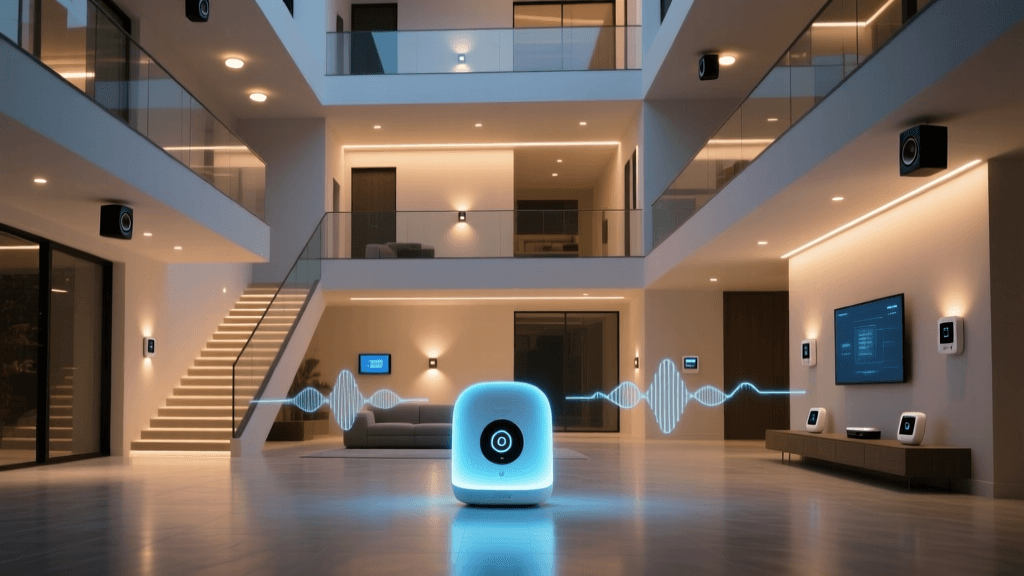
Outfitting a standard single-family home with smart devices is a relatively straightforward endeavor. However, when you scale up to a large, multi-story home—typically defined as 3,000 square feet or more with two to four levels—the physics of wireless networking quickly become a formidable barrier. The dream of a fully automated, responsive smart home can easily turn into a frustrating nightmare of delayed commands, disconnected sensors, and dead zones if the underlying infrastructure is not designed for vertical and horizontal scale.
In a multi-story environment, signals must penetrate complex floor-ceiling assemblies. These assemblies often contain dense materials like concrete, metal HVAC ductwork, thick wooden joists, and sometimes even radiant floor heating systems or foil-backed insulation, all of which act as massive signal blockers for standard 2.4 GHz and 5 GHz Wi-Fi. Furthermore, large homes inherently require a higher density of smart devices. A sprawling property might easily host over 150 connected endpoints, including smart switches, motorized blinds, leak sensors, security cameras, and smart locks. Traditional single-point routers simply cannot handle this device density, leading to IP conflicts, DHCP exhaustion, and severe network latency.
To solve this, homeowners must look beyond basic smart plugs and focus on the central nervous system of their home: the mesh Wi-Fi network and the smart home hub. The best solutions for large homes combine robust mesh networking with built-in support for low-power, high-density protocols like Thread, Zigbee, and Z-Wave. By distributing nodes across different floors and utilizing advanced mesh routing, you ensure that a smart lock on the third floor communicates just as reliably as a smart thermostat on the main level.
Why Mesh Wi-Fi and Thread/Matter are Essential
The transition toward the Matter standard, spearheaded by the Connectivity Standards Alliance (CSA), has fundamentally changed how smart home hubs operate. Matter relies heavily on Thread, an IPv6-based, low-power mesh networking protocol designed specifically for IoT devices. Unlike Wi-Fi, which connects every device directly to a router (straining the router's CPU and memory), Thread devices connect to each other, creating a self-healing web that routes data efficiently across multiple floors.
For a multi-story home, Thread and Zigbee mesh networks are incredibly valuable. A smart plug on the second floor can act as a repeater, catching a weak signal from a door sensor on the first-floor porch and passing it up to the central hub on the third floor. However, to bridge these low-power mesh networks to your main network and the cloud, you need a Thread Border Router or a dedicated smart home hub. The most premium mesh Wi-Fi systems now include these border routers directly inside their nodes, killing two birds with one stone: providing blanket Wi-Fi coverage and establishing a robust Thread/Zigbee mesh for your smart home devices.
Additionally, according to the Wi-Fi Alliance, the adoption of Wi-Fi 6E and the new 6 GHz spectrum is a game-changer for large homes. By utilizing the 6 GHz band for wireless backhaul (the communication between mesh nodes), the system frees up the crowded 2.4 GHz and 5 GHz bands exclusively for your smart devices, laptops, and streaming TVs, drastically reducing latency across multiple stories.
Top Picks for Large & Multi-Story Homes
1. Best Overall Hub & Mesh Combo: Eero Pro 6E
The Eero Pro 6E is widely considered the gold standard for large, multi-story homes that want a single, unified app to manage both Wi-Fi and smart home devices. Each Eero Pro 6E node covers up to 2,000 square feet, meaning a three-pack can comfortably blanket a 6,000-square-foot, three-story home. Crucially, every Pro 6E node features a built-in Zigbee smart home hub and a Thread border router. This means as you place nodes on different floors to eliminate Wi-Fi dead zones, you are simultaneously creating a dense, overlapping Zigbee and Thread mesh network that reaches every corner of the property.
The Eero Pro 6E utilizes tri-band technology, including the newly opened 6 GHz band, to ensure that the wireless backhaul between floors remains uncongested. If your home is pre-wired for Ethernet, using Ethernet backhaul between the Eero nodes will yield a flawless, hardwired-like experience on every level. The integration with Amazon Alexa allows for voice control, and the Matter support ensures future-proofing for new smart home accessories.
- Pros: Built-in Zigbee and Thread, excellent vertical signal penetration, easy setup, seamless Matter support.
- Cons: Advanced features require a paid Eero Secure subscription, lacks native Z-Wave support.
2. Best Dedicated Hub for Advanced Automations: Hubitat Elevation
If you already have a robust enterprise-grade Wi-Fi network (like Ubiquiti UniFi) and simply need a brain to manage hundreds of smart devices across multiple floors, the Hubitat Elevation is the ultimate dedicated hub. Unlike cloud-dependent hubs, Hubitat processes all automations locally. In a massive home where internet latency can cause noticeable delays in lighting scenes or security routines, local processing is a necessity. Hubitat supports both Zigbee and Z-Wave, the latter of which operates on a sub-GHz frequency (908.42 MHz in the US) that is exceptionally good at penetrating thick multi-story floors and concrete walls.
While the base Hubitat hub has a limited range, it features external antenna ports. For a multi-story home, you can upgrade to high-gain antennas or utilize a network of Z-Wave and Zigbee repeaters (like smart plugs and hardwired light switches) to bounce the signal from the basement to the attic. Hubitat's Rule Machine is unparalleled for complex, multi-condition automations that span the entire property.
- Pros: 100% local processing, native Z-Wave and Zigbee, unparalleled automation engine, no subscription fees.
- Cons: Steeper learning curve, does not provide Wi-Fi, requires manual network planning for large homes.
3. Best for Apple Ecosystems: Apple TV 4K (Wi-Fi + Ethernet)
For households deeply invested in Apple HomeKit, the Apple TV 4K serves as a powerful smart home hub and a Thread border router. To cover a large, multi-story home, you will need to deploy an Apple TV 4K on each major floor. Because Apple's HomeKit architecture relies heavily on Thread and local processing, having multiple Apple TVs acting as border routers creates a highly resilient, self-healing Thread mesh that spans the vertical height of the house.
The Ethernet-equipped version of the Apple TV 4K is highly recommended for large homes, as it allows you to hardwire the hub into your network switch, ensuring rock-solid reliability for your automations and security camera feeds (HomeKit Secure Video). While it lacks native Zigbee and Z-Wave support, the rapidly expanding ecosystem of Matter-over-Thread devices makes the Apple TV 4K a formidable, privacy-focused central brain for expansive properties.
- Pros: Deep Apple ecosystem integration, Thread border routing, excellent local processing, doubles as a premium media streamer.
- Cons: Expensive to scale (requires one per floor), no Zigbee or Z-Wave, limited cross-platform compatibility.
4. Best Budget-Friendly Mesh with Smart Features: TP-Link Deco XE75
Building a smart home mesh network across 4,000+ square feet can become prohibitively expensive. The TP-Link Deco XE75 offers a phenomenal balance of price, performance, and smart home integration. As a Wi-Fi 6E mesh system, it uses the 6 GHz band as a dedicated wireless backhaul, ensuring that nodes on the ground floor can communicate with nodes on the third floor without sacrificing bandwidth.
More importantly for smart home enthusiasts, the Deco XE75 includes built-in support for Matter and acts as a Thread border router. While it doesn't feature a legacy Zigbee radio, its aggressive pricing allows homeowners to purchase a 4-pack or 5-pack to ensure total coverage in sprawling, multi-wing estates. The TP-Link Deco app also integrates smoothly with TP-Link's own Kasa and Tapo smart device lines, which are highly reliable for large-scale deployments of smart plugs and switches.
- Pros: Exceptional price-to-performance ratio, Wi-Fi 6E backhaul, Matter and Thread support, easy multi-pack scaling.
- Cons: No native Zigbee, advanced parental controls and security features require a HomeShield subscription.
Product Comparison Table
| Product | Hub Type | Protocols Supported | Est. Coverage (Per Node) | Best For |
|---|---|---|---|---|
| Eero Pro 6E | Integrated Mesh | Wi-Fi 6E, Zigbee, Thread, Matter | 2,000 sq ft | Unified Wi-Fi & Smart Hub |
| Hubitat Elevation | Dedicated Hub | Zigbee, Z-Wave, LAN | 1,500 sq ft (w/ repeaters) | Local Automations & Z-Wave |
| Apple TV 4K | Ecosystem Hub | Thread, Matter, Wi-Fi, Ethernet | 1,500 sq ft | Apple HomeKit Users |
| Deco XE75 | Integrated Mesh | Wi-Fi 6E, Thread, Matter | 2,200 sq ft | Budget Scaling & Matter |
Coverage Visualization
The following chart illustrates the estimated maximum coverage per node for the top recommended systems. Keep in mind that in multi-story homes, vertical obstructions may reduce these numbers, necessitating the addition of more nodes or the use of Ethernet backhaul.
Estimated Coverage per Node in Square Feet
Expert Installation Tips for Multi-Story Homes
Buying the best hardware is only half the battle. Proper installation and network planning are critical when dealing with the vertical challenges of a large, multi-story home. Follow these expert guidelines to maximize your smart home's reliability:
Pro Tip: Never place your primary smart home hub or router in the basement or on the top floor. Always aim for the most central location on the middle floor of your home to ensure equal signal distribution both upwards and downwards.
1. Prioritize Ethernet Backhaul
Wireless backhaul, even on the 6 GHz band, degrades as it passes through floors. If your home is pre-wired with Cat5e or Cat6 Ethernet, you must use it to connect your mesh nodes. By hardwiring the nodes on the first, second, and third floors back to a central switch, you eliminate wireless signal degradation entirely. This allows the mesh nodes to dedicate 100% of their radios to serving your smart devices and mobile phones.
2. Leverage MoCA for Unwired Homes
If your large home lacks Ethernet but has coaxial cable outlets on every floor, invest in MoCA (Multimedia over Coax Alliance) adapters. MoCA can transmit gigabit-level network signals over your existing TV cables. You can connect a mesh node to a MoCA adapter on the third floor, effectively giving you a hardwired backhaul without paying an electrician to run new cables through finished walls.
3. Strategic Placement of Mains-Powered Repeaters
Protocols like Zigbee, Z-Wave, and Thread rely on mains-powered devices to act as routers and repeaters. Battery-powered sensors (like door contacts and leak detectors) cannot repeat signals. In a multi-story home, ensure you have hardwired smart switches or smart plugs on the stairwells and landings. These locations act as vertical bridges, allowing the mesh network to bounce signals safely from the ground floor to the upper levels without being blocked by the floor joists.
4. Avoid the Kitchen and Bathroom
When placing nodes or hubs on any floor, avoid kitchens and bathrooms. These rooms are filled with signal-killing obstacles: stainless steel appliances, massive plumbing stacks, and water-filled fixtures (water absorbs 2.4 GHz signals rapidly). Instead, place nodes in open hallways, home offices, or living rooms where the line of sight to the stairwell is unobstructed.
Final Verdict
Equipping a large, multi-story home with smart technology requires a strategic approach to networking. For most homeowners seeking a seamless, all-in-one solution, the Eero Pro 6E is the undisputed champion, offering exceptional Wi-Fi 6E coverage alongside native Zigbee and Thread border routing. If you require complex, local automations and have a high density of Z-Wave devices, pairing your existing network with a Hubitat Elevation is the smartest route. Finally, for Apple purists, deploying multiple Apple TV 4K units across different floors will create an incredibly responsive, privacy-first Thread mesh network that brings the entire estate into perfect harmony.