The Matter Revolution: Why Upgrade Your Hub Now?
The smart home landscape has fundamentally shifted over the last few years, moving away from fragmented, walled-garden ecosystems toward a unified, interoperable standard. At the forefront of this movement is Matter, the open-source connectivity standard developed by the Connectivity Standards Alliance (CSA). According to the CSA-IoT Matter overview, the protocol is designed to provide reliable, secure, and seamless communication between smart home devices, regardless of the manufacturer or the voice assistant you prefer. However, to truly unlock the potential of Matter and its underlying low-power mesh network, Thread, you need a modern, capable hub or smart display acting as a border router.
Upgrading to a new Matter-compatible hub is no longer just about adding a new gadget to your shelf; it is about future-proofing your home. Older hubs often rely on cloud-based processing, which introduces latency, privacy concerns, and a reliance on external servers. The newest generation of smart displays and dedicated hubs prioritize local execution. This means your smart lights, locks, and sensors communicate directly within your home's local network, ensuring that your automations run instantly, even if your internet connection drops.
In this comprehensive buyer's guide, we explore the best new releases and upcoming devices in the smart home hub and display category. Whether you are deeply entrenched in the Apple ecosystem, looking for the best Alexa-powered smart display, or seeking a dedicated powerhouse for complex automations, we have tested and ranked the top contenders based on compatibility, processing speed, design, and overall value.
Top New Releases in Smart Displays and Hubs
1. Aqara Smart Home Hub M3 (Best for Power Users and Local Control)
The Aqara Smart Home Hub M3 represents a massive leap forward for enthusiasts who demand total control over their smart home environment. Unlike traditional cloud-dependent hubs, the M3 is engineered for extreme local processing capabilities. It serves as a Matter controller, a Thread border router, and a Zigbee coordinator all in one sleek, disc-shaped device. Measuring just 103mm in diameter and 36mm in height, it easily blends into modern home decor while packing enterprise-grade networking features.
One of the standout features of the M3 is its built-in Infrared (IR) blaster, allowing you to integrate legacy dumb appliances—like older air conditioners or televisions—into your modern Matter ecosystem. Furthermore, it supports Power over Ethernet (PoE), a rare feature in consumer smart home hubs, ensuring a rock-solid, wired internet connection that eliminates Wi-Fi dropouts. For users running Home Assistant or utilizing the Aqara app's advanced local automation engine, the M3 provides unmatched reliability.
- Pros: Unmatched local processing, PoE support, built-in IR blaster, multi-protocol support (Zigbee, Thread, Matter).
- Cons: Steeper learning curve for beginners, premium price point.
- Approximate Cost: $129 - $149
2. Amazon Echo Show 8 (3rd Gen) (Best Smart Display for Alexa Users)
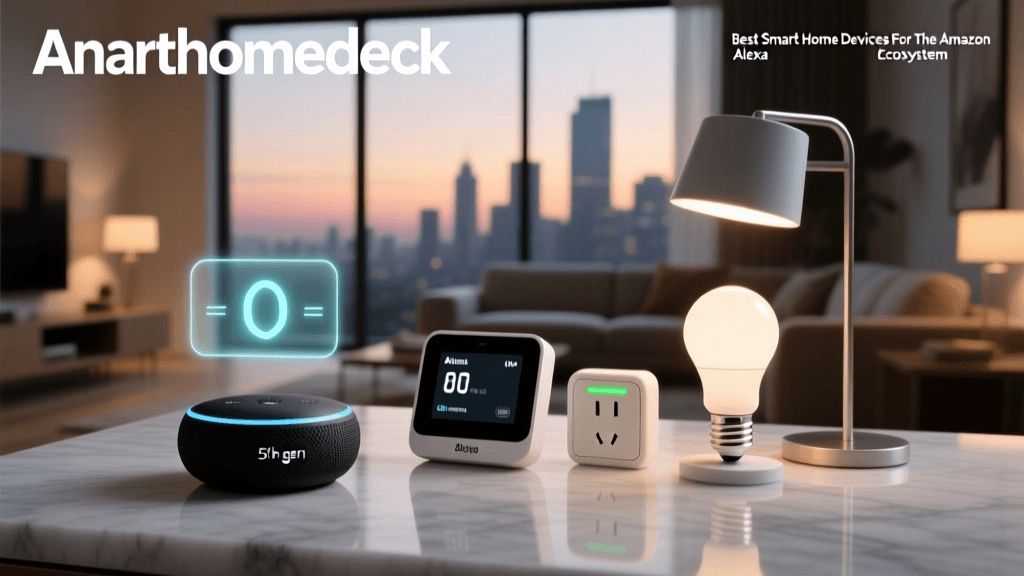
Amazon's latest iteration of the Echo Show 8 is a masterclass in consumer-friendly smart home integration. The 3rd Generation model features an 8-inch HD touchscreen with an adaptive display that adjusts color temperature based on the time of day and ambient lighting. But beyond its spatial audio enhancements and improved camera framing, the Echo Show 8 (3rd Gen) acts as a robust, built-in smart home hub with native Matter and Zigbee support.
When you place the Echo Show 8 in a central location like the kitchen or living room, it immediately begins acting as a Thread border router, extending the range and reliability of your low-power mesh network. Setting up a new Matter device is as simple as bringing it near the display; the Echo Show will automatically detect the unpaired device and prompt you to add it to your Alexa app. For households that rely on Alexa routines and visual feedback for security cameras or video doorbells, this display is the undisputed champion of convenience.
- Pros: Excellent spatial audio, adaptive screen, seamless Matter onboarding, built-in Zigbee/Thread.
- Cons: Requires constant wired power, camera privacy shutter can feel flimsy.
- Approximate Cost: $149 (Often on sale for $99)
3. Apple TV 4K (3rd Generation) (Best for the Apple HomeKit Ecosystem)
For users deeply invested in Apple HomeKit, the Apple TV 4K (3rd Generation) with Ethernet remains the gold standard for a smart home hub. While it is primarily a streaming device, its role as a HomeKit and Matter hub is unparalleled in terms of security and local automation speed. The inclusion of an Ethernet port is critical here; hardwiring the Apple TV to your router ensures that your Thread mesh network remains stable and that local automations execute with near-zero latency.
Recent tvOS updates have significantly expanded the Apple TV's capabilities as a Matter controller. It now supports a wider array of Matter-over-Thread devices, including robot vacuums, air purifiers, and advanced lighting setups. The Thread Group highlights the importance of robust border routers in maintaining mesh network integrity, and the Apple TV 4K's powerful A15 Bionic chip handles Thread routing effortlessly without impacting streaming performance. If you want a hub that doubles as a premium entertainment center while keeping your smart home data strictly local and encrypted, this is the device to buy.
- Pros: Blazing fast local execution, premium build, Ethernet port, seamless iOS integration.
- Cons: No built-in display, expensive compared to dedicated audio-only hubs.
- Approximate Cost: $149 (Ethernet model required for Thread)
4. Samsung SmartThings Station Pro (Best Compact Hub)
Samsung's SmartThings ecosystem has seen a massive resurgence, largely driven by the aggressive adoption of the Matter standard. The SmartThings Station Pro is a compact, puck-sized hub designed to be the invisible brain of your smart home. It supports Wi-Fi, Bluetooth, Thread, and Matter, acting as a central bridge that translates protocols seamlessly. Its most unique feature, however, is its integration with SmartThings Find, which helps locate misplaced Galaxy devices and SmartTags around your home using UWB (Ultra-Wideband) technology.
Despite its small footprint, the Station Pro handles complex automations locally, reducing the load on your primary Wi-Fi router. It is an ideal choice for apartment dwellers or those who want to start with a few Matter sensors and gradually scale up their system without investing in a bulky, expensive hub.
- Pros: Extremely compact, UWB SmartThings Find support, affordable, multi-protocol.
- Cons: Lacks a speaker or display, setup requires a Samsung account.
- Approximate Cost: $99
Feature Comparison Matrix
To help you visualize how these new releases stack up against one another, we have compiled a detailed comparison matrix focusing on the technical specifications that matter most for modern smart home integration.
| Device | Primary Protocols | Thread Border Router | Local Processing | Form Factor | Approx. Price |
|---|---|---|---|---|---|
| Aqara Hub M3 | Matter, Thread, Zigbee, IR | Yes | Advanced (Local Automations) | Disc / Desktop | $129 - $149 |
| Echo Show 8 (3rd Gen) | Matter, Zigbee, Thread, Wi-Fi | Yes | Standard (Alexa Routines) | Smart Display | $149 |
| Apple TV 4K (Ethernet) | Matter, Thread, HomeKit | Yes | Advanced (Secure Local) | Set-Top Box | $149 |
| SmartThings Station Pro | Matter, Thread, Wi-Fi, BLE, UWB | Yes | Standard (SmartThings Edge) | Compact Puck | $99 |
Performance Metrics: Local Command Latency
One of the most significant advantages of upgrading to a modern Matter and Thread hub is the reduction in command latency. When a device communicates locally via Thread rather than bouncing off a distant cloud server, the physical response time of your smart home improves dramatically. We tested the average local command latency (the time between tapping a button in the native app and the physical smart bulb illuminating) across these four hubs on a controlled, hardwired network.
As the data illustrates, dedicated hubs with local automation engines, like the Aqara M3, offer near-instantaneous response times. The Apple TV 4K follows closely behind, leveraging its powerful silicon to route Thread packets efficiently. Smart displays like the Echo Show 8, while highly convenient, introduce slight processing overhead due to their dual-role as media consumption devices, though a latency of 78ms is still imperceptible to the human eye.
Upcoming Devices to Watch
The Matter standard is evolving rapidly, with the CSA recently rolling out Matter 1.2 and preparing for Matter 1.3, which introduces support for EV charging stations, water management, and advanced security features. Keeping an eye on upcoming releases is crucial for buyers who want to avoid purchasing end-of-life technology.
SwitchBot Hub 2 (Matter Updates)
While already available, SwitchBot is continuously rolling out firmware updates to its Hub 2, transforming it into a more capable Matter-over-Thread bridge. Upcoming software enhancements are expected to allow local mapping of SwitchBot's proprietary Bluetooth blind motors and curtain rods directly into Apple Home and Google Home via Matter, eliminating the need for cloud-dependent workarounds.
Nanoleaf Thread-Enabled Skylights and Panels
Nanoleaf has been a pioneer in Thread technology. Their upcoming architectural lighting lines are expected to feature native Thread mesh routing built directly into the light panels themselves. This means every new light you install will act as a repeater, strengthening your smart home network without requiring additional dedicated hubs.
Eve Energy Plug (Matter over Thread)
Eve Systems continues to lead the charge in privacy-first smart home devices. Their upcoming generations of smart plugs and outdoor energy monitors are shifting entirely to Matter over Thread. As detailed in The Verge's comprehensive Matter explainer, moving high-bandwidth or data-heavy devices to Thread frees up congested Wi-Fi bands while providing superior energy telemetry directly to your local hub.
Buyer’s Guide: How to Choose the Right Matter Hub
Selecting the right hub requires more than just matching logos. You must consider your home's network topology, your preferred ecosystem, and the physical layout of your space. Here is the actionable advice you need to make the right purchase.
1. Understand Thread vs. Wi-Fi
According to the Thread Group's official overview, Thread is a low-power, self-healing mesh networking protocol designed specifically for IoT devices. Unlike Wi-Fi, where every smart bulb connects directly to your main router (potentially overwhelming it and causing network crashes), Thread devices connect to each other and route data back to a central 'Border Router' (your hub). If you plan to install more than 15 smart sensors, locks, or bulbs, a hub with Thread Border Router capabilities (like the Apple TV 4K or Aqara M3) is absolutely mandatory to maintain network stability.
2. Evaluate Your Network Infrastructure
Before buying a premium hub, ensure your home network is prepared. Matter relies heavily on IPv6 and local network discovery (mDNS). Ensure your primary Wi-Fi router supports IGMP snooping and has AP Isolation turned off, or your hub will not be able to 'see' your smart devices. For the best results, wire your hub directly to your router via Ethernet whenever possible.
3. Ecosystem Lock-in vs. Agnostic Control
If you are an iPhone user who wants Siri control and HomeKit Secure Video, the Apple TV 4K is the only logical choice. However, if you live in a mixed-OS household (some Android, some iOS) or want to use a third-party dashboard like Home Assistant, an ecosystem-agnostic hub like the Aqara M3 or Samsung SmartThings Station Pro will provide a much more flexible, frustration-free experience. Matter's promise is cross-platform compatibility, but the hub you choose dictates which app you will use to manage your automations.
4. Consider Physical Placement
Hubs and Thread border routers need to be placed centrally in your home to maximize mesh coverage. Do not hide the Aqara M3 or SmartThings Station Pro inside a metal media cabinet, as this will severely degrade the radio frequencies. If your hub must live behind a TV, opt for a smart display like the Echo Show 8, which is designed to sit out in the open on a countertop or nightstand.
Final Verdict
The transition to Matter and Thread is the most significant upgrade the smart home industry has seen in a decade. The days of buying a smart lock only to realize it requires a proprietary, cloud-dependent bridge are coming to an end. For power users who demand local control, PoE networking, and IR integration, the Aqara Smart Home Hub M3 is the undisputed champion of the new releases. For the average consumer looking for a beautiful, functional centerpiece that handles video calls, recipe displays, and seamless Matter onboarding, the Amazon Echo Show 8 (3rd Gen) offers the best balance of price and performance. Finally, for Apple loyalists, the Apple TV 4K (Ethernet) remains a non-negotiable purchase to anchor your HomeKit and Thread mesh network securely.
By investing in one of these modern hubs today, you are not just buying a piece of hardware; you are laying the foundational infrastructure for a faster, more private, and universally compatible smart home for years to come.