The Renter's Dilemma: Smart Homes Without the Security Deposit Risk
For millions of renters, transforming a leased apartment or home into a modern smart home feels like an impossible dream. Most standard lease agreements contain strict clauses prohibiting permanent alterations. This means no drilling holes for video doorbells, no running low-voltage wiring for smart thermostats, and absolutely no replacing hardwired light fixtures. However, the rapid evolution of the Internet of Things (IoT) has introduced a new generation of non-destructive, easily removable smart devices designed specifically for temporary living situations.
Upgrading your rental with smart technology does not have to result in a forfeited security deposit or an angry property manager. By focusing on retrofit devices, adhesive mounts, and plug-and-play ecosystems, you can build a comprehensive, automated living space that moves with you when your lease ends. In this comprehensive buyer's guide, we break down the best no-drill smart home devices for renters, complete with exact measurements, compatibility requirements, and cost ranges to help you build your setup on a budget.
Top Picks for a Drill-Free Smart Home
1. Best Smart Lighting: Philips Hue White and Color Ambiance
Smart bulbs are the undisputed champions of renter-friendly upgrades. They require zero wiring, no drilling, and simply screw into your existing fixtures. The Philips Hue White and Color Ambiance line remains the gold standard for reliability, color accuracy, and ecosystem integration. Because you are simply replacing the bulb and not the fixture, you can easily swap the landlord's standard bulbs into a box, install your Hue bulbs, and reverse the process on move-out day.
When selecting Hue bulbs for your apartment, pay close attention to lumen output and base size. Standard A19 bulbs output 800 lumens (equivalent to a 60W incandescent), which is perfect for lamps and overhead bedroom lights. For larger living areas or kitchens, opt for the 1100-lumen or 1600-lumen versions. Hue bulbs are available in E26 (standard), BR30 (recessed can lights), and E12 (candelabra) bases. While Bluetooth allows for basic out-of-the-box control in a single room, investing in the Hue Bridge is highly recommended. The Bridge plugs into your router via Ethernet, requires no wall mounting, and unlocks advanced features like geofencing, away-from-home control, and integration with third-party motion sensors using adhesive strips.
- Compatibility: Works with Alexa, Google Home, Apple HomeKit, and Matter (via Bridge).
- Cost Range: $40 - $55 per color bulb; $60 for the Hue Bridge.
- Installation Time: 2 minutes per bulb.
2. Best Smart Lock: August Wi-Fi Smart Lock
Replacing a traditional deadbolt is usually a major red flag for landlords, as it alters the exterior security profile of the door. The August Wi-Fi Smart Lock brilliantly bypasses this issue through a retrofit design. It installs exclusively on the interior side of your door, replacing only the thumb-turn mechanism while leaving the exterior deadbolt and keyhole completely untouched. This means your landlord's master key will still work, and the exterior aesthetics of the apartment remain unchanged.
Before purchasing, you must verify your door's compatibility. The August lock requires a single-cylinder deadbolt (a keyhole on the outside, a thumb-turn on the inside) and fits door thicknesses ranging from 1 3/8 inches to 2 1/4 inches. The installation requires only a standard Phillips-head screwdriver and takes about 15 minutes. The built-in Wi-Fi eliminates the need for a separate bridge, and the DoorSense accessory (which can be mounted using heavy-duty 3M Command adhesive strips instead of screws) tells you whether the door is actually closed, not just locked.
- Compatibility: Works with Alexa, Google Assistant, Apple HomeKit.
- Cost Range: $200 - $230.
- Installation Time: 15 - 20 minutes.
3. Best Security Camera: Ring Peephole Cam
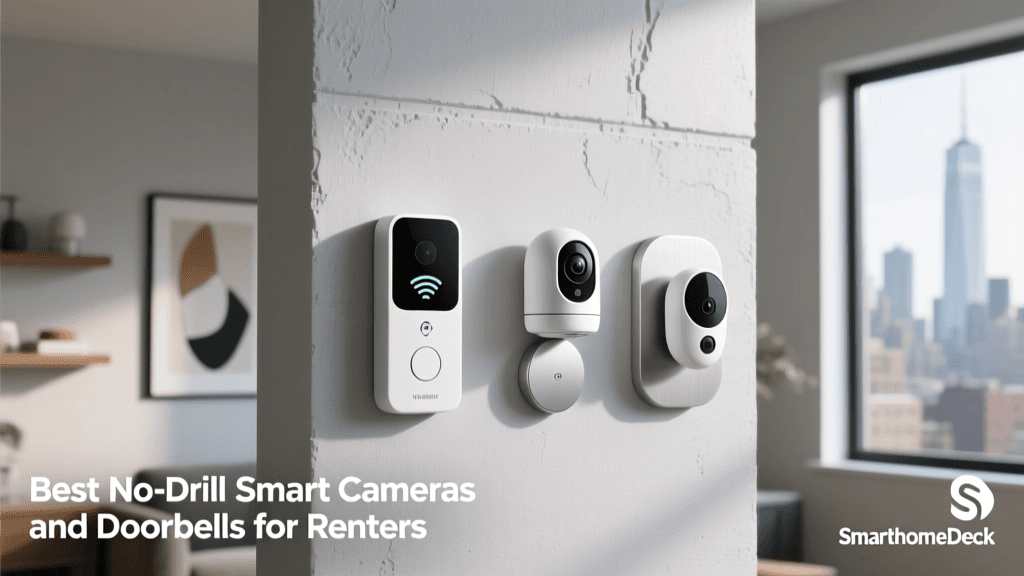
Wired video doorbells like the Ring Pro require drilling through exterior walls and splicing into existing doorbell chimes, which is strictly forbidden in most rental properties. Even battery-powered doorbells often require drilling into the doorframe for mounting brackets. The Ring Peephole Cam offers a genius workaround: it utilizes the existing peephole in your front door.
To install, you simply unscrew the interior and exterior collars of your standard optical peephole (which typically measures between 12mm and 14mm in diameter), slide the Ring Peephole Cam through the hole, and secure it with the included twist-lock mechanism. No drills, no screws, and no damage to the door. The camera records in 1080p HD, features advanced motion detection with customizable privacy zones (so you don't record your neighbors walking by), and includes a built-in knock sensor. When it is time to move out, you simply reverse the process and re-install the original glass peephole.
- Compatibility: Amazon Alexa (Ring is owned by Amazon).
- Cost Range: $100 - $130 (plus optional Ring Protect subscription).
- Installation Time: 10 minutes.
4. Best Smart Blinds: SwitchBot Curtain Rod 2
Custom motorized window treatments are incredibly expensive and require permanent mounting brackets that leave large holes in your drywall. The SwitchBot Curtain Rod 2 is a revolutionary robotic device that attaches directly to your existing curtain rod. It uses a tension-based track system or a ring-based system (depending on your current rod type) to physically pull your curtains open and closed via a quiet, high-torque motor.
This device is perfect for renters because it leaves zero marks on the wall or window frame. You can set automated schedules to wake up to natural sunlight or integrate it with the SwitchBot Light Sensor (which sticks to the window glass via suction cups) to close the blinds automatically when the afternoon sun creates a glare on your TV. The battery lasts up to 8 months on a single charge, and it can be recharged via USB-C or paired with a solar panel accessory.
- Compatibility: SwitchBot App, Alexa, Google Home, SmartThings, IFTTT.
- Cost Range: $140 - $160 per unit.
- Installation Time: 10 - 15 minutes.
5. Best Energy Saver: TP-Link Kasa Smart Plug Mini
Smart plugs are the most affordable and accessible entry point into home automation. The TP-Link Kasa Smart Plug Mini (EP25) allows you to control and monitor the energy consumption of any standard appliance. For renters, this is particularly useful for managing "vampire power"—the standby electricity drawn by devices like coffee makers, window air conditioning units, and entertainment centers even when turned off. According to the U.S. Department of Energy, standby power can account for a significant portion of a household's energy bill, and smart plugs provide an automated way to sever this phantom power draw completely.
The EP25 model includes built-in energy monitoring, allowing you to track exact kWh usage via the Kasa app. It is rated for 15 Amps, making it safe to use with heavy-duty appliances like portable space heaters or window AC units (always verify your appliance's amperage rating before plugging it in). The compact design ensures it won't block the adjacent outlet on a standard wall plate.
- Compatibility: Alexa, Google Home, Samsung SmartThings, Matter (via recent firmware updates).
- Cost Range: $15 - $25 per plug (often sold in multi-packs).
- Installation Time: Less than 2 minutes.
Comparison Table: Renter-Friendly Smart Devices
| Device | Category | Installation Type | Est. Cost | Primary Ecosystem |
|---|---|---|---|---|
| Philips Hue A19 | Smart Lighting | Screw-in Bulb | $50 | Universal / Matter |
| August Wi-Fi Lock | Smart Lock | Interior Retrofit | $230 | Universal / HomeKit |
| Ring Peephole Cam | Security Camera | Peephole Replacement | $100 | Amazon Alexa |
| SwitchBot Curtain 2 | Window Treatment | Rod Attachment | $150 | SwitchBot / SmartThings |
| TP-Link Kasa EP25 | Smart Plug | Plug-and-Play | $20 | Universal / Matter |
Visualizing Cost vs. Installation Time
When budgeting your smart apartment upgrade, it is helpful to weigh the upfront hardware cost against the time required to set it up. The chart below illustrates the relationship between the financial investment and the physical installation effort for the top renter-friendly devices.
Average Installation Time and Cost for Renter-Friendly Smart Devices
Essential Tips for Renter Smart Home Setups
1. Document Everything Before Installation
Before you unscrew a single peephole or swap out a lightbulb, take high-resolution, time-stamped photos of the original fixtures. Store the landlord's original hardware in a labeled ziplock bag or plastic bin in your closet. When your lease ends, restoring the apartment to its exact original condition is the fastest way to ensure your full security deposit is returned.
2. Utilize Damage-Free Mounting Solutions
Many smart home hubs, motion sensors, and indoor cameras require wall mounting for optimal performance. Instead of using drywall anchors and screws, rely on heavy-duty adhesive solutions like 3M Command Strips or Scotch Extreme Mounting Tape. These adhesives are engineered to hold several pounds of weight but can be stretched and removed cleanly without tearing the paint or leaving sticky residue behind. Always clean the wall with isopropyl alcohol before applying adhesive to ensure a strong bond.
3. Secure Your Network and Devices
Living in an apartment complex or multi-family dwelling means you are in close physical proximity to dozens of other Wi-Fi networks. Securing your IoT devices is critical. The Cybersecurity and Infrastructure Security Agency (CISA) strongly recommends changing default passwords, keeping device firmware updated, and isolating smart home devices on a separate guest network if your router supports it. This prevents a compromised smart bulb from providing a backdoor into your personal laptop or smartphone.
4. Check Your Wi-Fi Band Requirements
Most budget-friendly smart plugs, switches, and bulbs operate exclusively on the 2.4GHz Wi-Fi band because it offers better range and wall penetration than 5GHz. However, many modern mesh routers combine 2.4GHz and 5GHz into a single network name (SSID), which can cause pairing failures for IoT devices. If you encounter issues setting up your Kasa plugs or SwitchBot devices, you may need to log into your router's admin panel and temporarily split the bands, or use a secondary mobile hotspot on the 2.4GHz band to complete the initial provisioning.
5. Future-Proof with the Matter Standard
When shopping for new devices, look for the Matter logo. Matter is an industry-unified smart home standard backed by Apple, Google, Amazon, and Samsung. Devices that support Matter communicate locally over your network (via Thread or Wi-Fi), meaning they respond faster, work even if your internet goes down, and don't rely on cloud servers that might be shut down if a startup goes out of business. Philips Hue and newer TP-Link Kasa devices have begun rolling out Matter support via firmware updates, making them excellent long-term investments for renters who plan to move and change their primary smart home ecosystem in the future.
Conclusion
Being a renter no longer means you have to settle for a "dumb" home. By leveraging retrofit locks, peephole cameras, smart bulbs, and adhesive-mounted sensors, you can create a highly automated, secure, and energy-efficient living space without violating your lease agreement. The key to success lies in careful product selection—prioritizing devices that leave no physical trace behind—and maintaining a meticulous move-out strategy. Whether you are looking to save on utility bills with smart plugs or enhance your security with a non-destructive camera, the devices highlighted in this guide offer the perfect balance of convenience and compliance. For more tips on optimizing your home's energy footprint, explore the EPA's Green Homes initiative to see how smart technology pairs with sustainable living practices.