Building the Ultimate Google Home Ecosystem
The smart home landscape has evolved dramatically, shifting from fragmented, app-heavy experiences to unified, voice-driven ecosystems. For users invested in the Google Home ecosystem, the transition to the newly redesigned Google Home app and the widespread adoption of the Matter smart home standard have completely transformed how devices interact. Building a reliable, responsive, and highly automated smart home requires selecting hardware that natively integrates with Google Assistant, leverages local processing where possible, and supports modern connectivity protocols like Thread and Wi-Fi 6.
Whether you are upgrading your current setup or starting from scratch, choosing the right devices is critical. Native Google Nest products offer the deepest integration, featuring exclusive routines, local processing, and seamless setup. However, the best third-party devices now rival first-party hardware in terms of reliability and feature sets. In this comprehensive buyer's guide, we break down the best smart home devices for the Google Home ecosystem, covering audio, lighting, climate control, and security. We will also explore the technical specifications, price points, and integration nuances you need to know before making a purchase.
Best Smart Speakers and Displays
The foundation of any Google Home setup is the interface. While your smartphone is essential, smart speakers and displays act as the physical nodes for Google Assistant, allowing for hands-free control, broadcast messaging, and ambient smart home management.
Google Nest Audio
The Google Nest Audio remains the premier choice for users who prioritize high-fidelity sound alongside smart home control. Engineered with a 75mm woofer and a 19mm tweeter, the Nest Audio delivers room-filling sound that adapts to your environment using ambient EQ technology. For the Google Home ecosystem, it serves as a highly responsive voice node, utilizing far-field microphones to hear commands even over loud music or household noise.
- Connectivity: Wi-Fi 5 (802.11ac), Bluetooth 5.0
- Smart Home Features: Chromecast built-in, Ultrasonic presence sensing (for automated routines), Touch controls
- Best For: Living rooms, kitchens, and open-concept spaces where audio quality is a priority.
- Price Range: $99 - $129
Google Nest Hub (2nd Gen)
If visual feedback and ambient display are more important than raw audio power, the Nest Hub (2nd Gen) is unmatched. The 7-inch touchscreen displays your Nest camera feeds, Google Photos, and smart home control dashboards. Crucially, the 2nd Gen model includes a Soli radar chip for Sleep Sensing, allowing it to track your sleep patterns without a camera, addressing privacy concerns in bedrooms. It also acts as a fantastic digital photo frame and recipe assistant in the kitchen.
- Connectivity: Wi-Fi 5, Bluetooth 5.0, Thread radio (acts as a Thread Border Router for Matter devices)
- Smart Home Features: Visual routines, Camera feed casting, Sleep Sensing, Family Notes
- Best For: Bedrooms, nightstands, and kitchen counters.
- Price Range: $99 - $129
Best Smart Lighting Solutions
Lighting is often the entry point for smart home adoption. In the Google Home ecosystem, you generally have two paths: premium, hub-based systems with advanced color science, or budget-friendly, direct-to-Wi-Fi solutions that eliminate the need for extra hardware.
Philips Hue White and Color Ambiance
Philips Hue is the gold standard for smart lighting, and its integration with Google Home is exceptionally deep. With the recent updates to the Hue Bridge, Philips Hue now supports Matter, meaning your lights can be controlled locally by the Google Home app without relying heavily on cloud servers. The color accuracy, brightness gradients, and Entertainment API (which syncs lights to your TV or music via Google Cast) are unparalleled. While the initial cost is high due to the required Hue Bridge, the reliability and ecosystem support are worth the investment.
- Protocol: Zigbee (via Hue Bridge), Matter over Thread (newer updates)
- Smart Home Features: Sync with Nest Thermostat (e.g., lights turn orange when heating is on), Geofencing, Adaptive Lighting
- Best For: Enthusiasts wanting the most reliable, color-accurate lighting with deep Google Home routine integration.
- Price Range: $129 - $199 (Starter Kits)
TP-Link Kasa Smart Wi-Fi Series
For those who want smart lighting without the overhead of a dedicated bridge, the TP-Link Kasa line is the best budget option. Kasa bulbs and switches connect directly to your 2.4GHz Wi-Fi network and link natively to Google Home. The Kasa app is robust, but more importantly, Google Home recognizes Kasa devices almost instantly, allowing for group control and voice commands with minimal latency. The Kasa Matter-enabled plugs and switches are also excellent for bringing older, dumb appliances into the Google ecosystem.
- Protocol: Wi-Fi (2.4GHz), Matter (on specific newer models)
- Smart Home Features: AWAY mode (simulates presence), Grouping, Energy monitoring (on smart plugs)
- Best For: Budget-conscious users, renters, and those wanting plug-and-play Wi-Fi devices.
- Price Range: $15 - $45 (per bulb or plug)
Best Smart Climate Control
Climate control represents one of the most practical applications of smart home technology, offering both convenience and significant energy savings.
Google Nest Learning Thermostat
The Google Nest Learning Thermostat is a masterpiece of ecosystem synergy. Because it is a first-party device, it communicates directly with other Nest products. For example, if your Nest Protect detects smoke, the thermostat will automatically shut off your HVAC system to prevent spreading smoke. It also utilizes Nest Temperature Sensors to manage hot and cold spots in specific rooms. According to the EPA ENERGY STAR program, certified smart thermostats like the Nest can save users an average of 8% on heating and 10% on cooling bills annually, making it an investment that pays for itself.
- Connectivity: Wi-Fi 5, Bluetooth, 802.15.4 (Thread)
- Smart Home Features: Auto-Schedule, Home/Away Assist, HVAC Health monitoring, Farsight display
- Best For: Homeowners looking for automated energy savings and deep integration with Nest security and air quality products.
- Price Range: $229 - $279
Best Smart Security and Access
Security devices require low latency and high reliability. The Google Home ecosystem excels here by processing video locally on certain hubs and offering instant push notifications to Android devices.
Google Nest Cam (Wired)
The wired Nest Cam is designed for 24/7 continuous monitoring. Unlike battery-powered alternatives, the wired version never needs charging and supports continuous video recording (CVR) if you subscribe to Nest Aware. Its integration with Google Home is flawless: you can cast the feed to a Nest Hub or Chromecast-enabled TV using a simple voice command. The on-device machine learning can differentiate between people, animals, and vehicles, reducing false alerts in your Google Home notification feed.
- Connectivity: Wi-Fi 5, Bluetooth
- Smart Home Features: Familiar face alerts, Activity Zones, Nest Aware integration, Google Assistant two-way talk
- Best For: Driveways, entryways, and high-traffic areas requiring constant monitoring.
- Price Range: $179 - $199
Yale Assure Lock 2
Smart locks require robust security protocols and reliable connectivity. The Yale Assure Lock 2 is a premium deadbolt replacement that offers a sleek, keypad-centric design. When equipped with the Wi-Fi Smart Module, it connects directly to Google Home, allowing you to check lock status and lock the door via voice or app. More importantly, newer models support Matter, which, as highlighted by the Connectivity Standards Alliance, ensures faster, local, and more secure communication between your lock and your Google Home hubs without relying on third-party cloud servers.
- Protocol: Wi-Fi, Bluetooth, Matter (via Thread module)
- Smart Home Features: Auto-lock, DoorSense (alerts if door is left ajar), Guest passcodes via app
- Best For: Primary entry doors where aesthetics, security, and Google Home voice locking are paramount.
- Price Range: $239 - $279
Comprehensive Device Comparison
Below is a structured comparison of the top picks, highlighting their primary protocols and integration depth within the Google Home app.
| Device | Category | Primary Protocol | Google Integration Level | Avg. Price |
|---|---|---|---|---|
| Nest Audio | Smart Speaker | Wi-Fi 5 | Native / Deep | $99 |
| Nest Hub (2nd Gen) | Smart Display | Wi-Fi 5 / Thread | Native / Deep | $99 |
| Philips Hue | Lighting | Zigbee / Matter | High / Local Control | $129+ |
| TP-Link Kasa | Lighting / Plugs | Wi-Fi | High / Cloud-Assisted | $15+ |
| Nest Thermostat | Climate | Wi-Fi / Thread | Native / Deep | $249 |
| Yale Assure 2 | Smart Lock | Wi-Fi / Matter | High / Secure | $239 |
Buyer's Guide: Optimizing Your Google Home Setup
Selecting the right hardware is only half the battle. To truly maximize your Google Home ecosystem, you must understand the underlying technologies and how to configure your network and software for optimal performance.
The Importance of Matter and Thread
The smart home industry is currently undergoing a massive shift toward Matter, a unified connectivity standard backed by Apple, Amazon, and Google. When buying new devices, look for the Matter logo. Matter ensures that devices communicate locally over your network rather than relying on distant cloud servers. This results in faster response times when you flip a smart switch and ensures your devices still function even if your internet connection drops.
Furthermore, many Matter devices utilize Thread, a low-power, mesh-networking protocol. Unlike Wi-Fi, which can become congested if you have dozens of smart bulbs and plugs, Thread devices talk to one another, creating a robust mesh network. Devices like the Nest Hub (2nd Gen) and the Nest Learning Thermostat act as Thread Border Routers, bridging your Thread devices to your Wi-Fi network and the Google Home app seamlessly. As noted in the Google Nest Matter Support documentation, ensuring your hubs are updated and properly placed is vital for a strong Thread mesh.
Crafting Advanced Google Home Routines
The true power of the Google Home ecosystem lies in its automation engine, known as Routines. While basic commands like 'Turn off the lights' are useful, advanced routines can completely automate your home. Consider setting up a 'Leaving Home' routine that triggers when the Nest Thermostat detects your phone has left the geofence. This routine can simultaneously lock the Yale Assure deadbolt, turn off all Kasa and Hue lights, arm your security system, and lower the thermostat to an eco-temperature.
Another powerful feature is Starter and Condition logic. You can create routines that only trigger if specific conditions are met. For example: 'Turn on the porch light' (Action) -> 'When the Nest Cam detects motion' (Starter) -> 'But only if the Nest Hub determines it is after sunset' (Condition). Taking the time to map out these conditional routines in the Google Home app transforms your house from a collection of remote-controlled gadgets into a genuinely intelligent environment.
Network and Privacy Considerations
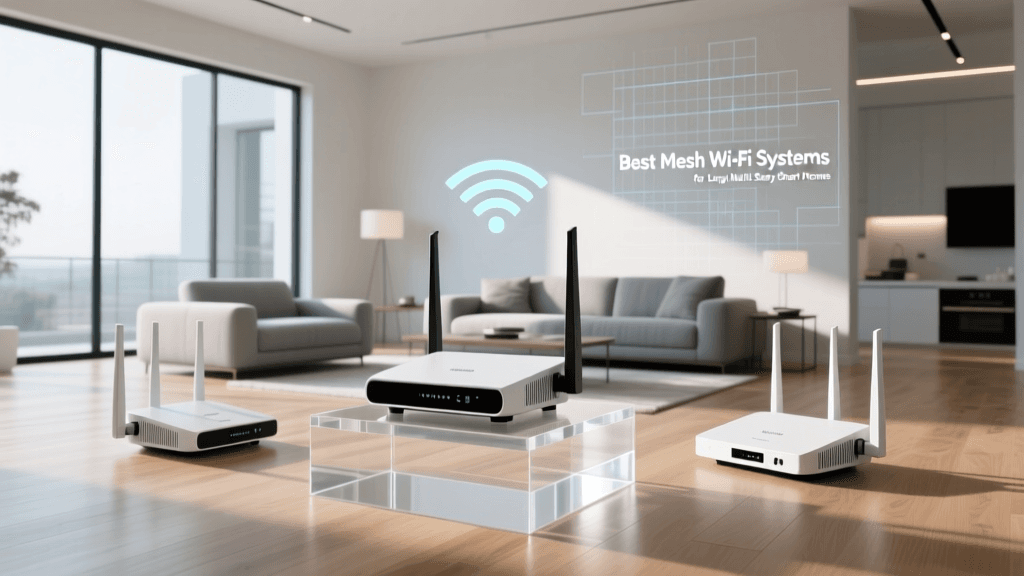
A Google Home ecosystem with 30+ devices will quickly overwhelm a standard ISP-provided router. To maintain low latency and prevent devices from dropping offline, invest in a robust Mesh Wi-Fi system (like Google Nest Wifi Pro or Eero). Ensure your smart home devices are segmented onto a 2.4GHz IoT network, reserving your 5GHz and 6GHz bands for high-bandwidth devices like laptops and streaming TVs.
Finally, privacy is a paramount concern when integrating cameras, microphones, and locks into a cloud-connected ecosystem. Google provides granular privacy controls within the app. You can enable two-factor authentication (2FA) on your Google account to prevent unauthorized access to your Nest Cams and Yale locks. Additionally, utilize the physical microphone mute switches on Nest speakers when hosting sensitive meetings, and regularly review the 'Privacy Dashboard' in the Google Home app to audit which third-party services have access to your device data.
Final Thoughts
Building a Google Home ecosystem is a rewarding endeavor that offers unparalleled convenience, energy efficiency, and security. By anchoring your setup with native Nest hardware for climate and audio, supplementing with premium Matter-ready third-party devices like Philips Hue and Yale, and leveraging the power of Thread networking, you can create a smart home that is both powerful and resilient. Focus on local processing, invest in a strong mesh network, and take advantage of advanced conditional routines to make your home truly smart.