The Renter's Dilemma: Smart Tech Without the Damage
Renting a home or apartment often feels like a temporary state, but that doesn't mean you should sacrifice the convenience, security, and energy efficiency of a modern smart home. The primary hurdle for renters is the strict prohibition against permanent modifications. Drilling holes for security cameras, hardwiring new thermostats, or using heavy-duty adhesives that peel paint can lead to severe deductions from your security deposit. Fortunately, the smart home industry has recognized the massive renter demographic, leading to a surge in non-destructive, retrofit, and plug-and-play devices.
In this comprehensive buyer's guide, we have curated the best smart home devices specifically designed for renters. Whether you are looking to secure your front door, automate your lighting, or monitor your living room, these products offer premium functionality without requiring a single drill bit or permanent alteration to your lease space.
Best Smart Locks for Renters (Retrofit & No-Drill)
Changing the locks on a rental property is usually a violation of the lease agreement, and traditional smart locks require you to completely remove the existing deadbolt. Retrofit smart locks solve this by installing on the interior side of the door, leaving the exterior hardware and keys completely untouched.
1. August Wi-Fi Smart Lock (4th Gen)
The August Wi-Fi Smart Lock remains the undisputed champion for renters. It mounts directly over your existing interior thumbturn using a universal adapter plate that requires zero drilling. You simply remove the thumbturn, attach the August mounting plate with the existing screws, and snap the lock into place. It features built-in Wi-Fi, eliminating the need for a separate bridge, and includes the DoorSense sensor to tell you if the door is physically open or closed.
- Installation Time: 10-15 minutes
- Compatibility: Fits most standard single-cylinder deadbolts
- Price Range: $229 - $249
- Renter Benefit: You keep your original keys and exterior hardware. When you move out, simply reverse the process in 5 minutes.
2. SwitchBot Lock Pro
If your deadbolt isn't compatible with the August, or you prefer a budget-friendly alternative, the SwitchBot Lock Pro is an excellent choice. It utilizes a high-strength 3M VHB adhesive tape to attach to the door and the thumbturn. While this avoids screws entirely, renters with older, painted doors must be cautious, as removing heavy-duty adhesive can peel paint. We recommend applying a layer of painter's tape to the door first, then applying the 3M tape over the painter's tape for a damage-free removal.
- Installation Time: 5-10 minutes
- Compatibility: Works with various deadbolts and knob locks via adhesive or clamp
- Price Range: $149 - $179
- Renter Benefit: No screws required; highly portable for frequent movers.
Best Smart Lighting (Plug-In & Damage-Free Adhesive)
Hardwired smart switches require electrical knowledge and permanent wall modifications. Renters should focus on smart bulbs, plug-in lamps, and light strips that utilize removable mounting solutions.
1. Philips Hue Play HDMI Sync Box & Lamps
For renters who want immersive entertainment lighting without mounting light bars to the wall, the Philips Hue ecosystem is unparalleled. The Hue Play lamps come with freestanding bases that sit perfectly on TV consoles or shelves. For bias lighting behind the TV, use the Philips Hue Lightstrip. Pro Renter Tip: Do not use the adhesive backing on the lightstrip directly on your TV or painted walls. Instead, wrap the strip around a thin acrylic sheet or use 3M Command Clips to route the wire and strip, ensuring zero residue upon removal.
- Installation Time: 15 minutes (plus hub setup)
- Protocol: Zigbee (via Hue Bridge) and Matter-compatible
- Price Range: $200 - $350 (Starter kits and accessories)
2. Govee RGBIC Wall Washer & Glide Hexa
Govee offers incredible color accuracy and segment control at a fraction of the cost of premium brands. The Govee Glide Wall Washer sits on the floor or a low shelf, projecting light upward to wash the wall in vibrant colors without any mounting. If you prefer the modular look of the Glide Hexa light panels, avoid sticking them directly to the drywall. Instead, mount them to a lightweight canvas or foam board, and hang the board using heavy-duty Command Picture Hanging Strips.
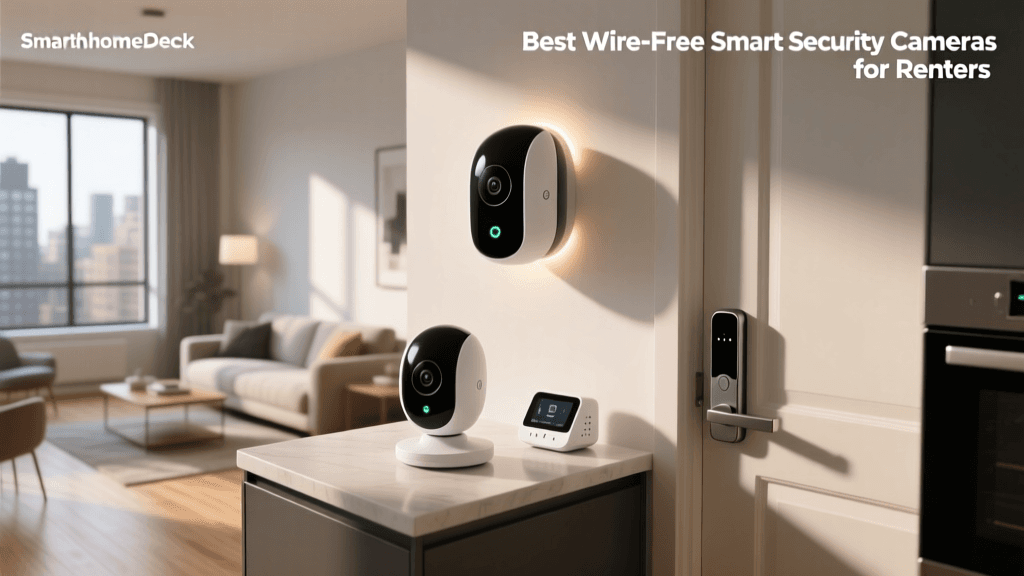
Best Smart Security Cameras (Freestanding & Peephole)
Outdoor security cameras usually require drilling into siding or brick, which is strictly forbidden for apartment dwellers. Indoor cameras and peephole replacements offer robust security without structural damage.
1. Ring Peephole Cam
If your apartment door has a traditional peephole, the Ring Peephole Cam is a must-have. It replaces the existing optical peephole, providing a 1080p HD camera, two-way talk, and motion detection. The installation involves unscrewing your current peephole, feeding the ribbon cable through the hole, and securing the interior and exterior units. Crucial Step: Keep your original peephole and screws in a labeled Ziploc bag so you can reinstall them when your lease ends.
- Installation Time: 15-20 minutes
- Power Source: Quick-release rechargeable battery pack
- Price Range: $199
2. Wyze Cam v4
For indoor monitoring, pet checking, or keeping an eye on a nursery, the Wyze Cam v4 is the best budget pick. It features a magnetic base that can sit on any shelf, desk, or cabinet. It offers 2.5K QHD resolution, color night vision, and built-in motion tracking. Because it sits freely, you can easily move it from room to room or pack it in a drawer when guests visit.
- Installation Time: 2 minutes
- Power Source: Plug-in (USB-C)
- Price Range: $35 - $50
Best Smart Climate Control
Many renters live in spaces with ductless mini-split air conditioners or older, non-programmable thermostats. Upgrading your climate control saves money and improves comfort.
1. Sensibo Air
If your apartment uses a ductless mini-split AC or a window unit with an IR remote, the Sensibo Air is a game-changer. It acts as a smart IR blaster, learning your remote's signals and allowing you to control your AC via smartphone, voice assistants, or automated schedules. It plugs into a standard wall outlet and can sit on a table or be mounted using removable adhesive strips.
- Installation Time: 5 minutes
- Compatibility: Any AC unit with an infrared remote
- Price Range: $119 - $139
2. Smart Thermostats (With Landlord Permission)
If you have a central HVAC system, you can install a smart thermostat like the Ecobee3 Lite or Google Nest Thermostat. According to the Department of Energy, smart thermostats can significantly reduce heating and cooling costs by learning your schedule and adjusting temperatures automatically. Renter Protocol: Always ask your landlord for written permission before swapping a thermostat. Take a photo of the original wiring, label every wire with the provided stickers, and store the original thermostat in a safe box to reinstall upon move-out.
Comparison Table: Renter-Friendly Smart Devices
| Device | Category | Install Method | Avg Price | Deposit Risk |
|---|---|---|---|---|
| August Wi-Fi Lock | Security | Retrofit (Screws) | $229 | Low |
| Ring Peephole Cam | Camera | Peephole Swap | $199 | Low |
| Philips Hue Play | Lighting | Plug-in / Freestanding | $250+ | None |
| Govee Wall Washer | Lighting | Freestanding | $99 | None |
| Wyze Cam v4 | Camera | Freestanding / Magnet | $45 | None |
| Sensibo Air | Climate | Plug-in / Adhesive | $119 | Low |
| Kasa Smart Plug | Automation | Plug-in | $15 | None |
Data Visualization: Installation Time vs. Deposit Risk
The chart below illustrates the relationship between the time required to install a device and the potential risk it poses to your security deposit. Devices with lower risk scores are highly recommended for strict lease agreements.
The Ultimate Renter's Buying Guide
1. The Importance of the 'Matter' Protocol
When buying smart devices as a renter, you are likely to move eventually. You might transition from an apartment where you used Apple HomeKit to a house where the new ecosystem is Amazon Alexa. The CSA IoT Connectivity Alliance developed the Matter protocol to ensure cross-platform compatibility. Prioritizing Matter-compatible devices (like newer Philips Hue bridges, Ecobee thermostats, and select smart plugs) ensures your investment is future-proof, regardless of what ecosystem your next landlord or homebuyer prefers.
2. Command Strip Best Practices for Smart Home Gear
3M Command Strips are a renter's best friend, but they must be used correctly to avoid wall damage. Never apply Command Strips to freshly painted walls (wait at least 30 days after painting). When removing the strips, pull the tab straight down, parallel to the wall, stretching it slowly until it releases. If a strip snaps, use a hairdryer on a low heat setting to soften the adhesive before gently prying it off with dental floss.
3. Navigating Wi-Fi Restrictions in Apartments
Many large apartment complexes use managed Wi-Fi networks (like Xfinity xFi or AT&T Community Wi-Fi) that isolate devices, preventing them from communicating with each other. This can break local smart home routines. If your apartment uses a managed network, invest in a smart home hub that creates its own local mesh network (like a Zigbee or Thread hub) or use a dedicated travel router to create a private, isolated network just for your smart devices.
How to Safely Remove Adhesive Smart Devices
When move-out day arrives, proper removal techniques are essential to protect your deposit. For devices like the SwitchBot Lock or Sensibo Air that use heavy-duty VHB tape, never simply pull the device off the door or wall. Use a hairdryer to apply heat to the adhesive for 2-3 minutes. This softens the chemical bond. Once heated, use a piece of fishing line or dental floss to 'saw' through the foam tape. Any remaining residue can be removed using Goo Gone or isopropyl alcohol, followed by a wipe-down with a damp microfiber cloth.
Frequently Asked Questions
Can I change the lightbulbs in my rental?
Yes, replacing standard incandescent or CFL bulbs with smart bulbs (like WiZ or Philips Hue) is perfectly acceptable. However, keep the original bulbs in a safe place. Some landlords require the original fixtures and bulbs to be in place upon move-out, and smart bulbs can sometimes cause issues with older, incompatible dimmer switches on the wall.
Do smart plugs save money?
Yes, smart plugs can help reduce 'vampire power' drain. According to Energy.gov, managing your home's lighting and electronics efficiently leads to noticeable utility savings. By placing your entertainment center or window AC unit on a heavy-duty smart plug, you can schedule them to turn off completely when you are at work or asleep, cutting down on passive energy consumption.
What if my landlord refuses to let me install a smart lock?
Some landlords are strictly against any modifications to the entry door due to master-key systems or fire code regulations. If a retrofit lock like the August is denied, pivot to a smart video doorbell (if you have a door with a peephole) or a portable indoor security camera. You can also use a smart sensor on the door frame (using removable adhesive) to alert your phone if the door is opened, providing security without altering the lock mechanism.
Conclusion
Living in a rental property no longer means you have to settle for outdated, disconnected living spaces. By choosing retrofit smart locks, freestanding lighting, and plug-and-play climate controllers, you can build a highly automated, secure, and energy-efficient home. The key to success lies in reading your lease, utilizing non-destructive mounting techniques, and keeping all original hardware safely stored for move-out day. With the right devices, you can enjoy the perks of a modern smart home while keeping your security deposit fully intact.