Best Smart Home Devices 2025: Our Expert-Tested Top Picks
Building a smart home has never been more exciting — or more overwhelming. With thousands of connected gadgets flooding the market, figuring out which devices are genuinely worth your money requires careful research, hands-on testing, and a clear understanding of how each product fits into a broader ecosystem. That is exactly what we have done here at Smart Home Deck.
In this comprehensive buyer guide, we break down the best smart home devices across every major category: hubs, speakers, lighting, security cameras, doorbells, locks, thermostats, plugs, vacuums, and displays. Each pick has been evaluated against our rigorous selection criteria and assigned a proprietary Deck Score out of 100 so you can compare products at a glance.
How We Chose the Best Smart Home Devices
Before diving into our picks, it is important to understand the methodology behind our selections. We evaluate every smart home product across five core pillars:
- Ease of Use (25%): How simple is setup? Is the companion app intuitive? Can a non-technical family member operate it without frustration?
- Features & Performance (25%): Does the device deliver on its promises? Are the features genuinely useful or just marketing gimmicks?
- Ecosystem Compatibility (20%): Does it work with Alexa, Google Home, Apple HomeKit, Samsung SmartThings, or Matter? The more platforms, the better.
- Value for Money (15%): Is the price justified by the features and build quality? Are there hidden subscription costs?
- Reliability & Support (15%): Does the device maintain a stable connection? Does the manufacturer provide regular firmware updates and responsive customer support?
Each product receives a Deck Score — a weighted composite rating out of 100 — that reflects its overall standing across these criteria. We also factor in long-term durability, privacy policies, and real-world user feedback to ensure our recommendations stand the test of time.
For a deeper dive into how we test products, visit our about page where we detail our full review methodology.
Quick Comparison Table: All Top Picks at a Glance
| Category | Product | Deck Score | Price Range | Best For |
|---|---|---|---|---|
| Smart Hub | Samsung SmartThings Station Pro | 93/100 | $$ | Universal compatibility |
| Smart Speaker | Amazon Echo (4th Gen) | 91/100 | $$ | Alexa ecosystem users |
| Smart Display | Google Nest Hub (2nd Gen) | 90/100 | $$ | Google Home users |
| Smart Lighting | Philips Hue White & Color Ambiance | 94/100 | $$$ | Premium color lighting |
| Smart Thermostat | Ecobee Smart Thermostat Premium | 95/100 | $$$ | Energy savings & comfort |
| Smart Lock | August Wi-Fi Smart Lock (4th Gen) | 92/100 | $$ | Retrofit & renters |
| Video Doorbell | Ring Battery Doorbell Pro | 89/100 | $$ | Wire-free installation |
| Security Camera | Arlo Pro 5S 2K Spotlight | 91/100 | $$$ | Outdoor surveillance |
| Robot Vacuum | Roborock S8 MaxV Ultra | 96/100 | $$$$ | Hands-free whole-home cleaning |
| Smart Plug | TP-Link Kasa Smart Plug Mini | 88/100 | $ | Budget-friendly automation |
| Smart Smoke Detector | Google Nest Protect | 93/100 | $$$ | Connected safety alerts |
| Smart Blinds | SwitchBot Curtain 3 | 87/100 | $$ | Retrofit window automation |
Best Smart Hub: Samsung SmartThings Station Pro
Deck Score: 93/100
Every great smart home needs a central nervous system, and the Samsung SmartThings Station Pro is the best all-around hub we have tested. It acts as a bridge between your various smart devices — regardless of brand — and lets you control them all from a single, unified app.
The Station Pro supports Zigbee, Z-Wave, Wi-Fi, Bluetooth, and the new Matter standard, making it one of the most versatile hubs on the market. Whether you own Philips Hue bulbs, Yale locks, Ecobee thermostats, or any of the thousands of compatible devices, the SmartThings ecosystem brings them together seamlessly.
Setup is remarkably straightforward. Plug in the hub, download the SmartThings app, and follow the guided onboarding process. Within minutes, you can start adding devices, creating automations, and building routines that tie your entire home together. The app interface is clean and logical, with dedicated rooms, device categories, and an automation builder that rivals dedicated platforms like Home Assistant in flexibility — without the technical complexity.
One standout feature is the built-in SmartThings Find capability, which helps you locate Galaxy devices and SmartTags around your home. The hub also doubles as a fast wireless charger for Qi-compatible phones, earning its place on your nightstand or desk rather than hiding in a closet.
Pros
- Supports Matter, Zigbee, Z-Wave, Wi-Fi & Bluetooth
- Excellent app with powerful automation builder
- Built-in wireless phone charger
- Works with Alexa & Google Assistant
- Regular firmware updates from Samsung
Cons
- Some advanced automations require SmartThings Premium subscription
- Z-Wave range could be better in larger homes
- Apple HomeKit support is limited compared to native hubs
If you are just starting your smart home journey and want a hub that will grow with you, the SmartThings Station Pro is our top recommendation. For more hub options, check out our best smart hubs guide.
Best Smart Speaker: Amazon Echo (4th Gen)
Deck Score: 91/100
The Amazon Echo 4th Generation remains the gold standard for smart speakers, combining excellent audio quality with the most capable voice assistant on the market. Its spherical design houses a 3.0-inch woofer and dual 0.8-inch tweeters that deliver surprisingly rich, room-filling sound — a massive leap over earlier cylindrical models.
Alexa continues to lead the voice assistant race in terms of skills, third-party integrations, and smart home device compatibility. With over 100,000 skills and native support for virtually every major smart home brand, the Echo serves as both an entertainment center and a command hub for your connected home.
The built-in Zigbee hub is a feature that sets this Echo apart from its competitors. You can pair compatible smart home devices directly to the Echo without needing a separate bridge or hub — perfect for simplifying your setup. The temperature sensor enables smart automations like triggering your thermostat or fan when the room gets too warm.
Audio quality is impressive for the price point. Bass is present and punchy without being muddy, mids are clear for podcasts and calls, and highs are crisp enough for most music genres. For stereo sound, you can pair two Echo units together, and Dolby processing adds a layer of spatial depth that elevates the listening experience.
Pros
- Built-in Zigbee hub eliminates need for separate bridge
- Excellent sound quality for the price
- Temperature sensor enables smart automations
- Vast Alexa skill library & device compatibility
- 3.5mm audio input & output
Cons
- No wall-mount option
- Privacy concerns for some users (physical mute button helps)
- Slightly larger footprint than previous generations
The Echo 4th Gen is the smart speaker to beat. Whether you use it as a kitchen companion, bedroom alarm, or living room music system, it delivers across the board. Explore more audio options in our best smart speakers roundup.
Best Smart Display: Google Nest Hub (2nd Gen)
Deck Score: 90/100
Smart displays add a visual dimension to voice assistants, and the Google Nest Hub 2nd Gen strikes the perfect balance between functionality, design, and price. Its 7-inch touchscreen is bright and responsive, making it ideal for viewing recipes, checking security camera feeds, managing calendars, and video calling through Google Meet or Duo.
Google Assistant shines on this device, offering natural conversation flow, accurate voice recognition even from across the room, and deep integration with Google services like Calendar, Photos, Maps, and YouTube. The ambient display mode transforms the Nest Hub into a beautiful digital photo frame when not in active use, cycling through your Google Photos library.
For smart home control, the Nest Hub provides a visual dashboard that makes managing devices faster and more intuitive than voice-only commands. Tap to dim lights, swipe to adjust the thermostat, or glance at the camera feed when someone rings the doorbell — all without uttering a word.
Sleep sensing is a unique feature that tracks your sleep patterns using radar and microphone technology, providing morning reports on your sleep quality without requiring a wearable device. While not a replacement for a dedicated sleep tracker, it offers useful insights at no additional cost.
Pros
- Bright, responsive 7-inch touchscreen
- Excellent Google Assistant integration
- Ambient photo frame mode
- Built-in sleep sensing
- Thread & Matter support for future-proofing
Cons
- No built-in camera for video calls
- Speaker quality is adequate but not exceptional
- Limited third-party app support compared to Echo Show
If you live in the Google ecosystem, the Nest Hub 2nd Gen is an essential addition to your kitchen or bedroom. Compare it with other options in our smart display comparison guide.
Best Smart Lighting: Philips Hue White & Color Ambiance
Deck Score: 94/100
No smart home is complete without smart lighting, and Philips Hue remains the undisputed champion of connected illumination. The White & Color Ambiance line offers 16 million colors, warm-to-cool white tuning, and the reliability that has made Hue the industry standard for over a decade.
The Hue ecosystem is vast and mature. Start with a few bulbs and the Hue Bridge, then expand with light strips, outdoor fixtures, ceiling panels, lamps, and specialty products like the Play HDMI Sync Box for immersive TV viewing. Every product communicates through the reliable Zigbee-based Hue Bridge, ensuring rock-solid performance that Wi-Fi-based competitors simply cannot match.
The Hue app is a masterclass in smart lighting control. Create scenes that match your mood, build dynamic routines that gradually brighten your lights to simulate sunrise, or sync your lights with music, movies, and games for an immersive entertainment experience. The app also supports geofencing, so your lights can turn on automatically when you arrive home and turn off when you leave.
Compatibility is where Hue truly excels. It works natively with Amazon Alexa, Google Assistant, Apple HomeKit, Samsung SmartThings, IFTTT, and now Matter — making it one of the most universally compatible smart home products in existence. This cross-platform flexibility means you are never locked into a single ecosystem.
Pros
- Industry-leading color accuracy & brightness
- Massive ecosystem of compatible products
- Works with Alexa, Google, HomeKit, SmartThings & Matter
- Extremely reliable Zigbee connectivity
- Excellent app with advanced scene & automation tools
Cons
- Premium pricing — most expensive smart bulbs on the market
- Requires Hue Bridge for full functionality
- Third-party bulbs on the Hue Bridge can be inconsistent
Philips Hue is an investment, but it is one that pays dividends in daily convenience, ambiance, and reliability. If budget is a concern, consider starting with a Hue starter kit and expanding gradually. For budget alternatives, see our best smart bulbs guide.
Best Smart Thermostat: Ecobee Smart Thermostat Premium
Deck Score: 95/100
The Ecobee Smart Thermostat Premium is the most intelligent climate control device we have ever tested, and it earns the highest Deck Score in our thermostat category. Beyond precise temperature management, it serves as a smart home hub, air quality monitor, built-in Alexa speaker, and energy optimization engine — all behind a stunning glass touchscreen display.
What sets Ecobee apart from competitors like Nest is its room sensor technology. The included SmartSensor detects occupancy and temperature in the rooms that matter most, ensuring comfort where you actually spend time rather than basing decisions on a single hallway reading. You can add additional sensors throughout your home for truly zoned comfort.
The eco+ software is where the real magic happens. It learns your schedule, monitors local weather, considers time-of-use electricity rates, and adjusts your HVAC system to maximize efficiency without sacrificing comfort. Ecobee claims that eco+ can save users up to 26% on heating and cooling costs annually — and our testing supports that claim with noticeable reductions in energy bills over several months.
Air quality monitoring is a feature that has become increasingly important. The Premium model includes a built-in VOC (volatile organic compound) sensor and CO2 estimator that alerts you when indoor air quality degrades, suggesting actions like running your HVAC fan or opening a window. This is particularly valuable for households with allergies, young children, or anyone concerned about respiratory health.
Pros
- Room sensors provide true zoned comfort
- Built-in Alexa & smart home hub (Zigbee & Thread)
- Air quality monitoring with VOC & CO2 sensors
- Significant energy savings with eco+ software
- Beautiful glass touchscreen with intuitive interface
Cons
- Premium price point
- Requires C-wire for installation (adapter included)
- Apple HomeKit support is present but not as deep as Alexa
The Ecobee Smart Thermostat Premium is worth every dollar for homeowners who want the best in climate control, energy efficiency, and smart home integration. Learn more about thermostat options in our smart thermostat comparison.
Best Smart Lock: August Wi-Fi Smart Lock (4th Gen)
Deck Score: 92/100
The August Wi-Fi Smart Lock 4th Generation takes a fundamentally different approach to smart locks — and that is exactly why we love it. Instead of replacing your entire lock hardware, August retrofits onto your existing deadbolt from the inside, preserving your current keys while adding powerful smart capabilities. This makes it the ideal choice for renters, historic homes, and anyone who does not want to change their exterior hardware.
Installation takes roughly 15 minutes with nothing more than a screwdriver. The August app walks you through every step with clear instructions and helpful animations. Once installed, you gain the ability to lock and unlock your door remotely, grant temporary or permanent access to family members and guests, and receive instant notifications whenever the door is locked or unlocked.
Auto-Unlock is August's signature feature, and it works remarkably well. Using a combination of geofencing and Bluetooth proximity detection, the lock automatically unlocks your door as you approach — so you never have to fumble for keys with groceries in hand. Auto-Lock ensures the door secures itself behind you after a configurable time period.
The built-in Wi-Fi eliminates the need for the separate Connect bridge that earlier models required, simplifying the setup and reducing clutter. Battery life has also improved, with the 4th Gen lasting approximately 3-6 months on a pair of CR123 batteries depending on usage.
Pros
- Retrofits existing deadbolt — no exterior changes
- Works with Alexa, Google Assistant, Apple HomeKit & SmartThings
- Auto-Unlock & Auto-Lock work reliably
- Built-in Wi-Fi — no bridge needed
- DoorSense sensor tells you if the door is open or closed
Cons
- Battery life could be longer
- No built-in keypad (August Smart Keypad sold separately)
- Only works with single-cylinder deadbolts
For renters and homeowners who want smart lock convenience without changing their exterior hardware, the August 4th Gen is unbeatable. Compare it with other options in our best smart locks guide.
Best Video Doorbell: Ring Battery Doorbell Pro
Deck Score: 89/100
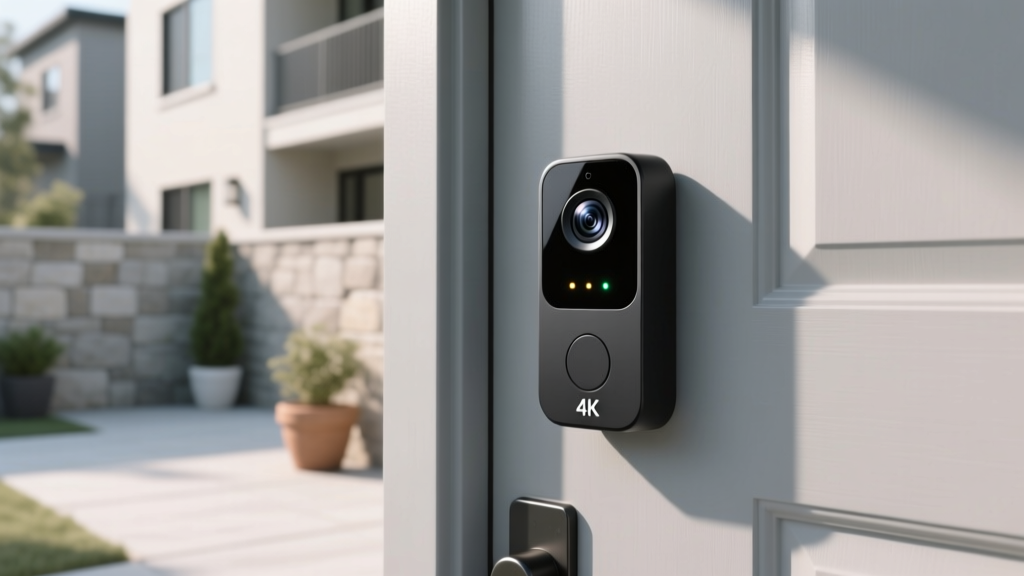
The Ring Battery Doorbell Pro represents the best of both worlds: the installation flexibility of a battery-powered doorbell with the advanced features typically reserved for wired models. It captures crisp 1536p HD+ video with an expansive head-to-toe field of view, ensuring you can see packages on your doorstep and visitors from head to shoes.
3D Motion Detection with Bird's Eye View is a genuinely innovative feature. Using radar technology, the doorbell tracks the path of approaching visitors and provides an aerial view overlay on your recorded clips. This dramatically reduces false alerts from passing cars and neighborhood wildlife while ensuring you never miss an actual visitor.
The removable battery pack is a game-changer for installation flexibility. Mount the doorbell anywhere without worrying about existing wiring, and simply pop the battery out to charge it indoors when needed. Ring estimates 1-6 months of battery life depending on usage and settings, which is competitive for a feature-rich doorbell.
Ring's ecosystem is one of the most mature in the smart home space. The Ring app provides a unified dashboard for all your Ring devices, and integration with Alexa enables announcements on Echo devices and live viewing on Echo Show displays. Ring Home subscription plans offer cloud recording, person alerts, and professional monitoring options.
Pros
- 1536p HD+ video with head-to-toe view
- 3D Motion Detection with Bird's Eye tracking
- Removable rechargeable battery
- Excellent Alexa integration
- Two-way talk with noise cancellation
Cons
- Requires Ring Home subscription for full features
- No local storage option
- Apple HomeKit support is not available
The Ring Battery Doorbell Pro delivers premium features without the hassle of wiring. For wired alternatives and budget picks, visit our best video doorbells roundup.
Best Security Camera: Arlo Pro 5S 2K Spotlight
Deck Score: 91/100
When it comes to outdoor security cameras, the Arlo Pro 5S 2K Spotlight sets the benchmark for image quality, intelligent detection, and installation versatility. Its 2K HDR sensor captures stunning detail even in challenging lighting conditions, and the built-in spotlight enables full-color night vision — a significant upgrade over the grainy infrared footage of older cameras.
Arlo's AI-powered detection has matured significantly. The camera can distinguish between people, animals, vehicles, and packages with impressive accuracy, sending you relevant alerts instead of bombarding you with false positives from swaying trees or drifting clouds. Custom Activity Zones let you define specific areas of interest, further refining what triggers a notification.
The 160-degree diagonal field of view is among the widest in its class, covering more of your property with a single camera. This is particularly valuable for monitoring wide driveways, backyards, or storefronts where a narrower camera would leave blind spots.
Installation is completely wire-free thanks to the rechargeable battery, which delivers approximately 3-6 months of runtime depending on recording frequency and spotlight usage. The magnetic mount makes repositioning effortless, and the weather-resistant design (IP65) handles rain, snow, and dust without issue. For permanent installations, Arlo offers a variety of mounting accessories including solar panel chargers.
Pros
- 2K HDR video with color night vision
- Accurate AI detection for people, animals, vehicles & packages
- 160-degree wide field of view
- Wire-free with long battery life
- Built-in spotlight & siren for deterrence
Cons
- Arlo Secure subscription required for advanced features
- 2K recording requires subscription (local streaming is 1080p)
- Higher price point than competitors
The Arlo Pro 5S is a premium camera that justifies its cost with superior image quality and smart features. See how it compares in our outdoor security camera guide.
Best Robot Vacuum: Roborock S8 MaxV Ultra
Deck Score: 96/100
The Roborock S8 MaxV Ultra earns the highest Deck Score in this entire guide, and for good reason. This is not just a robot vacuum — it is a comprehensive floor cleaning system that vacuums, mops, empties its own dustbin, refills its own water tank, washes and dries its own mop pads, and dispenses detergent — all without human intervention for weeks at a time.
The dual roller brush system with 6000Pa suction power handles everything from fine dust to large debris on carpets and hard floors alike. Reactive AI 2.0 obstacle recognition uses a combination of LiDAR, structured light, and an RGB camera to identify and navigate around shoes, cables, pet waste, and other common floor obstacles with remarkable precision.
Mopping performance is where the S8 MaxV Ultra truly differentiates itself. The VibraRise 2.0 mopping system vibrates at high speed to scrub dried stains, while automatically lifting the mop pad 20mm when it detects carpet — so your rugs stay dry while your hard floors get a thorough mopping. The built-in detergent dispenser adds the right amount of cleaning solution automatically.
The RockDock Ultra base station is a marvel of engineering. It empties the robot's dustbin into a sealed dust bag (lasting up to 7 weeks), refills the robot's water tank with clean water, washes the mop pad with hot water, and then dries it with warm air to prevent mildew and odors. The result is a system that genuinely requires minimal maintenance.
Pros
- Industry-leading 6000Pa suction with dual roller brushes
- Self-emptying, self-refilling, self-washing & self-drying
- Reactive AI 2.0 obstacle avoidance is remarkably accurate
- VibraRise mop lifts for carpets automatically
- Excellent app with multi-floor mapping & custom routines
Cons
- Premium price — one of the most expensive robot vacuums available
- Base station is large and requires dedicated floor space
- Camera feature may raise privacy concerns for some users
The Roborock S8 MaxV Ultra is the ultimate robot vacuum for those who want a truly hands-free cleaning experience. For budget-friendly alternatives, explore our best robot vacuums guide.
Best Smart Plug: TP-Link Kasa Smart Plug Mini
Deck Score: 88/100
Sometimes the simplest smart home devices deliver the most value, and the TP-Link Kasa Smart Plug Mini is proof. For a very affordable price, this compact plug transforms any standard appliance or lamp into a smart device controllable from your phone or voice assistant.
The Kasa app is one of the best in the smart plug category. It offers scheduling, timers, away mode (which randomly toggles connected devices to simulate occupancy), and energy monitoring that tracks how much electricity your connected device is consuming. Grouping multiple Kasa devices lets you control them simultaneously with a single tap.
Despite its budget price, the Kasa Mini does not feel cheap. The build quality is solid, the Wi-Fi connection is stable, and the compact design ensures it does not block adjacent outlets — a common frustration with bulkier smart plugs. It connects directly to your 2.4GHz Wi-Fi network without requiring a hub.
Compatibility covers all major platforms: Amazon Alexa, Google Assistant, Samsung SmartThings, and IFTTT. Voice commands are responsive, and routines can be created in either the Kasa app or through your preferred voice assistant ecosystem.
Pros
- Extremely affordable — often sold in multi-packs
- Compact design does not block adjacent outlets
- Energy monitoring feature
- Reliable Wi-Fi connection without hub
- Away mode for security simulation
Cons
- 2.4GHz Wi-Fi only
- No Matter or Thread support
- Limited to 15A — not suitable for high-draw appliances
The Kasa Smart Plug Mini is the easiest entry point into smart home automation. Stock up on a multi-pack and start automating lamps, fans, coffee makers, and holiday lights throughout your home. See our full smart plug comparison for more options.
Best Smart Smoke Detector: Google Nest Protect
Deck Score: 93/100
The Google Nest Protect reimagines one of the most important — and most neglected — devices in your home. Unlike traditional smoke detectors that assault you with ear-piercing alarms at the first hint of burnt toast, the Nest Protect uses a human voice to tell you exactly what and where the problem is before escalating to a full alarm.
The split-spectrum sensor detects both fast-burning fires (flaming) and slow-burning fires (smoldering), providing comprehensive protection that many cheap detectors lack. Carbon monoxide detection with a 10-year sensor lifespan means you are protected from this silent killer without the annual replacement hassle of traditional CO detectors.
Smart features elevate the Nest Protect beyond basic safety. Receive phone alerts when smoke or CO is detected, even when you are not home. The Nightly Promise feature gives you a quick green glow when you turn off the lights, confirming that all your Nest Protect units have passed their self-checks and batteries are healthy. Pathlight illuminates your way when you walk past at night — a thoughtful touch that doubles as a nightlight.
Interconnectivity means that when one Nest Protect detects danger, all units in your home sound the alarm and announce the specific location of the threat. "Smoke in the kitchen" or "Carbon monoxide in the basement" gives you actionable information during an emergency, rather than a generic shriek that leaves you guessing.
Pros
- Human voice alerts before full alarm reduces false alarm frustration
- Split-spectrum sensor detects both flaming & smoldering fires
- 10-year CO sensor lifespan
- Phone alerts when away from home
- Pathlight & Nightly Promise add daily utility
Cons
- Significantly more expensive than basic smoke detectors
- Requires Wi-Fi for smart features
- No Apple HomeKit support
The Nest Protect is a safety upgrade that every smart home deserves. It transforms a device you hope to never interact with into one that actively makes your home safer and more livable every day.
Best Smart Blinds: SwitchBot Curtain 3
Deck Score: 87/100
Smart blinds and curtains are one of the most impactful — yet often overlooked — smart home upgrades. The SwitchBot Curtain 3 makes automated window treatments accessible without replacing your existing curtains or spending thousands on custom motorized blinds.
The device clamps onto your existing curtain rod (compatible with rod, rail, and I-beam types) and physically pushes or pulls your curtains open and closed. Installation takes under 30 seconds per unit — no tools, no drilling, no electrician required. This makes it an ideal solution for renters and anyone who wants to try smart curtains without a permanent commitment.
Control options are versatile. Use the SwitchBot app for scheduling and remote control, pair with the SwitchBot Hub for voice control through Alexa and Google Assistant, or use the optional SwitchBot remote for a tactile, phone-free experience. Light sensor accessories enable automatic opening at sunrise and closing at sunset.
Battery life is rated at approximately 8 months on a single charge, and the optional Solar Panel accessory can extend this indefinitely for windows that receive adequate sunlight. The motor is surprisingly quiet — quiet enough that it will not disturb sleeping household members during scheduled morning openings.
Pros
- Retrofits existing curtains — no replacement needed
- 30-second tool-free installation
- Long battery life with optional solar charging
- Quiet motor operation
- Affordable compared to custom motorized blinds
Cons
- Not compatible with all curtain rod styles
- Heavy curtains may strain the motor
- Requires SwitchBot Hub for voice control & remote access
The SwitchBot Curtain 3 is the easiest way to add smart automation to your windows. Waking up to naturally opening curtains is a luxury that quickly becomes an expectation.
How to Build a Cohesive Smart Home System
Choosing individual best-in-class devices is only half the battle. The real magic of a smart home emerges when your devices work together in harmony. Here are our top tips for building a cohesive system:
Start with a Hub & Voice Assistant
A central hub like the Samsung SmartThings Station Pro combined with a voice assistant like the Amazon Echo gives you a solid foundation. These two devices serve as the command center for everything else you add.
Prioritize Ecosystem Compatibility
Before purchasing any device, check its compatibility with your existing ecosystem. Matter support is becoming increasingly important as it promises universal cross-platform interoperability. Devices that support Matter today will be more future-proof than those that rely on proprietary protocols alone.
Invest in Reliable Wi-Fi
Your smart home is only as reliable as your network. Consider upgrading to a mesh Wi-Fi system if you have dead zones, and ensure your router can handle the bandwidth demands of dozens of connected devices. We recommend Wi-Fi 6 or newer routers for smart homes with more than 20 devices.
Automate Gradually
Do not try to automate everything at once. Start with the rooms and routines that will have the biggest daily impact — typically lighting, thermostat, and entry points. Once you are comfortable, expand to additional rooms and more advanced automations like occupancy-based lighting and whole-home security routines.
Frequently Asked Questions
What is the best smart home ecosystem to invest in?
There is no single "best" ecosystem — the right choice depends on your existing devices and preferences. Amazon Alexa offers the widest device compatibility and largest skill library. Google Home excels at natural language processing and integration with Google services. Apple HomeKit prioritizes privacy and security with a curated device selection. Samsung SmartThings is the best for power users who want maximum flexibility. The emerging Matter standard is working toward making ecosystem choice less critical by enabling cross-platform compatibility. Our recommendation is to choose a primary ecosystem but select devices that support multiple platforms whenever possible.
Is Matter support really important for smart home devices?
Matter is rapidly becoming one of the most important factors in smart home purchasing decisions. Developed collaboratively by Apple, Google, Amazon, Samsung, and hundreds of device manufacturers, Matter creates a universal communication standard that allows devices to work across all major platforms simultaneously. A Matter-compatible light bulb, for example, can be controlled by Alexa, Google Assistant, Apple HomeKit, and SmartThings without any proprietary bridges. While not every device supports Matter yet, the standard is gaining momentum quickly. When choosing between two otherwise similar products, the one with Matter support is almost always the smarter long-term investment.
How many smart home devices can my Wi-Fi handle?
Most modern routers can handle 30-50 connected devices, but performance degrades as you approach that limit. For smart homes with more than 20 devices, we strongly recommend a mesh Wi-Fi system with Wi-Fi 6 (802.11ax) or newer. Additionally, using a hub-based system like Zigbee or Z-Wave for devices like lights and sensors offloads traffic from your Wi-Fi network, improving performance for bandwidth-heavy devices like cameras and streaming sticks. The Samsung SmartThings Station Pro and Amazon Echo both include built-in Zigbee radios that serve this purpose.
Are smart home devices a security risk?
Like any internet-connected device, smart home products carry inherent security risks — but these can be managed effectively. Choose devices from reputable manufacturers that provide regular firmware updates. Use strong, unique passwords for each device and enable two-factor authentication wherever available. Place smart home devices on a separate VLAN or guest network to isolate them from your personal computers and phones. Cover or disable cameras when not needed, and review each device's privacy policy before purchasing. Brands like Apple, Ecobee, and Philips Hue have strong track records for security and privacy, while cheaper, no-name brands may cut corners in these areas.
What is the most cost-effective way to start a smart home?
The most budget-friendly entry point is a smart speaker and a few smart plugs. An Amazon Echo combined with two or three TP-Link Kasa Smart Plugs costs well under $100 and immediately gives you voice-controlled automation for lamps, fans, and other devices. From there, add smart bulbs in high-traffic areas, a smart thermostat for energy savings, and a video doorbell for security. This phased approach lets you learn the ecosystem, identify which automations genuinely improve your life, and spread costs over time. Avoid the temptation to buy everything at once — a thoughtfully built smart home is always better than a hastily assembled one.
Final Thoughts: Building Your Perfect Smart Home
The best smart home is one that works for you — not the other way around. Every device in this guide has been selected because it delivers genuine daily value, reliable performance, and strong ecosystem compatibility. Whether you start with a single smart plug or commit to a whole-home transformation, the products listed here represent the best the smart home market has to offer.
Remember that a smart home is a journey, not a destination. Start small, learn what works for your household, and expand thoughtfully. The modular nature of modern smart home ecosystems means you can always add more devices later without replacing what you already own.
For ongoing reviews, comparisons, and smart home tips, bookmark Smart Home Deck and check back regularly. Our team continuously tests new products and updates our recommendations to ensure you always have the most current and reliable information at your fingertips.