The Best Smart Home Devices for Apple HomeKit: Ultimate Buyer Guide
Building a smart home centered around the Apple ecosystem is one of the most rewarding, secure, and seamless experiences available in modern home automation. Unlike other platforms that prioritize data harvesting or rely heavily on cloud-based processing, Apple HomeKit (now officially known as Apple Home) prioritizes user privacy, local processing, and end-to-end encryption. However, navigating the vast landscape of smart home accessories to find those that natively support or perfectly bridge into the Apple Home app can be a daunting task.
At Smart Home Deck, we have spent countless hours testing, configuring, and living with hundreds of smart home devices. In this comprehensive buyer guide, we break down the absolute best smart home devices for Apple HomeKit. Whether you are looking for the core hub to run your automations, the most reliable smart lighting, or a secure video doorbell that respects your privacy, this guide will help you curate the ultimate Apple-centric smart home.
Our Selection Criteria for Apple HomeKit Devices
Before diving into our top picks, it is essential to understand how we evaluate and rank smart home products for the Apple ecosystem. The smart home market is flooded with gadgets, but only a select few meet the rigorous standards required for a premium HomeKit experience. Our selection criteria include:
- Native Integration & Reliability: Devices must connect smoothly to the Apple Home app without requiring constant third-party app interventions. We prioritize devices that maintain stable connections and execute automations instantly.
- Privacy & Security: Apple's core philosophy is privacy. We look for devices that support HomeKit Secure Video, end-to-end encryption, and local processing, ensuring your data isn't sent to unknown cloud servers.
- Connectivity Standards (Thread & Matter): The future of the smart home relies on Thread and Matter. Devices that act as Thread Border Routers or support the Thread mesh network receive higher marks for reducing Wi-Fi congestion and improving response times.
- Ecosystem Synergy: The best devices do not just work in isolation; they trigger complex, multi-room automations. We evaluate how well a product plays with others in the Apple Home app.
- Value & Longevity: Smart home devices are an investment. We consider build quality, firmware update frequency, and overall value for money to ensure your setup remains evergreen.
Comparison Table: Top Apple HomeKit Smart Home Devices
Below is a quick-reference comparison table of our top picks. For a deeper dive into each product, scroll down to our detailed reviews.
| Product | Category | Deck Score | Key Feature | Connectivity |
|---|---|---|---|---|
| Apple TV 4K (Ethernet) | Core Hub & Entertainment | 9.8 / 10 | Thread Border Router & tvOS | Wi-Fi, Ethernet, Thread |
| Philips Hue Bridge & Lights | Smart Lighting | 9.5 / 10 | Adaptive Lighting & Sync | Zigbee, Ethernet |
| Schlage Encode Plus | Smart Lock | 9.4 / 10 | Apple Home Key (NFC) | Wi-Fi, Thread |
| HomePod mini | Smart Speaker & Hub | 9.2 / 10 | Siri & Computational Audio | Wi-Fi, Thread |
| Aqara Smart Home Hub M2 | Third-Party Hub & Sensors | 9.0 / 10 | Built-in IR Blaster | Zigbee, Wi-Fi, Ethernet |
| Eve Energy Smart Plug | Smart Plug & Monitor | 8.9 / 10 | Energy Monitoring & Thread | Thread, Bluetooth |
| Logitech Circle View Doorbell | Video Doorbell | 8.7 / 10 | HomeKit Secure Video & Face ID | Wi-Fi, Wired Power |
Apple TV 4K (Wi-Fi + Ethernet): The Ultimate HomeKit Hub
If you are building an Apple HomeKit smart home, the Apple TV 4K (specifically the Wi-Fi + Ethernet model) is not just a streaming device; it is the undisputed brain of your entire ecosystem. While Apple has moved toward a more distributed hub architecture, having a dedicated, powerful Apple TV acting as a home hub ensures your automations run locally, instantly, and reliably, even when your iPhone is miles away.
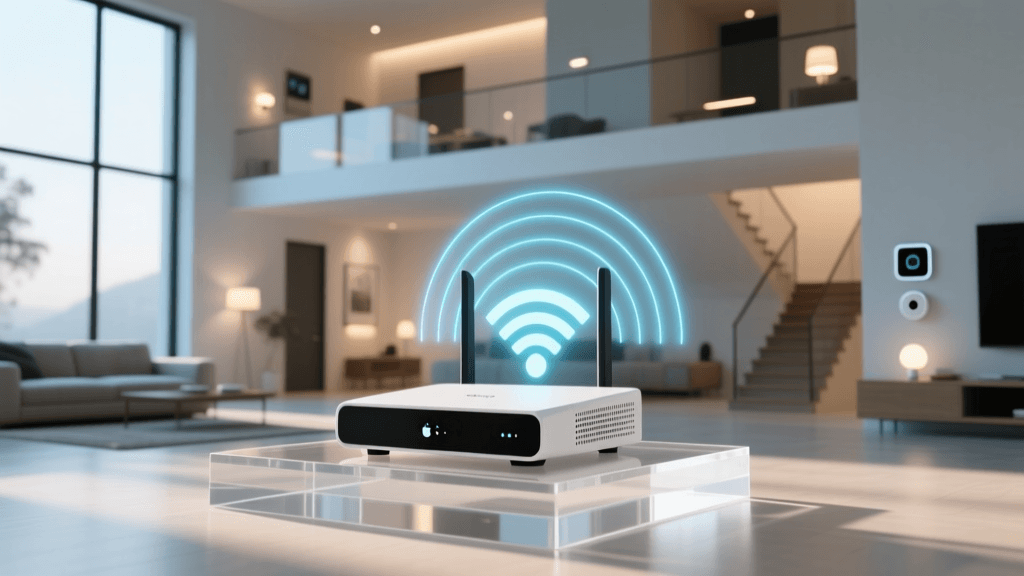
The most critical feature for smart home enthusiasts is the inclusion of a Gigabit Ethernet port and a built-in Thread Border Router. Thread is a low-power, mesh networking protocol that allows smart home accessories to communicate with each other without clogging up your home's Wi-Fi network. By hardwiring the Apple TV 4K to your router, you create a rock-solid backbone for your Thread-enabled devices, such as smart locks, sensors, and lighting.
Beyond its smart home capabilities, the A15 Bionic chip delivers a flawless entertainment experience, supporting 4K Dolby Vision and Dolby Atmos. It seamlessly integrates with your smart home, allowing you to pull up your HomeKit Secure Video cameras on your television when someone rings the doorbell, or use Siri on the remote to dim the lights for movie night.
Pros & Cons
- Pros: Unmatched processing power for local automations; Gigabit Ethernet ensures stable Thread routing; doubles as a premium 4K streaming device; supports HomeKit Secure Video natively.
- Cons: Premium price point compared to dedicated smart speakers; requires an HDMI connection and TV to be useful.
Deck Score: 9.8 / 10
Learn more in our comprehensive guide to the best smart hubs on the market.
Philips Hue Bridge & Lighting Ecosystem: The Gold Standard for Illumination
When it comes to smart lighting, nothing beats the reliability, color accuracy, and ecosystem depth of Philips Hue. While there are cheaper Wi-Fi or Bluetooth bulbs available, the Philips Hue Bridge creates a dedicated Zigbee mesh network that operates entirely independently of your Wi-Fi, ensuring your lights never drop offline due to router congestion.
For Apple HomeKit users, the Hue Bridge is a masterpiece of integration. It supports HomeKit Adaptive Lighting, a feature that automatically adjusts the color temperature of your bulbs throughout the day to match natural sunlight, promoting better circadian rhythms. In the morning, your lights will emit a cool, energizing white, and as the sun sets, they will transition to a warm, relaxing amber.
Furthermore, the Hue ecosystem offers unparalleled entertainment features. When paired with the Hue Play HDMI Sync Box, your lights can react in real-time to the colors on your television screen, creating an immersive viewing experience that can be triggered via Apple Home automations. The sheer variety of form factors—from standard A19 bulbs to light strips, outdoor pathway lights, and architectural spots—means you can unify your entire property under one reliable umbrella.
Pros & Cons
- Pros: Industry-leading color accuracy and brightness; dedicated Zigbee mesh network; flawless HomeKit Adaptive Lighting support; massive accessory ecosystem.
- Cons: High initial cost due to the Bridge requirement; third-party Zigbee bulbs can sometimes cause mesh instability.
Deck Score: 9.5 / 10
Schlage Encode Plus: The Magic of Apple Home Key
The Schlage Encode Plus is a revolutionary smart lock for Apple users because it is one of the very first locks to support Apple Home Key. This feature allows you to unlock your front door simply by tapping your iPhone or Apple Watch against the lock, utilizing the same secure NFC technology as Apple Pay. It is a truly magical, frictionless experience that makes fumbling for keys or opening an app a thing of the past.
Beyond the Home Key integration, the Encode Plus is a fortress. It boasts an ANSI Grade AAA rating—the highest residential security rating available. It features a built-in Wi-Fi radio, meaning it connects directly to your network without needing an extra bridge, and it also supports Thread for future-proofing and faster local response times within the Apple Home app.
The physical keypad is responsive, backlit, and features a fingerprint-resistant coating. You can manage access codes for guests, dog walkers, or family members directly from the Apple Home app, receiving instant notifications on your iPhone whenever the door is locked or unlocked. The battery life is exceptional, often lasting up to a year on a set of standard AA batteries.
Pros & Cons
- Pros: Apple Home Key (NFC tap-to-unlock); top-tier ANSI AAA physical security; built-in Wi-Fi & Thread; excellent battery life.
- Cons: Bulky interior assembly; premium pricing; requires a stable Wi-Fi signal at the front door for remote access.
Deck Score: 9.4 / 10
Check out our roundup of the best smart locks for more security options.
HomePod mini: The Budget-Friendly Hub & Audio Powerhouse
If the Apple TV 4K is the brain of the HomeKit ecosystem, the HomePod mini is its voice and ears. Priced significantly lower than the Apple TV, the HomePod mini serves as an excellent, always-on home hub that supports Thread border routing and enables remote access to your smart home accessories.
Audio quality is where the HomePod mini truly punches above its weight. Utilizing Apple's computational audio, the device delivers a surprisingly rich, 360-degree sound profile that fills a room. It acts as the primary endpoint for Siri, allowing you to control your smart home with natural voice commands, set timers, broadcast intercom messages to other HomePods, and stream Apple Music seamlessly.
From a smart home perspective, having a HomePod mini in key locations (like the kitchen or bedroom) ensures that Siri is always within earshot. It also supports Thread, helping to extend the mesh network for your Eve or Nanoleaf accessories. While it lacks the spatial awareness and room-filling bass of the full-sized HomePod, the mini is an essential, cost-effective building block for any Apple-centric smart home.
Pros & Cons
- Pros: Excellent audio for its size; affordable entry point for a HomeKit hub; Thread border router; seamless Intercom and Siri integration.
- Cons: Siri still lags behind competing voice assistants in general knowledge queries; lacks a 3.5mm audio jack or optical out.
Deck Score: 9.2 / 10
Aqara Smart Home Hub M2: The Bridge for Advanced Sensors
While Apple's native hubs are fantastic, the Aqara Smart Home Hub M2 is an indispensable third-party device for users who want to expand their sensor network without breaking the bank. Aqara offers a massive lineup of affordable, highly reliable Zigbee sensors—including door/window sensors, motion detectors, water leak sensors, and vibration sensors—that all connect to this central hub and instantly appear in the Apple Home app.
The Hub M2 is unique because it features a built-in IR blaster. This allows you to integrate older, "dumb" infrared-controlled devices, such as air conditioners, ceiling fans, and televisions, directly into your Apple Home automations. You can create a "Goodnight" scene in the Apple Home app that locks your Schlage door, turns off your Hue lights, and sends an IR signal to turn off your bedroom AC.
Furthermore, the M2 supports local automations. If your internet connection drops, the hub will continue to execute local routines, ensuring your motion-activated lights and security alarms function without interruption. It connects to your network via Wi-Fi or Ethernet, providing flexibility in placement to ensure optimal Zigbee coverage throughout your home.
Pros & Cons
- Pros: Unlocks Aqara's affordable Zigbee sensor ecosystem; built-in IR blaster for legacy devices; local automation processing; Ethernet support.
- Cons: The Aqara app is required for initial setup and firmware updates; IR blaster requires line-of-sight to controlled devices.
Deck Score: 9.0 / 10
Eve Energy Smart Plug: Privacy-First Energy Monitoring
The Eve Energy Smart Plug represents the pinnacle of privacy-focused smart home design. Unlike many smart plugs that require you to create an account on a remote server, Eve devices operate entirely without a cloud. All data is encrypted and stored locally on your Apple devices, ensuring your energy usage habits remain completely private.
Beyond simple on/off control, the Eve Energy plug provides real-time and historical energy monitoring. Through the Apple Home app and the companion Eve app, you can track exactly how much power a device is drawing, calculate projected energy costs, and identify "phantom loads"—appliances that drain power even when turned off. This makes it an invaluable tool for eco-conscious users looking to reduce their carbon footprint and electricity bills.
Crucially, the Eve Energy plug utilizes the Thread networking protocol. When paired with a Thread Border Router like the Apple TV 4K or HomePod mini, the plug becomes a node in a self-healing mesh network. This results in lightning-fast response times and eliminates the need to dedicate valuable Wi-Fi bandwidth to simple smart plugs.
Pros & Cons
- Pros: Zero cloud reliance (ultimate privacy); detailed energy monitoring; Thread connectivity for instant response; premium build quality.
- Cons: Higher price per plug compared to generic Wi-Fi alternatives; bulky design may block adjacent outlets.
Deck Score: 8.9 / 10
Logitech Circle View Wired Doorbell: HomeKit Secure Video Excellence
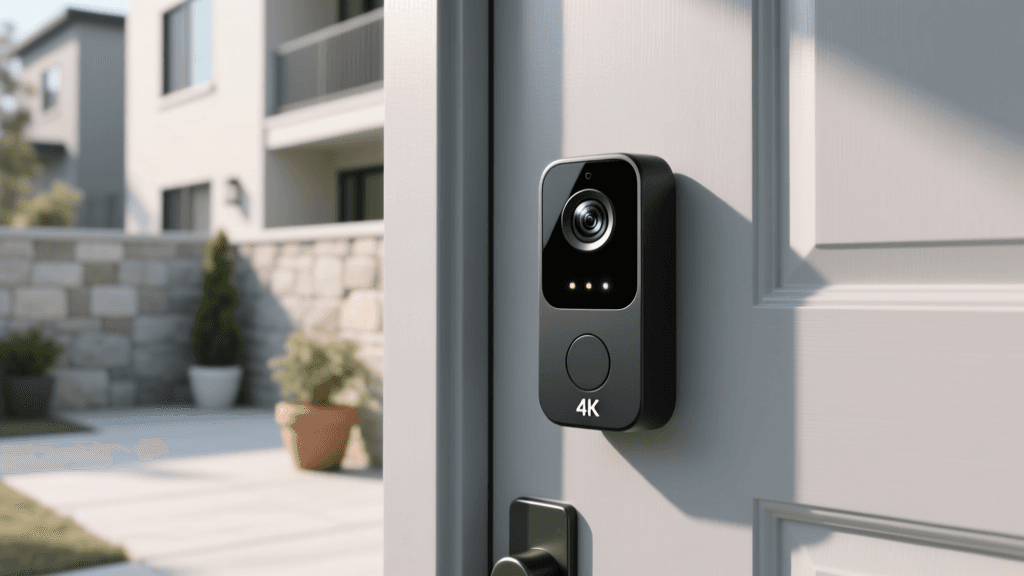
Video doorbells are often the most vulnerable point in a smart home, but the Logitech Circle View Wired Doorbell leverages HomeKit Secure Video (HKSV) to provide unparalleled security. Instead of sending video feeds to a third-party cloud for analysis, the Circle View sends encrypted video directly to your Apple TV or HomePod hub. The hub analyzes the footage locally for people, animals, and vehicles, and then securely uploads the encrypted clip to your iCloud account.
This means that not even Logitech or Apple can view your camera feeds. Furthermore, the Circle View integrates deeply with iOS, utilizing Face ID to recognize familiar faces. If a family member approaches the door, your iPhone notification will say "John is at the front door" rather than a generic motion alert.
The hardware features an ultra-wide 180-degree diagonal field of view, ensuring you can see packages left on the ground and visitors standing off to the side. The two-way audio is crisp, and the HomeKit automation triggers allow you to turn on your porch lights automatically when the camera detects a person after sunset. Note that this is a wired doorbell, meaning it requires existing doorbell wiring and a compatible chime to function.
Pros & Cons
- Pros: HomeKit Secure Video with end-to-end encryption; Face ID facial recognition; ultra-wide 180-degree lens; rich notification customizations.
- Cons: Requires existing doorbell wiring; relies on iCloud+ subscription for video storage; premium price tag.
Deck Score: 8.7 / 10
Read our full breakdown of HomeKit Secure Video to understand iCloud storage requirements.
How to Build Your Apple HomeKit Ecosystem: A Phased Approach
Building a smart home is a marathon, not a sprint. To avoid compatibility headaches and ensure a stable network, we recommend building your Apple HomeKit ecosystem in distinct phases.
Phase 1: The Foundation (Hubs & Network)
Before buying a single smart bulb, you must establish a robust foundation. Start by upgrading your home network to a high-quality mesh Wi-Fi system to handle the increased device load. Next, purchase your core HomeKit hubs. We highly recommend the Apple TV 4K (Ethernet model) for the living room and a HomePod mini for the bedroom or kitchen. This establishes your Thread border routers and ensures you have remote access and local automation processing from day one.
Phase 2: Illumination & Atmosphere
Lighting has the most immediate impact on the feel of your home. Invest in the Philips Hue Bridge and outfit your primary living spaces with Hue bulbs. Configure HomeKit Adaptive Lighting to let Apple manage your circadian rhythms automatically. Use the Apple Home app to create scenes like "Movie Time" or "Dinner Party" that adjust brightness and color temperatures with a single tap on your iPhone or via Siri.
Phase 3: Security & Access Control
Once your home is lit, secure it. Install the Schlage Encode Plus on your primary entry door to take advantage of Apple Home Key. Follow this by mounting the Logitech Circle View Doorbell. Ensure your iCloud+ storage tier is sufficient to handle HomeKit Secure Video recordings. At this stage, you can create automations that lock the door, turn off the lights, and arm your security cameras when the last person leaves the house.
Phase 4: Sensors & Advanced Automations
The final phase is where a smart home becomes truly "smart." Bring in the Aqara Hub M2 and scatter Zigbee motion, door, and water leak sensors throughout the house. Use Eve Energy plugs on entertainment centers and space heaters to monitor power draw. Create complex automations: if the Aqara water leak sensor detects moisture under the kitchen sink, have your iPhone send you a critical alert and use an Eve plug to shut off the power to the dishwasher.
Frequently Asked Questions (FAQ)
What is the difference between Apple Home and HomeKit?
Historically, "HomeKit" was the name of Apple's underlying software framework and certification program for smart home accessories, while the "Home app" was the user interface. Recently, Apple rebranded the entire ecosystem to simply "Apple Home." When you see the "Works with Apple Home" badge on packaging, it means the device is certified to work seamlessly with the Apple Home app, Siri, and Apple's privacy standards. The terms are now largely used interchangeably by consumers, but "Apple Home" is the official modern branding for the ecosystem.
Do I need an Apple TV or HomePod to use HomeKit?
To control devices locally while you are at home using your iPhone, you do not strictly need a dedicated hub. However, to unlock the true potential of the ecosystem—such as remote access when you are away from home, automated routines that run when you aren't present, and HomeKit Secure Video processing—a home hub is absolutely essential. Furthermore, devices like the Apple TV 4K and HomePod mini act as Thread Border Routers, which are required to connect next-generation Thread accessories to your network. Without a hub, your smart home will be severely limited in functionality and reliability.
How does Matter affect Apple HomeKit devices?
Matter is the new, universal smart home connectivity standard backed by Apple, Google, Amazon, and Samsung. For Apple HomeKit users, Matter is incredibly beneficial. It means that accessories carrying the Matter logo will connect natively to the Apple Home app without requiring proprietary bridges or third-party apps. More importantly, Apple's existing HomeKit hubs (Apple TV 4K and HomePod mini) act as Matter Controllers, allowing you to seamlessly integrate new Matter devices alongside your older HomeKit devices. Matter ensures that the hardware you buy today will remain compatible with the Apple ecosystem for years to come, future-proofing your investment.
Can I use Android devices with an Apple HomeKit smart home?
Native integration with Android is the primary limitation of the Apple Home ecosystem. The Apple Home app is exclusive to iOS, iPadOS, and macOS devices. You cannot natively control HomeKit accessories from an Android phone. However, there are workarounds. Many premium HomeKit devices (like Philips Hue or Schlage) also support their own proprietary apps or other ecosystems like Amazon Alexa or Google Home, which do have Android apps. Additionally, if you have a Matter-compatible device, it can be controlled via Google Home on Android. But if you want the unified, privacy-focused experience of the Apple Home app, an Apple device is strictly required.
What is HomeKit Secure Video and how much storage does it need?
HomeKit Secure Video (HKSV) is Apple's privacy-centric camera recording system. Instead of sending video to a manufacturer's cloud for analysis, your HomeKit hub (Apple TV or HomePod) analyzes the video feed locally to detect people, animals, and vehicles. The encrypted clips are then uploaded to your iCloud account. To use HKSV, you must subscribe to an iCloud+ plan. The base tier (50GB) supports one camera, the mid-tier (200GB) supports up to five cameras, and the top-tier (2TB or more) supports an unlimited number of cameras. Crucially, HomeKit Secure Video recordings do not count against your iCloud storage quota, making it an exceptional value for users who already pay for Apple cloud storage.
Final Thoughts on Building an Apple-Centric Smart Home
Curating the best smart home for Apple HomeKit is an exercise in prioritizing privacy, reliability, and seamless integration. By anchoring your setup with the Apple TV 4K and HomePod mini, you create a robust, local-processing foundation that respects your data. Layering in premium accessories like the Philips Hue lighting ecosystem, the Schlage Encode Plus smart lock, and the Logitech Circle View doorbell transforms your house into an intelligent, responsive environment that anticipates your needs.
As the smart home industry transitions toward Thread and Matter, Apple's ecosystem is uniquely positioned to lead the charge in secure, interoperable home automation. Whether you are just starting with a single smart plug or outfitting an entire property with advanced sensors, the devices highlighted in this Smart Home Deck guide represent the pinnacle of what the Apple Home ecosystem has to offer. Invest in quality, prioritize local processing, and enjoy the magic of a truly smart, secure home.