Best Smart Home Upgrades: Top Picks for Every Room & Budget
Transforming your house into a smart home doesn’t have to be overwhelming. Whether you’re dipping your toes into home automation for the first time or you’re a seasoned enthusiast looking for the next big upgrade, choosing the right products can make all the difference between a seamlessly connected home and a frustrating tangle of incompatible gadgets.
At SmartHomeDeck, we’ve spent hundreds of hours testing, researching, and living with dozens of smart home products to bring you this definitive guide to the best smart home upgrades available today. Every product on this list has been evaluated against our rigorous Deck Score methodology, which weighs performance, ease of use, ecosystem compatibility, value for money, and long-term reliability.
How We Selected the Best Smart Home Upgrades
Before diving into our picks, it’s important to understand the criteria we used to evaluate each product. Our selection process is built on five core pillars:
- Performance & Reliability: Does the product do what it promises consistently? We tested each device over weeks and months to assess real-world reliability, response times, and durability.
- Ease of Setup & Use: A smart home upgrade should simplify your life, not complicate it. We evaluated installation complexity, app design, and the learning curve for everyday use.
- Ecosystem Compatibility: The best smart home products play well with others. We prioritized devices that support major platforms like Amazon Alexa, Google Home, Apple HomeKit, and the emerging Matter standard.
- Value for Money: We assessed whether each product justifies its price tag through features, build quality, and longevity. A premium price is acceptable if the product delivers premium results.
- Long-Term Support: Smart home devices are investments. We considered each manufacturer’s track record for firmware updates, customer support, and product longevity.
Every product below earned its spot through this evaluation process. Let’s get into our curated picks for the best smart home upgrades you can make today.
Quick Comparison: All Top Picks at a Glance
| Product | Category | Deck Score | Best For | Price Range |
|---|---|---|---|---|
| Philips Hue Starter Kit | Smart Lighting | 9.4/10 | Ambient & automated lighting | $$$ |
| Ecobee Smart Thermostat Premium | Climate Control | 9.6/10 | Energy savings & comfort | $$$ |
| Ring Video Doorbell Pro 2 | Smart Security | 9.2/10 | Front door monitoring | $$ |
| Amazon Echo (4th Gen) | Smart Hub & Speaker | 9.0/10 | Voice control centerpiece | $$ |
| August Wi-Fi Smart Lock | Smart Access | 9.1/10 | Keyless entry & guest access | $$ |
| Roborock S8 Pro Ultra | Smart Cleaning | 9.3/10 | Automated floor maintenance | $$$$ |
| Lutron Caséta Smart Lighting Kit | Smart Switches | 9.5/10 | Whole-home lighting control | $$$ |
| Sonos Era 300 | Smart Audio | 9.2/10 | Multi-room audio | $$$$ |
| Eufy SoloCam S340 | Smart Surveillance | 8.9/10 | Wire-free outdoor security | $$ |
| Aqara Smart Home Hub M3 | Smart Hub & Sensors | 9.0/10 | Matter-ready sensor ecosystem | $$ |
Philips Hue Starter Kit — Best Smart Lighting Upgrade
Smart lighting is often the very first upgrade new smart home adopters make, and for good reason: it’s affordable, easy to install, and delivers an immediate wow factor. The Philips Hue ecosystem remains the gold standard in smart lighting, and the Hue White & Color Ambiance Starter Kit is the perfect entry point.
Why It Earns a Top Spot
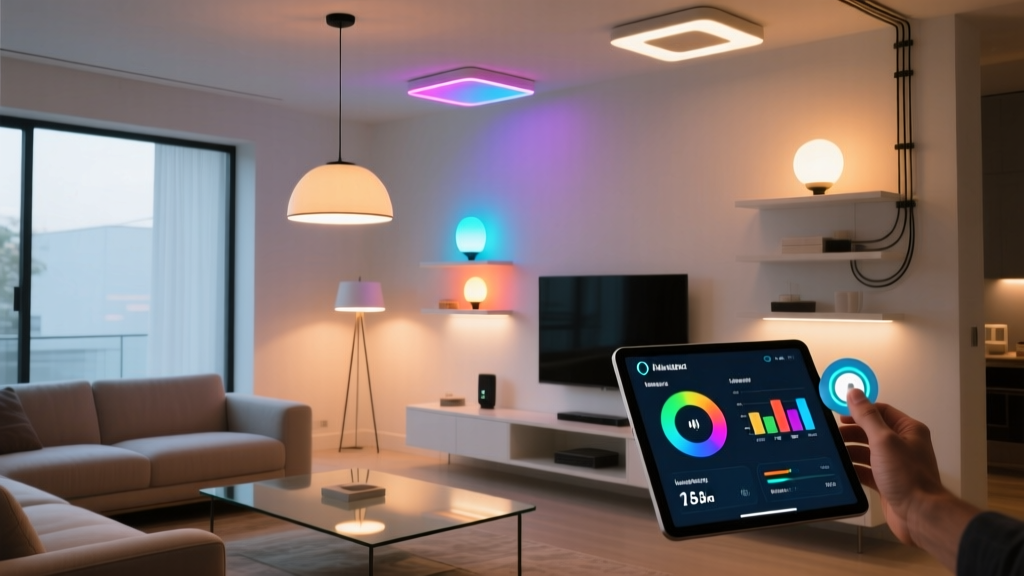
The Philips Hue system uses a dedicated Zigbee bridge (included in the starter kit) to communicate with bulbs, which means rock-solid reliability that doesn’t depend on your Wi-Fi network’s stability. The color accuracy and brightness range are exceptional, with 16 million colors and warm-to-cool white tones that can transform any room’s atmosphere in seconds.
The Hue app is among the best in the smart home industry, offering intuitive room-based organization, scenes, schedules, and geofencing. The system also supports all major voice assistants and has recently added Matter compatibility, ensuring future-proofing for years to come. Integration with platforms like IFTTT, Samsung SmartThings, and Home Assistant opens up virtually limitless automation possibilities.
What truly sets Hue apart is the breadth of the ecosystem. Once you start with the starter kit, you can expand with light strips, outdoor fixtures, ceiling lamps, and specialty products like the Hue Play HDMI Sync Box for entertainment lighting. The Hue Bridge can handle up to 50 lights and accessories, giving you plenty of room to grow.
Pros & Cons
- Pros: Industry-leading color accuracy, reliable Zigbee connectivity, massive ecosystem of compatible products, excellent app design, Matter support, works with every major voice assistant
- Cons: Higher price point than competitors, requires the Hue Bridge for full functionality, proprietary bulb base for some specialty products
Deck Score: 9.4/10
For a deeper look at smart lighting options, check out our complete smart lighting guide.
Ecobee Smart Thermostat Premium — Best Climate Control Upgrade
Your thermostat controls roughly half of your home’s energy bill, making a smart thermostat one of the most impactful upgrades you can make. The Ecobee Smart Thermostat Premium doesn’t just save you money—it fundamentally improves how your home feels throughout the day.
Why It Earns a Top Spot
The Ecobee Premium stands out for its room sensor technology. Unlike basic smart thermostats that only measure temperature at the unit itself, Ecobee’s included SmartSensor detects occupancy and temperature in the rooms that matter most. If your bedroom is always too warm at night or your home office gets chilly in the afternoon, Ecobee adjusts accordingly.
Beyond climate control, the Premium model doubles as a smart home hub with built-in Alexa and support for Apple HomeKit, Google Assistant, and Samsung SmartThings. It includes an integrated air quality monitor that tracks volatile organic compounds (VOCs), CO2 levels, and humidity, alerting you when air quality degrades.
The energy savings alone often justify the investment. Ecobee reports that users save up to 26% annually on heating and cooling costs, and the smart scheduling features learn your patterns over time to optimize efficiency without requiring manual programming. The sleek glass-front design with a full-color touchscreen looks premium on any wall.
Pros & Cons
- Pros: Room sensors for multi-zone comfort, built-in air quality monitoring, works with Alexa, Google, and HomeKit, significant energy savings potential, beautiful design, smart recovery learns your schedule
- Cons: Premium price tag, requires a C-wire for most installations, air quality sensor could be more detailed
Deck Score: 9.6/10
Explore more climate solutions in our smart thermostat comparison guide.
Ring Video Doorbell Pro 2 — Best Smart Doorbell Upgrade
A video doorbell is the single most visible smart home upgrade you can make, and it serves double duty as both a convenience tool and a security device. The Ring Video Doorbell Pro 2 represents the pinnacle of Ring’s lineup with features that set it apart from the competition.
Why It Earns a Top Spot
The Pro 2 delivers a stunning 1536p HD video feed with a 180-degree head-to-toe field of view. That wider vertical perspective means you can see packages left on your doorstep, not just the person standing in front of the door. The 3D Motion Detection with Bird’s Eye View gives you an aerial perspective of motion events, showing you exactly where movement occurred on your property with remarkable precision.
Color night vision ensures clear footage regardless of lighting conditions, and the built-in Alexa integration means you can use the doorbell as an Echo device for voice commands and announcements. The two-way audio is crisp and clear, making conversations with delivery drivers or visitors natural and effortless.
Ring’s ecosystem is vast, with easy integration into Ring Alarm systems, Ring smart lighting, and the broader Amazon Alexa ecosystem. The Ring Protect subscription adds professional monitoring, cloud storage, and snapshot capture, though the device functions well without it for basic live-view and two-way communication.
Pros & Cons
- Pros: Exceptional 1536p video quality, head-to-toe viewing angle, 3D motion detection, color night vision, built-in Alexa, wide ecosystem of compatible Ring products
- Cons: Requires existing doorbell wiring (no battery option), Ring Protect subscription needed for video history, higher price than basic models
Deck Score: 9.2/10
Compare more options in our video doorbell buyer guide.
Amazon Echo (4th Gen) — Best Smart Hub & Speaker Upgrade
Every smart home needs a central command point, and the Amazon Echo (4th Gen) fills that role beautifully. With its spherical design, powerful audio, and built-in Zigbee hub, it’s far more than just a smart speaker—it’s the nerve center of your connected home.
Why It Earns a Top Spot
The 4th Generation Echo packs a built-in smart home hub that supports Zigbee, Bluetooth, and the new Matter protocol, meaning you can connect compatible devices directly without needing separate bridges or hubs. This is a game-changer for simplifying your setup: plug in the Echo, connect your smart bulbs or sensors, and you’re running automations in minutes.
Audio quality received a massive upgrade with dual 0.8-inch tweeters and a 3-inch woofer that delivers rich, room-filling sound. Dolby Processing ensures music and podcasts sound fantastic, and you can pair two Echos for stereo sound or add an Echo Sub for deeper bass. For a device that serves as both a smart home hub and a primary music speaker, the audio performance punches well above its price class.
Alexa’s ecosystem of skills and routines continues to grow, making the Echo increasingly capable as a home automation controller. Temperature sensors built into the unit can trigger automations based on room temperature, and the integrated smart home dashboard on the Alexa app gives you a clear overview of all connected devices.
Pros & Cons
- Pros: Built-in Zigbee and Matter hub, excellent audio quality for the price, temperature sensor, affordable entry into smart home control, extensive Alexa skill library
- Cons: Tied to Amazon ecosystem, no built-in display, some advanced smart home features require technical knowledge
Deck Score: 9.0/10
See how it compares in our smart speaker roundup.
August Wi-Fi Smart Lock — Best Smart Lock Upgrade
Replacing your deadbolt with a smart lock is one of the most practical smart home upgrades you can make. The August Wi-Fi Smart Lock stands out because it doesn’t require you to replace your existing deadbolt—it simply attaches to the interior side of your door, preserving your current keys and exterior hardware.
Why It Earns a Top Spot
The genius of the August system is its retrofit approach. Installation takes roughly 10 minutes with just a screwdriver, and you keep your existing keys as a backup. Once installed, the lock connects directly to your Wi-Fi network (no separate bridge needed) and gives you full remote locking and unlocking from anywhere in the world.
The auto-lock and auto-unlock features are where August truly shines. Using geofencing and Bluetooth proximity detection, the lock automatically unlocks as you approach your door and locks behind you when you leave. This keyless convenience becomes second nature within days, and you’ll wonder how you ever lived without it.
Guest access management is robust: you can grant permanent, scheduled, or temporary access to family members, dog walkers, or Airbnb guests through the app. The DoorSense sensor (included) tells you not just whether the lock is engaged, but whether the door itself is actually closed and secure. The lock works with Alexa, Google Assistant, and Apple HomeKit for voice control and integration into broader automations.
Pros & Cons
- Pros: Simple retrofit installation, built-in Wi-Fi, excellent auto-unlock feature, DoorSense door position sensor, works with all major voice platforms, preserves existing keys
- Cons: Battery life can be inconsistent with heavy use, exterior appearance unchanged (which is also a pro for some), Wi-Fi connectivity occasionally slow on first connection
Deck Score: 9.1/10
Explore more smart entry options in our smart lock comparison.
Roborock S8 Pro Ultra — Best Smart Cleaning Upgrade
Robot vacuums have evolved from novelty gadgets into genuinely capable home maintenance tools, and the Roborock S8 Pro Ultra sits at the absolute top of the category. This isn’t just a robot vacuum—it’s a fully automated floor cleaning system that vacuums, mops, empties itself, refills its own water tank, and even cleans and dries its own mop pads.
Why It Earns a Top Spot
The S8 Pro Ultra’s dual roller brush system delivers 6000Pa of suction power, making it effective on everything from fine dust to large debris on both hard floors and carpets. The reactive 3D obstacle avoidance system uses structured light and AI to navigate around shoes, cables, pet waste, and other common floor obstacles with impressive accuracy.
The docking station is the real star of the show. It automatically empties the vacuum’s dustbin into a sealed bag (lasting up to seven weeks before replacement), refills the robot’s internal water tank for mopping, washes the mop pad with hot water, and then dries it with warm air to prevent mildew. This level of automation means you can genuinely forget about floor cleaning for weeks at a time.
Through the Roborock app, you can create detailed cleaning schedules, designate no-go zones, set up room-specific cleaning modes, and even direct the robot to clean specific spots on demand. Integration with Alexa and Google Assistant allows voice-activated cleaning sessions. The LiDAR navigation maps your home with precision, enabling efficient cleaning paths that don’t miss spots or waste time.
Pros & Cons
- Pros: Fully automated dock handles everything, exceptional suction power, advanced obstacle avoidance, precise LiDAR navigation, excellent mopping performance, comprehensive app controls
- Cons: Very high price point, dock requires significant floor space, mop performance still can’t match manual mopping for deep stains
Deck Score: 9.3/10
Compare alternatives in our robot vacuum guide.
Lutron Caséta Smart Lighting Kit — Best Smart Switch Upgrade
While smart bulbs get most of the attention, smart switches are often the smarter choice for whole-home lighting control. The Lutron Caséta system is the professional-grade standard in smart switches, and the starter kit provides everything you need to begin upgrading your home’s lighting infrastructure.
Why It Earns a Top Spot
Lutron Caséta switches replace your existing wall switches rather than your bulbs, which means they work with any light fixture and any bulb type. This is critical for multi-bulb fixtures, ceiling fans with lights, and outdoor lighting where smart bulbs would be impractical or prohibitively expensive. Because the switch itself is smart, anyone can use the physical switch normally—no app required for guests or family members who prefer traditional controls.
The Caséta system uses Lutron’s proprietary Clear Connect RF technology, which operates on a dedicated frequency that doesn’t interfere with Wi-Fi, Zigbee, or Z-Wave signals. The result is bulletproof reliability: these switches respond instantly every single time, with none of the lag or occasional missed commands that plague Wi-Fi-based smart switches.
The included Smart Bridge connects to your router and enables app control, scheduling, geofencing, and integration with every major smart home platform including Alexa, Google Home, Apple HomeKit, Samsung SmartThings, and Sonos. The Pico remote included in the kit can be mounted anywhere (no wiring needed) to create virtual 3-way switches or add convenient control points.
Pros & Cons
- Pros: Rock-solid Clear Connect reliability, works with any bulb or fixture, physical switch always works, broad platform compatibility, professional-grade build quality, Pico remote flexibility
- Cons: Higher per-switch cost than competitors, requires Smart Bridge, dimmer switches don’t support neutral wire (can be a pro or con depending on your wiring), limited color control since switches don’t change bulb color
Deck Score: 9.5/10
Learn more about switch-based lighting in our smart switches vs. smart bulbs guide.
Sonos Era 300 — Best Smart Audio Upgrade
Multi-room audio transforms how you experience music, podcasts, and even TV audio throughout your home. The Sonos Era 300 is a premium smart speaker that delivers spatial audio performance that redefines what a single speaker can sound like, while anchoring the legendary Sonos multi-room ecosystem.
Why It Earns a Top Spot
The Era 300 features six drivers arranged in a unique configuration that delivers true spatial audio with Dolby Atmos support. Sound doesn’t just come from the speaker—it fills the room from multiple directions, creating an immersive listening experience that traditional stereo speakers simply cannot match. The up-firing driver bounces sound off your ceiling to create a genuine sense of height and space.
Within the Sonos ecosystem, the Era 300 can be paired with other Sonos speakers for synchronized whole-home audio, used as rear surrounds for a Sonos soundbar home theater setup, or grouped into zones for different music in different rooms. The Sonos app provides access to virtually every music streaming service, and the built-in support for both Alexa and Sonos Voice Control gives you flexible voice command options.
Trueplay tuning (available on iOS) analyzes your room’s acoustics and optimizes the speaker’s output for your specific space. The result is audio that sounds tailored to your room, not generic. Build quality is exceptional, with a refined fabric grille and minimalist design that fits seamlessly into modern interiors.
Pros & Cons
- Pros: Stunning spatial audio with Dolby Atmos, exceptional build quality, seamless multi-room ecosystem, Trueplay room tuning, supports Alexa and Sonos Voice Control, line-in via USB-C
- Cons: Premium price, no Bluetooth audio streaming (Wi-Fi only), Sonos Voice Control has fewer capabilities than Alexa, spatial audio requires supported content
Deck Score: 9.2/10
Build your ideal audio setup with our multi-room audio guide.
Eufy SoloCam S340 — Best Outdoor Security Camera Upgrade
Outdoor security cameras provide peace of mind and can deter potential intruders, but traditional options often require complicated wiring, monthly subscriptions, and unreliable Wi-Fi connections. The Eufy SoloCam S340 takes a different approach with solar power, on-device storage, and dual-camera technology that delivers comprehensive coverage without ongoing costs.
Why It Earns a Top Spot
The SoloCam S340 features a dual-lens system: a wide-angle lens for broad area coverage and a telephoto lens that automatically tracks and zooms in on detected subjects. This means you get both the big picture and the details—like a face or license plate—in a single camera. The 3K resolution delivers sharp, detailed footage that holds up well when you need to zoom in during playback.
The integrated solar panel keeps the battery charged continuously in most climates, virtually eliminating the need to manually recharge the camera. Eufy’s commitment to local storage means all footage is processed and stored on the device itself (with 8GB of built-in storage, expandable via the HomeBase), so there are no mandatory monthly subscription fees and your footage never leaves your property.
AI-powered human and vehicle detection significantly reduces false alerts from animals, shadows, and swaying trees. The spotlight and siren can be triggered automatically or manually to deter unwanted visitors. IP67 weather resistance ensures reliable operation in rain, snow, and extreme temperatures.
Pros & Cons
- Pros: Dual-lens tracking system, solar-powered for continuous operation, no monthly subscription required, local storage for privacy, excellent 3K resolution, AI-powered detection
- Cons: Solar panel needs adequate sun exposure, limited smart home integrations compared to Ring or Nest, app could be more polished, 8GB built-in storage fills quickly with frequent events
Deck Score: 8.9/10
See more options in our outdoor security camera guide.
Aqara Smart Home Hub M3 — Best Smart Hub & Sensor Ecosystem Upgrade
If you’re serious about building a sophisticated smart home with sensors, automations, and cross-device routines, you need a robust hub at the center of it all. The Aqara Smart Home Hub M3 is a forward-thinking hub that bridges today’s Zigbee devices with tomorrow’s Matter standard, all while offering one of the most affordable and extensive sensor ecosystems available.
Why It Earns a Top Spot
The Hub M3 serves as a Zigbee 3.0 hub for Aqara’s extensive lineup of sensors and devices, which includes door/window sensors, motion sensors, temperature/humidity sensors, water leak sensors, vibration sensors, and more. These sensors are remarkably affordable (most under $25 each), allowing you to build a comprehensive sensor network throughout your home without breaking the bank.
What makes the M3 special is its role as a Matter controller and Thread border router. As the smart home industry transitions to the Matter standard, the M3 is positioned to bridge your existing Zigbee devices into Matter-compatible ecosystems, including Apple HomeKit, Google Home, and Amazon Alexa. This means your investment in Aqara sensors is protected as the industry evolves.
The hub features a built-in IR blaster, allowing you to control traditional infrared devices like air conditioners, TVs, and fans through the Aqara app and voice assistants. The local automation engine processes routines locally on the hub, meaning your automations continue to work even if your internet connection goes down. This local processing also means faster response times compared to cloud-dependent systems.
Pros & Cons
- Pros: Matter controller and Thread border router, affordable sensor ecosystem, local automation processing, built-in IR blaster, works with all major platforms, compact and unobtrusive design
- Cons: Aqara app has a learning curve, some advanced features require technical knowledge, smaller third-party device compatibility compared to SmartThings
Deck Score: 9.0/10
Dive deeper into sensor-based automation in our smart home sensors guide.
How to Plan Your Smart Home Upgrade Strategy
With so many excellent options available, it’s natural to wonder where to start. Here’s a strategic approach to building your smart home that maximizes impact while minimizing frustration.
Start with the Foundation
Before buying individual devices, establish a solid foundation. A reliable Wi-Fi network is non-negotiable—if your router is more than a few years old, consider upgrading to a mesh Wi-Fi system first. Then, choose a primary smart home platform (Amazon Alexa, Google Home, or Apple HomeKit) as your central ecosystem. While Matter is improving cross-platform compatibility, having a primary platform simplifies setup and ensures smoother automations.
Prioritize High-Impact Upgrades
The upgrades that deliver the most immediate daily value are typically smart lighting, a smart thermostat, and a smart lock. These three categories affect how your home looks, feels, and functions every single day. A smart speaker or hub naturally follows as the control center for these devices.
Expand Strategically
Once your foundation is in place, expand based on your lifestyle. If security is a priority, add a video doorbell and outdoor cameras. If you love music, invest in multi-room audio. If you want to reduce household chores, a robot vacuum delivers tangible daily benefits. The beauty of modern smart home ecosystems is that each new device amplifies the value of the ones you already own through integrated automations.
Think About Automations Early
Individual smart devices are useful, but automations are where the real magic happens. Start thinking about routines from the beginning: lights that turn on at sunset, the thermostat that adjusts when you leave for work, the door that locks automatically at bedtime. Every device you add should contribute to your growing web of automations.
Frequently Asked Questions
What is the single best smart home upgrade to start with?
If you can only make one upgrade, a smart thermostat like the Ecobee Smart Thermostat Premium delivers the best combination of daily convenience, energy savings, and return on investment. It pays for itself over time through reduced energy bills, and you’ll interact with it multiple times every day. The second-best starting point is smart lighting, which offers the most dramatic visual impact and sets the stage for further automation.
Do smart home upgrades increase property value?
Yes, smart home features increasingly influence homebuyers’ decisions. According to real estate industry surveys, homes with integrated smart technology—particularly smart thermostats, smart locks, video doorbells, and whole-home lighting systems—tend to sell faster and at higher prices than comparable homes without these features. The key is choosing well-known, reliable brands and ensuring everything is properly installed and documented for the next homeowner. Hardwired solutions like smart switches (Lutron Caséta) and built-in thermostats tend to add more value than plug-in devices that the seller might take with them.
Will these smart home devices work together?
All of the products in this guide have been selected partly for their cross-platform compatibility. The emerging Matter standard is making interoperability even better, allowing devices from different manufacturers to work together seamlessly. To maximize compatibility, choose a primary ecosystem (Alexa, Google Home, or Apple HomeKit) and verify that each device you buy supports it. A hub like the Amazon Echo (4th Gen) or Aqara Hub M3 can serve as a bridge between different communication protocols like Zigbee, Thread, and Wi-Fi.
Are smart home upgrades worth the investment?
Absolutely, but the value depends on choosing the right products for your needs. A smart thermostat typically saves 10–26% on heating and cooling costs, often paying for itself within one to two years. Smart lighting reduces energy waste through scheduling and occupancy-based automation. Smart locks eliminate the cost and hassle of re-keying when you move or lose a key. Beyond financial returns, the convenience, security, and comfort improvements make daily life noticeably better. Start with one or two high-impact upgrades and expand as you experience the benefits.
How important is Wi-Fi quality for smart home upgrades?
Your Wi-Fi network is the backbone of your smart home, and its quality directly impacts the performance and reliability of every connected device. As you add more smart devices, the demand on your network increases significantly. We strongly recommend investing in a quality mesh Wi-Fi system before adding more than a handful of smart devices. Look for Wi-Fi 6 (802.11ax) or newer for better device handling and performance. Additionally, choosing devices that use Zigbee, Thread, or Z-Wave (rather than Wi-Fi) for communication reduces the load on your wireless network and often provides more reliable connectivity for smart home devices specifically.
Final Thoughts
Building a smart home is a journey, not a destination. The products in this guide represent the best smart home upgrades available across every major category, each earning its place through rigorous testing and evaluation. Whether you start with a single smart bulb or overhaul your entire home in one go, the key is choosing reliable, compatible products that will serve you well for years to come.
Every product on this list has earned a Deck Score of 8.9 or higher, reflecting our commitment to recommending only the best. As the smart home industry continues to evolve with Matter, Thread, and new AI-powered capabilities, the devices you invest in today should be ready for tomorrow’s innovations.
Ready to start your smart home journey? Browse our complete library of smart home guides for in-depth tutorials, comparison reviews, and automation ideas to help you build the connected home of your dreams.