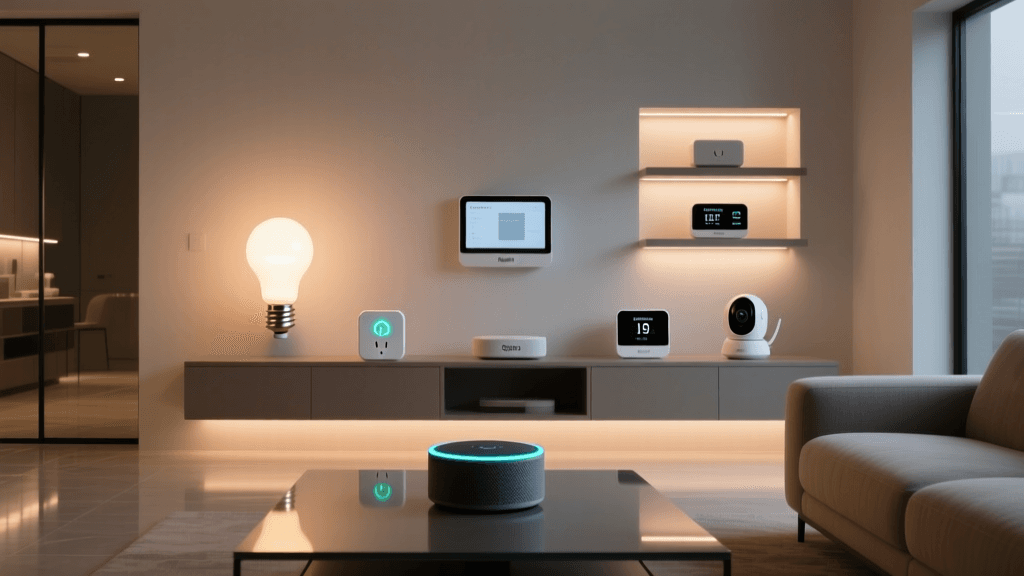
The Brain of Your Smart Home: Why You Need a Dedicated Hub
Building a smart home is an exciting journey, but as your collection of connected devices grows, managing them through individual smartphone apps quickly becomes a frustrating chore. This is where a dedicated smart home hub steps in. Unlike standard smart speakers that primarily rely on cloud-based voice commands, a true automation hub acts as the central nervous system of your home. It translates different wireless protocols, executes complex automation routines, and ensures your devices work together seamlessly, even when your internet connection drops.
Many beginners start with Wi-Fi-enabled smart plugs and bulbs, only to discover that Wi-Fi is not designed to handle the high-density, low-power requirements of a sprawling smart home network. Wi-Fi devices consume significant power, clog your router's bandwidth, and often suffer from latency. To unlock the true potential of home automation—such as local processing, mesh networking, and instant sensor-triggered routines—you need hardware equipped with dedicated radios for protocols like Zigbee, Z-Wave, Thread, and the emerging Matter standard.
In this comprehensive buyer's guide, we evaluate the best smart home hubs on the market, breaking down their protocol support, local processing capabilities, ecosystem compatibility, and overall value. Whether you are an Apple loyalist, a privacy-focused tinkerer, or someone looking for the broadest device compatibility, we have identified the perfect brain for your smart home setup.
Top Picks: The Best Smart Hubs for Automation
1. Best Overall for Local Processing: Hubitat Elevation
The Hubitat Elevation hub is widely regarded as the gold standard for users who prioritize speed, privacy, and local control. Unlike cloud-dependent hubs that send your sensor data to remote servers before triggering an action, Hubitat processes automations locally on the device itself. This means that when a motion sensor trips, the lights turn on in milliseconds, regardless of whether your internet is working or down.
Hubitat features built-in Zigbee 3.0 and Z-Wave Plus radios, allowing it to connect directly to thousands of third-party sensors, locks, and switches without relying on their respective Wi-Fi bridges. The web-based dashboard is incredibly powerful, offering a rule-building engine that accommodates complex, multi-condition logic that would be impossible on mainstream platforms. While the user interface has a steeper learning curve than consumer-friendly alternatives, the reliability and speed it offers make it the ultimate choice for serious automation enthusiasts.
2. Best for Broad Compatibility: Samsung SmartThings Hub
Samsung SmartThings remains the most recognizable name in the smart home space, largely due to its massive 'Works With SmartThings' (WWST) ecosystem. The latest iterations of the SmartThings Hub (and the SmartThings Station) focus heavily on edge computing and cloud-hybrid processing. This means that while some advanced integrations require the cloud, many standard automations are now processed locally via Edge Drivers, significantly improving reliability.
SmartThings is an excellent choice for users who want a plug-and-play experience with broad support for Wi-Fi, Zigbee, Thread, and Matter devices. Its mobile app is highly polished, making it easy for family members to control the home without needing to understand the underlying logic. However, power users should note that highly complex, nested automations can sometimes hit limitations within the app's visual builder, occasionally requiring third-party web interfaces to achieve specific conditional logic.
3. Best for the Apple Ecosystem: Apple TV 4K (Wi-Fi + Ethernet)
For households deeply invested in the Apple ecosystem, the Apple TV 4K (specifically the model with Ethernet and Thread support) doubles as a formidable HomeKit and Matter hub. Apple's approach to smart home automation prioritizes security, privacy, and local processing. When you use an Apple TV 4K as your home hub, Siri requests and automation routines are processed locally, ensuring rapid response times and keeping your data off external servers.
The inclusion of a Thread border router is a massive advantage. Thread is a low-power mesh networking protocol that is a foundational pillar of the new Matter standard. By using the Apple TV 4K, you future-proof your home for the next generation of smart devices while enjoying the seamless, premium interface of the Apple Home app. The primary drawback is the 'Apple Tax'—both in terms of the hub's higher price point and the historical limitation of HomeKit-compatible accessories, though Matter is rapidly expanding this pool.
4. Best for Open-Source Tinkerers: Home Assistant Yellow
Home Assistant has taken the smart home world by storm, and the Home Assistant Yellow is the official, purpose-built hardware designed to run it. This hub is a dream for DIY enthusiasts, software developers, and privacy absolutists. It is entirely local, open-source, and agnostic, meaning it can integrate with virtually any device on the market—from Zigbee sensors to proprietary Wi-Fi appliances, local IP cameras, and even your car's API.
The Yellow comes with built-in Zigbee and Thread radios, and its compute module handles everything from local voice assistants to AI-powered object detection for security cameras. The automation engine uses YAML or a visual node-based editor, granting unlimited flexibility. The trade-off is the setup time; Home Assistant requires a willingness to learn, configure, and maintain your own system. But for those willing to invest the hours, it offers an unparalleled level of control that no commercial hub can match.
Smart Home Hub Comparison Table
To help you visualize the differences between these top-tier automation hubs, we have compiled a comparison table highlighting their core specifications, protocol support, and processing methods.
| Feature | Hubitat Elevation | Samsung SmartThings | Apple TV 4K (Ethernet) | Home Assistant Yellow |
|---|---|---|---|---|
| Primary Processing | 100% Local | Hybrid (Cloud/Edge) | Local (HomeKit/Matter) | 100% Local |
| Zigbee Support | Yes (Built-in) | Yes (Built-in) | No (Requires Bridge) | Yes (Built-in) |
| Z-Wave Support | Yes (Built-in) | Yes (Built-in) | No | Requires USB Dongle |
| Thread / Matter | Matter (via Update) | Yes (Thread/Matter) | Yes (Border Router) | Yes (Built-in) |
| Best For | Speed & Privacy | Beginners & Families | Apple Users | Advanced Tinkerers |
Performance Visualization: Local Automation Latency
One of the most critical factors in home automation is latency—the time it takes for a sensor trigger to result in a physical action (like a light turning on). Cloud-dependent hubs suffer from high latency and occasional timeouts. The chart below illustrates the average local processing latency in milliseconds (ms) across our top picks when executing a standard Zigbee motion-to-light automation.
As the data demonstrates, hubs dedicated to local processing like Hubitat and Home Assistant offer near-instantaneous response times, closely mimicking the feel of traditional wired electrical switches.
Understanding Smart Home Protocols: The Key to Compatibility
When shopping for a hub, the most important specification to check is its supported wireless protocols. A hub is only as good as the devices it can communicate with. Here is a breakdown of the major protocols you need to know:
Z-Wave: The Reliable Veteran
Z-Wave operates on a sub-1 GHz frequency (typically 908.42 MHz in the US), which allows its signals to penetrate walls and floors much more effectively than higher-frequency protocols. According to the Z-Wave Alliance, the protocol enforces strict backward compatibility and interoperability standards, meaning a Z-Wave switch from 2015 will still work flawlessly with a modern Z-Wave hub. It is highly favored for security devices like smart locks and garage door controllers due to its reliability and mesh network stability.
Zigbee: The High-Capacity Mesh
Zigbee operates on the 2.4 GHz band, sharing airspace with Wi-Fi and Bluetooth. While it can face interference in crowded network environments, Zigbee supports vastly larger meshes—up to 65,000 nodes on a single network. Every mains-powered Zigbee device (like a smart plug or hardwired switch) acts as a repeater, strengthening the mesh. It is the dominant protocol for smart lighting, sensors, and budget-friendly smart home gear.
Matter and Thread: The Future of Interoperability
Matter is not a wireless protocol itself, but rather a unifying application layer that runs over existing transports like Wi-Fi, Ethernet, and Thread. Backed by the Connectivity Standards Alliance (CSA-IoT), Matter aims to eliminate ecosystem fragmentation, allowing a device to be controlled by Apple, Amazon, and Google simultaneously. Thread, the low-power mesh network that often carries Matter traffic, requires a Thread Border Router (like the Apple TV 4K or specific SmartThings hubs) to bridge the local mesh to your home network.
Security and Network Considerations
As you add dozens of IoT devices to your home, cybersecurity becomes a paramount concern. The National Institute of Standards and Technology (NIST) provides extensive guidelines on IoT security, emphasizing the need for network segmentation and local processing to reduce attack surfaces.
"Relying entirely on cloud-based IoT devices exposes your home's behavioral data to external servers and increases your vulnerability to widespread internet outages. Local hubs drastically reduce this footprint by keeping data within your physical premises."
To maximize security, we recommend placing your Wi-Fi-based IoT devices on a separate Virtual Local Area Network (VLAN) or a dedicated 'Guest' Wi-Fi network. This prevents a compromised, poorly secured smart bulb from being used as a gateway to access your personal computers or network-attached storage. Hubs that utilize Zigbee, Z-Wave, or Thread inherently offer a layer of isolation, as these devices do not sit on your primary IP network and cannot be directly addressed by malicious actors scanning your Wi-Fi.
How to Choose the Right Hub for Your Home
Selecting the right hub comes down to evaluating your technical expertise, your existing device ecosystem, and your tolerance for cloud dependency.
- Choose Hubitat if: You want lightning-fast, local automations, prioritize privacy, and are comfortable using a web-browser interface to build complex rules.
- Choose SmartThings if: You want an easy-to-use mobile app, broad off-the-shelf compatibility, and a system that is easy for all family members to navigate.
- Choose Apple TV 4K if: You are an iPhone user who values HomeKit Secure Video, Siri integration, and the seamless, polished aesthetic of the Apple Home app.
- Choose Home Assistant if: You are a tech enthusiast who wants absolute control, local AI capabilities, and the ability to integrate virtually any connected device on the planet.
Conclusion
Investing in a dedicated smart home hub is the single most impactful upgrade you can make to your connected home. It transitions your setup from a disjointed collection of remote-controlled gadgets into a cohesive, intelligent environment that anticipates your needs. By prioritizing local processing and multi-protocol support, you ensure that your home remains responsive, secure, and functional for years to come. Whether you opt for the tinkerer-friendly Home Assistant, the ultra-reliable Hubitat, the mainstream SmartThings, or the premium Apple TV 4K, you are taking a massive step toward the ultimate automated lifestyle.