The Brain of Your Smart Home: Why You Need a Dedicated Hub
Building a smart home is an exciting journey, but it can quickly become a fragmented nightmare if you rely solely on Wi-Fi connected devices and disparate smartphone apps. Imagine having one app for your lights, another for your locks, and a third for your thermostat. The true magic of smart home automation—where devices communicate with each other seamlessly and react to your lifestyle—requires a central nervous system. This is where a dedicated smart hub or controller becomes indispensable.
A smart hub acts as the universal translator and central command center for your connected devices. While Wi-Fi is great for high-bandwidth devices like cameras and streaming sticks, it is terribly inefficient for low-power sensors, smart bulbs, and switches. Hubs utilize specialized, low-power wireless protocols like Zigbee, Z-Wave, Thread, and the new universal Matter standard to create robust mesh networks that don't clog up your home's Wi-Fi bandwidth. According to the Connectivity Standards Alliance, the recent rollout of the Matter protocol is unifying the industry, but a dedicated hub or border router is still required to bridge these local mesh networks to your broader home network and internet.
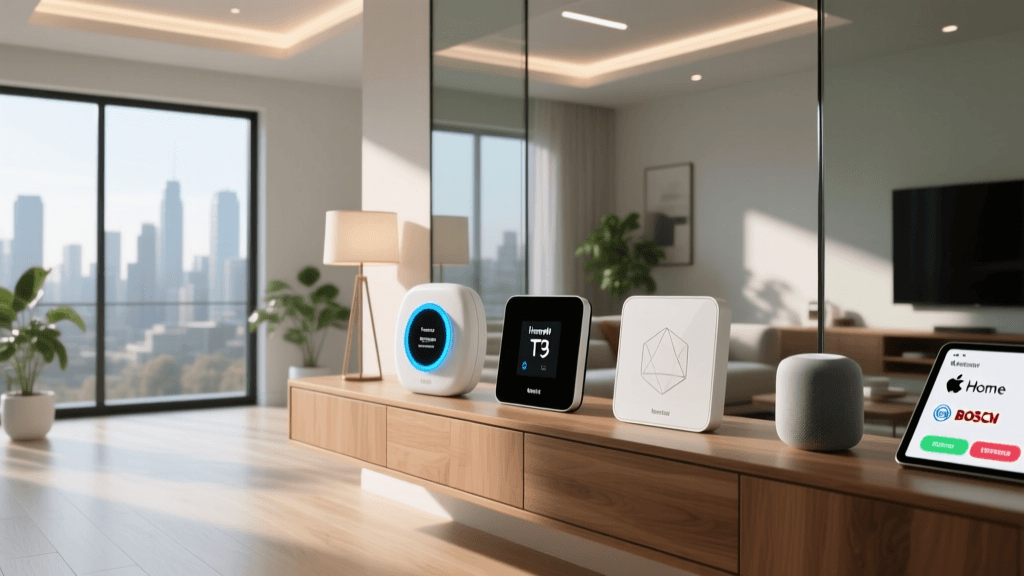
In this comprehensive buyer's guide, we break down the best smart hubs and controllers on the market, evaluating them on protocol support, local versus cloud processing, ecosystem compatibility, and overall value. Whether you are an Apple purist, an Alexa aficionado, or a hardcore privacy-focused tinkerer, we have a recommendation for you.
Top 5 Smart Hubs for Every Ecosystem and Budget
1. Aeotec Smart Home Hub (Best Overall for SmartThings Users)
When Samsung quietly retired its own branded SmartThings hubs, Aeotec stepped in to fill the void. The Aeotec Smart Home Hub is essentially the official continuation of the SmartThings Hub v3, fully licensed and compatible with the incredibly robust SmartThings app ecosystem. Priced around $130, it supports Zigbee 3.0, Z-Wave Plus, and has received firmware updates to support Thread and Matter.
Pros: Access to the massive SmartThings community and third-party integrations; excellent app interface; supports both local and cloud automations.
Cons: Advanced local processing still requires some cloud handshake; hardware design is a bit dated.
Best For: Users who want a highly polished app experience with access to thousands of compatible devices and community-created drivers without needing a computer science degree to set it up.
2. Hubitat Elevation (Best for Local Processing and Privacy)
For users who prioritize speed, reliability, and privacy, the Hubitat Elevation (Model C-8) is the gold standard. Priced at approximately $150, this hub processes all automations locally. This means if your internet connection goes down, your motion-triggered lights and smart locks will continue to function flawlessly. It features a Z-Wave 700 series chip and Zigbee 3.0, alongside a built-in Thread/Matter radio.
Pros: 100% local automation execution; lightning-fast response times; highly customizable rule engine; no mandatory cloud dependency.
Cons: The web-based dashboard has a steeper learning curve than mobile-first apps; the mobile app is functional but less visually polished than SmartThings or Apple Home.
Best For: Power users, privacy advocates, and those who live in areas with unreliable internet connections who demand absolute reliability from their automations.
3. Home Assistant Green (Best for Tinkerers and Ultimate Control)
Home Assistant has long been the darling of the open-source smart home community, but it traditionally required running software on a Raspberry Pi or a dedicated mini-PC. The Home Assistant Green, priced at an incredibly affordable $99, changes the game by offering a plug-and-play, dedicated hardware box pre-loaded with the Home Assistant OS. It supports Matter, Thread, and can easily integrate Zigbee and Z-Wave via USB dongles.
Pros: Unmatched device compatibility (supports virtually everything); completely local and private; massive library of community add-ons; affordable entry point.
Cons: Requires adding separate USB radios for Zigbee/Z-Wave; the interface, while powerful, can be overwhelming for beginners.
Best For: Tech-savvy users, DIY enthusiasts, and those who want to unify wildly different ecosystems (e.g., mixing Apple HomeKit, Tuya, and Philips Hue) into one single dashboard.
4. Apple HomePod 2nd Generation (Best for Apple Ecosystem Users)
If your household is entirely invested in iPhones, iPads, and Apple TVs, the Apple HomePod (2nd Gen) is a phenomenal dual-purpose device. At $299, it is the most expensive option on this list, but it serves as both a premium smart speaker and a powerful smart home hub. It acts as a Thread Border Router and supports Matter natively, integrating seamlessly with Apple HomeKit.
Pros: Outstanding audio quality; seamless Apple ecosystem integration; Thread border router capabilities; HomeKit Secure Video support for cameras.
Cons: Expensive; limited native support for non-Matter/non-HomeKit devices without third-party bridges; automation logic is relatively basic compared to Hubitat or Home Assistant.
Best For: Apple loyalists who want a premium audio experience that doubles as a secure, privacy-focused smart home controller.
5. Amazon Echo 4th Generation (Best Budget / Entry-Level Hub)
Many people don't realize that the spherical Amazon Echo (4th Gen) is more than just an Alexa speaker; it has a built-in Zigbee hub, a Thread border router, and Matter controller capabilities. Often found on sale for around $99 (or less during Prime events), it is the most accessible entry point into hub-based automation.
Pros: Excellent value; doubles as a high-quality smart speaker; easy setup via the Alexa app; great for basic routines and voice control.
Cons: Heavily cloud-dependent; automation logic is limited to basic 'if this, then that' routines; Zigbee implementation can sometimes be finicky with complex mesh networks.
Best For: Budget-conscious beginners, renters, and those who primarily use voice commands and simple time-based or motion-based routines.
Comprehensive Smart Hub Comparison Table
To help you visualize the differences, we have compiled a side-by-side comparison of the core specifications, pricing, and protocol support for our top picks.
| Product | Est. Price | Local Processing | Zigbee / Z-Wave | Matter / Thread | Best Use Case |
|---|---|---|---|---|---|
| Aeotec Smart Home Hub | $130 | Hybrid | Yes / Yes | Yes / Yes | General SmartThings Users |
| Hubitat Elevation | $150 | Yes (Full) | Yes / Yes | Yes / Yes | Reliability & Privacy |
| Home Assistant Green | $99 | Yes (Full) | Requires USB | Yes / Yes | Advanced Tinkerers |
| Apple HomePod (2nd Gen) | $299 | Hybrid | No / No | Yes / Yes | Apple HomeKit Ecosystem |
| Amazon Echo (4th Gen) | $99 | No (Cloud) | Yes / No | Yes / Yes | Budget & Voice Control |
Price vs. Performance: Visualizing the Market
The smart hub market offers a wide range of price points, largely dictated by the inclusion of premium audio components (like in the HomePod) or specialized local-processing silicon. Below is a visual breakdown of the average retail prices for the hubs discussed in this guide.
Buyer's Guide: How to Choose the Right Hub
Selecting the right hub goes beyond just picking a brand name. You must consider the underlying wireless protocols, how your data is handled, and the long-term viability of your smart home setup. As noted by CNET's Smart Home Experts, the shift toward local processing and the Matter standard is the most significant trend in modern smart home hubs, drastically improving both speed and interoperability.
Understanding Wireless Protocols
- Zigbee 3.0: An open, low-power mesh network protocol. It is incredibly popular for smart bulbs (like Philips Hue) and sensors. It operates on the 2.4GHz band, which can sometimes interfere with Wi-Fi, but a good hub will manage channel selection automatically.
- Z-Wave Plus (700/800 Series): A proprietary but highly reliable mesh protocol that operates on the 908.42MHz band (in the US). Because it doesn't share frequencies with Wi-Fi, it suffers from zero interference, making it the gold standard for smart locks and critical security sensors.
- Thread: A newer, IP-based mesh networking protocol designed specifically for IoT. It is incredibly fast, low-latency, and self-healing. Thread devices require a 'Border Router' (like the HomePod, Nest Hub, or Hubitat) to connect to your home network.
- Matter: Not a wireless protocol itself, but an application layer that runs over Thread, Wi-Fi, or Ethernet. Matter ensures that a device certified by the Connectivity Standards Alliance will work seamlessly across Apple, Amazon, Google, and Samsung ecosystems simultaneously.
Cloud vs. Local Processing: The Great Debate
When you create an automation (e.g., 'Turn on the porch light when the front door opens'), where does that logic live?
Cloud-Dependent Hubs (e.g., Basic Alexa/Google setups): The sensor sends a signal to the hub, the hub sends it to a server in the cloud, the server processes the rule, and sends a command back to the smart bulb. This introduces latency (lag) and a critical point of failure: if your internet goes down, your smart home becomes 'dumb'.
Local Processing Hubs (e.g., Hubitat, Home Assistant): The logic lives entirely on the physical box sitting in your living room. The sensor talks directly to the hub, and the hub instantly commands the bulb. This results in millisecond response times, total privacy (your data never leaves your house), and 100% reliability during internet outages. According to the Home Assistant Official Documentation, local control is the foundational pillar of a truly resilient smart home.
Ecosystem Lock-in vs. Agnostic Platforms
If you buy an Apple HomePod, you are largely committing to the Apple HomeKit ecosystem. While Matter is softening these walls, some legacy devices and advanced features (like HomeKit Secure Video) require strict adherence to Apple's walled garden. Conversely, platforms like Home Assistant and Hubitat are 'agnostic'—they don't care what brand you buy. You can mix a Ring doorbell, a Lutron Caseta switch, and a generic Tuya temperature sensor, and force them all to work together in a single dashboard.
Setting Up Your First Advanced Automation
Once your hub is installed, avoid the temptation to just use it for voice commands. The real power of a hub lies in 'state-based' automations. Here is a blueprint for a 'Goodnight' routine that utilizes multiple protocols:
- Trigger: A Zigbee motion sensor in the hallway detects no motion for 30 minutes, AND a Z-Wave door sensor on the front door reads 'Closed'.
- Condition: The time is past 10:00 PM.
- Actions:
- Send a Z-Wave lock command to secure the deadbolt.
- Send a Zigbee command to turn off all main floor lights.
- Adjust the Wi-Fi connected smart thermostat to 68°F.
- Arm the security system to 'Stay' mode.
This multi-protocol routine is only possible because your hub acts as the universal translator, bridging the gap between Zigbee, Z-Wave, and Wi-Fi devices seamlessly.
Troubleshooting Common Hub Issues
Even the best hubs can experience hiccups. Here are a few pro-tips for maintaining a healthy smart home mesh:
- Zigbee/Wi-Fi Interference: Zigbee and Wi-Fi both use the 2.4GHz spectrum. If your smart bulbs are lagging, log into your router and change your 2.4GHz Wi-Fi channel to 1, 6, or 11, and ensure your Zigbee hub is set to channel 15, 20, or 25 to avoid overlap.
- Z-Wave Mesh Routing: Z-Wave relies on mains-powered devices to repeat signals. If a battery-powered door sensor is dropping offline, try adding a smart plug (which acts as a repeater) halfway between the sensor and the hub to strengthen the mesh.
- Thread Border Router Redundancy: Thread networks thrive on multiple border routers. If you have an Apple TV, a HomePod, and a Hubitat, they will work together to create an incredibly resilient Thread mesh that automatically reroutes traffic if one router is unplugged.
Final Thoughts
Investing in a dedicated smart hub is the single most impactful upgrade you can make to your connected home. If you want a polished, app-driven experience with broad compatibility, the Aeotec Smart Home Hub remains a top-tier choice. For those who demand absolute privacy and lightning-fast local execution, the Hubitat Elevation is unmatched. Meanwhile, the Home Assistant Green offers an unprecedented entry point for open-source enthusiasts, and the Apple HomePod continues to be the premier choice for those deeply embedded in the Apple ecosystem. Evaluate your current devices, consider your internet reliability, and choose the brain that best fits your smart home's future.