Why Local Automation is the Future of Smart Homes
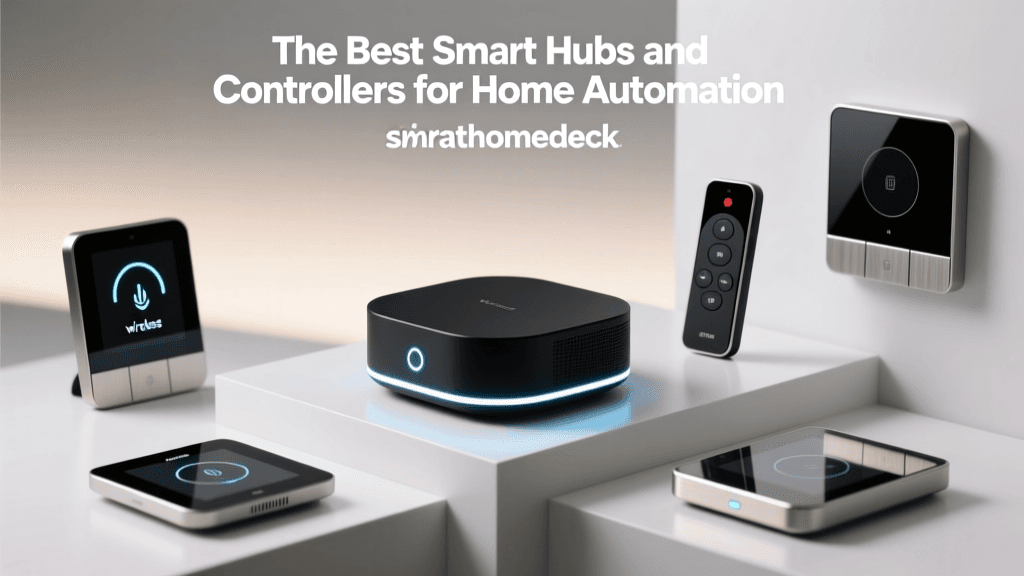
When building a comprehensive smart home, the hub acts as the central nervous system, coordinating devices, executing routines, and managing wireless protocols. While many mainstream smart home ecosystems rely heavily on cloud processing, a growing movement of enthusiasts and privacy-conscious consumers are shifting toward local home automation. Local processing means your smart home hub handles all logic, routines, and device communication directly on your home network, without sending data to remote servers.
The benefits of local automation are threefold. First, speed: local execution reduces latency from hundreds of milliseconds to near-instantaneous reactions. Second, reliability: your lights and locks will still function via automated routines even if your internet connection goes down. Third, privacy: keeping your data off external servers ensures your daily habits remain strictly within your home. According to the Z-Wave Alliance, local mesh networks inherently provide better security and stability for high-density device environments compared to congested Wi-Fi networks relying on cloud round-trips.
In this guide, we break down the best smart hubs for local home automation, comparing their processing power, protocol support, and ease of use to help you find the perfect brain for your smart home.
Our Top Picks for Local Smart Home Hubs
1. Home Assistant Green: Best Overall for Privacy and Power
Home Assistant has long been the gold standard for local smart home automation, traditionally requiring users to set up their own Raspberry Pi or mini-PC. The Home Assistant Green changes the game by offering a plug-and-play, dedicated hardware hub powered by a robust 1.8 GHz quad-core processor and 8GB of RAM. It supports local processing for thousands of integrations right out of the box.
- Price Range: $99 - $129
- Supported Protocols: Wi-Fi, Ethernet, Thread (via SkyConnect add-on), Zigbee (via add-on), Matter
- Pros: Unmatched device compatibility, zero cloud reliance, massive community support, highly customizable dashboards.
- Cons: Requires a moderate learning curve to master advanced YAML configurations; Zigbee/Z-Wave require separate USB dongles.
For users who want total control without the hassle of managing a Linux server, the Home Assistant Green is the ultimate local hub. You can explore its extensive documentation and integration library on the official Home Assistant website.
2. Hubitat Elevation: Best for Advanced Rule Creation Without Coding
The Hubitat Elevation (Model C-8) is a powerhouse designed specifically for local execution. Unlike Home Assistant, which sometimes requires text-based coding for complex routines, Hubitat features a built-in 'Rule Machine' that allows users to create incredibly complex, conditional logic trees using a visual interface. It natively supports both Zigbee and Z-Wave via built-in antennas, making it a true all-in-one local hub.
- Price Range: $149 - $169
- Supported Protocols: Zigbee 3.0, Z-Wave Plus v2, Thread, Matter, Wi-Fi
- Pros: Native Zigbee and Z-Wave support, excellent local Rule Machine, no coding required for complex automations, fast local response times.
- Cons: The user interface feels slightly dated compared to modern consumer apps; limited native voice assistant integration without cloud bridging.
Hubitat is perfect for the 'advanced beginner' or intermediate user who wants the reliability of local processing and the depth of Z-Wave/Zigbee mesh networks without touching a single line of code.
3. Samsung SmartThings Station: Best for Beginners and Broad Compatibility
While Samsung's SmartThings ecosystem has historically relied on cloud processing, the newer SmartThings Station acts as a local Thread border router and Matter controller. It is designed to keep Matter and Thread devices communicating locally within the Samsung SmartThings app. While it does not offer the hardcore local rule-creation of Hubitat, it provides a localized, low-latency backbone for modern Thread devices.
- Price Range: $79 - $99
- Supported Protocols: Thread, Matter, Wi-Fi
- Pros: Very affordable, seamless integration with Samsung Galaxy devices, acts as a Thread border router, excellent for Matter-over-Thread devices.
- Cons: Lacks native Zigbee and Z-Wave; complex routines still rely partially on the SmartThings cloud; limited local logic capabilities.
4. Apple HomePod (2nd Gen): Best for Apple Ecosystem Users
For households deeply invested in the Apple ecosystem, the Apple HomePod (2nd Gen) serves as a premium smart speaker and a highly capable local home hub. Apple's HomeKit architecture has always prioritized local processing and end-to-end encryption. The HomePod acts as a Thread border router and Matter controller, executing HomeKit automations locally on your network.
- Price Range: $249 - $299
- Supported Protocols: Thread, Matter, Wi-Fi, Bluetooth
- Pros: Premium audio quality, strict privacy standards, native Thread and Matter support, seamless Siri integration.
- Cons: High price point, restricted to the Apple Home app ecosystem, lacks native Zigbee/Z-Wave support.
Feature Comparison Table
| Hub Model | Local Processing | Native Zigbee/Z-Wave | Thread/Matter | Difficulty Level | Avg. Price |
|---|---|---|---|---|---|
| Home Assistant Green | 100% Local | No (Requires Dongle) | Yes (Via Dongle) | Advanced | $119 |
| Hubitat Elevation | 100% Local | Yes (Built-in) | Yes (Matter Beta) | Intermediate | $159 |
| SmartThings Station | Hybrid (Local Thread) | No | Yes (Native) | Beginner | $89 |
| Apple HomePod 2 | Hybrid (Local HomeKit) | No | Yes (Native) | Beginner | $299 |
Execution Latency: Cloud vs. Local Hubs
One of the most compelling reasons to switch to a local hub is the drastic reduction in automation latency. When a motion sensor triggers a cloud-based hub, the signal travels to a remote server, is processed, and sent back to your smart bulb. Local hubs eliminate this round-trip. The chart below illustrates the average execution latency in milliseconds across different hub architectures.
As demonstrated, local hubs like Home Assistant and Hubitat execute routines in under 60 milliseconds, making them feel truly instantaneous compared to the noticeable 600+ millisecond delay of cloud-dependent systems.
How to Choose the Right Hub for Your Home
Understanding Wireless Protocols
Your choice of hub must align with the devices you plan to purchase. The smart home landscape is currently fragmented across several key protocols:
- Z-Wave: Operating on sub-GHz frequencies, Z-Wave avoids interference with Wi-Fi and offers excellent range (up to 100 meters line-of-sight per node). The Z-Wave Alliance maintains strict certification standards, ensuring high interoperability between brands.
- Zigbee: A 2.4GHz mesh network protocol that is incredibly common in sensors and smart bulbs. It has a shorter range than Z-Wave but supports much higher bandwidth and larger mesh networks.
- Thread & Matter: The new industry standard. Thread provides a low-power, local mesh network (similar to Zigbee but IP-based), while Matter is the application layer that allows devices to communicate across different ecosystems seamlessly. The Matter standard is rapidly becoming the baseline for all new smart home releases.
Pro Tip: If you have a large home with thick walls, prioritize a hub that supports Z-Wave or Thread mesh networks, as their signal-hopping capabilities will easily reach corners of your house that Wi-Fi cannot.
Ecosystem Lock-In vs. Agnostic Platforms
If you prefer to mix and match brands—using Philips Hue bulbs, Aeotec sensors, and Schlage locks—you need an agnostic platform like Home Assistant or Hubitat. These platforms do not care who manufactured the device, as long as it speaks the correct wireless language. Conversely, if you exclusively buy Apple HomeKit-compatible devices, the Apple HomePod will provide a much more polished, albeit restricted, experience.
Expandability and Antenna Range
Consider the physical placement of your hub. Hubs with internal antennas (like the SmartThings Station) should be placed centrally in your home, elevated off the floor, and away from metal appliances or Wi-Fi routers that cause electromagnetic interference. Hubs that support external USB antennas (like Home Assistant Green paired with a Zigbee coordinator) allow you to use an extension cable to place the antenna in an optimal location while keeping the server tucked away in a network rack.
Setting Up Your First Local Automation Routine
Transitioning to local automation can seem daunting, but the basic logic remains the same across all platforms. Every automation consists of a Trigger, a Condition, and an Action.
- The Trigger: What initiates the routine? (e.g., Aqara Door Sensor changes from 'Closed' to 'Open').
- The Condition: Under what circumstances should the action occur? (e.g., Only if the local time is between Sunset and Sunrise, and the home alarm is disarmed).
- The Action: What should the hub do? (e.g., Turn on the hallway Zigbee bulbs to 50% brightness, wait 5 minutes, then turn off).
In Hubitat, you would build this using the 'Rule Machine' app. In Home Assistant, you would use the visual Automation Editor. Because these are processed locally, the hallway lights will illuminate the exact millisecond the door unlatches, regardless of your ISP's current uptime.
Frequently Asked Questions
Do I need an internet connection for local hubs?
No. Once a local hub like Home Assistant or Hubitat is configured, it does not require an active WAN (internet) connection to execute routines, read sensors, or toggle switches. However, an internet connection is required for initial setup, firmware updates, remote access away from home, and controlling cloud-dependent Wi-Fi devices.
Can I mix Zigbee and Z-Wave devices on the same hub?
Yes, but they operate on separate, parallel mesh networks. A hub like Hubitat Elevation contains two distinct internal radios—one for Zigbee and one for Z-Wave. The hub's software acts as a translator, allowing a Z-Wave motion sensor to trigger a Zigbee smart bulb seamlessly through the hub's local logic engine.
Will Matter replace Zigbee and Z-Wave?
Matter is an application layer, not a wireless protocol itself. Matter runs over Wi-Fi, Ethernet, and Thread. While Thread (which supports Matter) is expected to eventually replace Zigbee for low-power sensors and bulbs, Z-Wave operates on different frequencies and remains highly relevant for security and whole-home mesh reliability. Hubs that support both legacy protocols and Matter are the most future-proof investments.
Final Thoughts
Upgrading to a local smart home hub is the single most impactful change you can make to improve the speed, reliability, and privacy of your automated home. For power users who demand total control and privacy, the Home Assistant Green is the undisputed champion. For those who want native Z-Wave/Zigbee support and complex logic without writing code, the Hubitat Elevation is a phenomenal choice. Meanwhile, users heavily invested in modern Thread devices or the Apple ecosystem will find the SmartThings Station and Apple HomePod to be excellent localized gateways. Evaluate your current device inventory, choose your preferred protocol, and take your smart home off the cloud for good.