The Unique Challenges of Large, Multi-Story Smart Homes
Outfitting a standard single-story home with smart devices is relatively straightforward. However, when you expand your footprint to a large home (3,000 to 6,000+ square feet) or a multi-story layout, the physics of radio frequency (RF) signals quickly become your biggest adversary. In a multi-story environment, smart home signals must penetrate not just drywall and wood studs, but also floor joists, HVAC ductwork, plumbing lines, and sometimes even concrete or radiant heating grids. These dense materials cause severe signal attenuation, leading to dropped connections, delayed automations, and unresponsive devices.
To achieve a truly seamless smart home experience across multiple floors, relying on a single router or a basic cloud-dependent hub is a recipe for frustration. You need a robust, two-pronged approach: a high-capacity Mesh Wi-Fi system to provide the backbone for your IP-based devices and cameras, and a dedicated Smart Hub with mesh protocol support (Zigbee, Z-Wave, or Thread) to manage your low-power sensors and switches locally.
In this comprehensive buyer's guide, we break down the best smart hubs and mesh networking systems specifically engineered to conquer the unique challenges of large, multi-story homes.
The Physics of Multi-Story Signal Degradation
Before diving into product recommendations, it is crucial to understand why standard equipment fails in large homes. Wi-Fi, Zigbee, Z-Wave, and Thread all operate on 2.4 GHz or 5 GHz frequencies. While 2.4 GHz offers better range and wall penetration, it is highly susceptible to interference from neighboring homes, microwaves, and Bluetooth devices. Conversely, 5 GHz and 6 GHz bands offer blazing speeds but struggle to penetrate a single floor, let alone two or three.
Furthermore, smart home protocols like Zigbee and Z-Wave rely on a 'mesh' topology, where every plugged-in device acts as a repeater. In a sprawling, multi-story home, the physical distance between repeaters on the first floor and those on the second floor might exceed the 30-to-40-foot indoor range limit, creating 'dead zones' in stairwells and upper-floor bedrooms. This is why strategic hardware selection is non-negotiable.
The Protocol Advantage: Why Thread is a Game-Changer
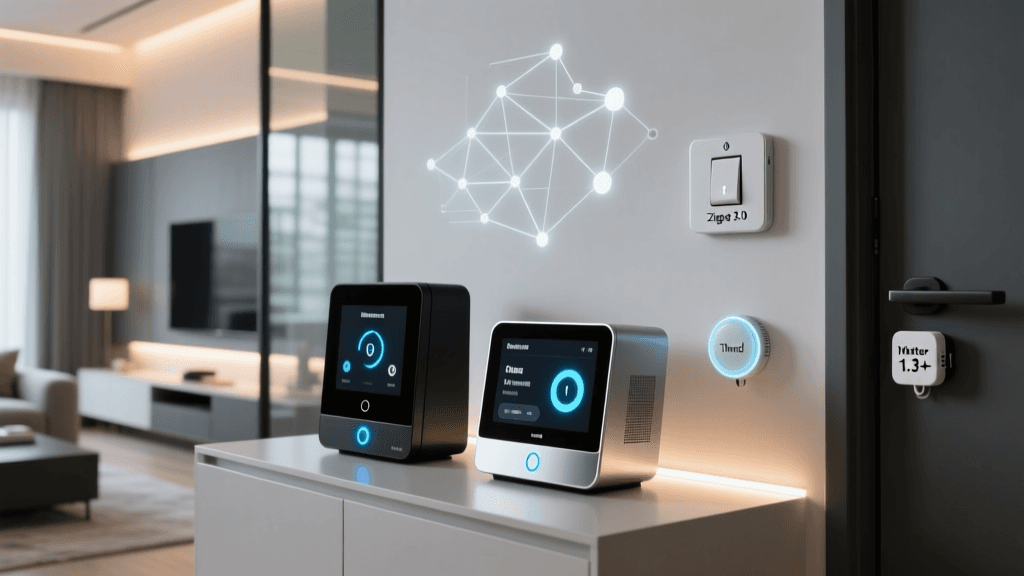
According to the Connectivity Standards Alliance, the Thread protocol is fundamentally reshaping how smart homes handle mesh networking. Unlike older protocols that require a single, centralized hub to route all traffic, Thread creates a decentralized, self-healing mesh network. In a large, multi-story home, any plugged-in Thread device (like a smart plug or light switch) acts as a Thread Border Router. This means your network's range expands organically with every device you add, effortlessly bridging the gap between the first-floor kitchen and the third-floor primary suite without relying on cloud servers.
Best Smart Hubs for Expansive Floor Plans
1. Hubitat Elevation (Local Processing Powerhouse)
For large homes where reliability and speed are paramount, the Hubitat Elevation remains a top-tier choice. Priced around $149.95, it processes automations locally, meaning your motion-triggered lights will turn on instantly, even if your internet connection drops. It features built-in Zigbee 3.0 and Z-Wave Plus V2 radios.
- Pros: 100% local execution, advanced rule machine, massive device compatibility.
- Multi-Story Tip: Because it relies on a centralized antenna, you must pair the Hubitat with Z-Wave or Zigbee smart plugs on each floor to extend the mesh network up the stairwells.
2. Home Assistant Green (The Enthusiast's Local Server)
Priced at $99, the Home Assistant Green is a plug-and-play local server that offers unparalleled customization. While it does not have built-in RF radios, it allows you to connect high-gain USB dongles, such as the Sonoff Zigbee 3.0 USB Dongle Plus-P.
- Pros: Ultimate privacy, supports Matter/Thread via add-ons, no monthly fees.
- Multi-Story Tip: Use a 10-foot USB extension cable to route the Zigbee dongle away from the server and closer to the center of your home, or utilize networked Zigbee coordinators on different floors via Ethernet.
3. Samsung SmartThings Station (The Budget Matter Hub)
At just $99, the SmartThings Station doubles as a wireless charger and a Matter/Thread Border Router. While it relies heavily on the cloud for complex automations, its Thread capabilities make it an excellent, budget-friendly node to place on upper floors to extend your Thread mesh network.
- Pros: Inexpensive, native Thread support, integrates seamlessly with Samsung ecosystems.
- Cons: Lacks native Zigbee/Z-Wave; requires cloud for most advanced routines.
Best Mesh Wi-Fi Systems to Anchor Your Smart Home
Your smart hub cannot function if the underlying IP network is unstable. For large homes, a traditional router-and-extender setup will cause latency and dropped packets. You need a dedicated Mesh Wi-Fi system with a dedicated wireless backhaul or Ethernet backhaul.
1. Eero Pro 6E (The Smart Home Native)
The Eero Pro 6E (approx. $399 for a 2-pack) is uniquely positioned for smart home enthusiasts. Each node acts as a Zigbee hub and a Thread Border Router, effectively eliminating the need for a separate smart hub if you are transitioning to Matter/Thread devices. With coverage up to 6,500 square feet, it handles multi-story homes beautifully.
2. Netgear Orbi RBKE963 (The Uncompromising Beast)
If budget is not a concern and your home features concrete floors or radiant heating (which blocks RF signals), the Orbi RBKE963 ($1,499 for a 3-pack) is the ultimate solution. It utilizes a dedicated Quad-band backhaul, ensuring that data traveling from the third floor to the main router does not lose speed or stability. It covers up to 9,000 square feet and supports over 200 concurrent devices.
3. TP-Link Deco XE75 (The Value Tri-Band Champion)
Priced around $349 for a 2-pack, the Deco XE75 uses the new 6 GHz band as a dedicated wireless backhaul. Covering up to 7,200 square feet, it offers near-Orbi performance at a fraction of the cost, making it the best mid-range option for large homes with standard drywall construction.
Upgrading to a mesh network with a dedicated backhaul is the single most impactful improvement you can make for a multi-story smart home ecosystem, ensuring that high-bandwidth devices like security cameras do not choke your low-latency smart lighting commands.
Comparison Table: Top Hubs and Mesh Networks
| Product | Type | Protocols Supported | Max Coverage | Est. Price |
|---|---|---|---|---|
| Hubitat Elevation | Smart Hub | Zigbee 3.0, Z-Wave Plus V2 | Depends on Mesh | $149 |
| Home Assistant Green | Local Server | Wi-Fi, Matter (via LAN) | Depends on LAN | $99 |
| Eero Pro 6E | Mesh Wi-Fi | Wi-Fi 6E, Thread, Zigbee | 6,500 sq ft | $399 (2-pk) |
| Netgear Orbi RBKE963 | Mesh Wi-Fi | Wi-Fi 6E, Quad-Band | 9,000 sq ft | $1,499 (3-pk) |
| TP-Link Deco XE75 | Mesh Wi-Fi | Wi-Fi 6E, Tri-Band | 7,200 sq ft | $349 (2-pk) |
Strategic Placement and Wiring Tips for Multi-Story Homes
Even the most expensive hardware will underperform if placed poorly. The Wi-Fi Alliance notes that proper node placement is critical for maintaining a stable EasyMesh or proprietary mesh network. Here are actionable tips for large homes:
- The Stairwell Strategy: Stairwells act as natural chimneys for RF signals. Placing a mesh node or a Zigbee repeater at the base and the top of a central stairwell provides a relatively unobstructed path for signals to travel between floors.
- Avoid the Kitchen and Laundry: Large appliances, water heaters, and metal HVAC returns act as Faraday cages. Never place your primary hub or a mesh node directly behind a refrigerator or inside a utility closet lined with copper piping.
- Ethernet Backhaul is King: If your large home is pre-wired for Ethernet, hardwire your mesh nodes. This frees up the wireless bands entirely for your devices, eliminating the 'hop' degradation that occurs when nodes communicate wirelessly through floors.
- MoCA Adapters for Older Homes: If your multi-story home lacks Ethernet but has coaxial cables in every room, use MoCA (Multimedia over Coax Alliance) adapters to create a gigabit wired backhaul for your mesh nodes on upper floors.
Ensuring Reliability for Critical Smart Devices
When managing a large home, certain devices cannot afford to drop offline. As highlighted by the U.S. Department of Energy, smart thermostats play a crucial role in energy efficiency, but they require a rock-solid connection to adjust to multi-zone temperature changes accurately. In a multi-story home, the thermostat on the first floor might lose connection to a Wi-Fi router located in the third-floor office. By utilizing a dedicated smart hub with local execution (like Hubitat) or a Thread mesh network, your climate control and security sensors remain operational even during internet outages.
Final Verdict
Building a smart home in a large, multi-story environment requires moving away from consumer-grade, single-point routers and cloud-dependent sticks. For the ultimate in reliability and local speed, pair the Hubitat Elevation with a robust mesh system like the TP-Link Deco XE75 or Netgear Orbi. If you prefer a simplified, forward-looking ecosystem built on the new Matter standard, the Eero Pro 6E offers an incredible all-in-one solution by combining Wi-Fi 6E, Zigbee, and Thread Border Routing into a single, elegant package. Invest in your network's backbone first, and the rest of your smart home will seamlessly fall into place.