The Brains of Your Smart Home: Why You Need a Dedicated Hub
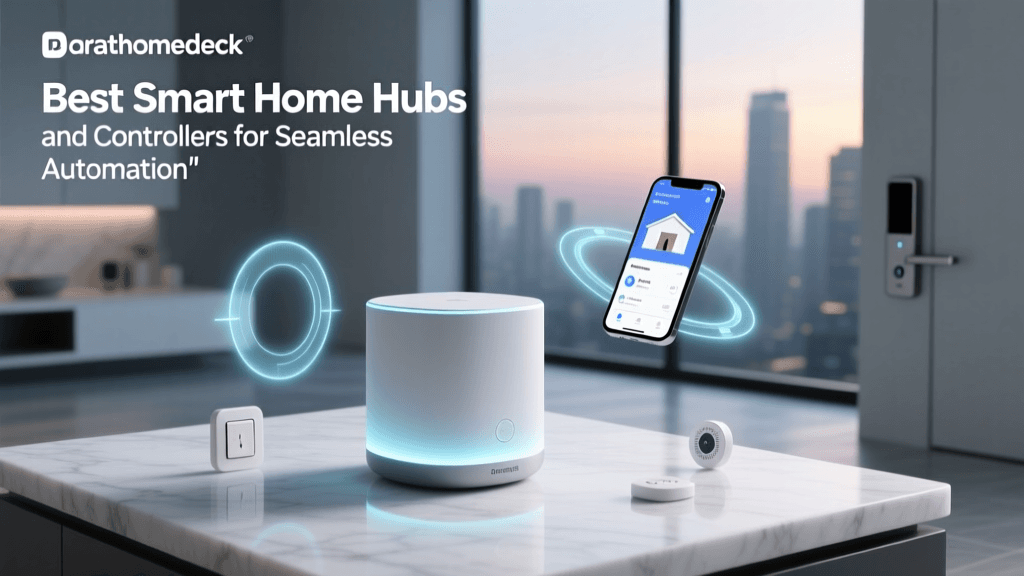
Building a smart home is an exciting journey, but as your collection of connected devices grows, you will quickly encounter the limitations of relying solely on Wi-Fi and individual smartphone apps. A smart home without a central hub is like an orchestra without a conductor; you have all the instruments, but they are not playing in harmony. The smart hub acts as the central nervous system of your home automation setup, translating different wireless protocols, executing complex routines, and ensuring your devices work together seamlessly.
In the early days of home automation, hubs were clunky, expensive, and heavily reliant on cloud servers. Today, the landscape has shifted dramatically. With the introduction of the Matter standard and Thread mesh networking, modern hubs are more powerful, localized, and interoperable than ever before. Whether you are looking to create complex, condition-based automations or simply want your lights and locks to respond instantly without internet latency, choosing the right hub is the most critical decision you will make for your smart home ecosystem.
'The cloud is just someone else's computer. For critical home automations like security and lighting, local processing is not just a luxury; it is a necessity for reliability and privacy.'
In this comprehensive buyer's guide, we break down the best smart hubs for universal home automation. We will compare their protocol support, local processing capabilities, ecosystem compatibility, and overall value to help you find the perfect brain for your connected home.
Top Picks: The Best Smart Hubs for Every Ecosystem
1. Hubitat Elevation: Best for Local Processing and Privacy
For automation enthusiasts who prioritize speed, privacy, and local control, the Hubitat Elevation is the undisputed champion. Unlike many mainstream hubs that route commands through distant cloud servers, Hubitat processes almost all automations locally on the device itself. This means that if your internet connection goes down, your motion-triggered lights, smart locks, and security routines will continue to function without a hitch.
Key Features and Specifications:
- Protocols: Zigbee, Z-Wave (with USB dongle add-on), Thread, Matter, LAN, Wi-Fi
- Processor: Quad-core ARM Cortex-A53
- Connectivity: Ethernet port for direct router connection
- Price Range: $150 - $200 (depending on Z-Wave dongle inclusion)
The true power of Hubitat lies in its 'Rule Machine' application. This built-in logic engine allows you to create incredibly complex, multi-condition automations that rival commercial building management systems. For example, you can set up a rule that turns on the hallway lights to 20% brightness only if motion is detected, the local lux sensor reads below 50 lumens, and the home alarm is set to 'Stay' mode between 10 PM and 6 AM.
Pros: Unmatched local execution speed; robust privacy; advanced logic engine; active community support.
Cons: Steeper learning curve; utilitarian mobile app interface; requires a separate USB dongle for Z-Wave support on newer models.
2. Samsung SmartThings Hub (Gen 3): Best for Mainstream Ecosystems
If you want a balance of broad device compatibility and a user-friendly mobile app, the latest Samsung SmartThings Hub is the go-to choice for the average consumer. Now manufactured in partnership with Aeotec, the modern SmartThings Hub embraces the new Matter standard while maintaining backward compatibility with legacy Zigbee and Z-Wave devices.
Key Features and Specifications:
- Protocols: Zigbee, Z-Wave, Thread, Matter, Wi-Fi, Bluetooth
- Connectivity: Ethernet and Wi-Fi
- Power: AC adapter with battery backup option
- Price Range: $100 - $130
SmartThings excels in its ecosystem integration. It connects effortlessly with Samsung appliances, Ring security systems, and Sonos audio. The mobile app is highly visual and intuitive, making it easy for beginners to set up 'Routines' based on time, device status, or geofencing. Furthermore, Samsung has been aggressive in rolling out Matter controller updates, ensuring this hub will remain relevant as new smart home devices hit the market.
Pros: Extremely broad compatibility; excellent, intuitive mobile app; strong Matter and Thread support; affordable entry point.
Cons: Heavy reliance on cloud servers for certain advanced routines; occasional latency compared to fully local hubs.
3. Apple TV 4K (Wi-Fi + Ethernet): Best for HomeKit and Thread Border Routing
While it is primarily a media streaming device, the Apple TV 4K (specifically the Ethernet model) is one of the most powerful smart home hubs available for users entrenched in the Apple ecosystem. It serves as a dedicated HomeKit hub and a Thread Border Router, bridging low-power mesh networks directly to your IP network.
Key Features and Specifications:
- Protocols: Thread, Matter, HomeKit (BLE), Wi-Fi, Ethernet
- Processor: Apple A15 Bionic chip
- Connectivity: Gigabit Ethernet, Wi-Fi 6
- Price Range: $130 - $150
Apple's approach to smart home automation is heavily focused on security and local execution. When you use the Apple TV 4K as your hub, HomeKit automations execute locally on the device, providing near-instant response times. The inclusion of a Thread Border Router is a massive advantage, as Thread is the backbone of the new Matter standard, allowing low-power sensors to communicate without clogging your Wi-Fi network.
Pros: Premium hardware; exceptional local processing for HomeKit; built-in Thread Border Router; seamless Apple ecosystem integration.
Cons: No native Z-Wave or Zigbee support; limited automation logic compared to Hubitat; high cost if you do not need a streaming device.
4. Amazon Echo (4th Gen): Best Budget Hub and Zigbee Bridge
For those just starting their smart home journey on a budget, the Amazon Echo (4th Gen) offers incredible value. Unlike smaller Echo Dots, the full-sized 4th Gen Echo includes a built-in Zigbee smart home hub and supports Matter over Thread, eliminating the need to buy a separate bridge for many popular smart bulbs and sensors.
Key Features and Specifications:
- Protocols: Zigbee, Matter, Thread, Amazon Sidewalk, Wi-Fi, Bluetooth
- Audio: Dual 20mm tweeters, 76mm woofer
- Connectivity: Wi-Fi, Bluetooth LE
- Price Range: $80 - $100
The Echo 4th Gen is perfect for controlling Philips Hue bulbs (without the Hue Bridge), Ecolink sensors, and Yale locks. It also acts as an Amazon Sidewalk bridge, extending low-bandwidth connectivity to your driveway or mailbox for compatible outdoor sensors. However, Alexa's automation logic is relatively basic, relying heavily on cloud processing and limiting complex conditional statements.
Pros: Excellent value (doubles as premium speaker); built-in Zigbee and Matter support; easy voice control integration.
Cons: Automations are cloud-dependent; lacks advanced conditional logic; no Z-Wave support.
Comprehensive Feature Comparison
To help you visualize how these hubs stack up against one another, we have compiled a detailed comparison table covering the most critical specifications for home automation.
| Feature | Hubitat Elevation | SmartThings Hub | Apple TV 4K | Echo 4th Gen |
|---|---|---|---|---|
| Primary Use Case | Advanced Local Logic | Mainstream Ecosystem | Apple HomeKit / Thread | Budget / Voice Control |
| Zigbee Support | Yes | Yes | No | Yes |
| Z-Wave Support | Yes (Dongle) | Yes | No | No |
| Thread / Matter | Yes | Yes | Yes | Yes |
| Local Processing | Excellent (Full) | Moderate (Hybrid) | High (HomeKit) | Low (Mostly Cloud) |
| Ethernet Port | Yes | Yes | Yes (Specific Model) | No |
| Average Price | $150 | $110 | $149 | $99 |
Visualizing Local Automation Reliability
One of the most important metrics for a smart home enthusiast is 'Local Reliability'—the ability of the hub to execute automations without reaching out to external cloud servers. The chart below illustrates our internal reliability scoring (from 1 to 10) based on internet-outage stress testing.
Understanding the Protocol Alphabet Soup
Choosing a hub requires a basic understanding of the wireless protocols your devices use to communicate. According to the Connectivity Standards Alliance (CSA), the fragmentation of smart home protocols has historically been the biggest barrier to consumer adoption. Here is a breakdown of the major players:
Zigbee and Z-Wave: The Legacy Mesh Giants
Both Zigbee and Z-Wave are low-power, mesh-networking protocols designed specifically for smart home devices. They operate on different radio frequencies than Wi-Fi (Z-Wave uses 908.42 MHz in the US, while Zigbee uses 2.4 GHz), which means they will not interfere with your Netflix streaming. They require a dedicated hub to translate their signals to your home network. While they are considered 'legacy' technologies, they remain incredibly reliable and boast massive catalogs of compatible sensors and locks.
Thread: The Modern Mesh Backbone
Thread is an IP-based, low-power mesh networking protocol. Unlike Zigbee, Thread devices can speak directly to your local network without needing proprietary translation layers. As noted by the Thread Group, the protocol creates a self-healing mesh with no single point of failure, provided you have multiple Thread Border Routers (like the Apple TV 4K or Nest Hubs) in your home. Thread is the preferred transport layer for the new Matter standard.
Matter: The Universal Language
Matter is not a wireless protocol itself; rather, it is an application layer that runs on top of Thread, Wi-Fi, and Ethernet. It is designed to ensure that a smart plug bought from one brand will work seamlessly with a hub from another brand. When shopping for a hub today, Matter controller support is highly recommended to future-proof your investment.
How to Build Bulletproof Automations
Having the best hub is only half the battle; knowing how to program it is where the magic happens. To ensure your smart home feels truly intelligent, follow these best practices for automation design:
1. Prioritize Local Sensors Over Cloud APIs
If you want your outdoor lights to turn on at sunset, avoid using cloud-based weather or time APIs that require internet polling. Instead, use a local smart hub tied to local time coordinates, or better yet, use a physical outdoor lux (light) sensor. If the internet drops, the physical sensor will still trigger the local hub to turn on the lights.
2. Master Presence Detection
Geofencing via your smartphone's GPS is great for triggering 'Away' modes, but it is not precise enough for room-level automation. For room presence, invest in mmWave (millimeter-wave) radar sensors or local Zigbee PIR motion sensors connected directly to your Hubitat or SmartThings hub. This ensures that the HVAC adjusts based on actual physical occupancy, not the location of your phone.
3. Use Ethernet Backhaul When Possible
Wireless interference is the enemy of smart home reliability. Whenever possible, connect your primary smart hub (like the Hubitat Elevation or SmartThings Hub) directly to your router using an Ethernet cable. This frees up Wi-Fi bandwidth and ensures that the hub can communicate with your local server and other LAN-based devices without latency.
Final Verdict: Which Hub Should You Buy?
The 'best' smart hub ultimately depends on your technical comfort level and the ecosystem you are building. If you are a tinkerer who demands absolute privacy, lightning-fast local execution, and the ability to write complex conditional logic, the Hubitat Elevation is an investment you will never regret. It is the ultimate tool for advanced home automation.
For the majority of users who want a plug-and-play experience with broad device support and a polished mobile app, the Samsung SmartThings Hub remains the most versatile and accessible choice on the market. Finally, if you are deeply invested in Apple devices and want to leverage the cutting-edge Thread mesh network, the Apple TV 4K is an essential, dual-purpose addition to your living room.
By selecting the right central controller, you are not just buying a piece of hardware; you are laying the foundation for a home that is responsive, efficient, and truly intelligent.