The Renter’s Dilemma: Securing Your Space Without Losing Your Deposit
Renting an apartment or home comes with a unique set of challenges, especially when it comes to security. Unlike homeowners, renters are often bound by strict lease agreements that prohibit drilling holes into walls, doors, or doorframes. Furthermore, the transient nature of renting means that investing in a hardwired, permanent security system is both impractical and financially unwise. However, the rise of wireless, battery-operated, and adhesive-mounted smart home technology has completely revolutionized how renters can protect their living spaces.
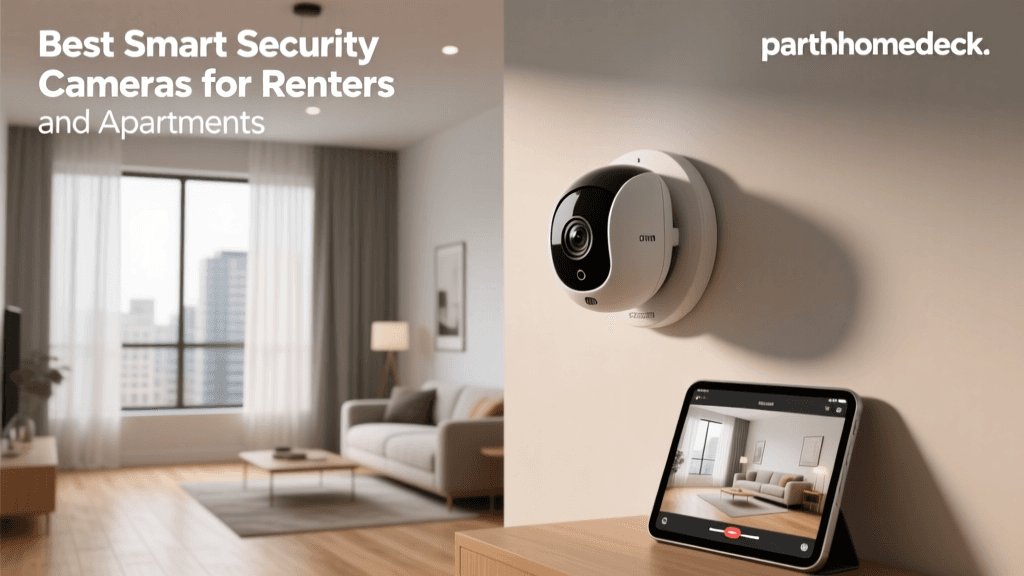
Today’s smart home ecosystem offers a plethora of devices that require zero permanent modifications, can be packed up and moved in minutes, and provide the same level of professional monitoring and high-definition surveillance as traditional hardwired systems. Whether you live in a high-rise apartment, a multi-family duplex, or a single-family rental, securing your perimeter and interior is more accessible than ever. In this comprehensive guide, we break down the best smart home security devices for renters, focusing on portability, ease of installation, and lease compliance.
What Makes a Security Device 'Renter-Friendly'?
Before diving into specific product recommendations, it is crucial to understand the criteria that separate a renter-friendly security device from a traditional one. When curating this list, we prioritized the following features:
- No-Drill Installation: Devices must utilize heavy-duty adhesive strips (like 3M Command), magnetic mounts, or tension-based hardware that leaves no holes or residue behind.
- Wireless Connectivity: Relying on Wi-Fi, Z-Wave, or proprietary RF signals ensures you do not need to run ethernet cables or drill through exterior walls for wiring.
- Battery Operation: Battery-powered or solar-assisted devices eliminate the need to splice into existing electrical lines or hire a licensed electrician.
- Portability: The system should be easy to disassemble and pack into a moving box when your lease ends.
- Landlord Compliance: Devices should not alter the exterior aesthetics of the property or interfere with existing master key systems.
Top 5 Smart Home Security Devices for Renters
1. Best Overall System: SimpliSafe 12-Piece Wireless Home Security System
SimpliSafe has long been the gold standard for wireless, DIY home security, and it is exceptionally well-suited for renters. The 12-Piece Wireless Home Security System includes a base station, wireless keypad, key fob, panic button, motion sensor, and multiple entry sensors for doors and windows. Every single component is designed to be mounted using pre-applied 3M adhesive tape, meaning you can stick sensors to your doorframes and windows without causing any damage.
The system operates on a dedicated cellular connection (with a monitoring subscription), ensuring that your security remains intact even if your apartment’s Wi-Fi goes down or a burglar cuts the internet line. The base station features a built-in 24-hour backup battery, and the entry sensors boast a battery life of up to five years. When it is time to move, you simply peel the sensors off, pack the base station, and take your entire security infrastructure to your new home.
2. Best Smart Lock: August Wi-Fi Smart Lock (4th Gen)
Changing the locks on a rental property is usually a major lease violation, but the August Wi-Fi Smart Lock offers a brilliant workaround. Instead of replacing the entire lock hardware, the August device retrofits over the interior thumbturn of your existing deadbolt. This means the exterior of your door remains completely untouched, allowing your landlord to retain their master key and keeping your lease intact.
The 4th Generation model features built-in Wi-Fi, eliminating the need for a separate Connect bridge. It offers advanced features like Auto-Unlock, which uses geofencing to unlock your door as you approach, and DoorSense, which alerts you if your door is accidentally left ajar. Installation takes about 10 minutes using a simple screwdriver, and reversing the process when you move out takes just as long.
3. Best Outdoor Camera: Blink Outdoor 4
For renters with a patio, balcony, or small yard, the Blink Outdoor 4 is an outstanding wire-free security camera. It is incredibly compact, weather-resistant, and runs on two standard AA lithium batteries that can last up to two years depending on usage. Because it is so lightweight, it can be mounted using heavy-duty outdoor adhesive mounting tape or clamped onto a balcony railing without the need for power drills.
The Blink Outdoor 4 connects to the Blink Sync Module 2, which acts as a local hub to manage battery life and store video clips locally via a plugged-in USB drive (an excellent way to avoid monthly cloud storage fees). It offers 1080p HD video, infrared night vision, and customizable motion zones, ensuring you only get alerts when someone steps onto your specific patio area rather than the public sidewalk.
4. Best Indoor Camera: Eufy Security SoloCam S230
Indoor security for renters often requires flexibility in placement, especially if you lack convenient power outlets near entryways. The Eufy Security SoloCam S230 is a 100% wire-free indoor/outdoor camera that delivers crisp 2K resolution. Its standout feature for renters is the built-in eMMC storage, which holds up to 16GB of video locally. This completely eliminates the need for a monthly subscription service, making it highly budget-friendly.
The camera features a built-in spotlight for color night vision and a two-way audio system. It can be placed on a bookshelf, mounted to a wall using damage-free adhesive strips, or attached to a magnetic mount. The battery lasts for several months on a single charge, and the Eufy Security app provides highly accurate AI human detection to reduce false alarms from pets or shifting shadows.
5. Best Video Doorbell: Ring Battery Video Doorbell
Seeing who is at your door is a fundamental aspect of home security, but hardwiring a video doorbell is rarely an option for apartment dwellers. The Ring Battery Video Doorbell solves this with a quick-release, rechargeable battery pack that can be charged via a standard micro-USB cable. While it can be screwed into a doorframe, Ring and third-party manufacturers offer a variety of 'No-Drill Mounts' that utilize heavy-duty adhesive or tension mechanisms to secure the doorbell to your apartment door or adjacent wall.
It features 1080p HD video, advanced motion detection, and real-time notifications. The 'Neighbors' app integration also allows you to see if there have been package thefts or suspicious activities reported in your immediate vicinity, which is particularly useful in high-density apartment complexes.
Head-to-Head Comparison Table
| Device | Best For | Power Source | Drilling Required? | Ecosystem | Approx. Price |
|---|---|---|---|---|---|
| SimpliSafe 12-Piece | Comprehensive Whole-Home Alarm | Wall Plug + Battery Backup | No (Adhesive) | Proprietary / App | $300 |
| August Wi-Fi Lock | Keyless Entry & Access Control | CR123A Batteries | No (Retrofit) | August / SmartThings | $250 |
| Blink Outdoor 4 | Balcony & Patio Surveillance | 2x AA Lithium | No (Adhesive/Clamp) | Amazon Alexa | $100 |
| Eufy SoloCam S230 | Subscription-Free Indoor/Outdoor | Rechargeable Battery | No (Adhesive/Magnet) | Eufy Security | $130 |
| Ring Battery Doorbell | Front Door Monitoring | Rechargeable Battery | No (Adhesive Mount) | Amazon Alexa / Ring | $100 |
Battery Life and Maintenance Visualization
One of the most critical factors for renters is minimizing maintenance. Climbing ladders or constantly taking down devices to charge them can be a hassle and increases the risk of accidental damage to the rental property. The chart below illustrates the estimated battery life of the wireless devices featured in this guide.
As visualized above, entry sensors and specialized outdoor cameras like the Blink Outdoor 4 offer exceptional longevity, requiring attention only once every year or two. Smart locks and video doorbells, due to their high-power mechanical and Wi-Fi transmission demands, require more frequent charging or battery swaps. Factoring in this maintenance schedule is vital when choosing where to mount your devices.
Clever Installation Hacks for Renters
Even with renter-friendly devices, you may encounter tricky architectural layouts in your apartment. Here are a few creative, damage-free installation hacks:
- Tension Rod Mounts: For indoor cameras or window sensors, use a spring-loaded tension rod inside a window frame or doorway. You can easily zip-tie or clamp a lightweight camera to the rod, giving you a perfect vantage point without touching the walls.
- Heavy-Duty Picture Hanging Strips: Standard adhesive tape can fail over time due to temperature fluctuations. Use interlocking picture hanging strips (like Velcro brand) for devices like the SimpliSafe base station or keypad. This allows you to remove the device for cleaning or repositioning without losing the adhesive grip on the wall.
- Over-the-Door Hooks: If you need to mount a camera or sensor near an entryway but cannot use the wall, heavy-duty over-the-door hooks can serve as an anchor point for lightweight devices or cable management.
- Leaning Ladder Shelves: If you want to place indoor cameras at a high vantage point but cannot drill into the drywall, a leaning ladder shelf provides a stable, aesthetic, and completely non-permanent elevated surface for your hubs and cameras.
Cybersecurity: Protecting Your Smart Devices
While physical security is paramount, the digital security of your smart home devices is equally critical. IoT (Internet of Things) devices are frequent targets for cybercriminals looking to exploit weak network security. According to the National Institute of Standards and Technology (NIST), securing IoT devices requires a proactive approach to firmware management and network segmentation. Renters, who often rely on shared or default apartment Wi-Fi networks, are particularly vulnerable.
To protect your privacy and prevent unauthorized access to your cameras and smart locks, follow these essential cybersecurity best practices recommended by the Cybersecurity and Infrastructure Security Agency (CISA):
- Change Default Passwords: Never leave your router or smart home hub on its factory default password. Use a complex, unique passphrase.
- Enable Multi-Factor Authentication (MFA): Ensure that MFA is enabled on all smart home apps (Ring, SimpliSafe, August) to prevent account takeovers.
- Create a Guest Network: If your router allows it, place all your IoT security devices on a separate 'Guest' Wi-Fi network. This isolates them from your personal computers and smartphones, ensuring that a compromised smart bulb cannot be used as a backdoor to access your personal banking data.
- Disable Unused Features: Turn off remote access or UPnP (Universal Plug and Play) features on your router if you do not actively need them, reducing your digital attack surface.
For more in-depth buying advice and privacy ratings on specific models, resources like Consumer Reports offer extensive lab testing on both the physical durability and the digital privacy policies of major smart home brands.
Final Thoughts
Securing your rental property does not require sacrificing your security deposit or violating your lease agreement. By leveraging wireless technology, adhesive mounting solutions, and retrofit smart devices, renters can build a robust, professional-grade security ecosystem that travels with them from one home to the next. Whether you opt for the comprehensive coverage of a SimpliSafe system or the targeted surveillance of a Blink Outdoor camera, the most important step is taking action to protect your space. Always review your specific lease agreement regarding security devices, communicate with your landlord if necessary, and prioritize digital security to ensure your smart home remains a safe haven.