Securing Your Perimeter: The First Line of Smart Defense
When it comes to home security, stopping a threat before it reaches your front door is the ultimate goal. Perimeter defense involves securing the boundaries of your property using a combination of smart cameras, video doorbells, smart locks, and integrated lighting. Unlike traditional alarm systems that only react once a breach has occurred, modern smart home security devices act as proactive deterrents, providing real-time alerts, high-definition video verification, and remote access control.
However, navigating the crowded market of smart security gear can be overwhelming. Between varying video resolutions, power requirements, ecosystem compatibility, and mandatory cloud storage subscriptions, choosing the right devices requires careful consideration. In this comprehensive buyer's guide, we break down the best smart home security devices for perimeter defense, comparing their features, performance, and long-term costs to help you build a robust, reliable security network.
Top Picks: Best Smart Home Security Devices
Best Overall Security Camera: Arlo Pro 5S 2K
The Arlo Pro 5S remains the gold standard for wireless outdoor security cameras. It features a massive 12-megapixel sensor capable of capturing 2K HDR video, ensuring that crucial details like license plates and facial features remain sharp even in high-contrast lighting. The 160-degree diagonal field of view eliminates blind spots, while the advanced color night vision uses a built-in spotlight to illuminate dark areas.
One of the standout features is the 12x zoom capability, which allows you to digitally pinch and zoom into live or recorded footage without the image completely falling apart. The camera is IP65 weather-resistant, meaning it can handle heavy rain and dust. However, to unlock its best features—like smart alerts for people, animals, and vehicles, as well as cloud recording—you will need an Arlo Secure subscription starting at $4.99 per month per camera.
Best Video Doorbell: Ring Battery Doorbell Plus
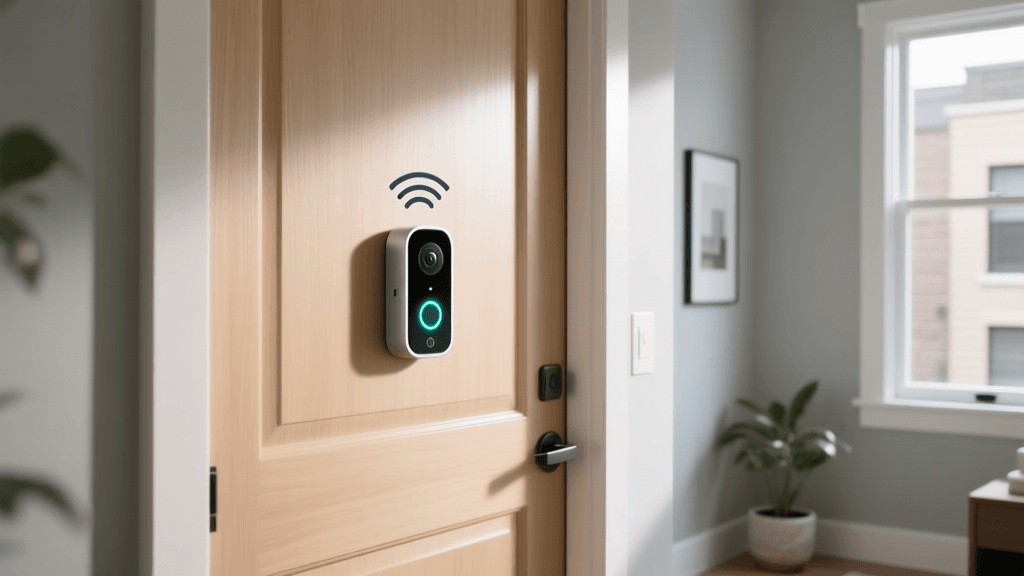
For those who want premium features without the hassle of hardwiring, the Ring Battery Doorbell Plus is an exceptional choice. Its headline feature is the 'Head-to-Toe' video, which utilizes a square 1536p HD aspect ratio (150x150 degrees). This allows you to see packages left on the ground and visitors from head to toe, solving the common issue of missed deliveries on standard widescreen doorbells.
The battery life is highly efficient, lasting several months on a single charge depending on traffic. It integrates seamlessly with Amazon Alexa, allowing you to view the live feed on Echo Show devices. Like most Ring products, accessing historical video and receiving rich notifications requires a Ring Home subscription, which is very affordably priced at $4.99 per month for all devices at a single address.
Best Smart Lock: Yale Assure Lock 2
Securing the physical entry points is just as critical as monitoring them. The Yale Assure Lock 2 is a sleek, key-free deadbolt that supports the new Matter-over-Thread smart home standard, ensuring lightning-fast response times and cross-platform compatibility with Apple HomeKit, Amazon Alexa, and Google Home. It features a backlit capacitive keypad and an auto-unlock function that uses Bluetooth geofencing to detect your smartphone as you approach the door.
From a security standpoint, the Assure Lock 2 includes a physical privacy button inside the home that disables all electronic unlocking methods, providing peace of mind when you are inside. It runs on four AA batteries, which typically last up to a year, and includes a 9V battery backup terminal on the exterior in case the internal batteries die while you are locked out.
Best Budget Security Camera: Wyze Cam v4
Proving that you do not need to spend hundreds of dollars for reliable perimeter defense, the Wyze Cam v4 punches well above its weight class. Priced around $35, it offers a stunning 2.5K QHD resolution with a 160-degree field of view. Unlike many budget cameras that are strictly for indoor use, the v4 is IP65-rated for outdoor use and includes a built-in spotlight for color night vision.
Wyze's biggest advantage is its local storage support. By inserting a microSD card (sold separately), you can record 24/7 continuous footage or motion-triggered clips without paying a dime in subscription fees. While the Wyze Cam Plus subscription ($2.99/month) adds AI person and vehicle detection, the local storage option makes it the ultimate choice for privacy-conscious users on a budget.
Best Floodlight Camera: Ring Floodlight Cam Wired Pro
For large driveways and backyards, a floodlight camera is essential. The Ring Floodlight Cam Wired Pro combines a 1080p HDR camera with two ultra-bright 2000-lumen LED floodlights. Its most innovative feature is 3D Motion Detection, which uses a built-in radar sensor to track the exact path and speed of moving objects in your yard. This drastically reduces false alarms from swaying trees or passing cars.
Because it utilizes radar and high-powered LEDs, this unit must be hardwired into an existing junction box. It also features 'Bird's Eye View,' which overlays a satellite map of your property to show you exactly where motion was detected. It is a powerhouse device designed for high-traffic exterior zones.
Comparison Table: Smart Security Devices
| Device | Category | Resolution | Power Source | Ecosystem | Base Price |
|---|---|---|---|---|---|
| Arlo Pro 5S 2K | Outdoor Camera | 2K HDR (12MP) | Rechargeable Battery | Arlo, Alexa, Google | $249 |
| Ring Battery Doorbell Plus | Video Doorbell | 1536p HD | Rechargeable Battery | Ring, Alexa | $149 |
| Yale Assure Lock 2 | Smart Lock | N/A (Keypad) | 4x AA Batteries | Matter, HomeKit, Alexa | $279 |
| Wyze Cam v4 | Outdoor Camera | 2.5K QHD | Wired (USB-C) | Wyze, Alexa, Google | $35 |
| Ring Floodlight Cam Pro | Floodlight Camera | 1080p HDR | Hardwired (110-240V) | Ring, Alexa | $249 |
Visualizing the True Cost of Ownership
When budgeting for smart security, the initial hardware cost is only half the equation. Most premium brands require a monthly subscription to unlock cloud recording and advanced AI alerts. Below is a comparison of the average monthly cloud storage costs for a single device across major ecosystems.
Average Monthly Cloud Storage Costs by Brand
Note: Brands like Ring and Google often offer multi-camera plans that reduce the per-device cost, while Arlo's multi-camera plans scale up significantly.
How to Choose the Right Smart Security Devices
Ecosystem Compatibility and the Matter Standard
Before purchasing any security device, identify your primary smart home ecosystem. If you rely heavily on Apple HomeKit, your options are somewhat limited, as brands like Ring do not natively support Apple's platform. Conversely, Amazon Alexa and Google Home support almost every major brand. The introduction of the Matter protocol is beginning to bridge these gaps, allowing devices like the Yale Assure Lock 2 to communicate seamlessly across different platforms using Thread networking, which is faster and more reliable than standard Wi-Fi.
Power Sources: Battery vs. Wired
Your installation environment will dictate your power options. Battery-powered cameras like the Arlo Pro 5S and Ring Doorbell Plus offer ultimate flexibility; you can mount them anywhere without drilling through walls to run cables. However, they generally only record when motion is triggered to conserve power. Wired cameras, like the Wyze Cam v4 or the Ring Floodlight Cam, support continuous 24/7 recording and never require recharging, but they require proximity to an outdoor outlet or a hardwired junction box.
Local vs. Cloud Storage
Cloud storage ensures that your footage is safe even if a thief steals the physical camera. It also allows for easy sharing with law enforcement. However, it comes with recurring monthly fees and privacy concerns regarding who has access to your video feeds. Local storage via a microSD card or a dedicated home hub (like the Eufy HomeBase) keeps your data strictly on your property and eliminates subscription fees, making it ideal for privacy advocates.
Network Bandwidth and Mesh Systems
High-resolution cameras (2K and 4K) consume significant Wi-Fi bandwidth. According to Consumer Reports, running multiple high-definition streams simultaneously can cripple a standard router, leading to laggy video and dropped connections. If you plan to install more than three outdoor cameras, investing in a robust Wi-Fi 6 Mesh system is highly recommended to ensure stable perimeter coverage.
Expert Tips for Securing Your Smart Network
Ironically, the devices you buy to secure your home can become vulnerabilities if not configured correctly. IoT (Internet of Things) devices are frequent targets for cyberattacks. The National Cyber Security Centre (NCSC) strongly advises users to never leave devices on their default factory passwords. Always change the default admin credentials to a strong, unique passphrase.
Furthermore, the Cybersecurity and Infrastructure Security Agency (CISA) recommends keeping all firmware up to date. Many modern cameras and locks support automatic over-the-air (OTA) updates; ensure this feature is enabled. For advanced users, setting up a dedicated 'Guest Network' or VLAN specifically for your IoT security devices isolates them from your personal computers and smartphones, preventing a compromised camera from being used as a backdoor into your primary network.
Frequently Asked Questions
Do I absolutely need a subscription for smart security cameras?
No. While brands like Ring and Arlo heavily push their subscription models for cloud recording and AI alerts, brands like Wyze, Eufy, and Reolink offer robust local storage options via microSD cards or local hubs. You will miss out on some advanced cloud-based AI filtering, but you can still receive basic motion alerts and view live feeds for free.
Can smart locks be hacked or jammed?
While no electronic device is 100% immune to cyber threats, reputable smart locks from brands like Yale, Schlage, and August use AES 128-bit or 256-bit encryption, the same standard used by banks. Physical 'jamming' of the wireless signal is rare and typically only prevents the lock from receiving a remote unlock command, leaving the physical deadbolt securely locked. Always choose locks that include a physical keypad or mechanical backup key.
What is the best placement for outdoor security cameras?
Place cameras at key choke points: the front door, back door, and driveway. Mount them between 8 and 10 feet off the ground. This height is high enough to be out of reach of vandals but low enough to capture clear facial features. Avoid pointing cameras directly at the sun or into neighboring properties to respect privacy laws and prevent lens flare.
How does smart lighting integrate with perimeter security?
Integrating smart outdoor lighting (like Philips Hue or Ring Pathlights) with your cameras creates a powerful deterrent. You can set automations so that if a camera detects a person after dark, the surrounding smart floodlights instantly turn on to 100% brightness. This startles potential intruders and provides the camera with the necessary light to capture full-color, high-definition footage.