The Evolution of Entryway Security
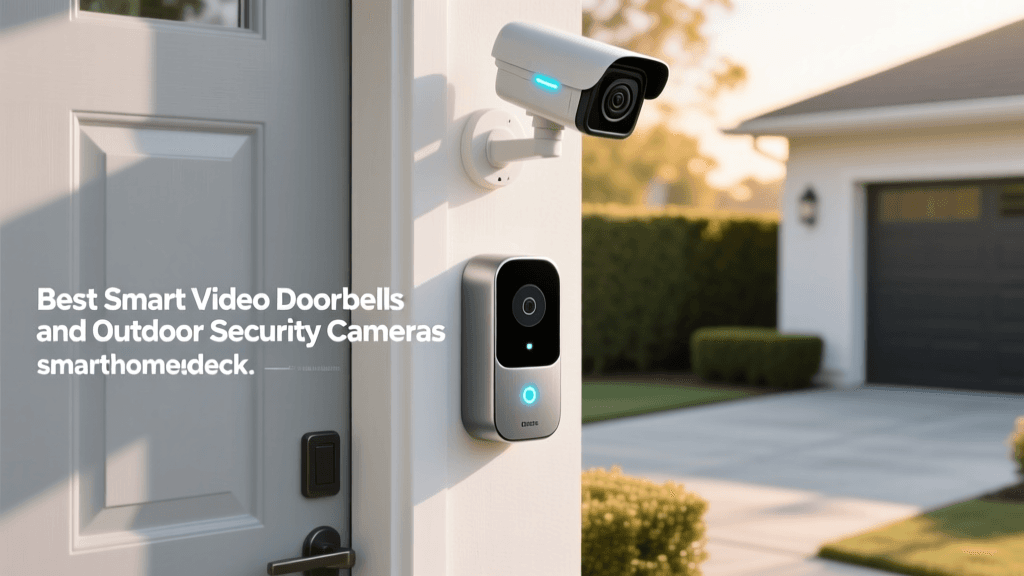
The front door is the primary access point for your home, making it the most critical perimeter to secure. Over the past decade, the traditional peephole and analog doorbell have been entirely replaced by smart video doorbells. These devices act as your digital sentry, providing real-time video feeds, two-way audio communication, and advanced motion detection directly to your smartphone. Whether you are monitoring package deliveries, keeping an eye on pets, or deterring potential intruders, a smart video doorbell is the cornerstone of a modern smart home security system.
However, the market is flooded with options ranging from budget-friendly battery-operated models to premium hardwired units with 3D radar motion tracking. Choosing the right device requires a deep understanding of your home's existing wiring, your Wi-Fi network's capabilities, and your preferred smart home ecosystem. In this comprehensive buyer's guide, we break down the technical specifications, installation requirements, and real-world performance of the best smart video doorbells available today.
Core Features to Evaluate Before Buying
Before selecting a specific brand or model, it is essential to understand the technical metrics that dictate a doorbell's performance. A high-resolution camera is useless if it lacks the dynamic range to handle direct sunlight, and advanced AI features are meaningless if your Wi-Fi router cannot handle the bandwidth.
Power Source and Transformer Requirements
Smart doorbells generally fall into two power categories: hardwired and battery-powered. Hardwired models connect to your existing low-voltage doorbell wiring (typically 16 to 24 volts AC). They offer continuous recording, higher frame rates, and never require manual charging. However, many modern 2K and 4K doorbells require a higher power draw than older homes provide. You may need to upgrade your mechanical chime's transformer from a standard 10VA to a 20VA or 30VA transformer to prevent the device from restarting or failing to power on.
Battery-powered models offer ultimate flexibility for renters or homes without existing doorbell wiring. While they are easier to install, they suffer from limitations: lower frame rates, delayed wake-up times when motion is detected, and the need to physically remove and recharge the battery every few months.
Resolution, Aspect Ratio, and HDR
While 1080p was once the gold standard, the industry has shifted toward 2K (1536p or 1600p) resolutions. The higher pixel count is crucial for digital zooming, allowing you to read license plates or identify facial features without the image becoming a pixelated mess. Furthermore, the aspect ratio matters immensely. Traditional 16:9 landscape video cuts off the bottom of the frame, meaning you cannot see packages left on your welcome mat. The best modern doorbells utilize a 1:1 square or 3:4 portrait aspect ratio to provide true head-to-toe visibility.
High Dynamic Range (HDR) is another non-negotiable feature. Your front door often faces direct sunlight while the porch remains in deep shadow. HDR balances the exposure, ensuring that a visitor's face isn't silhouetted against a bright sky.
Field of View (FOV) and Head-to-Toe Visibility
Field of View (FOV) determines how much of your porch and yard the camera can see. A narrow FOV might miss someone standing just outside the door frame. Premium models offer a diagonal FOV of 150 degrees or more, with some utilizing dual-lens setups or radar tracking to monitor the entire walkway leading up to your door.
AI Motion Detection and Smart Alerts
Early smart doorbells relied on Passive Infrared (PIR) sensors, which trigger alerts based on heat signatures. This resulted in endless false alarms from passing cars or swaying trees. Today's top-tier devices use on-device Computer Vision (CV) and AI to differentiate between humans, animals, vehicles, and packages. This granular detection drastically reduces notification fatigue and ensures you only receive alerts when it truly matters.
Storage Ecosystems and Subscription Fatigue
Video storage is where manufacturers make their recurring revenue. Brands like Ring and Google heavily push their cloud subscription services (Ring Home and Nest Aware) to unlock features like continuous video history, smart alerts, and professional monitoring. Conversely, brands like Eufy prioritize local storage via a hub or microSD card, eliminating monthly fees but requiring you to manage your own hardware. Your tolerance for monthly subscriptions will heavily influence your final purchasing decision.
The Best Smart Video Doorbells on the Market
Google Nest Doorbell (Wired) - Best for AI and Google Ecosystem
The Google Nest Doorbell (Wired) remains a top contender for those deeply embedded in the Google Home ecosystem. It features a 1080p square resolution that provides excellent head-to-toe coverage. Where the Nest truly shines is its on-device AI. Even without a Nest Aware subscription, the wired version can distinguish between people, animals, vehicles, and packages, sending you highly relevant alerts. The HDR performance is class-leading, easily handling harsh afternoon glare on west-facing porches. However, to unlock 24/7 continuous video history and familiar face recognition, a Nest Aware subscription is mandatory.
Ring Video Doorbell Pro 2 - Best Overall Hardware and Bird's Eye View
Ring's flagship Pro 2 is a hardware marvel. It boasts a stunning 1536p HD resolution with a 150-degree diagonal FOV. Its standout feature is the 'Bird's Eye View,' which utilizes built-in radar technology to track motion in 3D space. When a delivery driver walks up your path, the app overlays a map showing their exact trajectory across your property. The Pro 2 requires a robust 16-30V AC power source and a compatible digital chime. It is undeniably powerful, but it is also tethered to the Ring Home subscription model for any historical video playback beyond the last 60 seconds of live view.
Eufy Security Video Doorbell Dual (Wired) - Best for Local Storage
For users suffering from subscription fatigue, the Eufy Video Doorbell Dual is the ultimate solution. It features a unique dual-camera setup: one lens faces outward for a wide view of the yard, while a secondary downward-facing lens captures packages on the mat. The video is processed locally and stored on the included HomeBase 2 hub, which sits inside your home and connects via ethernet. This means zero monthly fees, lightning-fast local video loading, and enhanced privacy since your footage isn't automatically uploaded to the cloud. The 2K resolution is sharp, and the local AI processing is incredibly accurate.
Logitech Circle View Wired Doorbell - Best for Apple HomeKit
If your smart home is built entirely around Apple's ecosystem, the Logitech Circle View is your best option. It is designed specifically for Apple HomeKit Secure Video (HKSV). Video is end-to-end encrypted and stored securely in your iCloud account, utilizing your existing iCloud+ storage plan rather than requiring a separate, brand-specific subscription. The 1080p 4:3 aspect ratio provides excellent vertical coverage, and the facial recognition leverages Apple's native 'People' tags in the Home app. The trade-off is a lack of cross-platform compatibility and a reliance on an Apple TV or HomePod acting as a home hub.
Arlo Video Doorbell 2K (2nd Gen) - Best Wire-Free Flexibility
The Arlo Video Doorbell 2K (2nd Gen) offers incredible versatility. It can be hardwired to existing chimes or run entirely on its rechargeable battery. It features a massive 180x180 degree square FOV, ensuring virtually zero blind spots on your porch. Arlo's AI detection is robust, and the integration with the Arlo Secure app provides a unified dashboard if you also own Arlo floodlights or outdoor cameras. While it supports local storage via an Arlo SmartHub, most users opt for the Arlo Secure cloud subscription to access advanced features like package detection and emergency response.
Comprehensive Comparison Table
To help you visualize the technical differences between these top-tier models, we have compiled a detailed specification matrix. This table highlights the critical metrics that impact daily usage, from power requirements to storage paradigms.
| Model | Resolution & Aspect | Power Source | Storage Model | Est. Retail Price |
|---|---|---|---|---|
| Google Nest (Wired) | 1080p (1:1 Square) | Wired (16-24V AC) | Cloud (Sub required for history) | $179 |
| Ring Video Doorbell Pro 2 | 1536p HD (Square) | Wired (16-30V AC) | Cloud (Sub strictly required) | $249 |
| Eufy Video Doorbell Dual | 2K 1600p (4:3 Portrait) | Wired (16-24V AC) | Local (HomeBase 2 Included) | $259 |
| Logitech Circle View | 1080p (4:3 Portrait) | Wired (16-24V AC) | Cloud (iCloud+ / HKSV) | $199 |
| Arlo Video Doorbell 2K | 2K 1536p (1:1 Square) | Battery or Wired | Cloud / Local Hub Options | $149 |
Installation, Privacy, and Network Optimization
Purchasing the best hardware is only half the battle. Proper installation and network configuration are vital for ensuring your smart doorbell operates reliably and securely.
Upgrading Your Chime and Transformer
If you are upgrading from a traditional analog doorbell to a premium hardwired smart model, you must verify your transformer's voltage and amperage. Most smart doorbells require a minimum of 16V AC and a 20VA (Volt-Ampere) rating. If your home was built before the 1990s, you likely have a 10VA transformer. Running a high-draw device like the Ring Pro 2 on an underpowered transformer will result in frequent Wi-Fi dropouts, reboot loops, and a degraded battery backup. Upgrading a transformer is a relatively simple and inexpensive electrical project that ensures long-term stability.
Optimizing Wi-Fi for Video Streaming
Video doorbells require a stable, high-bandwidth Wi-Fi connection, specifically on the upload channel. Most internet service providers offer asymmetrical speeds (e.g., 300 Mbps download, but only 15 Mbps upload). A 2K doorbell streaming live video can consume 2 to 4 Mbps of upload bandwidth continuously. Furthermore, the front door is often the furthest point from your central router, blocked by exterior walls and insulation. Investing in a mesh Wi-Fi system with a node placed near the front entryway is highly recommended to prevent laggy live views and missed motion recordings.
Privacy Zones and Cybersecurity Best Practices
While securing your home is paramount, you must also respect the privacy of your neighbors and comply with local surveillance laws. All major smart doorbell apps allow you to draw 'Privacy Zones' or 'Activity Zones' directly on the camera feed. Use these tools to black out your neighbor's windows, their front door, or public sidewalks, ensuring the AI only triggers alerts for activity on your specific property.
From a cybersecurity perspective, IoT devices can be vulnerable if not properly managed. According to CISA's guidelines on IoT security, it is critical to change default passwords, enable multi-factor authentication (MFA) on your smart home accounts, and ensure your router's firmware is regularly updated. Segregating your smart home devices onto a dedicated 'Guest' or 'IoT' VLAN on your network can also prevent a compromised doorbell from being used as a backdoor into your personal computers and NAS drives.
Future-Proofing with the Matter Protocol
The smart home industry is currently undergoing a massive shift toward interoperability via the Matter protocol. Matter is an open-source, royalty-free connectivity standard designed to allow devices from different ecosystems (Apple, Google, Amazon, Samsung) to communicate seamlessly. When evaluating a new doorbell, check if the manufacturer has committed to Matter over Thread or Matter over Wi-Fi. As highlighted by the Connectivity Standards Alliance (CSA), Matter ensures that your security devices won't become obsolete if you decide to switch from an iPhone to an Android device, or if you transition from Alexa to Google Assistant in the future. While video streaming itself is still being integrated into the Matter standard, basic controls, status alerts, and chime integrations are already benefiting from this unified approach.
Final Verdict
The 'best' smart video doorbell ultimately depends on your home's infrastructure and your ecosystem loyalty. For Google users who want excellent free AI alerts, the Google Nest Doorbell (Wired) is the smartest choice. If you demand the absolute best hardware tracking and don't mind a subscription, the Ring Video Doorbell Pro 2 is unmatched. Apple purists should look no further than the Logitech Circle View for its seamless HomeKit Secure Video integration. Finally, for those who refuse to pay monthly cloud fees and want total control over their data, the Eufy Video Doorbell Dual offers the best local storage experience on the market. By carefully assessing your wiring, Wi-Fi, and privacy needs, you can select a device that will keep your entryway secure for years to come.