The Renter's Dilemma: Security Without the Screws
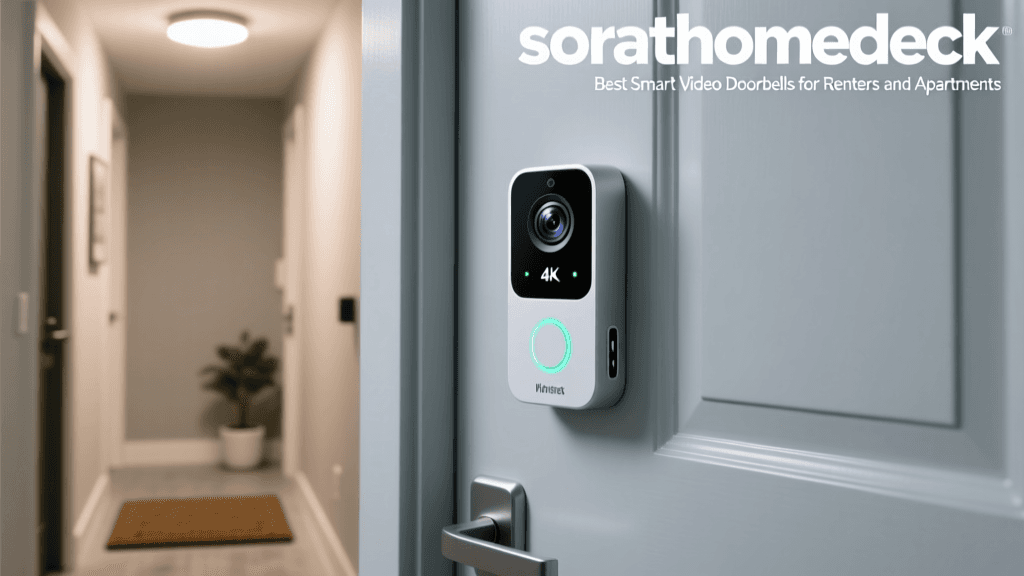
Securing your home shouldn't require a signed permission slip from your landlord or a drill bit to your apartment's exterior. For renters and apartment dwellers, traditional hardwired security systems are often out of the question. You need a solution that offers robust protection, crystal-clear video, and instant smart alerts without violating your lease agreement. Enter the battery-powered, wire-free smart video doorbell.
In recent years, the smart home industry has recognized the unique needs of the rental market. Today's best smart video doorbells for renters feature removable batteries, no-drill mounting options, and advanced local storage capabilities that don't rely on invasive wiring. Whether you live in a high-rise condo, a ground-floor apartment, or a rented single-family home, there is a device tailored to your specific entryway.
In this comprehensive buyer's guide, we break down the top renter-friendly video doorbells on the market. We'll compare battery life, video resolution, field of view, and subscription requirements, while also providing actionable advice on installation, Wi-Fi optimization, and network security.
What to Look for in a Renter-Friendly Video Doorbell
Before diving into specific models, it is crucial to understand the technical and practical requirements of installing a smart doorbell in a rental property. Keep these four pillars in mind during your search:
- No-Drill Installation: Look for models that support heavy-duty adhesive mounts (like 3M VHB tape) or specialized doorframe clamps. Drilling into brick, stucco, or shared hallway drywall can result in lost security deposits.
- Battery Life and Removability: Since you cannot tap into a 16V-24V AC doorbell transformer, battery life is paramount. Furthermore, if your doorbell is mounted high up or in a hard-to-reach apartment corridor, a quick-release battery pack is a massive convenience.
- Local vs. Cloud Storage: Many cloud-based systems require a monthly subscription fee to record and store video clips. If you want to avoid recurring costs, look for systems that offer local storage via a hub or base station located inside your apartment.
- Wi-Fi Range and Bandwidth: Apartment buildings are notorious for Wi-Fi dead zones, especially near front doors located far from your router. Ensure the device supports 2.4GHz networks, which penetrate walls better than 5GHz, or consider a system that uses a dedicated hub to bridge the connection.
Top Picks: Best Smart Video Doorbells for Renters
1. Ring Battery Video Doorbell Plus (Best Overall for Renters)
The Ring Battery Video Doorbell Plus strikes the perfect balance between premium features and renter-friendly installation. It captures video in 1536p Head-to-Toe HD+, providing a 150x150-degree square field of view. This means you can see the faces of your visitors as well as the packages left at your feet—a crucial feature for apartment dwellers dealing with high volumes of delivery traffic.
Installation is entirely wire-free. Ring offers an official 'No-Drill Mount' accessory that uses heavy-duty adhesive tape designed to withstand outdoor weather conditions. The quick-release battery pack slides out easily for charging, meaning you don't have to detach the entire camera from the wall. The primary drawback is that accessing advanced features like rich notifications and extended video history requires a Ring Home subscription (starting around $4.99/month).
2. Blink Video Doorbell + Sync Module 2 (Best Budget & Battery Life)
If you are on a strict budget and despise the idea of monthly subscription fees, the Blink Video Doorbell paired with the Sync Module 2 is an unbeatable combination. Priced significantly lower than its competitors, this 1080p doorbell runs on standard AA lithium batteries that can last up to two years under typical use.
The magic happens when you connect it to the Blink Sync Module 2. By plugging a standard USB flash drive into the Sync Module (which sits safely inside your apartment), you can store video clips locally without paying Amazon a dime for cloud storage. The video quality is slightly softer than Ring or Eufy, and the 135-degree field of view is narrower, but the sheer convenience and cost-savings make it a top pick for students and budget-conscious renters.
3. Eufy Security Video Doorbell Dual (Battery) (Best Premium & Package Detection)
For renters who want the absolute best in AI-powered security without monthly fees, the Eufy Video Doorbell Dual is a masterpiece. As the name suggests, it features two cameras: one facing outward for facial recognition and a secondary downward-facing lens dedicated to monitoring package deliveries. The dual 2K resolution provides incredibly crisp imagery, even in low-light apartment hallways.
Eufy's ecosystem relies on the HomeBase 2, which plugs into an outlet inside your apartment. The HomeBase acts as a Wi-Fi bridge, extending the doorbell's range and providing 16GB of local, encrypted storage. Because all processing happens locally, there are zero monthly fees, and the AI facial recognition is remarkably fast. The only caveat is the higher upfront cost, which hovers around the $250 mark.
4. Arlo Essential Wire-Free Video Doorbell (Best Wide-Angle & Smart Hub Integration)
Arlo's Essential Wire-Free Video Doorbell is designed for those who need maximum peripheral vision. With a massive 180-degree diagonal field of view and a 1:1 aspect ratio, this doorbell captures everything from the delivery driver's shoes to the top of their head. It connects directly to your 2.4GHz Wi-Fi network without the strict requirement of a hub, making it highly versatile for temporary living situations.
Arlo also includes a unique privacy shield feature. When you are home, you can trigger the privacy shield via the app to physically cover the lens and disable the microphone, ensuring your privacy in shared apartment corridors. However, to unlock smart alerts (like distinguishing between humans, animals, and packages) and cloud recording, an Arlo Secure subscription is required.
Comparison Table: Renter-Friendly Doorbells at a Glance
| Product | Resolution | Field of View | Est. Battery Life | Local Storage | Subscription Needed? |
|---|---|---|---|---|---|
| Ring Battery Plus | 1536p HD+ | 150° x 150° | 6 Months | No | Yes (for full features) |
| Blink Doorbell | 1080p HD | 135° x 135° | Up to 2 Years | Yes (via Sync 2) | No |
| Eufy Dual (Battery) | 2K Dual Lens | 160° x 160° | 6 Months | Yes (via HomeBase) | No |
| Arlo Essential | 1080p HD | 180° x 180° | 3-6 Months | No | Yes (for smart AI) |
Visualizing the Cost of Security: Battery Life vs. Subscriptions
When choosing a doorbell for your apartment, battery longevity is one of the most critical factors. The chart below illustrates the estimated battery life of our top picks, highlighting Blink's massive advantage due to its low-power architecture and reliance on the Sync Module for heavy processing.
Essential Installation & Security Tips for Apartments
Buying the right device is only half the battle. Proper installation and network security are vital to ensuring your smart home setup is both effective and safe from digital intrusions.
Mastering the No-Drill Mount
If you are using a 3M VHB (Very High Bond) adhesive mount, surface preparation is everything. Adhesive tape fails when applied to dusty, textured, or damp surfaces. Clean your apartment doorframe or exterior siding with isopropyl alcohol and let it dry completely. Press the mount firmly for at least 30 seconds, and wait 24 hours before attaching the heavy doorbell unit to allow the adhesive to cure. If your doorframe is too narrow or textured for tape, look into 'door clamp' mounts that grip the edge of the door itself without leaving a mark.
Solving Wi-Fi Dead Zones
Apartment front doors are often located far from the living room where the router sits, separated by multiple walls or metal fire doors. If your doorbell frequently disconnects or fails to send push notifications, do not blame the camera. Instead, invest in a Wi-Fi extender or a mesh network node and place it halfway between your router and your front door. Remember, most battery-powered doorbells only support the 2.4GHz Wi-Fi band, which is slower but much better at penetrating solid obstacles.
Securing Your Smart Home Network
Adding an internet-connected camera to your home network introduces potential cybersecurity vulnerabilities. According to guidelines published by the National Institute of Standards and Technology (NIST), IoT devices are frequent targets for botnets and unauthorized access if left in their default state. Always change the default administrator password on your new doorbell and your home router.
Furthermore, the Cybersecurity and Infrastructure Security Agency (CISA) strongly recommends enabling Multi-Factor Authentication (MFA) on all smart home accounts and ensuring your device firmware is set to update automatically. By enabling 2FA on your Ring, Blink, Eufy, or Arlo account, you ensure that even if your password is compromised in a data breach, malicious actors cannot view your live camera feeds.
Navigating Landlord Rules and Privacy Laws
Before installing any external camera, review your lease agreement. Some apartment complexes prohibit any external modifications, including adhesive mounts, due to potential paint damage upon removal. Additionally, be mindful of privacy laws regarding shared spaces. Ensure your camera's 'privacy zones' (digital blackouts you can set in the app) are configured to block out your neighbor's front door or shared hallway windows, recording only your immediate entryway.
Final Verdict
The best smart video doorbell for your rental property depends entirely on your budget, your Wi-Fi setup, and your tolerance for monthly fees. For the best all-around experience with premium head-to-toe video, the Ring Battery Video Doorbell Plus remains the gold standard. If you want to eliminate subscription fees and prioritize multi-year battery life, the Blink Video Doorbell with Sync Module 2 is an incredible value. Finally, for those who want top-tier AI package detection without cloud fees, the Eufy Video Doorbell Dual is worth the premium investment.
By choosing a wire-free, no-drill solution and following basic network security protocols, you can enjoy complete peace of mind and enhanced entryway security without ever risking your security deposit.