Upgrading to a smart home is one of the most debated decisions modern homeowners face. On one side, you have promises of effortless convenience, lower energy bills, and peace of mind. On the other, you hear horror stories of buggy apps, incompatible devices, and expensive ecosystems that lock you in. So, is a smart home worth it? The honest answer is yes — but only if you pick the right system for your lifestyle, budget, and technical comfort level.
At Smart Home Deck, we have spent hundreds of hours testing smart home ecosystems in real-world conditions. We lived with each setup through daily routines, travel, family visits, power outages, and internet hiccups. This buyer guide is built around one simple question: which smart home platforms actually justify the investment of your time, money, and privacy?
How We Selected the Best Smart Home Systems
Before diving into the picks, it is worth understanding the criteria we used. A smart home is only worth it when it excels across the dimensions that matter to real users, not just spec sheets. We evaluated every system on the following:
- Long-term value: Does the system save money on energy, insurance, or maintenance over time?
- Reliability: Do automations run consistently, even when the internet drops?
- Ease of use: Can every member of the household operate it without a tutorial?
- Ecosystem breadth: Are there enough compatible devices to grow with you?
- Privacy and security: How is your data handled, stored, and protected?
- Resale impact: Will the system add value to your home or scare off future buyers?
- Support longevity: Does the manufacturer have a track record of long-term updates?
Every pick below earned its spot based on measurable performance across these categories. For more background on how we score products, check out our Deck Score methodology.
Quick Comparison: Best Smart Home Systems at a Glance
| Pick | Best For | Deck Score | Starting Cost | Privacy Rating |
|---|---|---|---|---|
| Amazon Alexa Ecosystem | Overall value | 9.1 / 10 | Low | Medium |
| Apple HomeKit | Privacy-first users | 9.0 / 10 | High | High |
| Google Home with Nest | AI-driven automation | 8.7 / 10 | Medium | Low |
| Home Assistant | Power users and tinkerers | 9.3 / 10 | Low | Very High |
| Samsung SmartThings | Mixed-device households | 8.5 / 10 | Medium | Medium |
| Ring + Alexa Security Bundle | Renters and security focus | 8.4 / 10 | Low | Medium |
| Ecobee Energy Ecosystem | Utility bill savings | 8.8 / 10 | Medium | Medium |
Amazon Alexa Ecosystem — Best Overall Smart Home for Most People
If you want the shortest path from "curious" to "my home actually feels smart," the Amazon Alexa ecosystem remains the strongest general-purpose choice. The hardware is inexpensive, the device catalog is enormous, and the voice assistant is genuinely useful for daily routines. More importantly, Alexa has matured into a platform that rarely breaks, which is the single biggest factor in whether a smart home feels worth it over the long haul.
The core of the system is an Echo smart speaker or Echo Show smart display, which acts as both a voice interface and a hub for Zigbee and Matter devices. From there, you can layer in smart plugs, bulbs, thermostats, locks, cameras, and appliances from hundreds of brands. The Alexa app is not the prettiest on the market, but it is reliable, and the Routines engine lets you chain together complex automations without writing code.
Where Alexa truly shines is in its ability to make a smart home feel invisible. Morning routines that raise the blinds, start the coffee maker, and read the weather forecast become second nature within a week. The ecosystem also plays nicely with most major brands, so you are rarely locked into Amazon-branded hardware beyond the hub itself.
Pros
- Massive catalog of compatible devices across every price tier
- Excellent voice recognition, even in noisy rooms
- Frequent feature updates and new skills added regularly
- Built-in Zigbee and Matter support on newer Echo models
- Strong integration with third-party services like Spotify, Philips Hue, and Ring
Cons
- Privacy concerns around always-listening microphones and data usage
- App interface feels cluttered compared to Apple and Google
- Some advanced automations require paid Alexa Together or skill workarounds
Deck Score: 9.1 / 10
For a deeper look at the speakers that anchor this ecosystem, see our guide to the best smart speakers.
Apple HomeKit — Best Smart Home for Privacy-Conscious Users
If privacy is your top concern — and for many people, it should be — Apple HomeKit is the smart home platform that lets you sleep at night. Apple processes most HomeKit requests locally on your devices, encrypts video end-to-end through iCloud, and enforces strict certification requirements on third-party accessories. The trade-off is a smaller device catalog and a higher entry price, but for users already invested in the Apple ecosystem, the experience is unmatched in polish.
HomeKit runs through the Apple Home app on iPhone, iPad, and Mac, with HomePod and Apple TV acting as hubs. Automations are built with a clean visual editor, and the new Home architecture introduced in recent years has dramatically improved reliability and speed. Siri integration is not as flexible as Alexa for obscure commands, but it handles the 90 percent of daily requests flawlessly and does so without sending your voice to the cloud for routine tasks.
The real value of HomeKit emerges when you consider the total cost of ownership. Devices that carry the HomeKit badge tend to be higher quality, receive longer software support, and hold resale value better than budget alternatives. For homeowners planning to stay put for five or more years, that durability often offsets the higher upfront cost.
Pros
- Industry-leading privacy and end-to-end encryption
- Seamless integration with iPhone, iPad, Apple Watch, and Mac
- Highly polished Home app with intuitive automation editor
- Strict accessory certification ensures long-term reliability
- Strong support for Matter, the new cross-platform standard
Cons
- Smaller device selection than Alexa or Google
- Higher average cost per accessory
- Requires Apple hardware as a hub, which adds to the entry price
- Siri lags behind Alexa in third-party skill breadth
Deck Score: 9.0 / 10
Pair HomeKit with one of our top picks from the best smart locks roundup for a truly secure entry experience.
Google Home with Nest — Best Smart Home for AI-Driven Automation
Google Home, anchored by Nest speakers, displays, thermostats, and cameras, is the platform to choose if you want your smart home to anticipate your needs rather than just react to commands. Google Assistant is the most conversational voice AI on the market, and Nest devices are specifically designed to learn patterns — like when you leave for work, how long you usually sleep, or what temperature you prefer at night — and adjust automatically.
The Nest Thermostat alone can justify the ecosystem for many households. Independent studies and user reports consistently show 10 to 15 percent reductions in heating and cooling costs after the first year, which means the device often pays for itself within two heating seasons. Combine that with Nest cameras that distinguish between people, animals, and vehicles, and Nest doorbells with package detection, and you have a system that feels genuinely intelligent rather than merely automated.
Google Home has also been aggressive in adopting Matter, the new open standard that lets devices from different manufacturers talk to each other. This forward-looking approach means a Google-based smart home is less likely to become obsolete as the industry evolves.
Pros
- Best-in-class voice AI with natural conversational ability
- Nest devices learn and adapt to your routines automatically
- Strong energy savings, especially with the Nest Thermostat
- Excellent camera and doorbell hardware with smart detection
- Early and broad support for the Matter standard
Cons
- Google's data collection practices concern privacy-focused users
- Recent app redesigns have frustrated some long-time users
- Nest Aware subscription required for most advanced camera features
- Occasional service outages have affected reliability perception
Deck Score: 8.7 / 10
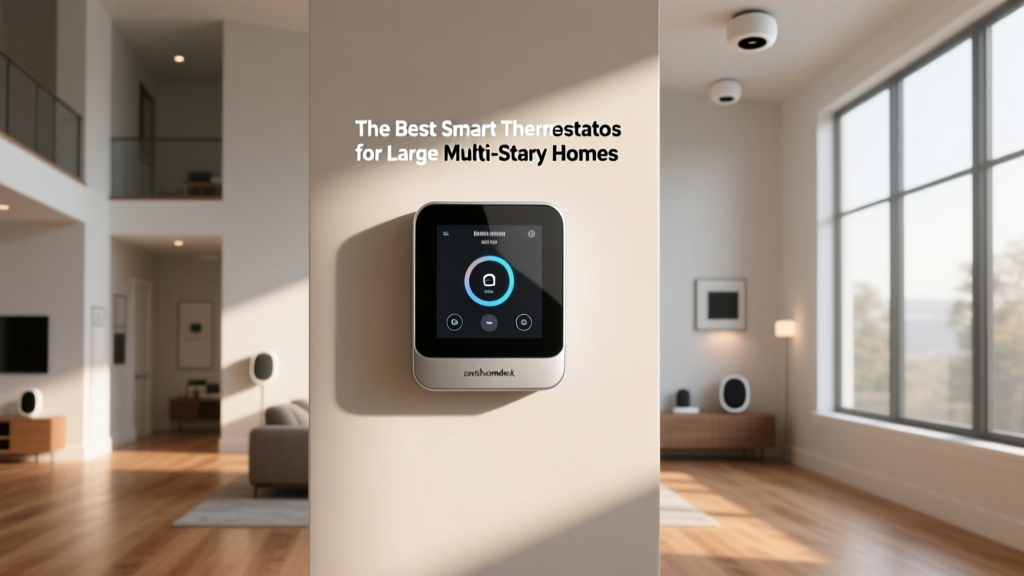
For a complete breakdown of the thermostats that drive these savings, read our best smart thermostats guide.
Home Assistant — Best Smart Home for Power Users and Tinkerers
Home Assistant is the open-source darling of the smart home world, and for good reason. It runs locally on your own hardware — anything from a Raspberry Pi to a dedicated mini PC — and gives you total control over every aspect of your automation. There is no cloud dependency, no subscription fees, and no corporate entity deciding what your devices can or cannot do. If you have even moderate technical comfort, Home Assistant is arguably the most powerful smart home platform available.
The dashboard is infinitely customizable, the automation engine supports complex conditional logic that would make commercial platforms weep, and the community-driven integrations catalog covers thousands of devices, including many that Alexa and HomeKit refuse to support. You can pull weather data from local sensors, cross-reference it with your solar panel output, and adjust your EV charging schedule — all without a single byte leaving your network.
The catch, of course, is the learning curve. Home Assistant is not a plug-and-play experience. You will spend an afternoon (or a weekend) setting it up, and you will occasionally need to troubleshoot YAML files or integration quirks. For users who enjoy that process, it is deeply rewarding. For those who just want things to work, it is the wrong choice.
Pros
- Fully local operation with zero cloud dependency
- Unmatched automation power and customization depth
- Massive community with thousands of integrations and add-ons
- No subscription fees, ever
- Works with nearly every smart device protocol on the market
Cons
- Steep learning curve for non-technical users
- Requires dedicated hardware and occasional maintenance
- Official mobile apps lag behind commercial alternatives in polish
- No built-in voice assistant without additional setup
Deck Score: 9.3 / 10
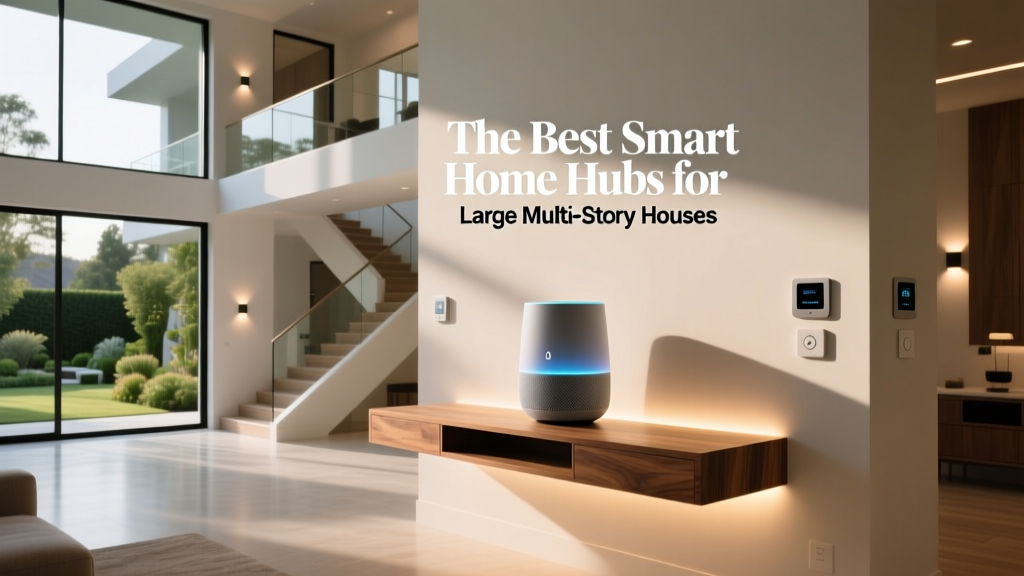
If you are considering Home Assistant, start with one of the hubs in our best smart home hubs list as your foundation.
Samsung SmartThings — Best Smart Home for Mixed-Device Households
Samsung SmartThings occupies a useful middle ground in the smart home landscape. It supports a wide range of protocols including Zigbee, Z-Wave, Wi-Fi, and Matter, which means it can bridge devices from different eras and manufacturers into a single coherent system. If your household already has a mix of smart devices from different brands, SmartThings is often the fastest way to unify them without replacing anything.
The SmartThings Station and Hub act as the nerve center, while the app provides a clean interface for scenes, automations, and device monitoring. Samsung has also invested heavily in AI-powered energy management, particularly for households with Samsung appliances, where the system can coordinate washing machine cycles, refrigerator defrost schedules, and HVAC usage to minimize peak-demand charges.
SmartThings is especially strong in the smart lock and sensor category, thanks to Samsung's partnerships with Yale, Schlage, and Aeotec. The automations you can build around door sensors, motion detectors, and contact sensors are among the most practical in any platform — think lights that turn on when you open the garage, or alerts when a window is left open while the AC is running.
Pros
- Broad protocol support unifies devices from many brands
- Strong sensor and lock ecosystem
- Clean, well-designed mobile app
- Excellent energy management for Samsung appliance owners
- Good Matter adoption and future-proofing
Cons
- Best features require Samsung hardware
- Cloud-dependent automations can lag during outages
- Voice assistant integration relies on Bixby, Alexa, or Google
- Less vibrant community than Home Assistant or Alexa
Deck Score: 8.5 / 10
Ring + Alexa Security Bundle — Best Smart Home for Renters and Security Focus
Not everyone needs a whole-home automation system. For renters, apartment dwellers, and homeowners whose primary concern is security, a focused bundle built around Ring devices and Alexa offers the highest return on investment. You get professional-grade monitoring, video doorbells, indoor and outdoor cameras, and smart lighting — all without drilling holes in walls or signing long-term contracts.
Ring's professional monitoring plans are among the most affordable in the industry, and the hardware is designed to be installed and removed without damage, which is critical for renters who need to take their system when they move. The integration with Alexa is deep and native, since both are Amazon properties, which means you can view doorbell feeds on Echo Shows, arm the system with voice commands, and trigger lights when motion is detected.
From a value perspective, this bundle often qualifies homeowners for insurance discounts of 5 to 15 percent, which can offset the monitoring cost entirely. For renters, the portability of the system means you are building equity in hardware you actually own, rather than paying for a service tied to a specific address.
Pros
- Affordable professional monitoring with no long-term contracts
- Renter-friendly installation with no permanent modifications
- Deep native integration with Alexa devices
- Portable system that moves with you
- Often qualifies for home insurance discounts
Cons
- Limited automation beyond security scenarios
- Requires subscription for video history and advanced features
- Privacy controversies around law enforcement data sharing
- Less flexible than open platforms for custom integrations
Deck Score: 8.4 / 10
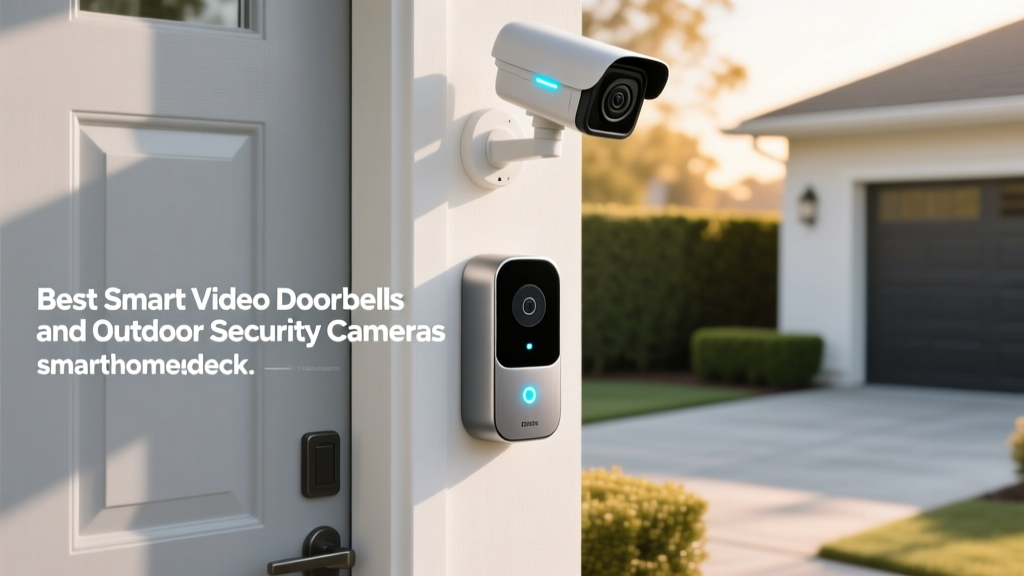
See how Ring stacks up against competitors in our best video doorbells comparison.
Ecobee Energy Ecosystem — Best Smart Home for Utility Bill Savings
If your definition of "worth it" is tied directly to dollars saved on monthly bills, the Ecobee ecosystem deserves serious attention. Ecobee's smart thermostats, sensors, and smart plugs are engineered specifically around energy optimization, and the company has partnered with dozens of utilities across North America to offer demand-response programs that pay you for letting them adjust your thermostat during peak hours.
The Ecobee Smart Thermostat Premium is the centerpiece, featuring room sensors that detect occupancy and temperature to eliminate hot and cold spots. Unlike basic thermostats that measure temperature at a single point, Ecobee's sensor network ensures the rooms you are actually using are comfortable, while unused rooms drift to energy-saving setpoints. Over a year, this approach consistently delivers higher savings than single-point thermostats.
Beyond the thermostat, Ecobee's smart plugs and switches integrate into the same app, letting you build automations that cut phantom load from entertainment centers, home offices, and kitchen appliances. The combined effect, particularly in larger homes, can reduce electricity usage by 15 to 25 percent compared to a non-smart baseline.
Pros
- Measurable and significant utility bill reductions
- Utility demand-response programs can pay you to participate
- Room sensors eliminate comfort dead zones
- Built-in Alexa and Siri support on premium models
- High-quality hardware with long software support windows
Cons
- Higher upfront cost than basic smart thermostats
- Smaller ecosystem beyond thermostats, sensors, and plugs
- Full benefits require multiple sensors in larger homes
- App design lags behind Apple and Google in polish
Deck Score: 8.8 / 10
The Real Math: When a Smart Home Pays for Itself
One of the most common objections to smart home adoption is cost. And it is true that a fully outfitted smart home can run into the thousands. But the more useful question is not "how much does it cost?" but "how quickly does it pay for itself?"
Energy savings are the most quantifiable return. Smart thermostats like Ecobee and Nest consistently deliver 10 to 15 percent reductions in heating and cooling costs. For a household spending $2,400 annually on HVAC, that is $240 to $360 per year — meaning a $250 thermostat pays for itself in under a year and then generates pure savings for the rest of its lifespan.
Insurance discounts are another often-overlooked benefit. Many major insurers offer 5 to 20 percent discounts on homeowners policies for homes with monitored security systems, smart smoke detectors, and water leak sensors. On a $1,500 annual premium, even a modest 10 percent discount saves $150 per year, indefinitely.
Home value impact is harder to measure but increasingly relevant. Real estate agents report that homes with integrated smart systems — particularly lighting, thermostats, and security — sell faster and often at a small premium compared to comparable homes without them. The key word is "integrated." A random assortment of smart gadgets bolted on over the years is less valuable than a cohesive system with a single app and unified automations.
Finally, there is the less quantifiable but very real value of time and convenience. A smart home that automatically turns off lights in empty rooms, alerts you when the garage door is left open, or preheats the oven on your drive home saves small amounts of time dozens of times per day. Over a year, those savings compound into meaningful quality-of-life improvements that most users report they would not give up once experienced.
Common Mistakes That Make a Smart Home Not Worth It
A smart home is only worth it if you avoid the pitfalls that turn enthusiasm into frustration. Here are the most common mistakes we see:
- Buying devices before choosing a platform. Mixing ecosystems without a unifying hub leads to app overload and broken automations.
- Over-automating too quickly. Start with one or two high-impact automations and expand gradually. A home with 40 poorly configured automations is worse than one with 5 reliable ones.
- Ignoring network infrastructure. Smart homes generate significant Wi-Fi traffic. A mesh network or dedicated IoT network is often necessary beyond 15 to 20 devices.
- Neglecting security hygiene. Default passwords, outdated firmware, and shared accounts are the top causes of smart home breaches.
- Choosing cloud-dependent systems for critical functions. Locks, alarms, and lighting should work locally whenever possible.
Is a Smart Home Worth It for Renters?
Absolutely — with the right approach. Renters should focus on portable, non-permanent devices: smart plugs, smart bulbs, battery-powered cameras, and smart locks that replace rather than modify existing hardware. The Ring + Alexa bundle and the Philips Hue ecosystem are particularly well-suited to rental life because every component moves with you when your lease ends.
Is a Smart Home Worth It for Seniors or Less Tech-Savvy Users?
Yes, and arguably more so than for younger users. Voice-controlled lighting, automated medication reminders, fall-detection sensors, and video doorbells can dramatically improve independence and safety for older adults. The key is choosing a platform with a simple interface — Apple HomeKit and Amazon Alexa both offer senior-friendly modes that hide complexity behind large buttons and clear voice prompts.
Frequently Asked Questions
How much does a basic smart home cost to set up?
A functional starter smart home — including a hub or smart speaker, two to three smart bulbs, a smart plug, and a smart thermostat — typically costs between $250 and $500. More comprehensive systems with security cameras, smart locks, and whole-home lighting can range from $1,000 to $3,000 depending on home size and device quality.
Will a smart home increase my electricity bill?
Smart devices do draw standby power, but the amount is minimal — usually less than $2 to $5 per month for an entire home. More importantly, smart thermostats, smart plugs, and automated lighting almost always reduce overall energy consumption enough to more than offset the standby draw, resulting in a net decrease in your electricity bill.
Can I mix devices from different brands in one smart home?
Yes, especially if you choose a platform that supports Matter, the new cross-brand standard. Apple HomeKit, Google Home, Amazon Alexa, Samsung SmartThings, and Home Assistant all support Matter to varying degrees. For older devices, a hub like SmartThings or Home Assistant can bridge Zigbee, Z-Wave, and Wi-Fi devices into a single system.
What happens to my smart home if the internet goes down?
This depends heavily on your platform. Local-first systems like Home Assistant and Apple HomeKit continue to run most automations without internet. Cloud-dependent systems like some Alexa and Google configurations may lose voice control and remote access but often retain basic scheduled automations. For critical functions like locks and alarms, always choose devices with local fallback capability.
How long do smart home devices typically last?
Quality smart home devices typically last 5 to 10 years, with higher-end products like smart thermostats and locks often lasting longer. The limiting factor is usually software support rather than hardware failure. Choosing devices from manufacturers with strong track records of long-term updates — like Apple, Ecobee, and Philips — helps ensure your investment does not become obsolete prematurely.
Final Verdict: Is a Smart Home Worth It?
After extensive testing across seven major ecosystems, our answer is a qualified yes. A smart home is worth it when you choose a platform aligned with your priorities — privacy, convenience, energy savings, or security — and build out gradually rather than all at once. The systems in this guide have proven their value in real homes, with real families, over extended periods.
If you are just starting out, the Amazon Alexa ecosystem offers the lowest barrier to entry and the broadest device support. If privacy matters most, Apple HomeKit is the clear winner. If you want your home to anticipate your needs, Google Home with Nest delivers. And if you enjoy deep control and do not mind a learning curve, Home Assistant is in a class of its own.
Whatever path you choose, the most important decision is to pick one platform and commit to it. A cohesive smart home, even a modest one, will always outperform a sprawling collection of disconnected gadgets. Start small, measure the results, and expand only when you have confirmed the value. That is how a smart home becomes not just worth it, but genuinely indispensable.
For more curated recommendations, explore our full collection of best smart home picks or dive into our guides section for deep-dive tutorials on setup, security, and automation design.