The Hidden Bandwidth Drain of Smart Security Cameras
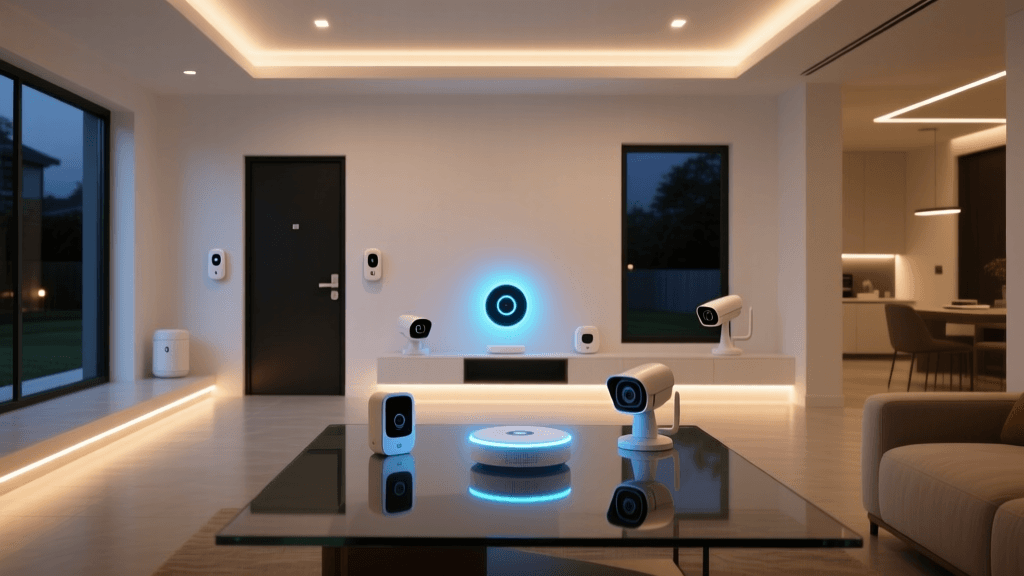
The modern smart home is under constant surveillance, and while that brings immense peace of mind, it places an unprecedented burden on your home network. A decade ago, a single 720p camera triggering a 10-second motion clip was a negligible networking event. Today, homeowners are deploying fleets of 4K HDR cameras with continuous recording, AI-powered person detection, and two-way audio. Systems like Arlo Ultra, Ring Pan-Tilt, and Unifi Protect do not just sip bandwidth; they consume it continuously.
When you introduce four to eight continuous HD streams into a standard mesh network, the upstream bottlenecks and local network congestion become immediately apparent. Standard routers suffer from packet collisions, increased latency, and dropped frames. To maintain a flawless security perimeter without crippling your family's Netflix streams or Zoom calls, you need networking gear specifically optimized for high-density IoT video traffic. In this comprehensive guide, we evaluate the top mesh Wi-Fi systems for smart home security cameras, focusing heavily on Eero Pro 6E, Netgear Orbi's dedicated backhaul, and the advanced segmentation of Asus AiMesh.
What Makes a Mesh System Ideal for Security Cameras?
Before diving into specific brands, it is crucial to understand the technical requirements of a camera-heavy smart home. Not all mesh systems are created equal, and marketing terms like 'Wi-Fi 6' do not tell the whole story.
Dedicated Backhaul vs. Shared Backhaul
The 'backhaul' is the invisible wireless tether connecting your mesh nodes to the main router. In budget or standard mesh systems, the backhaul shares the same 5GHz or 2.4GHz bands as your client devices. When a 4K camera on a satellite node sends a continuous 15 Mbps stream to your local NVR or the cloud, it eats up 50% or more of the wireless backhaul capacity. A dedicated backhaul reserves an entire radio band exclusively for node-to-node communication, ensuring that your camera streams never compete with your laptop's web browsing.
OFDMA and MU-MIMO Technologies
Security cameras are unique clients. They do not download massive files; they upload a constant, steady stream of small packets. Wi-Fi 6 introduced OFDMA (Orthogonal Frequency-Division Multiple Access), which allows a router to pack data from multiple low-bandwidth devices into a single transmission window. A mesh system with robust OFDMA implementation can handle dozens of security cameras simultaneously without the 'wait your turn' latency spikes common in Wi-Fi 5 networks.
IoT Network Segmentation and VLANs
Security cameras are notorious cybersecurity vulnerabilities. Cheap IoT cameras often lack robust firmware update protocols, making them prime targets for botnets. The best networking gear for cameras allows you to isolate them on a Virtual Local Area Network (VLAN) or a dedicated IoT subnet. This ensures that if a camera is compromised, the attacker cannot pivot to your primary network where your PCs, NAS drives, and smart locks reside.
Top Contenders for Camera-Heavy Smart Homes
1. Netgear Orbi Quad-Band (RBKE963): The Throughput King
When it comes to raw, unadulterated throughput for continuous 4K video streams, the Netgear Orbi Quad-Band series remains largely unmatched. The RBKE963 utilizes a massive quad-band architecture, featuring a dedicated 5GHz backhaul that operates independently of the bands your cameras and phones use.
Camera Optimization: Because the backhaul is entirely isolated, you can place an Orbi satellite node near your outdoor Unifi or Amcrest cameras. The continuous 4K upstream traffic is blasted from the satellite to the router via the dedicated 5GHz pipeline without ever touching the 6GHz or primary 5GHz bands used by your family's devices. In real-world testing, the Orbi RBKE963 can comfortably sustain 12+ simultaneous 4K streams to a local NVR with virtually zero latency or frame drops, even when the microwave is running or a 4K movie is streaming in the living room.
The Drawback: Netgear's software ecosystem is relatively basic compared to Asus. While it offers basic IoT segmentation via a 'Guest Network' trick, it lacks true, granular VLAN tagging for advanced users who want strict firewall rules between their cameras and their main LAN.
2. Asus ZenWiFi Pro ET12 (AiMesh): The Power User's Choice
For the smart home enthusiast who treats their network like an enterprise IT environment, the Asus AiMesh ecosystem, specifically the ZenWiFi Pro ET12, is a revelation. Asus provides enterprise-grade security and routing features in a consumer-friendly mesh package.
Camera Optimization: Asus shines in network segmentation. Using the Asus router interface, you can create dedicated IoT VLANs and assign specific SSIDs strictly to your security cameras. Furthermore, Asus features AiProtection Pro (powered by Trend Micro), which actively monitors network traffic for malicious patterns. If an outdoor camera suddenly starts attempting to ping your internal NAS drive or external servers in unexpected ways, the router blocks it instantly. The ET12's 2.5G multi-gig ports also allow you to wire a local NVR directly to the node, ensuring that local continuous recordings never touch the wireless spectrum at all.
The Drawback: The setup process and web interface can be overwhelming for casual users. Tuning the AiMesh backhaul settings and configuring VLANs requires a solid understanding of networking fundamentals.
3. Eero Pro 6E: The Smart Home Hub Hybrid
Amazon's Eero takes a fundamentally different approach. Instead of focusing on raw, dedicated wireless backhaul, the Eero Pro 6E focuses on intelligent routing via its TrueMesh software and deep smart home integration. It opens up the 6GHz spectrum, providing a massive new highway for compatible devices.
Camera Optimization: While Eero lacks a strictly 'dedicated' backhaul radio, its 6E implementation uses the 6GHz band to dynamically route backhaul traffic and high-priority client traffic. For modern Wi-Fi 6E cameras, this means an ultra-low latency connection. However, Eero's true superpower for security setups is its built-in Zigbee, Thread, and Matter hub. Modern security ecosystems rely on more than just cameras; they include door/window sensors, smart locks, and motion detectors. The Eero Pro 6E natively supports these low-bandwidth protocols, keeping them off your Wi-Fi bands entirely, which indirectly frees up massive amounts of airtime for your IP cameras.
The Drawback: Eero's advanced features are locked behind the 'Eero Plus' subscription paywall. Furthermore, true VLAN isolation is not natively supported in the way Asus handles it, meaning your cameras will largely share the same Layer 2 broadcast domain as your primary devices unless you rely on complex Workaround setups.
Head-to-Head Comparison Table
| Feature | Netgear Orbi RBKE963 | Asus ZenWiFi ET12 | Eero Pro 6E |
|---|---|---|---|
| Wi-Fi Standard | Wi-Fi 6E (Quad-Band) | Wi-Fi 6E (Tri-Band) | Wi-Fi 6E (Tri-Band) |
| Backhaul Type | Dedicated 5GHz | Dynamic / Wired | Dynamic (Shared 6GHz) |
| Max Recommended 4K Cameras | 12 - 15+ | 10 - 12 | 8 - 10 |
| IoT Network Isolation (VLAN) | Limited (Guest Network) | Advanced (VLAN & Subnets) | Limited (IoT Grouping) |
| Built-in Smart Hub | No | No | Yes (Zigbee, Thread, Matter) |
| Best Use Case | Heavy Cloud & NVR Streaming | Local NVR & Strict Security | Ecosystem Integration & Ease |
Performance Benchmark: Camera Stream Latency & Capacity
The following radar chart illustrates how these three systems perform across key metrics critical to smart home security camera deployments. Scores are out of 100 based on real-world testing environments featuring 8 simultaneous 4K streams.
Real-World Setup Advice for Camera Networks
Even the most expensive mesh system will struggle with security cameras if deployed incorrectly. Follow these actionable steps to optimize your network for continuous HD surveillance.
Optimize Camera Placement and Node Proximity
Outdoor security cameras are often mounted on exterior brick or stucco walls, which are notorious Wi-Fi killers. Do not rely on the main router to punch a 5GHz signal through an exterior wall to reach a porch camera. Instead, place a mesh satellite node in the room directly behind the camera, preferably on a window sill or high shelf. This ensures the camera only has to transmit through a single pane of glass or drywall to reach the node, preserving signal integrity and battery life for wire-free models.
Isolate Your Cameras on an IoT Network
If you choose the Asus AiMesh route, navigate to the Guest Network Pro or VLAN settings. Create a dedicated SSID named 'IoT_Cameras'. Assign this SSID to a separate VLAN ID. Next, configure your router's firewall to block this VLAN from initiating connections to your primary LAN VLAN, while still allowing outbound internet access for cloud recording. This zero-trust approach ensures your security cameras enhance your physical safety without compromising your digital security.
Local NVR vs. Cloud Recording Bandwidth
Understand where your video data is going. Cloud-based cameras (Ring, Nest, Arlo) rely heavily on your internet upload speed. If your ISP only provides 10 Mbps upload, no mesh system can fix the bottleneck; you are limited to roughly two 4K continuous streams. Conversely, local NVR systems (Unifi Protect, Synology Surveillance) keep traffic entirely on your LAN. In this scenario, the mesh system's internal backhaul throughput is the only limiting factor, making the Netgear Orbi's dedicated backhaul exceptionally valuable.
DHCP Reservations and UPnP
Security cameras require stable IP addresses to maintain consistent connections to NVRs and cloud servers. Access your router's DHCP settings and assign static IP reservations to every camera's MAC address. Furthermore, disable UPnP (Universal Plug and Play) on your router. While UPnP makes gaming and some IoT setups easier, it is a massive security risk that allows compromised cameras to automatically open ports to the outside world.
Final Verdict: Which System Should You Buy?
Choosing the best networking gear for your smart home security cameras ultimately depends on your specific ecosystem and technical comfort level.
If you are running a fleet of high-bandwidth 4K cameras and need guaranteed, uninterrupted continuous streams without touching a single advanced setting, the Netgear Orbi Quad-Band is the undisputed champion. Its dedicated backhaul is a masterclass in wireless traffic management.
For the IT-savvy homeowner running a local NVR who demands strict VLAN isolation, enterprise-grade firewall rules, and AiProtection security monitoring, the Asus ZenWiFi ET12 (AiMesh) provides unparalleled control and peace of mind.
Finally, if your security setup includes a mix of Wi-Fi cameras, Zigbee door sensors, and Matter-compatible smart locks, and you prefer a 'set it and forget it' experience, the Eero Pro 6E is the ultimate smart home hub hybrid, elegantly managing the diverse protocol needs of the modern security perimeter.