The Renter’s Dilemma: Smart Tech Without the Security Deposit Risk
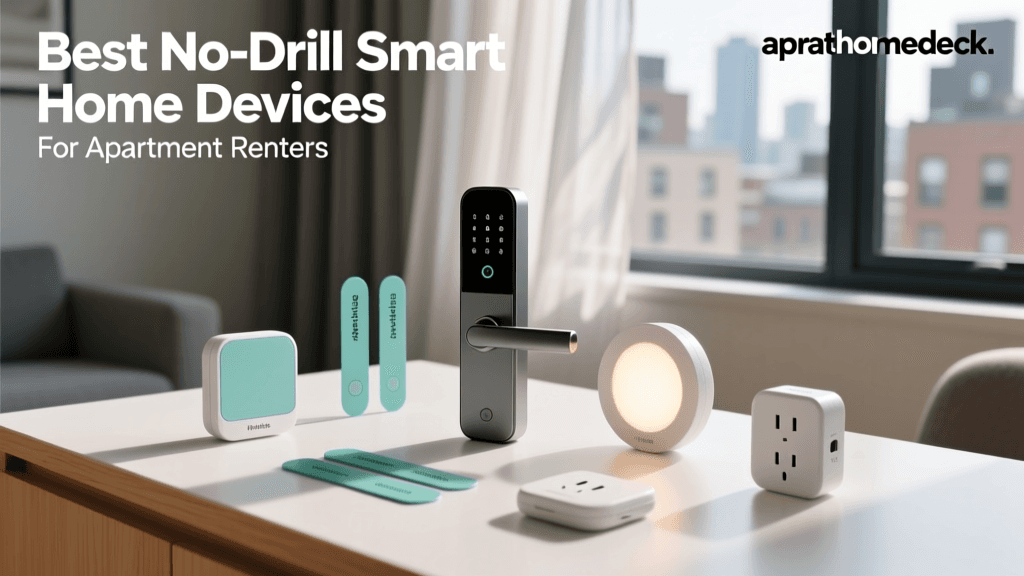
Living in a rental property often means navigating a strict lease agreement that prohibits permanent alterations. Drilling holes for security cameras, replacing hardwired thermostats, or swapping out deadbolts can lead to hefty deductions from your security deposit. Fortunately, the smart home industry has evolved to meet the needs of the modern renter. Today, a wide array of non-permanent, no-drill, and plug-and-play smart home devices allows you to automate your apartment, enhance security, and improve energy efficiency without violating your lease.
In this comprehensive buyer's guide, we break down the best smart home devices for renters. From adhesive-mounted smart locks to plug-in climate controllers and screw-in smart bulbs, these products offer premium functionality with zero permanent installation required. Whether you are living in a studio apartment or a multi-bedroom rental, these curated picks will help you build a fully integrated smart home ecosystem that you can pack up and take with you when it is time to move.
Best No-Drill Smart Lighting Solutions
Lighting is the foundation of any smart home. For renters, the goal is to avoid hardwired switches and focus on smart bulbs and damage-free LED strips.
Philips Hue White and Color Ambiance (A19 Screw-In)
The Philips Hue ecosystem remains the gold standard for smart lighting. Because these are standard A19 screw-in bulbs, installation takes less than a minute per fixture. Simply unscrew your existing landlord-provided bulbs (store them safely in a closet for move-out day) and screw in the Hue bulbs. The latest generations feature built-in Bluetooth, allowing you to control up to 10 bulbs directly from your smartphone without needing the Hue Bridge. However, if you want out-of-home control, voice assistant integration, and advanced automation routines, adding the Hue Bridge is highly recommended. The Bridge plugs directly into your router via Ethernet and requires no mounting.
- Cost Range: $50 (single bulb) to $200 (starter kit with Bridge)
- Compatibility: Amazon Alexa, Apple HomeKit, Google Home, Matter
- Renter Benefit: Zero tools required; completely reversible in seconds.
Govee RGBIC LED Strip Lights M1 (Adhesive)
For ambient lighting, under-cabinet illumination, or behind-TV bias lighting, the Govee M1 LED strips are unbeatable. The M1 features an impressive density of 60 LEDs per meter, delivering vibrant, multi-color RGBIC effects (meaning it can display multiple colors on the same strip simultaneously). The strip uses a strong 3M adhesive backing. While 3M tape is notorious for peeling paint, Govee provides a removal guide, and we recommend using a heat gun or hairdryer to soften the adhesive before gently peeling it off during move-out.
- Cost Range: $40 to $80 depending on length (up to 65.6 ft)
- Power Requirements: Standard 12V plug-in adapter (no hardwiring)
- Renter Benefit: Creates custom architectural lighting without cutting drywall or running in-wall cables.
Best Non-Permanent Smart Security & Cameras
Security is a top priority, but mounting heavy doorbell cameras or drilling into brick and siding is usually forbidden. Here are the best workarounds for apartment dwellers.
Ring Video Doorbell (with No-Drill Mount)
Ring offers an official "No-Drill Mount" specifically designed for renters. This mount uses heavy-duty, weather-resistant double-sided adhesive tape to secure a plastic mounting plate to your doorframe or exterior wall. The Ring Video Doorbell (Battery Powered) then screws into this plastic plate using the included security screws. The mount is engineered to support the weight of the device and withstand standard weather conditions. When your lease ends, you can use a fishing line or dental floss to slice through the foam tape, leaving the surface intact.
- Cost Range: $100 (Doorbell) + $20 (No-Drill Mount)
- Power Source: Removable rechargeable battery pack (no doorbell wiring needed)
- Renter Benefit: Provides two-way talk, motion zones, and HD video without altering exterior property.
Blink Mini (Plug-In & Shelf-Mounted)
If you need interior security or want to keep an eye on pets while at work, the Blink Mini is a compact, plug-in camera that requires absolutely no mounting. It comes with a small stand that sits perfectly on a bookshelf, entertainment center, or desk. It features a wide 110-degree field of view, two-way audio, and customizable motion zones. Because it relies on a standard USB power adapter, you can place it anywhere near an outlet and simply pack it in a drawer when moving.
- Cost Range: $35 to $50
- Connectivity: 2.4 GHz Wi-Fi required
- Renter Benefit: Freestanding design eliminates the need for wall anchors or drill bits.
Best Smart Locks for Renters (No Lock Replacement)
Replacing your apartment's deadbolt is a major lease violation and a security risk for the property manager. The solution is a retrofit smart lock.
SwitchBot Lock (Adhesive Mount)
The SwitchBot Lock is a marvel of renter-friendly engineering. Instead of replacing your existing deadbolt, this device mounts directly over the interior thumbturn using industrial-strength 3M VHB tape. It features a built-in motor that physically turns your existing thumbturn when you unlock it via the app, fingerprint keypad, or voice command. It supports deadbolts with a backset ranging from 1.5 inches to 3.5 inches. The motor delivers up to 1.5 Nm of torque, which is more than enough for standard residential locks. Because the exterior of your door remains completely untouched, your landlord will never know you upgraded the lock.
- Cost Range: $150 to $180 (Lock + Keypad bundle)
- Power Source: 2x CR123A batteries (lasts up to 180 days)
- Renter Benefit: Leaves the exterior lock cylinder untouched; installs in under 5 minutes.
Best Smart Climate Control (No HVAC Wiring)
Most smart thermostats, like the Nest or Ecobee, require a C-wire and involve messing with the apartment's HVAC control board. Renters with window AC units or ductless mini-splits need a different approach.
Sensibo Sky (Smart AC Controller)
The Sensibo Sky is a smart IR (infrared) blaster that sits on a table or shelf and acts as a universal remote for your window air conditioner, portable AC, or ductless mini-split. It uses Wi-Fi to connect to the Sensibo app, allowing you to set schedules, use geofencing to turn the AC off when you leave, and monitor room temperature and humidity. According to the U.S. Department of Energy, utilizing smart climate control and scheduling can significantly reduce heating and cooling energy consumption, saving users an average of 10% to 15% on cooling costs annually. The Sensibo Sky plugs into any standard USB outlet and requires zero installation.
- Cost Range: $100 to $130
- IR Range: Up to 20 feet (requires direct line of sight to the AC unit)
- Renter Benefit: Brings smart scheduling and energy savings to older, non-smart rental AC units.
Renter-Friendly Smart Home Comparison Table
| Product | Category | Installation Method | Ecosystem Compatibility | Est. Cost |
|---|---|---|---|---|
| Philips Hue A19 | Lighting | Screw-in Bulb | Alexa, HomeKit, Google, Matter | $50 - $200 |
| Govee M1 Strip | Lighting | 3M Adhesive / Plug-in | Alexa, Google Home | $40 - $80 |
| Ring Doorbell + Mount | Security | Adhesive No-Drill Plate | Alexa (Ring Ecosystem) | $120 - $150 |
| Blink Mini | Security | Freestanding / Plug-in | Alexa | $35 - $50 |
| SwitchBot Lock | Access | 3M VHB Tape (Interior) | Alexa, Google, HomeKit (via Hub) | $150 - $180 |
| Sensibo Sky | Climate | Freestanding / USB Power | Alexa, Google, HomeKit, IFTTT | $100 - $130 |
Data Visualization: Cost vs. Setup Time
When outfitting a rental, time and budget are critical factors. The chart below illustrates the average setup time (in minutes) versus the estimated average cost (in USD) for the top renter-friendly devices featured in this guide.
Bar chart comparing setup time and cost for top renter-friendly smart home devices.
The Ultimate Guide to Removing Smart Home Adhesives Safely
The biggest fear for any renter using smart home technology is the damage caused by heavy-duty adhesives like 3M VHB (Very High Bond) tape, which is used by SwitchBot, Ring, and Govee. Removing these improperly will rip the paint and drywall paper right off the wall. Follow this proven removal process to ensure you get your full security deposit back:
- Apply Heat: Use a hairdryer on a medium-high heat setting (aiming for roughly 120°F to 150°F on the surface). Hold it a few inches away from the adhesive mount and move it back and forth for 2 to 3 minutes. Heat softens the acrylic adhesive core.
- Use the "Saw" Method: Do not pull the device straight out from the wall. Instead, take a piece of unflavored dental floss or fishing line, wrap it around your fingers, and slide it behind the mount. Use a gentle sawing motion to cut through the foam core of the tape. The device will pop off, leaving a layer of foam and adhesive on the wall.
- Remove the Residue: Use your thumb to roll the remaining foam off the wall. For the final sticky residue, apply a small amount of Goo Gone, WD-40, or isopropyl alcohol to a microfiber cloth and gently rub it away. Avoid harsh chemical paint thinners that could discolor the landlord's paint.
Pro Tip: Always test your adhesive on a small, hidden area (like the inside of a closet door) before applying heavy smart home devices to highly visible walls, especially in older apartments where paint adhesion may already be compromised.
Privacy and Network Security for Renters
When bringing IoT (Internet of Things) devices into a shared apartment building, network security is paramount. Apartment complexes often provide shared Wi-Fi networks, which are notoriously insecure and vulnerable to packet sniffing by neighbors. According to cybersecurity guidelines outlined by the National Institute of Standards and Technology (NIST), IoT devices should always be isolated on a separate network or VLAN to prevent unauthorized access to your personal data.
If your landlord provides shared internet, invest in your own dedicated Wi-Fi router and set up a "Guest Network" exclusively for your smart home devices. This ensures that if a cheap smart bulb is compromised, hackers cannot pivot to your laptop or smartphone. Furthermore, always enable Two-Factor Authentication (2FA) on your smart home accounts (like Ring, Philips Hue, and SwitchBot) and disable features like UPnP (Universal Plug and Play) on your router to keep your apartment's digital footprint secure.
Final Thoughts
Being a renter no longer means you have to sacrifice the convenience, security, and energy efficiency of a modern smart home. By focusing on screw-in lighting, adhesive-mounted security, retrofit locks, and plug-in climate controllers, you can build a robust, automated living space that respects your lease agreement. When moving day arrives, a little bit of heat and dental floss is all it takes to pack up your smart home and take it to your next adventure, leaving your landlord none the wiser and your security deposit fully intact.