The Evolution of Smart Home Automation
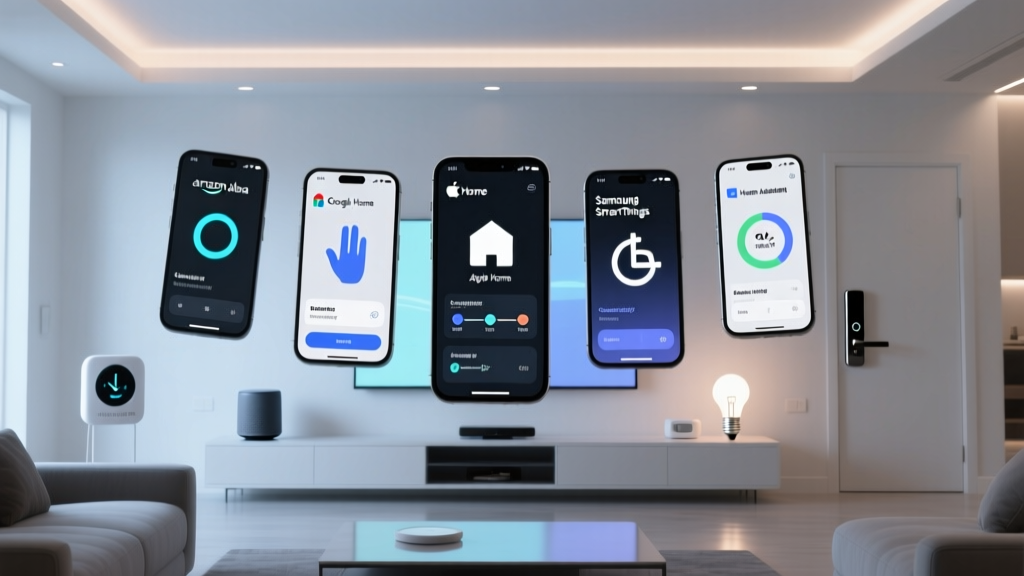
The smart home industry has matured far beyond the novelty of shouting voice commands at a cylindrical speaker. Today, the true value of a connected home lies in proactive automation routines—background processes that anticipate your needs, secure your property, and optimize energy usage without requiring a single utterance. But not all ecosystems are created equal. When it comes to building complex, reliable, and multi-step automations, the 'Big Three' platforms—Amazon Alexa, Google Home, and Apple HomeKit (Siri)—take vastly different approaches.
Choosing the right platform requires looking past basic device compatibility and examining the underlying logic engines, trigger varieties, local execution capabilities, and privacy frameworks. In this comprehensive guide, we break down the automation architectures of Alexa, Google Home, and Apple Siri, testing their limits with real-world scenarios, specific hardware recommendations, and cost analyses to help you build the ultimate proactive smart home.
Amazon Alexa Routines: The Breadth King
Amazon Alexa has long been the market leader in smart home adoption, largely due to its massive third-party device support and aggressive hardware pricing. The Alexa app's routine builder is highly accessible, allowing users to chain together triggers and actions with minimal friction.
Triggers and Actions
Alexa offers an expansive list of triggers: voice phrases, specific times, sunrise/sunset, location (geofencing), device states (e.g., when a specific smart plug turns on), and even scheduled alarms. The actions are equally vast, ranging from smart home control and audio playback to sending SMS messages, making announcements via Echo devices, and triggering third-party IFTTT applets.
One of Alexa's standout features is the 'Wait' action. You can program a routine to wait for a specific duration (e.g., 'Wait 10 minutes') or wait for a time window before executing the next step. This is incredibly useful for multi-step morning routines, such as turning on the coffee maker, waiting 15 minutes, and then turning on the living room lights.
Conditional Logic and Hardware
Historically, Alexa lacked native 'IF/THEN' conditional logic within a single routine, forcing users to create duplicate routines for different scenarios. However, Amazon recently introduced Condition blocks. You can now add a condition based on time of day, device state, or even camera detection (e.g., 'Only run if the Echo Show 15 camera detects a person'). While a massive improvement, it still feels somewhat rigid compared to traditional programming logic.
- Recommended Hub: Echo Show 15 ($249.99) for visual dashboards and camera-based triggers.
- Recommended Sensors: Aqara Motion Sensor P2 ($49.99) via Matter, or the Ring Smart Lighting Bridge for outdoor triggers.
- Entry Cost: An Echo Dot (5th Gen) costs around $49.99, making Alexa the most affordable entry point for voice-triggered routines.
For a deeper dive into building custom voice macros and multi-step actions, users can explore the official Amazon Alexa Routines Hub for step-by-step visual guides.
Google Home Routines: The Contextual Powerhouse
Google Home approaches automation with a focus on context and seamless integration with its broader suite of services, including YouTube Music, Google Calendar, and Nest hardware. The Google Home app uses a 'Starter' (trigger) and 'Action' paradigm that is highly intuitive for beginners.
Starters, Actions, and the Script Editor
Google's native starters include time, device state, location, and specific contextual events like 'Start of Day' or 'Bedtime'. Actions cover device control, media playback, and 'Assistant Broadcast' (sending voice messages to Nest speakers). However, the native app's conditional logic is notoriously limited. You cannot easily tell the Google Home app to 'Turn on the lights ONLY if it is dark outside' without relying on third-party workarounds or specific sensor lux readings.
Where Google truly shines is in the Nest Script Editor (accessible via the Home app's advanced settings or the Google Home Developer Console). For power users, the Script Editor allows for complex, code-based automations, particularly involving Nest Cams and Doorbells. You can create routines that differentiate between a familiar face, a stray animal, and a delivery driver, triggering entirely different lighting and notification sequences.
- Recommended Hub: Nest Hub Max ($229.99) for camera-based presence detection and visual feedback.
- Recommended Sensors: Google Nest Doorbell Battery ($179.99) for highly accurate person/package detection triggers.
- Entry Cost: A standard Nest Hub (2nd Gen) can often be found for $99.99.
Google's official documentation provides excellent templates for beginners looking to set up basic daily workflows. You can review their starter templates on the Google Nest Support on Routines page.
Apple HomeKit Automations: The Local and Secure Champion
Apple HomeKit (managed via the Apple Home app and Siri) is often criticized for having a smaller native device catalog and higher hardware entry costs. However, when it comes to automation logic, reliability, and local processing, Apple is arguably the most robust platform on the market.
Scenes, Automations, and NFC Triggers
Apple separates 'Scenes' (a snapshot of device states) from 'Automations' (the triggers that fire the scenes). The Home app allows you to build complex automations using triggers based on time, people arriving/leaving, accessory states, and sensor readings. The standout feature is the ability to use NFC Tags as triggers. By sticking a $10 NFC tag to your nightstand, you can program your iPhone to trigger a 'Sleep' scene (locking doors, arming cameras, dimming lights) simply by tapping your phone against the tag.
Apple's conditional logic is exceptionally deep natively. You can set an automation to run 'When motion is detected', but add constraints: 'Only run between Sunset and Sunrise', 'Only run if specific people are NOT home', and 'Convert to Scene' to ensure lights fade to a specific color temperature rather than just snapping to 100% brightness.
The Home Hub Requirement
To run automations reliably, especially those involving geofencing or remote sensor access, Apple requires a dedicated Home Hub. This must be an Apple TV 4K or a HomePod / HomePod mini. While this adds to the cost, it ensures that automations are processed locally on your network. If your internet goes down, your motion-triggered lights and leak-sensor alarms will still function perfectly.
- Required Hub: Apple TV 4K (128GB, $149.00) or HomePod mini ($99.00).
- Recommended Sensors: Eve Motion ($49.99) or Aqara G3 Camera Hub ($119.99) for Thread/Zigbee sensor integration.
- Entry Cost: High. Expect to spend at least $250+ on a hub and a few Thread/Matter accessories to see the true power of HomeKit.
For users transitioning from basic remote control to proactive scenes, Apple provides a comprehensive guide on how to structure logic flows via Apple Support on Home Automations.
Head-to-Head Automation Comparison
To visualize how these platforms stack up against one another, we evaluated them across five critical automation categories: Trigger Variety, Conditional Logic Depth, Local Execution Reliability, Ecosystem Integration, and Ease of Use for Beginners.
| Feature | Amazon Alexa | Google Home | Apple HomeKit |
|---|---|---|---|
| Native Conditionals | Yes (Basic If/Then & Wait) | Limited (Script Editor needed) | Yes (Advanced Constraints) |
| Local Execution | Partial (Zigbee/Matter only) | Partial (Matter/Thread) | Yes (Hub Required) |
| NFC Triggers | No | No | Yes (Native iOS integration) |
| Geofencing | App-dependent (Background drain) | App-dependent (Location services) | Native OS-level (Highly reliable) |
| Hub Cost | ~$49 (Echo Dot) | ~$99 (Nest Hub) | ~$149 (Apple TV 4K) |
The 'Vacation Mode' Stress Test
To truly test an ecosystem's automation engine, we use the 'Vacation Mode' scenario. The goal: Randomize living room lights between 8 PM and 11 PM to simulate occupancy, but ONLY if the house is empty, AND turn off the HVAC system if all doors remain closed for 30 minutes.
How Alexa Handles It
Alexa struggles with randomization natively. You would need to create multiple routines with staggered 'Wait' blocks, or rely on a third-party skill like 'Smart Lights Randomizer'. Furthermore, checking if 'all doors are closed for 30 minutes' requires a workaround using virtual switches or third-party hubs like SmartThings, as Alexa's native wait conditions are time-based, not state-duration based.
How Google Home Handles It
Google Home's native app cannot handle this scenario. You would be forced to use Google Home Scripts (requiring JavaScript knowledge) to calculate time deltas for the door sensors, or abandon the Google ecosystem entirely for this specific logic and route it through a platform like Home Assistant.
How Apple HomeKit Handles It
Apple handles this elegantly. Using the 'Adaptive Lighting' or third-party apps like Eve or Home+ (which push the automation to the HomeKit database), you can set a randomizer. More importantly, Apple's native automations allow for state-duration triggers: 'When Eve Door & Window sensor remains closed for 30 minutes, turn off Ecobee thermostat.' Because this is processed locally on the Apple TV 4K, it executes with zero latency and works even if your ISP goes down.
Pro Tip: If you are building complex, multi-conditional logic that involves time-delays and state-durations, Apple HomeKit (augmented by the Home+ app) or a dedicated local server like Home Assistant will save you hours of troubleshooting compared to cloud-dependent Alexa or Google routines.
Privacy, Data, and Local Processing
When building automations, especially those involving cameras, door locks, and occupancy sensors, privacy is paramount. Amazon and Google process the vast majority of their routine logic in the cloud. When your Aqara motion sensor detects movement, the signal travels to your router, to the manufacturer's cloud, to Amazon/Google's cloud, and back to your smart bulb. This introduces latency (often 1-3 seconds) and means your automation fails during an internet outage.
Apple HomeKit, conversely, is built on a local-first architecture. When you pair a Thread or Matter device to your HomePod mini, the automation logic is stored on the hub and executed over your local Wi-Fi or Thread mesh network. The latency is virtually imperceptible, and your data never leaves your home network unless you explicitly request remote access via the Apple TV. For privacy-conscious users building routines around indoor cameras and bedroom occupancy sensors, Apple's walled garden offers unparalleled peace of mind.
Final Verdict: Which Ecosystem is Right for You?
Choose Amazon Alexa if: You want the widest variety of affordable smart plugs, bulbs, and switches, and you prefer building routines based on voice macros, Alexa Skills, and multi-step audio announcements. It is the best choice for budget-conscious tinkerers who don't mind cloud reliance.
Choose Google Home if: You are deeply embedded in the Google ecosystem (Android, Google Calendar, YouTube Music) and want seamless 'Start of Day' routines that read your calendar and traffic data. It is also the best choice for users who own Nest Cams and want to leverage the Script Editor for advanced AI-based video triggers.
Choose Apple HomeKit if: You prioritize privacy, local execution, and deep conditional logic. If you are willing to pay a premium for a Home Hub and Thread/Matter accessories, Apple provides the most reliable, low-latency, and logically sound automation engine on the consumer market today.