The Art of Smart Home Automation: Beyond Basic Voice Commands
When most people first dip their toes into the smart home ecosystem, they rely heavily on manual voice commands or smartphone apps. Asking your speaker to turn off the living room lights is convenient, but it barely scratches the surface of what modern smart home technology can achieve. The true magic of a connected home lies in scenes and routines. While a 'scene' is essentially a static snapshot of device states (like setting all living room bulbs to 50% warm white for Movie Night), an 'automation' or 'routine' is a dynamic, conditional sequence of events triggered by time, sensor data, geofencing, or device states.
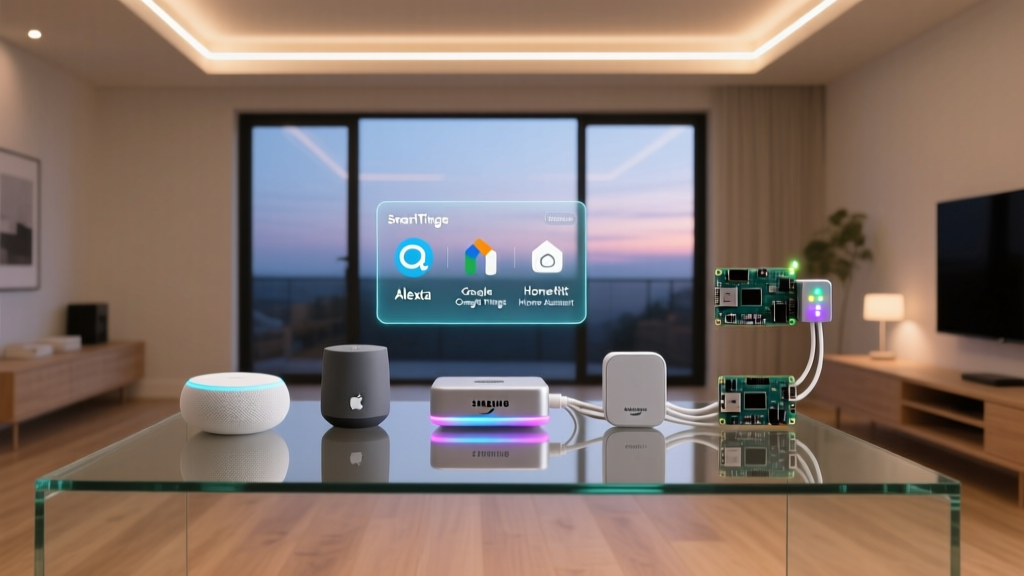
Choosing the right automation depends heavily on the ecosystem platform you have invested in. Amazon Alexa, Google Home, Apple HomeKit, and Samsung SmartThings all approach automation logic differently, offering unique strengths, varying levels of complexity, and distinct hardware compatibilities. In this comprehensive showcase, we will break down the absolute best, most practical automations for each major platform, complete with specific product recommendations, cost estimates, and step-by-step logic configurations.
Amazon Alexa: The King of Contextual Routines
Amazon Alexa remains the most ubiquitous smart home platform, largely due to its massive third-party device compatibility and highly flexible 'Routines' engine. Alexa excels at geofencing, multi-step conditional logic, and integrating with thousands of Skills.
Best Automation: The 'Leaving Home' Energy Saver
One of the most impactful routines you can build in Alexa is a comprehensive energy-saving sequence triggered by geofencing. According to the U.S. Department of Energy, properly programming a smart thermostat can save homeowners up to 10% a year on heating and cooling. By combining this with smart lighting and plug management, you can drastically reduce your home's phantom energy load.
- Core Devices: Ecobee SmartThermostat Premium ($249), Philips Hue White and Color Ambiance Bulbs ($50 each), Kasa Smart Plug Mini ($15).
- The Trigger: Geofencing (When the last person leaves the home zone) OR the voice phrase 'Alexa, I'm leaving.'
- The Actions: Set Ecobee to 'Away' mode; turn off all Philips Hue lights; turn off Kasa Smart Plugs connected to coffee makers and space heaters; arm the Ring Alarm system to 'Away'; and have Alexa send a push notification confirming the home is secured.
How to Build It in the Alexa App
Navigate to the 'More' tab and select 'Routines.' Tap the '+' icon to create a new routine. For the trigger, select 'Location' and choose 'When I leave' (ensure your phone's location services are permitted for the Alexa app). Under 'Actions,' add your smart home devices sequentially. You can add a 'Wait' action if you want the system to delay arming the security system by 60 seconds, giving you time to pull out of the driveway. Finally, add a 'Messaging' action to send a notification to your phone.
Google Home: Scripting and Household Triggers
Google Home has historically lagged slightly behind Alexa in native routine complexity, but the introduction of the Google Home Script Editor (powered by TypeScript) and robust 'Starter' triggers has made it a powerhouse for advanced users who want granular control over their Nest ecosystem.
Best Automation: The 'Morning Starter' Script
Google's integration with Google Calendar, Nest displays, and third-party bots makes it the ultimate morning assistant. This routine focuses on a gentle, automated wake-up sequence that prepares your kitchen and briefs you on your day without requiring you to touch your phone.
- Core Devices: Google Nest Learning Thermostat ($279), SwitchBot Bot ($30), Google Nest Hub Max ($229).
- The Trigger: Time (e.g., 6:30 AM on weekdays) AND Nest Hub Max motion detection (to ensure you are actually awake and in the kitchen).
- The Actions: Adjust Nest Thermostat to your 'Home' comfort profile; use the SwitchBot Bot to physically press the power button on your traditional drip coffee maker; have the Nest Hub Max read your daily Google Calendar agenda, local weather, and top news headlines.
Leveraging Google Home Scripts
For standard users, the 'Automations' tab in the Google Home app allows you to set 'Starters' (time, device state) and 'Actions.' However, to link motion detection on the Nest Hub to a specific sequence, advanced users can access the Google Home Script Editor via the web. This allows you to write custom logic, such as checking if the current day is a holiday (via a webhook) before starting the coffee maker, ensuring you don't brew coffee on days you plan to sleep in.
Apple HomeKit: Secure and Sensor-Driven Scenes
Apple HomeKit is renowned for its strict security protocols, local processing capabilities, and seamless integration with iOS devices. While it supports fewer third-party devices than Alexa, the devices it does support are typically high-quality, Thread-enabled, and incredibly responsive. HomeKit automations run locally on your Home Hub (Apple TV or HomePod), meaning they execute instantly and continue to work even if your internet connection drops.
Best Automation: Adaptive Nightlight and Security Scene
Because HomeKit processes data locally, it is exceptionally fast at reacting to sensor inputs. This makes it the perfect platform for an adaptive, lux-based nightlight routine that also doubles as a subtle security deterrent.
- Core Devices: Eve Motion Sensor ($49, Thread-enabled), Nanoleaf Essentials A19 Bulbs ($20 each, Thread-enabled), HomePod mini ($99).
- The Trigger: Eve Motion Sensor detects motion AND the ambient light level (lux) is below 10 AND the time is between 11:00 PM and 6:00 AM.
- The Actions: Turn on Nanoleaf hallway and bathroom bulbs to 10% brightness at a warm 2200K color temperature. Set a timer to turn them off 5 minutes after motion is no longer detected.
Configuring Conditional Logic in Apple Home
According to Apple's official automation documentation, the Home app allows for robust conditional logic. When creating an automation, select the Eve Motion Sensor as the trigger. You will be prompted to add conditions: select 'Time of Day' and set the window, then add a secondary condition based on the sensor's lux reading. Because both the Eve Motion sensor and Nanoleaf bulbs support Thread (assuming you have a Thread border router like the HomePod mini), the latency between stepping into the hallway and the light turning on is virtually imperceptible, often under 100 milliseconds.
Samsung SmartThings: Advanced Logic and Webhooks
Samsung SmartThings remains the undisputed heavyweight champion for users who rely on Z-Wave, Zigbee, and complex, multi-sensor logic. The SmartThings app offers a highly visual 'If/Then' automation builder, and its integration with SmartThings Edge Drivers allows for incredible local processing of third-party sensors.
Best Automation: The Ultimate Leak and Laundry Monitor
Water damage is one of the most costly home repairs. The Environmental Protection Agency (EPA) highlights smart water management technologies as a key method for conserving water and preventing catastrophic household leaks. SmartThings allows you to link localized leak sensors to a whole-home water shutoff valve, creating an automated defense system.
- Core Devices: Moen Smart Water Shutoff ($500), Aeotec Water Sensor 7 ($45), Samsung SmartThings Multipurpose Sensor ($30).
- The Trigger: Aeotec Water Sensor detects moisture near the washing machine OR Moen detects abnormal micro-leaks in the main water line.
- The Actions: Command the Moen Smart Water Shutoff to close the main valve immediately; trigger the SmartThings Multipurpose Sensor's built-in siren (if applicable) or a connected SmartThings Siren; send a high-priority push notification to your phone; and send an SMS text message to a secondary contact (like a neighbor or property manager) via a linked IFTTT webhook.
Building the Water Defense Routine
In the SmartThings app, navigate to the 'Automations' tab and create a new routine. Set the 'If' condition to include both the Aeotec moisture sensor and the Moen app's leak detection alerts. Under the 'Then' action, select the Moen device and choose 'Close Valve.' To add the SMS backup, you can use SmartThings' native notification features, or link the routine to a virtual switch that triggers an external webhook service to dispatch an SMS. This level of cross-brand, critical-infrastructure automation is where SmartThings truly outshines its competitors.
Ecosystem Automation Capabilities Comparison
Choosing the right platform often comes down to the balance between setup complexity and the depth of automation logic available. Below is a comparison of the core automation engines across the big four ecosystems.
| Platform | Trigger Types | Local Execution | Complexity | Best For |
|---|---|---|---|---|
| Amazon Alexa | Voice, Time, Geofencing, Device State | Limited (Mostly Cloud) | Low to Medium | Broad compatibility, voice-first homes |
| Google Home | Time, Device State, Sunrse/Sunset, Scripts | Partial (Nest devices) | Medium to High | Google Nest users, script enthusiasts |
| Apple HomeKit | Time, Sensor, Geofencing, NFC Tags | Excellent (via Home Hub) | Medium | Privacy-focused, Thread/Apple users |
| SmartThings | Time, Sensor, Webhooks, Z-Wave/Zigbee | Excellent (Edge Drivers) | High | Power users, complex logic, water/security |
Privacy and Data Handling in Automations
When building automations, especially those involving geofencing, interior motion sensors, and security cameras, data privacy is a critical consideration. Every time a routine triggers in the cloud, data is sent to external servers, processed, and a command is sent back to your device.
Apple HomeKit and Samsung SmartThings (via Edge Drivers) are the leaders in local processing. When your Eve Motion sensor triggers your Nanoleaf bulb in HomeKit, the signal travels from the sensor to your HomePod mini, and directly to the bulb, all within your local Wi-Fi/Thread network. No data is sent to Apple's servers, ensuring that your daily habits and home occupancy patterns remain entirely private. Conversely, platforms that rely heavily on cloud processing require you to trust the manufacturer's data handling policies. For privacy-conscious users, prioritizing local execution and investing in a robust local hub is highly recommended.
Conclusion
Mastering smart home routines transforms your living space from a collection of remote-controlled gadgets into a truly intelligent, proactive environment. Whether you are using Alexa's geofencing to save energy, Google's scripts to brew your morning coffee, HomeKit's local Thread network for instant adaptive lighting, or SmartThings' complex logic to protect your home from water damage, the key is to start with a specific problem and build outward. Invest in high-quality sensors, prioritize local processing where possible, and take the time to map out your conditional logic. The result is a home that not only responds to your commands but anticipates your needs.