The Renter's Dilemma: Smart Homes Without the Damage
Welcome to the modern renting paradox. You want the convenience, security, and energy efficiency of a smart home, but your lease agreement strictly forbids drilling holes, hardwiring smart switches, or replacing the landlord's thermostat. Building a smart home in a rental property requires a fundamentally different strategy than outfitting a house you own. The core metric for renters isn't just device compatibility or aesthetic appeal; it is portability. When your lease is up, your smart home needs to pack up and move with you seamlessly, leaving zero damage and requiring minimal reconfiguration.
According to standard lease agreements and tenant rights outlined by resources like Nolo's legal encyclopedia on renter modifications, making permanent alterations like hardwiring smart switches or mounting heavy, wired security cameras can result in lost security deposits or even eviction. Therefore, the ideal renter-friendly ecosystem relies on plug-in hubs, battery-operated sensors, Wi-Fi or Thread connectivity, and non-destructive mounting solutions like 3M Command strips or tension rods.
In this comprehensive guide, we will evaluate the major smart home ecosystems—Amazon Alexa, Apple HomeKit, Google Home, and Samsung SmartThings—through the lens of a renter. We will break down which platforms offer the most portable device lineups, how to avoid the "hub trap," and how the new Matter standard is revolutionizing apartment living.
What Makes a Smart Home Ecosystem "Renter-Friendly"?
Before diving into specific platforms, we must establish the criteria that dictate portability. A truly renter-friendly ecosystem excels in three main pillars:
- Hubless or Portable Hub Architecture: Ecosystems that require massive, hardwired, or ISP-dependent hubs are a nightmare to move. The best ecosystems use plug-in smart speakers (like the Echo Dot or HomePod Mini) as border routers, or rely entirely on Wi-Fi and Matter over Thread.
- Non-Destructive Mounting Profiles: The ecosystem must support devices that are lightweight enough for heavy-duty adhesive strips or feature freestanding, magnetic, or tension-based designs.
- Network Agility: When you move to a new apartment, your Wi-Fi SSID and password will likely change. Ecosystems that allow for easy network migration without factory-resetting every single bulb and sensor save hours of frustration on moving day.
Top Ecosystems Compared for Portability
Amazon Alexa: The Budget-Friendly Portable King
Amazon Alexa remains the most accessible ecosystem for renters, primarily due to the sheer volume of affordable, Wi-Fi-based third-party devices available. Because Alexa natively supports thousands of Wi-Fi plugs, strips, and bulbs, you can build a robust smart home without needing a dedicated Zigbee or Thread hub.
The Portable Setup: The Amazon Echo Dot (5th Gen) serves as your brain. Pair it with TP-Link Kasa smart plugs (which slide over existing outlets without blocking adjacent sockets) and Govee LED light strips that use 3M adhesive backing. For security, the Ring Alarm system is entirely wireless, using peel-and-stick contact sensors and battery-powered keypads that you can take down in minutes when moving out.
Pros: Lowest barrier to entry; massive variety of battery and plug-in devices; routines are easy to recreate in a new apartment. Cons: Wi-Fi congestion in dense apartment buildings can cause device latency; privacy concerns regarding Amazon's cloud data handling.
Apple HomeKit: The Secure but Pricey Portable Choice
Apple HomeKit is arguably the most robust ecosystem for renters who prioritize privacy, local control, and network stability. HomeKit's reliance on Thread and local processing means your devices respond instantly, even if your apartment's Wi-Fi is spotty—a common issue in multi-family dwellings.
The Portable Setup: The Apple HomePod Mini acts as a Thread border router. Devices like the Eve Motion Sensor, Aqara Door and Window Sensors, and Nanoleaf smart lighting connect via Thread or local Wi-Fi. Because HomeKit uses a centralized "Home" architecture tied to your iCloud account, moving to a new apartment is incredibly smooth. As long as you plug your HomePod Mini into the new apartment's router and connect it to the new Wi-Fi, your entire mesh network of Thread devices will automatically re-route and reconnect without requiring individual device resets.
Pros: Superior privacy; Thread support makes moving seamless; high-quality, reliable hardware. Cons: High cost of entry; requires an Apple device to manage; fewer budget-friendly accessory options compared to Alexa.
Google Home: The Flexible Middle Ground
Google Home offers a balanced approach, featuring excellent voice recognition and highly customizable routines that are perfect for apartment living (e.g., "Hey Google, I'm leaving" to turn off lights and arm the Wyze camera). Google has also been a massive proponent of Matter and Thread, meaning newer Nest devices integrate beautifully with portable setups.
The Portable Setup: Use the Nest Audio or Nest Hub as your primary controller. The Google Nest Cam (Battery) is a renter's best friend; it features a magnetic base that can be mounted on a fridge or a shelf, or attached to a wall using a heavy-duty adhesive magnetic mount, completely avoiding drywall screws. Pair this with SwitchBot devices, which offer brilliant renter-specific hacks like the SwitchBot Bot (a physical button pusher for dumb apartment intercoms or coffee makers).
Pros: Excellent multi-user recognition; great battery-powered camera options; strong Matter integration. Cons: Google's data collection practices; app interface can sometimes be cluttered when managing diverse third-party Wi-Fi devices.
Samsung SmartThings: The Appliance Integrator
SmartThings is a powerhouse for homeowners, but it presents unique challenges for renters. Historically, SmartThings required a dedicated hub plugged into an ethernet router. While the newer SmartThings Station and Wi-Fi hubs have eased this, the ecosystem still leans heavily on Zigbee devices that require a central coordinator. If you are moving frequently, packing and re-pairing a Zigbee mesh network can be more tedious than managing a Thread or Wi-Fi network.
Pros: Unbeatable if your rental comes with Samsung smart appliances; excellent automation logic. Cons: Hub dependency makes moving slightly more complex; fewer native Thread devices compared to Apple and Google.
The Ultimate Renter-Friendly Device Stack
As highlighted in The Verge's guide to smart apartments, battery-powered and plug-in devices are the holy grail for tenants. Below is a curated table of the most portable devices across essential categories, optimized for non-destructive installation.
| Category | Top Portable Device | Best Ecosystem | Mounting / Power Type | Est. Cost |
|---|---|---|---|---|
| Lighting | Govee Glide Hexa Light Panels | Alexa / Google | 3M Adhesive (No Drill) | $150 |
| Window Treatments | SwitchBot Blind Tilt | Alexa / HomeKit (via Matter) | Clips onto existing blind wands | $90 |
| Security Camera | Ring Pan-Tilt Indoor Cam | Alexa | Freestanding / Shelf placement | $100 |
| Climate Control | Sensibo Sky / Air | All (Wi-Fi / Matter) | Peel-and-stick IR blaster | $119 |
| Doorbell | Aqara Video Doorbell G4 | HomeKit / Alexa | Battery-powered / Freestanding | $200 |
| Sensors | Eve Door & Window | HomeKit / Matter | Adhesive magnetic strips | $40 |
Ecosystem Portability Scores Visualized
Based on setup ease, hubless capability, device variety, and the friction involved in moving to a new network, we have scored the major ecosystems on their renter-friendliness.
Bar chart comparing the portability and renter-friendliness scores of major smart home ecosystems out of 10.
Matter and Thread: The Future of Renter Portability
If you are signing a new lease today, you must consider the impact of the Matter protocol. The Connectivity Standards Alliance (CSA) introduced Matter to solve the fragmentation that has long plagued the smart home industry. For renters, Matter is a game-changer for two distinct reasons:
- Ecosystem Agility: Imagine you buy a HomeKit-compatible smart plug for your current apartment. When you move next year, you decide to switch to an Android phone and an Alexa ecosystem. In the past, you would have to throw that plug away and buy a new one. With Matter, you simply factory-reset the plug and pair it directly to your new Alexa setup. Your hardware investment is protected regardless of which digital assistant you prefer.
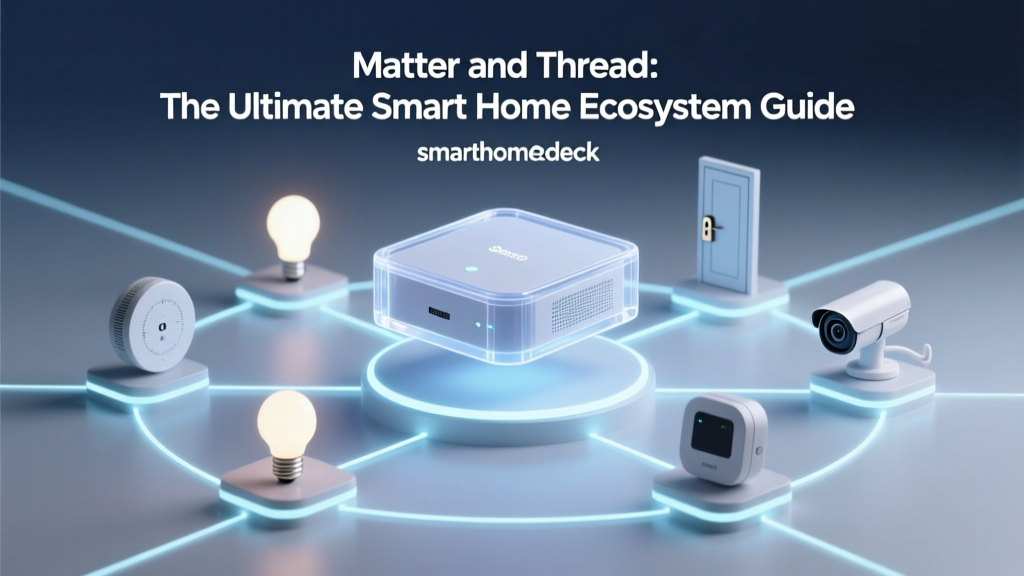
- Thread Networking: Matter often runs over Thread, a low-power mesh networking protocol. Unlike Wi-Fi devices that must individually connect to your apartment's router (and fail if the router is far away), Thread devices bounce signals off one another. When you move, plugging in a single Thread Border Router (like an Apple TV or Nest Hub) instantly wakes up and connects your entire mesh network of sensors and locks in the new space, bypassing the need to type in Wi-Fi passwords for 30 individual light bulbs.
Clever Hacks for Apartment Automation
Living in a rental often means dealing with outdated fixtures and landlord-provided appliances. Here are a few ways to automate them without breaking your lease:
- The Intercom Bypass: Many older apartment buildings use wired intercom systems that cannot be replaced. The SwitchBot Bot is a tiny, battery-powered robotic finger that adheres to the wall next to your intercom button. When triggered via your ecosystem, it physically presses the button to buzz in guests or delivery drivers.
- Dumb AC Units: If your rental has a wall-mounted or window AC unit with an infrared (IR) remote, you cannot wire a smart thermostat. Instead, use an IR blaster like the Sensibo Air or a BroadLink RM4 Mini. These plug into the wall, learn your AC's remote signals, and allow you to control the temperature via Alexa or HomeKit based on geofencing or temperature sensors.
- Smart Blinds on a Budget: Drilling into window casings for automated blinds is usually a lease violation. The SwitchBot Blind Tilt solves this by clipping directly onto the existing wand of your horizontal blinds, using a small motor to twist the wand based on the time of day or sunlight sensors.
The Moving Day Protocol: How to Relocate Your Smart Home
Moving a smart home can be a logistical headache if done improperly. To ensure your ecosystem survives the transition from Apartment A to Apartment B, follow this strict protocol:
- Do Not Unpair Everything: Unless you are selling a device or switching ecosystems entirely, do not factory-reset your devices before the move. Unpairing them while they are still mounted and powered is much easier than trying to reset them from a cardboard box.
- Update Wi-Fi Credentials Post-Move: When you arrive at your new apartment, the most efficient trick is to name your new Wi-Fi network (SSID) and password exactly the same as your old network. This simple hack allows 90% of your Wi-Fi-based smart plugs and bulbs to connect automatically the moment you plug them in, saving hours of reconfiguration.
- Re-Calibrate Sensors: Adhesive strips can weaken over time or fail due to temperature changes during a moving truck ride. Always replace the 3M Command strips on door/window sensors and motion detectors when reinstalling them in your new space to prevent them from falling and damaging the drywall.
- Re-map Robot Vacuums: Your robot vacuum's LiDAR or camera map is useless in a new floor plan. Delete the old map entirely and run a fresh mapping cycle on day one to prevent the vacuum from getting stuck on unfamiliar furniture layouts.
Conclusion
Renting does not mean you have to sacrifice the comforts of modern automation. By prioritizing ecosystems that support Thread, Matter, and non-destructive mounting, you can build a highly sophisticated smart home that respects your lease agreement. For budget-conscious renters who want maximum device variety, Amazon Alexa paired with Wi-Fi devices remains the most accessible route. However, for those willing to invest in premium hardware and prioritize seamless, local network portability, Apple HomeKit over Thread offers the smoothest moving experience available today. Whichever path you choose, always read your lease, measure your spaces, and opt for adhesive over drywall anchors.