The Evolution of Smart Home Automations: From Scenes to Proactive Routines
The modern smart home has evolved far beyond the simple novelty of turning on a light bulb with a smartphone app. Today, the true power of connected living lies in automation—the ability to create complex, multi-step routines and scenes that anticipate your needs, optimize energy consumption, and secure your property without requiring manual intervention. While a 'scene' typically represents a static snapshot of device states (like dimming lights and lowering blinds for movie night), a 'routine' or 'automation' introduces the element of triggers, conditions, and sequential logic.
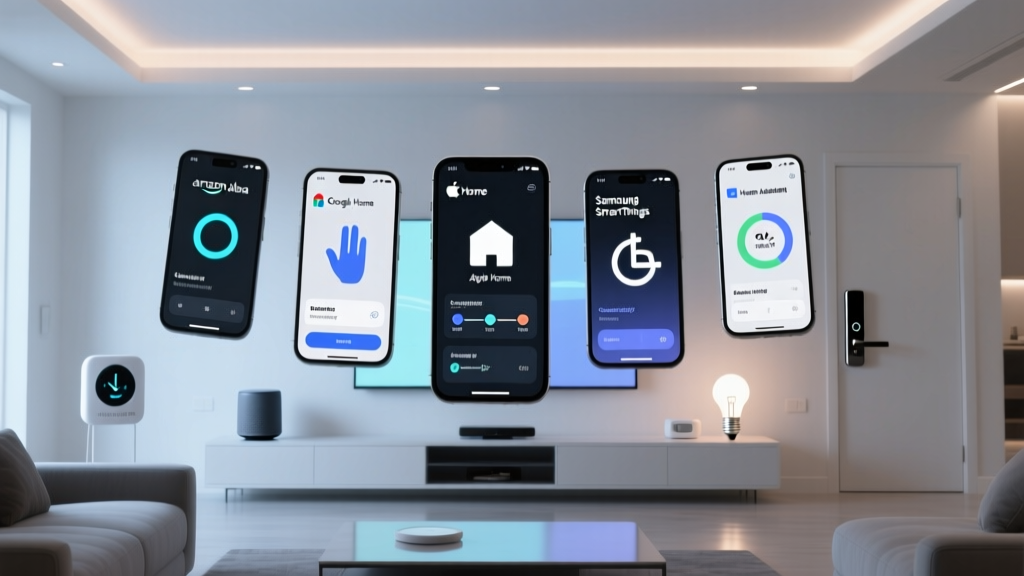
Choosing the right ecosystem platform is critical because each handles automation logic, local execution, and conditional triggers differently. Amazon Alexa excels in broad third-party compatibility and voice-based conditional logic. Google Home leverages predictive AI and seamless Nest integration. Apple HomeKit prioritizes privacy, local processing, and NFC triggers. Meanwhile, Samsung SmartThings remains the undisputed champion for advanced users who want granular control over Z-Wave, Zigbee, and Matter devices via a centralized hub.
In this comprehensive showcase, we break down the best, most practical automations for each major platform. We will explore specific device pairings, cost ranges, setup nuances, and the underlying logic that makes these routines truly transformative for your daily life.
Amazon Alexa: The King of Conditional Triggers and Hunches
Amazon Alexa has transformed from a simple voice assistant into a robust automation engine. The Alexa app allows users to build routines featuring 'Wait' blocks, conditional triggers (e.g., 'Only if it is after sunset'), and even 'Alexa Hunches,' where the system proactively turns off lights or locks doors if it senses you have forgotten.
Showcase Routine: 'Cinematic Evening & Perimeter Guard'
This routine is designed to transition your living space into a home theater while simultaneously securing the perimeter of your house. It leverages Alexa's ability to chain entertainment commands with security protocols.
- Trigger: Voice command ('Alexa, start movie night') OR Schedule (Friday at 8:00 PM) combined with motion detection in the living room.
- Actions:
- Philips Hue Gradient Lightstrip dims to 10% amber bias lighting.
- SwitchBot Curtain Rod (via Bluetooth hub) closes the living room drapes.
- Sony Bravia XR TV turns on via HDMI-CEC or IR blaster.
- Echo Studio enables Dolby Atmos spatial audio processing.
- Ring Alarm system transitions to 'Home' mode, locking all Schlage smart deadbolts.
- Estimated Cost: $350 - $600 (assuming you already own the TV and Echo Studio; adding the Hue Starter Kit and Ring Alarm base).
Setup Nuance: The secret to making this routine feel natural is utilizing the 'Wait' function. Insert a 5-second wait between turning on the TV and adjusting the audio settings to allow the television's operating system to boot up and accept the HDMI-CEC audio passthrough command. Furthermore, you can add a condition so this routine only fires via the schedule if your phone's location is within your home geofence.
Google Home: Voice Match, Predictive AI, and Climate Control
Google Home's automation engine, accessible via the Google Home app, is deeply integrated with the Nest ecosystem. Its standout feature is 'Voice Match,' which allows the platform to identify who is speaking and execute personalized routines. Google's routines are highly effective for morning wake-ups and climate management, leveraging machine learning to adapt to your household's patterns over time.
Showcase Routine: 'Adaptive Wake & Climate Optimization'
This routine focuses on personalized morning briefings and proactive energy management, taking advantage of Google's superior natural language processing and Nest hardware.
- Trigger: Nest Hub Max detects presence via Soli radar sensor + Voice Match ('Good Morning').
- Actions:
- Nest Learning Thermostat adjusts from nighttime eco-temperature to a comfortable 72°F.
- Google Assistant reads your personalized calendar, weather, and commute traffic.
- Spotify begins playing your 'Morning Chill' playlist on the Sonos Era 300 in the kitchen.
- Smeg smart kettle (via IFTTT or native integration) begins boiling water for coffee.
- Estimated Cost: $450 - $700 (Nest Hub Max, Nest Thermostat, and compatible smart speaker).
Setup Nuance: Google's 'Starter Routines' are incredibly powerful here. By linking the Nest Thermostat to your morning routine, you ensure the HVAC system only works hard when you are actually awake and moving around the house. According to the U.S. Department of Energy's report on smart thermostat savings, properly scheduling and automating your HVAC system can save you up to 10% a year on heating and cooling costs. Google's Farsight feature on the Nest Hub Max ensures the screen wakes up gently as you approach, making the transition from sleep to wakefulness seamless.
Apple HomeKit: Privacy-First Geofencing and NFC Excellence
Apple HomeKit is built on a foundation of strict privacy and local execution. Unlike cloud-dependent platforms, HomeKit automations are processed locally on your Home Hub (Apple TV 4K or HomePod mini), resulting in near-instant latency and continued functionality even if your internet connection drops. HomeKit also uniquely supports NFC (Near Field Communication) tags as physical triggers for complex scenes.
Showcase Routine: 'Secure Perimeter & NFC Nightstand'
This dual-purpose automation setup showcases Apple's geofencing reliability and the tactile satisfaction of NFC triggers, perfect for users who prioritize security and local network resilience.
- Trigger 1 (Geofence): The last registered user leaves the home radius (set to 100 meters).
- Actions 1: Aqara G3 Hub arms all door/window sensors, Eve Energy smart plugs cut power to non-essential appliances (preventing vampire draw), and all Philips Hue lights turn off.
- Trigger 2 (NFC Tag): Scanning an Apple HomeKit NFC tag placed on the bedroom nightstand.
- Actions 2: Schlage Encode Plus deadbolt locks, bedroom Hue lights fade to 0% over 3 minutes, and the HomePod mini begins playing white noise.
- Estimated Cost: $300 - $500 (HomePod mini hub, Aqara sensors, Eve plugs, and NFC tags).
Setup Nuance: Apple's automation logic is highly secure but can be restrictive regarding third-party cloud devices. To ensure the fastest possible execution, prioritize Thread and Matter-compatible devices. Thread devices communicate directly with the HomePod mini border router, keeping latency under 200ms. For a complete guide on configuring these triggers, refer to Apple Support's official guide on HomeKit automations, which details how to set up secure home geofencing and accessory triggers.
Samsung SmartThings: The Hub for Advanced Logic and Energy Monitoring
Samsung SmartThings is the powerhouse for enthusiasts who want to mix Zigbee, Z-Wave, Matter, and Wi-Fi devices into a single, cohesive logic engine. The SmartThings app offers the most granular control over conditions, including device power draw, specific temperature thresholds, and multi-step 'If/Then' logic that rivals dedicated enthusiast software like Home Assistant, but with a much more user-friendly interface.
Showcase Routine: 'Laundry Complete & Energy Saver'
This routine moves beyond simple lighting and tackles household chores and energy monitoring, utilizing smart plugs to detect the operational state of 'dumb' appliances.
- Trigger: Aeotec Smart Switch 6 detects that the washing machine's power draw has dropped below 5 Watts for 3 consecutive minutes.
- Actions:
- SmartThings sends a push notification to your Galaxy smartphone and Galaxy Watch.
- Hallway Hue lights flash blue twice to provide a visual cue.
- After 30 minutes, the Aeotec Smart Switch cuts power entirely to eliminate standby vampire draw.
- Estimated Cost: $120 - $180 (SmartThings Station Hub and Aeotec Smart Switch).
Setup Nuance: The key to this automation is the 'Wait' and 'Condition' logic. Washing machines often pause between cycles, drawing minimal power. By setting the condition to 'Below 5W for 3 minutes,' you prevent false positives. SmartThings also allows you to integrate these routines with Samsung's AI Energy Mode, automatically adjusting your smart refrigerator or HVAC based on the time of day and local utility peak-rate schedules.
Ecosystem Comparison: Routine Limits and Execution
When designing complex automations, you will eventually hit the ceiling of what each platform allows regarding the number of actions per routine, conditional depth, and local execution capabilities. Below is a visualization of the maximum actions allowed per routine across the major platforms, highlighting SmartThings' superiority for power users.
Platform Capability Data Table
| Platform | Hub Required? | Local Execution | Best Conditional Feature | Ideal User Profile |
|---|---|---|---|---|
| Amazon Alexa | No (Cloud-based) | Limited (Matter only) | Alexa Hunches & Wait Blocks | Entertainment & Broad Compatibility |
| Google Home | No (Cloud-based) | Limited (Thread/Matter) | Voice Match & Predictive AI | Morning Routines & Climate Control |
| Apple HomeKit | Yes (HomePod/Apple TV) | Excellent (Thread/Zigbee) | NFC Tags & Secure Geofencing | Privacy Advocates & Apple Ecosystem Users |
| SmartThings | Yes (Station/Aeotec Hub) | Excellent (Z-Wave/Zigbee) | Power Draw & Multi-Step Logic | Enthusiasts & Appliance Automation |
The Impact of Matter on Cross-Platform Routines
The introduction of the Matter protocol and Thread networking is fundamentally changing how routines operate. Historically, if you wanted an Apple HomeKit automation to trigger a device that only supported Amazon Alexa, you were out of luck. Matter acts as a universal language, allowing devices to be controlled locally by multiple ecosystems simultaneously. However, it is important to note that while Matter unifies device control, it does not unify automation logic. You still must build your routines within your chosen platform's app. The primary benefit of Matter for automations is drastically reduced latency and increased reliability, as commands no longer need to bounce off distant cloud servers.
'The true value of a smart home is not realized when you have to pull out your phone to press a button. It is realized when the home acts on your behalf, anticipating your needs through invisible, reliable automations that run locally and securely.'
Conclusion: Choosing Your Automation Engine
Selecting the best platform for your smart home routines depends entirely on your hardware ecosystem and your tolerance for complexity. If you want a system that 'just works' with a heavy emphasis on privacy and local execution, Apple HomeKit is unmatched, provided you are willing to invest in HomeKit-certified (or Matter-over-Thread) hardware. If your home is filled with diverse, third-party Wi-Fi devices and you rely heavily on voice commands and entertainment integration, Amazon Alexa offers the most forgiving and expansive routine builder.
For those who view their home as a data-rich environment where appliance power draw and Z-Wave sensors dictate complex logic, Samsung SmartThings remains the premier choice. Meanwhile, Google Home bridges the gap beautifully for users deeply embedded in the Nest ecosystem, offering predictive climate and personalized morning routines that feel almost magical. For more detailed logic structures and troubleshooting, consult Amazon's Alexa Routines documentation or your respective platform's support pages to ensure your triggers are configured for maximum reliability.
Ultimately, the best automation is the one you never have to think about. By carefully selecting your platform and investing in the right sensors, hubs, and smart plugs, you can build a home that not only responds to your commands but actively works to make your life easier, safer, and more energy-efficient.