The Hidden Flaw in Cloud-Dependent Smart Homes
The modern smart home is a marvel of convenience, allowing you to control your lighting, climate, and security from anywhere in the world. However, this convenience often comes with a hidden, critical flaw: an over-reliance on cloud servers. When you press a smart switch in a cloud-dependent ecosystem, the signal doesn't just go from the switch to the light. It travels from the switch to your hub, through your router, out to your Internet Service Provider (ISP), across the internet to a remote server, back down through your ISP, into your router, and finally to the smart bulb. This convoluted journey introduces multiple points of failure.
If your internet connection drops, your ISP experiences an outage, or the manufacturer's cloud servers go down for maintenance, your 'smart' home instantly becomes a dumb home. You might find yourself unable to turn off the lights, adjust the thermostat, or trigger your security alarms. For homeowners who prioritize resilience, privacy, and speed, relying on cloud-heavy ecosystems like the standard Samsung SmartThings or basic Wi-Fi smart plugs is no longer sufficient. This is where the concepts of local control and offline functionality become paramount.
Why Local Control and Offline Functionality Matter
Local control means that the processing of your smart home automations happens entirely within your home network, without ever needing to communicate with an external server. According to the core philosophy outlined by the Home Assistant Privacy and Local Execution guidelines, local execution ensures that your home continues to function perfectly even if the wider internet is completely disconnected. There are three primary benefits to prioritizing offline reliability:
- Speed and Latency: Cloud-based automations typically suffer from a 200ms to 500ms delay. Local processing reduces this latency to under 20ms, making smart switches feel instantaneous and indistinguishable from traditional wired switches.
- Uncompromised Privacy: When your data stays on a local hub, telemetry about your daily routines, occupancy patterns, and device usage never leaves your property. You are not feeding machine learning models for third-party corporations.
- Total Reliability: Internet outages, severed fiber lines, and cloud server crashes are inevitable. A local-first ecosystem ensures that your critical automations—like motion-triggered security lights or leak detectors shutting off water valves—work 100% of the time, regardless of external network conditions.
Top Ecosystems for Offline Reliability
Not all smart home platforms are created equal when the internet goes down. Below, we break down the top ecosystem platforms based on their offline capabilities, hardware requirements, and local processing power.
Home Assistant: The Undisputed King of Local Processing
Home Assistant is an open-source home automation platform built from the ground up to prioritize local control and privacy. Unlike commercial hubs that use local processing as a fallback, Home Assistant uses it as the primary, and often only, method of operation. The official Home Assistant Privacy documentation explicitly states that the system is designed to work without an active internet connection.
Hardware & Cost: The easiest entry point is the Home Assistant Green ($99), a plug-and-play local server. For advanced users requiring built-in radios, the Home Assistant Yellow ($199+) or a custom Intel NUC mini-PC ($150-$300) are ideal. You will also need USB dongles like the Sonoff Zigbee 3.0 Plus ($25) or Aeotec Z-Stick 7 ($60) to communicate with local devices.
Offline Capabilities: Home Assistant excels here. Through add-ons like Zigbee2MQTT, Z-Wave JS UI, and local MQTT brokers, every automation runs on the device's internal processor. Even complex, multi-step routines utilizing Node-RED execute locally in milliseconds. The only limitation is integrating with inherently cloud-based devices (like Ring cameras or cloud-only Wi-Fi plugs), but the core local ecosystem remains completely unaffected by WAN outages.
Hubitat Elevation: The Balanced Local Hub
Hubitat was designed specifically to solve the cloud-reliance problem of early SmartThings hubs. It offers a 'best of both worlds' approach: a highly capable local automation engine paired with a more user-friendly, commercially supported interface than Home Assistant. The Hubitat Official Documentation provides extensive guides on keeping automations local by utilizing their built-in Rule Machine app.
Hardware & Cost: The flagship Hubitat Elevation C-8 retails for $149. Unlike Home Assistant, the C-8 features built-in Zigbee 3.0 and Z-Wave 800 Series radios, eliminating the need for external USB dongles and reducing points of failure.
Offline Capabilities: Hubitat processes Zigbee, Z-Wave, and LAN-based automations locally. If the internet drops, your motion-triggered lights, door lock routines, and thermostat schedules continue without a hitch. However, Hubitat still relies on the cloud for certain third-party integrations (like Amazon Alexa voice commands or cloud-based security cameras), and its remote access portal requires an internet connection unless you set up a local VPN.
Apple HomeKit / Apple Home: The Walled Garden with Local Fallbacks
Apple's ecosystem is notoriously strict about privacy and local processing. While it is a 'walled garden' with a smaller compatible device list compared to Zigbee/Z-Wave hubs, Apple HomeKit forces manufacturers to support local execution for core functionalities.
Hardware & Cost: To enable offline automations and remote access, you need an Apple Home Hub, such as the Apple TV 4K ($129) or HomePod Mini ($99). Thread Border Routers are also built into these devices.
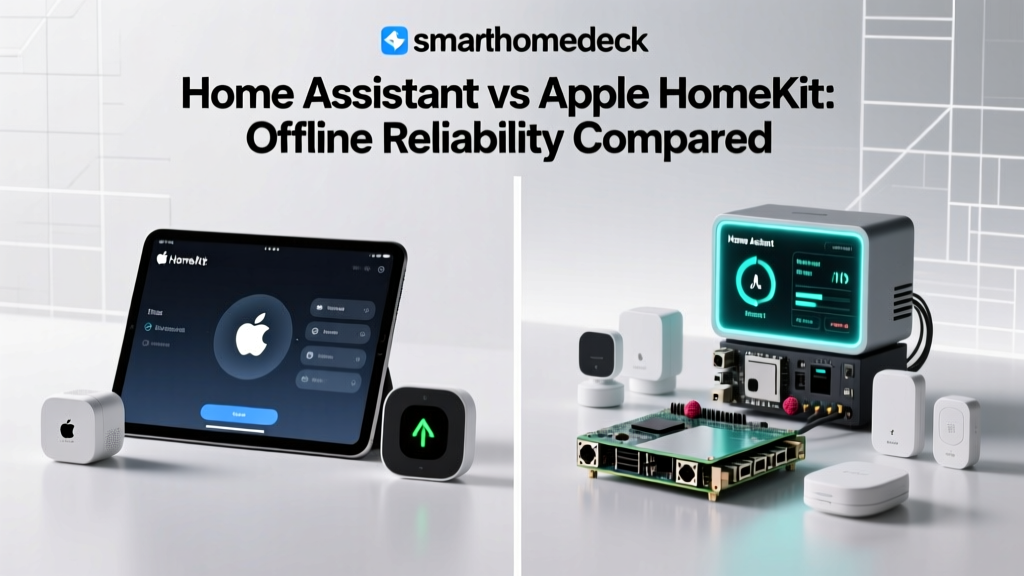
Offline Capabilities: Apple HomeKit devices communicate locally via Wi-Fi, Bluetooth, or Thread. If your internet goes down, your HomeKit automations (like turning off lights when you leave the geofence or triggering a scene via a physical HomeKit switch) will continue to work flawlessly, provided your local Wi-Fi router is still powered. The limitation is the high cost of HomeKit-certified hardware and the lack of native support for legacy Z-Wave devices.
Samsung SmartThings: The Cloud-Heavy Contender
Samsung SmartThings is the most popular smart home ecosystem globally, largely due to its ease of use and broad compatibility. However, it is fundamentally a cloud-first architecture.
Hardware & Cost: The SmartThings Station ($69) or Station Pro ($129) act primarily as Thread border routers and Wi-Fi/Zigbee bridges, but the 'brain' of the operation lives on Samsung's AWS cloud servers.
Offline Capabilities: SmartThings has improved its local execution for specific 'SmartThings Edge' drivers, but the vast majority of automations, particularly those involving third-party Wi-Fi devices or complex webhooks, fail the moment the internet connection drops. For users prioritizing offline reliability, SmartThings is not recommended as a primary automation brain.
Feature Comparison Table
| Platform | Primary Hub Hardware | Est. Cost | Built-in Radios | Offline Automation | Learning Curve |
|---|---|---|---|---|---|
| Home Assistant | HA Green / Custom NUC | $99 - $300 | No (Requires USB Dongles) | 100% Local | Steep |
| Hubitat Elevation | Hubitat C-8 | $149 | Yes (Zigbee & Z-Wave) | 95% Local | Moderate |
| Apple Home | Apple TV 4K | $129 | Yes (Thread & BLE) | 90% Local | Low |
| SmartThings | SmartThings Station | $69 | Yes (Thread & Zigbee) | 30% Local | Low |
Hub Latency and Offline Reliability Comparison
The following chart illustrates the stark contrast in automation latency and overall offline reliability scores among the major ecosystems. Local hubs process commands in a fraction of the time it takes for cloud-dependent systems to route signals through external servers.
Offline Automation Reliability and Latency Comparison
Building a Resilient Offline-First Smart Home
Achieving true offline reliability requires more than just buying a local hub; it requires a strategic approach to your home network and device selection. Here is actionable advice for building an ecosystem that survives internet outages.
1. Invest in an Uninterruptible Power Supply (UPS)
Local control is useless if a power grid brownout reboots your router and hub, causing a 3-minute downtime while devices reconnect. Invest in a high-quality UPS, such as the CyberPower CP1500PFCLCD (approx. $220). Connect your modem, primary Wi-Fi router, and smart home hub (Home Assistant or Hubitat) to the battery backup outlets. A 1500VA UPS can keep low-draw networking and smart home equipment running for over two hours during a blackout, ensuring your security automations and local mesh networks remain fully operational.
2. Prioritize Zigbee, Z-Wave, and Thread over Wi-Fi
Wi-Fi smart plugs and bulbs rely heavily on cloud servers for automation routing and often clog up your local router's IP table. Instead, build your device layer using low-power mesh protocols:
- Z-Wave (800 Series): Operates on a sub-GHz frequency (908.42 MHz in the US), meaning it does not interfere with your Wi-Fi. It offers excellent range and 100% local execution via hubs like Hubitat or Home Assistant.
- Zigbee 3.0: Highly compatible and inexpensive. Requires a local coordinator dongle but creates a robust, self-healing mesh network.
- Thread: An IPv6-based mesh networking protocol that operates on the 2.4 GHz spectrum. Thread devices communicate directly with one another and utilize Border Routers to bridge to your local LAN without needing a cloud intermediary.
3. Block Cloud Telemetry via Local DNS
For advanced users running Home Assistant or a dedicated network firewall (like a UniFi Dream Machine or pfSense router), use a local DNS sinkhole like Pi-hole or AdGuard Home. By blocking known telemetry and cloud-tracking domains associated with smart device manufacturers, you force devices to rely solely on local API calls and LAN protocols, further insulating your home from external server dependencies.
The Role of Matter and Thread in Local Reliability
The introduction of the Matter standard and the Thread networking protocol is fundamentally shifting the smart home industry toward local control. According to the Connectivity Standards Alliance (CSA) Matter Overview, Matter was designed with IP-based local communication as a core tenet. Matter-certified devices are required to support local control out of the box, meaning that even if you use a commercial ecosystem, the underlying device-to-hub communication happens over your local LAN rather than routing through the cloud.
Thread acts as the wireless transport layer for many Matter devices. Because Thread devices create a decentralized mesh network, there is no single point of failure. If one Thread Border Router (like an Apple TV or a Nest Hub) loses power, the Thread mesh automatically reroutes traffic through another nearby Border Router. When paired with a local automation brain like Home Assistant (which now features native Matter and Thread support via the Silicon Labs ConnectUSB dongle), the combination of Matter and Thread provides enterprise-grade offline reliability for the consumer smart home.
Conclusion
If you are tired of your smart lights failing to turn on during an internet outage or your motion sensors lagging by half a second, it is time to transition to a local-first ecosystem. For the ultimate in privacy, speed, and offline reliability, Home Assistant remains the undisputed champion, provided you are willing to navigate its learning curve. For those who want built-in radios and a more streamlined, commercially supported local experience, the Hubitat Elevation C-8 is an outstanding alternative. By pairing these local hubs with a robust UPS, a Pi-hole DNS sinkhole, and Z-Wave or Thread devices, you can build a smart home that is truly intelligent, entirely private, and completely resilient to the whims of cloud servers and ISP outages.