The Walled Garden Dilemma in Smart Homes
Building a cohesive smart home often feels like navigating a complex geopolitical landscape. You might own an Amazon Echo Show for the kitchen, an Apple HomePod Mini for the living room, and a Samsung SmartThings hub for your door sensors. While each platform excels within its own boundaries, cross-ecosystem communication remains a significant hurdle for consumers and enthusiasts alike. If you have a Ring Video Doorbell 4 (an Amazon company) and want it to trigger your Philips Hue lights when someone presses the button, you will quickly discover that native integrations frequently fall short.
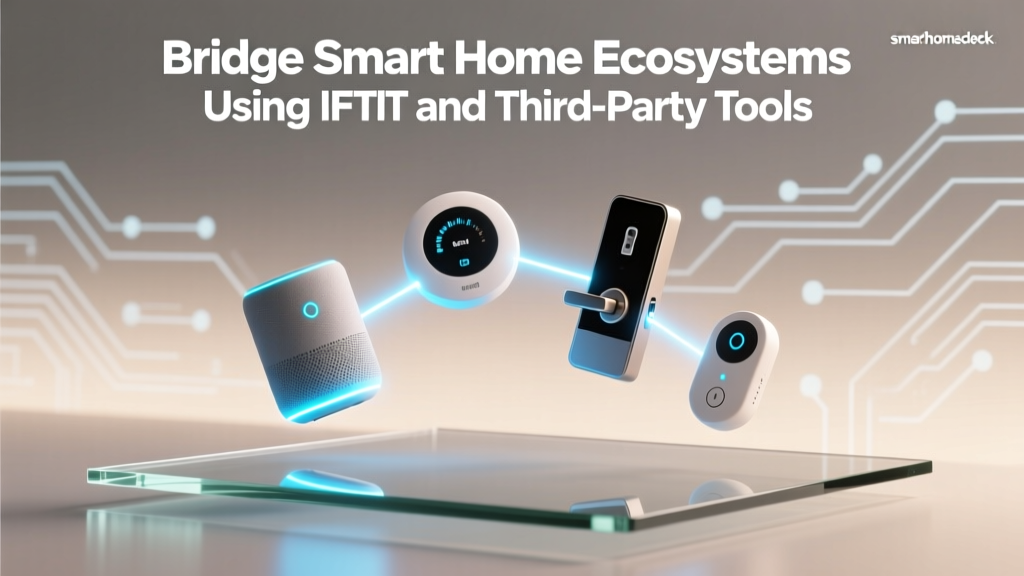
This fragmentation forces users into 'walled gardens' where devices only play nicely with their parent company's ecosystem. While the industry is slowly moving toward unified standards, the reality of today's smart home requires middleware. This is where third-party integration platforms like IFTTT, Home Assistant, Zapier, and Make step in to bridge the gap, allowing devices from competing tech giants to communicate seamlessly.
In this comprehensive guide, we will explore how to leverage third-party automation tools to unify your smart home. We will break down the costs, latency, and technical requirements of each platform, provide a step-by-step cross-ecosystem setup guide, and analyze the privacy implications of routing your home's data through cloud servers versus local processors.
Understanding Middleware: The Bridge Between Ecosystems
Middleware, in the context of smart homes, refers to software that sits between your devices and their native cloud services. It listens for 'triggers' (like a motion sensor detecting movement) and executes 'actions' (like turning on a smart plug) across different APIs. Because Amazon, Google, and Apple do not natively expose their deepest automation routines to one another, middleware acts as a universal translator.
The choice of middleware depends heavily on your technical expertise, budget, and tolerance for latency. A cloud-based service might take 5 to 15 seconds to process a webhook, which is noticeable when turning on lights. Conversely, a local server processes commands in milliseconds but requires hardware maintenance.
IFTTT: The Pioneer of Cross-Ecosystem Applets
IFTTT (If This Then That) has long been the default bridge for smart home enthusiasts. It operates on a simple premise: if a specific event occurs on one service, trigger an action on another. IFTTT connects to thousands of services, including Amazon Alexa, Google Home, SmartThings, and Philips Hue.
The Shift to Paid Tiers
In recent years, IFTTT has transitioned from a largely free service to a premium model. The free tier is now severely limited, allowing only a handful of basic Applets. To build a robust smart home, you will need IFTTT Pro ($3.99/month) or IFTTT Pro+ ($14.99/month). Pro+ allows for multi-step Applets, which are essential for complex routines (e.g., 'If Ring detects motion, turn on Hue lights, send an iOS notification, and log the event to a spreadsheet').
Webhooks: The Secret Weapon
The most powerful feature for smart home bridging is the IFTTT Webhooks Service. Webhooks allow you to send HTTP POST requests to IFTTT from virtually any device or script, triggering an Applet. This is particularly useful for devices that lack native IFTTT support but can output webhooks, such as custom ESP32 sensors or local servers.
Pro Tip: IFTTT relies on cloud polling and API rate limits. If your internet connection drops, or if a service like SmartThings experiences API throttling, your automations will fail or experience significant latency (often 5 to 20 seconds).
Home Assistant: The Local Processing Powerhouse
For users who demand zero latency and absolute privacy, Home Assistant is the undisputed king of smart home middleware. Unlike IFTTT, Home Assistant runs locally on your own hardware, such as a Raspberry Pi 4, an Intel NUC, or a dedicated Home Assistant Green box.
Unmatched Compatibility
Home Assistant boasts over 2,500 native integrations. It can pull data from Amazon Alexa, Google Home, Apple HomeKit (via Homebridge or native Matter support), Samsung SmartThings, and thousands of niche brands. Because it processes data locally, a motion sensor triggering a light bulb happens in milliseconds, completely independent of your external internet connection.
The Cost of Local Control
While the Home Assistant software is 100% free and open-source, the hardware requires an upfront investment ($50 to $150). For remote access outside your home without complex network port forwarding, the developers offer Nabu Casa, a cloud relay service that costs $6.50 per month. This subscription also directly funds the development of the platform. As outlined in Home Assistant's privacy manifesto, your data is never sold, and the Nabu Casa relay uses end-to-end encryption, ensuring that not even the developers can see your smart home traffic.
Zapier and Make: Automating the Data Layer
While IFTTT and Home Assistant focus on device-to-device control, Zapier and Make (formerly Integromat) excel at data manipulation and external business logic. These platforms are less about turning on lights and more about logging data, sending complex notifications, or integrating your smart home with productivity tools.
- Data Logging: Use Zapier to pull temperature data from an Ecobee SmartThermostat every hour and log it into an Airtable database or Google Sheet for long-term energy analysis.
- Advanced Alerts: If an August Wi-Fi Smart Lock detects a forced entry, Make can trigger a Twilio API call to your phone, send an email to your neighborhood watch group, and save the security camera clip to a specific Dropbox folder.
- Cost Considerations: These tools are expensive for high-volume tasks. Zapier's Starter plan begins at $19.99/month, and complex smart home routines can burn through thousands of 'tasks' or 'operations' quickly, leading to steep overage charges.
Platform Comparison Matrix
To help you choose the right middleware for your specific needs, we have compared the four major integration platforms across critical smart home metrics.
| Platform | Best For | Monthly Cost | Processing Location | Average Latency | Ecosystem Support |
|---|---|---|---|---|---|
| IFTTT Pro | Simple cloud bridges, Webhooks | $3.99 - $14.99 | Cloud | 5 - 20 seconds | Excellent (Consumer APIs) |
| Home Assistant | Local control, complex logic, privacy | $0 (or $6.50 for remote) | Local (Edge) | < 100 milliseconds | Unmatched (2500+ Integrations) |
| Zapier | Data logging, CRM, SMS alerts | $19.99+ | Cloud | 1 - 15 seconds | Good (Focus on SaaS/Data) |
| Make | Visual workflows, API manipulation | $9.00+ | Cloud | 1 - 10 seconds | Moderate (Requires API knowledge) |
Step-by-Step Guide: Bridging Ring and Apple HomeKit
One of the most common cross-ecosystem requests is integrating Amazon-owned Ring devices into Apple's HomeKit, which lacks native support for Ring cameras and doorbells. Here is how to achieve this using Home Assistant as the middleware bridge.
Step 1: Prepare Your Hardware
Ensure you have a Home Assistant instance running on your local network. You will also need an Apple TV 4K or HomePod Mini to act as your Apple HomeKit hub, enabling remote access and automations within the Apple ecosystem.
Step 2: Integrate Ring into Home Assistant
Navigate to the Home Assistant Integrations page and add the 'Ring' integration. Log in with your Amazon/Ring credentials. Home Assistant will pull in your Ring Doorbell's motion sensors, ding events, and camera snapshots. Because Home Assistant uses a local MQTT or API bridge, the latency is minimal.
Step 3: Expose Devices to HomeKit
In Home Assistant, add the 'HomeKit Bridge' integration. Select the binary sensors associated with your Ring Doorbell (e.g., 'Motion' and 'Ding'). Home Assistant will generate a QR code. Open the Apple Home app on your iPhone, select 'Add Accessory', and scan the QR code. Your Ring sensors now appear natively in Apple HomeKit.
Step 4: Create Apple HomeKit Automations
Open the Apple Home app and create a new automation: 'When Ring Doorbell detects motion, turn on Philips Hue Porch Lights'. Because the trigger is now a local HomeKit sensor (bridged by Home Assistant), the lights will turn on instantly, bypassing Amazon's cloud entirely.
Privacy, Security, and Data Handling
When utilizing third-party integration tools, you are essentially granting a middleman access to your home's most intimate data. Cloud-based services like IFTTT and Zapier require you to authenticate via OAuth, granting their servers permission to read device states and execute commands on your behalf. Every time a door opens or a camera detects motion, that data packet travels from the device manufacturer's cloud, to the middleware's cloud, and finally to the target device's cloud.
This introduces three points of failure and potential data harvesting. If the middleware company suffers a breach, your smart home topology and routines could be exposed. Furthermore, cloud-based automations cease to function during internet outages—a critical flaw for security systems and leak detectors.
Local middleware like Home Assistant mitigates these risks entirely. By keeping the automation logic on a server inside your home, data never leaves your local network unless you explicitly configure it to do so. For privacy-conscious users, local processing is not just a preference; it is a security necessity.
The Future: Will Matter Eliminate the Need for Middleware?
The smart home industry is currently undergoing a massive shift with the rollout of Matter, an open-source, royalty-free connectivity standard. As detailed by the Connectivity Standards Alliance (CSA), Matter allows devices to communicate locally over Wi-Fi and Thread, regardless of whether they are set up in the Alexa, Google Home, or Apple Home app.
However, Matter is not a magic bullet for complex automations. While Matter solves the device onboarding and basic control fragmentation (e.g., turning a Matter smart plug on or off from any app), it does not standardize complex, multi-step automation logic or historical data logging. Furthermore, millions of legacy devices will never receive Matter firmware updates.
Therefore, while Matter will reduce the need for basic cloud bridging, advanced middleware like Home Assistant and IFTTT will remain essential for power users who want to build complex, conditional, and cross-platform logic that native apps simply do not support.
Conclusion
Bridging smart home ecosystems requires balancing convenience, cost, and privacy. For casual users looking to connect a few cloud-based devices, IFTTT Pro offers a user-friendly, albeit slightly delayed, solution. For data analysts and business users, Zapier and Make provide unparalleled external integrations. However, for the true smart home enthusiast who values instant response times, offline reliability, and strict data privacy, investing the time to learn Home Assistant is the most rewarding path forward. By understanding the strengths and limitations of these third-party tools, you can break free from walled gardens and build a truly unified, intelligent home.