The Smart Home Fragmentation Dilemma
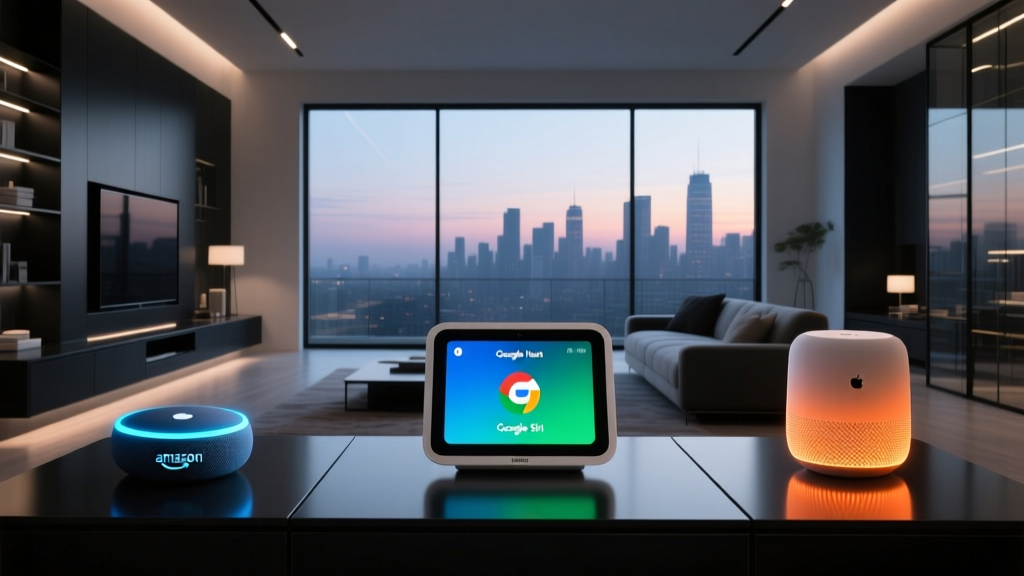
The modern smart home is a marvel of convenience, yet it is plagued by a persistent issue: ecosystem fragmentation. You might own an Amazon Echo for voice control, an Apple TV for HomeKit secure video, and a Samsung SmartThings hub for your Z-Wave sensors. While each platform excels in its own silo, getting them to communicate seamlessly remains a significant hurdle for both enthusiasts and casual users. When a Samsung Multipurpose Sensor cannot natively trigger an Apple HomeKit-compatible Nanoleaf light scene, the illusion of a unified, intelligent home shatters.
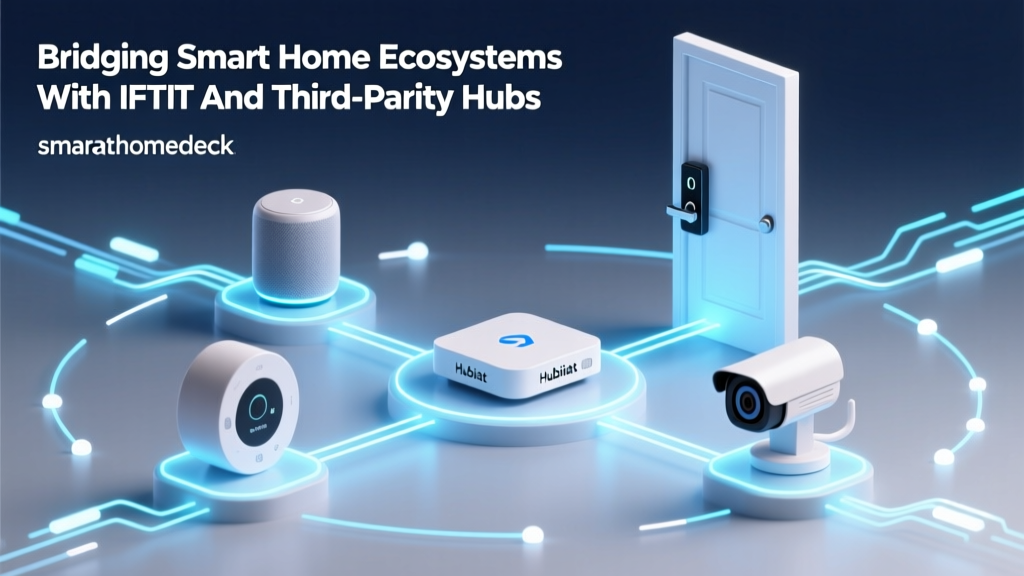
Historically, consumers were forced to choose a single ecosystem and restrict their hardware purchases to compatible devices. Today, however, the landscape has evolved. Through the clever use of third-party cloud integration services like IFTTT (If This Then That) and the emergence of the local, unified Matter protocol, bridging these walled gardens is not only possible but increasingly practical. In this comprehensive guide, we will explore how to leverage IFTTT and Matter to create a cohesive smart home environment, complete with cost analyses, latency comparisons, and step-by-step integration guides.
Understanding the Walled Gardens
Before diving into solutions, it is crucial to understand why these barriers exist. Major tech companies utilize ecosystem lock-in as a business strategy. Amazon Alexa prioritizes Ring cameras and Blink security systems. Apple HomeKit heavily favors devices with proprietary MFi (Made for iPhone) certification or native HomeKit support, often excluding popular budget brands. Google Home integrates deeply with Nest thermostats and cameras, while Samsung SmartThings serves as a massive aggregator for Zigbee and Z-Wave devices but struggles with native cloud-to-cloud control of certain Wi-Fi-only appliances.
The average smart home enthusiast utilizes devices from at least four different manufacturers, spanning three distinct ecosystem platforms. Without a bridging layer, automation potential is reduced by over 60%.
When you mix and match devices—say, a Lutron Caseta lighting system, an Ecobee thermostat, and an August smart lock—you inevitably hit a wall where native routines fail. This is where third-party integration platforms step in to act as digital diplomats.
IFTTT: The Cloud-Based Diplomat
IFTTT has been the cornerstone of cross-ecosystem integration for over a decade. Operating on a simple 'If This, Then That' logic, IFTTT connects disparate cloud APIs, allowing a trigger from one platform to execute an action on another. While the free tier of IFTTT has become more restricted over the years, the platform remains a powerful tool for bridging gaps that native apps cannot cross.
How IFTTT Bridges Ecosystems
IFTTT excels at cloud-to-cloud communication. For example, if you own a SmartThings water leak sensor and a Wi-Fi-enabled TP-Link Kasa smart plug connected to a water shut-off valve, you can create an Applet: If SmartThings detects water, Then turn on the Kasa plug. Neither Amazon Alexa nor Apple HomeKit needs to be involved in this specific transaction.
However, the true power of IFTTT for advanced users lies in the Webhooks service. Webhooks allow you to trigger IFTTT Applets via custom HTTP POST requests. This means if you have a local server, a Home Assistant instance, or even a smart button that can send a web request, you can trigger virtually any cloud-connected device on the IFTTT roster.
The Cost of Cloud Integration
IFTTT is no longer entirely free. To unlock multi-step Applets (e.g., one trigger causing three different actions across different ecosystems) and faster execution speeds, you must subscribe to IFTTT Pro, which costs approximately $3.99 per month (or $39.99 annually). For a whole-home integration setup, this is a reasonable software-as-a-service (SaaS) fee, but it does introduce a recurring cost and a reliance on external cloud servers. If your internet connection drops, or if IFTTT's servers experience downtime, your cross-ecosystem automations will fail.
Matter and Thread: The Native Bridge
While IFTTT relies on cloud APIs, Matter represents a fundamental shift in how smart home devices communicate. Developed by the Connectivity Standards Alliance (CSA), Matter is an open-source, royalty-free standard that operates locally over Wi-Fi and Thread networks. It is backed by industry giants including Apple, Amazon, Google, and Samsung.
The Magic of Multi-Admin
The most revolutionary feature of Matter for cross-ecosystem integration is Multi-Admin. In the past, a smart bulb could only be paired to one hub at a time. With Matter, a single device—such as an Eve Energy smart plug or a Nanoleaf light panel—can be paired to an Apple HomePod Mini and a Samsung SmartThings Station simultaneously. Both ecosystems treat the device as a native entity. You can use Siri to turn on the light, while simultaneously using a SmartThings automation to turn it off based on a Zigbee motion sensor. No cloud bridges, no IFTTT Applets, and zero latency penalties.
Thread: The Backbone of Local Reliability
Matter often utilizes Thread, a low-power mesh networking protocol. Thread requires a Border Router (such as an Apple TV 4K, Amazon Echo 4th Gen, or Google Nest Hub Max) to translate Thread signals to your home's Wi-Fi. Because Thread creates a self-healing mesh network, adding more Matter devices actually strengthens your network's reliability, ensuring that cross-platform commands execute instantly, even if your broadband internet is down.
Integration Method Comparison
Choosing the right bridging method depends on your hardware, budget, and technical expertise. Below is a detailed comparison of the three primary ways to bridge smart home ecosystems.
| Feature | IFTTT (Cloud) | Matter / Thread (Local) | Home Assistant (Local Hub) |
|---|---|---|---|
| Setup Difficulty | Easy (App-based) | Moderate (QR Code pairing) | Advanced (Requires server) |
| Execution Latency | High (500ms - 2000ms+) | Very Low (10ms - 50ms) | Low (20ms - 100ms) |
| Internet Dependency | Required (100%) | Not Required (Local) | Not Required (Local) |
| Cost | $3.99/month (Pro) | Hardware cost only ($25-$100+) | Hardware cost only ($60-$150) |
| Best For | Legacy Wi-Fi devices, webhooks | New devices, native multi-admin | Total control, complex logic |
Visualizing Latency: Cloud vs. Local Execution
One of the most critical factors in smart home automation is latency—the delay between a trigger occurring and the action executing. When bridging ecosystems, cloud-based solutions inherently introduce delays due to API routing. The chart below illustrates the average execution latency across different bridging methods.
Step-by-Step Guide: Bridging SmartThings and HomeKit
Let us walk through a practical, real-world scenario. You have a Samsung SmartThings Multipurpose Sensor ($25) on your front door, and you want it to trigger a Lutron Caseta Smart Bridge ($120) to turn on your entryway lights when the door opens. However, you primarily use Apple HomeKit for your daily routines, and Lutron's native HomeKit integration does not support direct triggering from third-party sensors without a hub.
Method A: The IFTTT Webhook Bridge
- Prepare the Virtual Switch: Purchase a cheap, HomeKit-compatible smart plug (e.g., Meross Smart Plug, $12). Add it to Apple HomeKit and name it 'Virtual Trigger 1'.
- Create the IFTTT Applet: Open IFTTT and create a new Applet. Set the 'If This' trigger to the SmartThings service, selecting 'Contact sensor opened' and choosing your front door sensor.
- Set the Action: Set the 'Then That' action to the Apple HomeKit service (or the Meross service directly). Choose 'Turn on' and select 'Virtual Trigger 1'.
- Configure Apple HomeKit: Open the Apple Home app. Create a new Automation: 'When Virtual Trigger 1 turns on, turn on Lutron Entryway Lights, then turn off Virtual Trigger 1 after 1 second.'
Result: The door opens, SmartThings alerts IFTTT via the cloud, IFTTT turns on the Meross plug, and Apple HomeKit detects the plug's state change, firing the Lutron lights. Total latency: ~1.5 seconds. Cost: $3.99/mo + $12 hardware.
Method B: The Matter Multi-Admin Bridge (Future-Proof)
If your devices support Matter, the process is vastly superior. Suppose you have a Matter-over-Thread Eve Door & Window Sensor ($40) and Matter-compatible Lutron Caseta Pro hub.
- Pair to Primary Hub: Scan the Matter QR code on the Eve Sensor using your Apple HomePod Mini.
- Enable Multi-Admin: In the Apple Home app, go to the sensor settings, select 'Turn On Access for Another Hub', and scan the QR code again using the Samsung SmartThings app.
- Build the Routine: Open SmartThings, create a routine: 'If Eve Door opens, turn on Lutron Lights'.
Result: Both ecosystems see the sensor natively. The automation executes locally via your Thread border router. Total latency: ~40 milliseconds. Cost: $0 monthly fees.
Privacy, Security, and Data Handling
When bridging ecosystems, you are inherently routing your home's data through third-party servers. Every time a door opens or a motion sensor trips, that telemetry data is sent to IFTTT's cloud, processed, and forwarded to the destination API. While IFTTT employs standard encryption protocols, the sheer volume of behavioral data generated by a smart home is a privacy concern for many users.
According to guidelines published by the Cybersecurity and Infrastructure Security Agency (CISA), IoT devices pose unique security risks, particularly when default configurations and cloud-dependent architectures are utilized. CISA emphasizes the importance of network segmentation and minimizing external data exposure to reduce the attack surface of connected homes.
Why Local Execution Matters for Privacy
This is where Matter and local hubs like Home Assistant shine. Matter utilizes end-to-end encryption (based on the same cryptographic standards used in secure messaging apps) and operates entirely on your local network. Your door sensor data never leaves your home to trigger a local light bulb. By transitioning from cloud-based IFTTT Applets to local Matter Multi-Admin routines, you drastically reduce your home's digital footprint, protecting your family's daily routines from data brokers and potential cloud breaches.
Troubleshooting Common Integration Hurdles
Even with robust tools, cross-ecosystem integrations can encounter friction. Here are solutions to common issues:
- IFTTT Webhook Failures: If your Webhooks are not triggering, verify that your router's firewall is not blocking outbound HTTPS traffic on port 443. Additionally, ensure your IFTTT Pro subscription is active, as the free tier severely limits Webhook reliability.
- Matter Pairing Errors: Matter requires a 2.4GHz Wi-Fi network for initial provisioning. If your phone is connected to a 5GHz-only SSID, the setup will fail. Temporarily enable a dedicated 2.4GHz guest network to complete the QR code pairing.
- SmartThings to HomeKit Latency: If using a cloud bridge, ensure your SmartThings hub has a strong Zigbee mesh. A weak signal from a sensor to the SmartThings hub will compound with IFTTT's cloud latency, resulting in delays exceeding 3 seconds.
Conclusion: Building a Unified Home
The era of being locked into a single smart home ecosystem is ending. While IFTTT remains a vital, flexible tool for connecting legacy Wi-Fi devices and bridging cloud APIs for a low monthly cost, the future unequivocally belongs to Matter. By investing in Matter-compatible hardware and leveraging Thread border routers, you can achieve the holy grail of smart home integration: instant, local, multi-platform control that respects your privacy and eliminates monthly SaaS fees. Whether you are using a $12 smart plug to trick Apple HomeKit or deploying a full Matter mesh network, the tools to build a truly unified smart home are finally at your fingertips.
For further reading on secure IoT deployment, refer to the CISA IoT Security Guidelines, and for the latest certified Matter devices, consult the Connectivity Standards Alliance. If you are setting up complex cloud triggers, the IFTTT Support Documentation provides essential API references.