The Fragmentation Problem in Modern Smart Homes
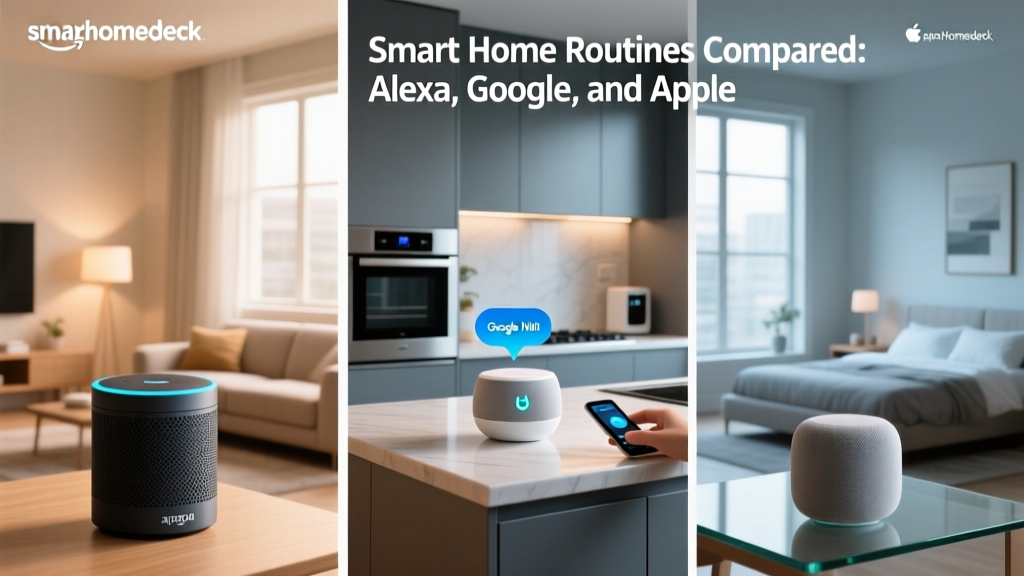
The smart home landscape is a paradox of convenience and frustration. On one hand, consumers have access to thousands of brilliant devices, from the Ecobee SmartThermostat to the Philips Hue lighting system. On the other hand, these devices are often locked behind walled gardens. Apple HomeKit demands strict security protocols and MFi certification, resulting in a premium but limited hardware selection. Amazon Alexa boasts the widest compatibility but lacks the local processing privacy of Apple's ecosystem. Google Home sits in the middle, leveraging powerful AI routines but often struggling with local execution speed.
What happens when you are deeply invested in Apple HomeKit but want to use a Ring Alarm system that only natively supports Alexa? Or perhaps you have a Google Nest Doorbell and want it to trigger your HomeKit-compatible Lutron Caseta lights? This is where third-party integration platforms, specifically IFTTT (If This Then That) and Webhooks, become the unsung heroes of the smart home world. By acting as universal translators, these tools allow disparate ecosystems to communicate, share triggers, and execute complex automations that native apps simply cannot handle.
Understanding IFTTT and Webhooks in Smart Home Automation
IFTTT is a cloud-based automation service that connects different web services and smart home APIs using simple 'If This, Then That' logic statements, known as Applets. While IFTTT was once the default bridge for smart homes, the platform shifted its business model in recent years, moving many advanced multi-step Applets behind its IFTTT Pro subscription, which costs approximately $3.49 to $5.99 per month depending on the billing cycle. According to The Verge's coverage of IFTTT's subscription shift, this change was made to support more complex, faster, and resource-heavy API queries required by modern smart homes.
The true power of IFTTT for advanced users lies in its Webhooks service (formerly known as the Maker Webhooks). A Webhook is essentially a user-defined HTTP callback. It allows you to trigger an IFTTT Applet by sending a simple HTTP POST request to a unique URL. This is incredibly powerful because platforms like Apple HomeKit (via the Shortcuts app) and Google Home (via Google Apps Script or third-party hubs) can send HTTP requests. By generating a Webhook URL in IFTTT, you can force HomeKit to 'press a virtual button' that Alexa or SmartThings recognizes.
For example, if you want an Eve Motion Sensor (HomeKit exclusive) to trigger an Alexa Guard Mode routine, you can create an Apple Shortcut that runs when motion is detected. That Shortcut sends a Webhook payload to IFTTT, which then triggers an Alexa API action. For detailed setup instructions on the Webhooks API, developers and power users frequently refer to the official IFTTT Webhooks FAQ to format their JSON payloads correctly.
Top Third-Party Hubs for Cross-Ecosystem Integration
While IFTTT handles cloud-to-cloud communication, relying entirely on the cloud introduces latency (often 1 to 3 seconds) and privacy concerns. To achieve local, instantaneous cross-ecosystem control, enthusiasts turn to third-party hardware hubs. Below is a comparison of the top three bridging solutions available today.
| Platform / Hub | Approximate Cost | Processing Location | Best For | Learning Curve |
|---|---|---|---|---|
| Home Assistant (Green / NUC) | $99 - $150+ | 100% Local | Power users, complex logic, total privacy | Steep |
| Hubitat Elevation (Model C-8) | $149.99 | Local (Zigbee/Z-Wave) + Cloud (Wi-Fi) | Plug-and-play local rules, rule machine | Moderate |
| Homebridge (Software) | $0 (Requires existing Pi/PC) | Local Network | Spoofing non-HomeKit devices into Apple Home | Moderate to Steep |
Home Assistant is the undisputed king of ecosystem bridging. Running on a dedicated device like the Home Assistant Green ($99) or a repurposed Intel NUC, it natively integrates with over 2,500 services. You can expose your Home Assistant entities to Google Home while simultaneously using the HomeKit Bridge integration to push those exact same entities to Apple HomeKit. The Home Assistant IFTTT integration also allows you to use IFTTT as a fallback trigger for cloud-only devices that lack local APIs.
Hubitat Elevation is a fantastic alternative for those who want local processing for Zigbee and Z-Wave devices without the YAML configuration required by Home Assistant. Its 'Rule Machine' app allows for complex conditional logic (e.g., 'If Nest Thermostat is in Eco Mode AND Hubitat motion sensor is clear, then turn off Philips Hue lights via cloud integration').
Step-by-Step: Triggering Alexa Routines from Apple HomeKit
Let us walk through a practical, actionable automation. Suppose you have an Aqara G3 Camera acting as a HomeKit hub, and you want a HomeKit automation to trigger an Alexa Routine that announces 'The garage door is open' on your Echo Show. Since Aqara and Apple do not natively push triggers to Alexa, we use IFTTT Webhooks as the bridge.
- Step 1: Set up IFTTT. Create an account, subscribe to IFTTT Pro, and navigate to the Webhooks service. Click 'Documentation' to find your unique Webhook Key.
- Step 2: Create the IFTTT Applet. Set the 'If' trigger to 'Receive a web request' and name the event
garage_open. Set the 'Then' action to 'Amazon Alexa' -> 'Trigger Alexa Routine'. (Note: You must link your Alexa account and create a dummy routine in the Alexa app triggered by the IFTTT skill). - Step 3: Create the Apple Shortcut. Open the Shortcuts app on your iPhone. Create a new Personal Automation triggered by your Aqara garage door sensor opening.
- Step 4: Add the Webhook Action. In the Shortcut, add the 'Get Contents of URL' action. Paste your IFTTT Webhook URL:
https://maker.ifttt.com/trigger/garage_open/with/key/YOUR_UNIQUE_KEY. Set the method to POST. - Step 5: Test and Refine. Open the garage door. The HomeKit sensor triggers the Shortcut, the Shortcut pings IFTTT, and IFTTT fires the Alexa routine. Total latency is usually between 800ms and 1.5 seconds depending on your internet connection.
Visualizing Integration Costs and Latency
When designing a smart home, understanding the trade-offs between cloud-based bridges (like IFTTT) and local hubs (like Home Assistant) is critical. The chart below illustrates the average latency and monthly financial cost associated with different cross-ecosystem integration methods.
As the data demonstrates, native cloud routines (e.g., Google triggering a native Wi-Fi smart plug) are free but suffer from moderate latency (approx. 800ms). IFTTT Pro introduces a monthly fee and the highest latency (1500ms+) because the signal must travel from your home, to Apple's servers, to IFTTT's servers, to Amazon's servers, and back to your Echo device. Conversely, local hubs like Home Assistant and Hubitat eliminate monthly fees and drop latency to under 100ms, providing a premium, instantaneous smart home experience.
Privacy, Security, and Cloud Dependencies
Every time you use a cloud-based bridge like IFTTT, your smart home metadata leaves your local network. While IFTTT employs robust encryption and adheres to standard privacy frameworks, the sheer volume of data generated by motion sensors, door contacts, and thermostat adjustments can paint a detailed picture of your daily routines. For privacy-conscious users, this is a significant drawback.
Furthermore, cloud dependencies introduce points of failure. If your ISP experiences an outage, or if Amazon's AWS servers (which host a vast portion of the smart home cloud infrastructure) experience downtime, your cross-ecosystem automations will fail. A security system that relies on IFTTT to turn on exterior lights when a HomeKit camera detects a person is useless during an internet outage. This is why industry experts universally recommend local processing hubs for any automation related to home security, lighting, and climate control.
The Future: Will Matter Eliminate the Need for IFTTT?
The introduction of the Matter protocol and Thread networking has sparked a common question: Will universal standards render IFTTT and third-party hubs obsolete? The short answer is no. Matter is a device-level interoperability standard. It ensures that a Matter-certified smart plug can be simultaneously controlled by Apple HomeKit, Google Home, and Amazon Alexa without needing cloud bridges.
However, Matter does not standardize automation logic or advanced multi-ecosystem routines. If you want a complex conditional routine—such as 'If the Ecobee thermostat detects the house is empty, and the Apple HomeKit door lock is secured, then trigger a Google Home broadcast and arm the Ring Alarm via Webhooks'—Matter cannot do this natively. Matter gets the devices into the same app, but platforms like IFTTT, Home Assistant, and Hubitat remain essential for orchestrating the complex, conditional logic that turns a house full of smart devices into a truly automated, intelligent home.
Conclusion
Bridging the gap between Apple HomeKit, Google Home, and Amazon Alexa requires a strategic mix of cloud services and local hardware. IFTTT and Webhooks remain indispensable tools for connecting cloud-locked devices and triggering voice assistant routines across walled gardens. However, for those seeking zero latency, enhanced privacy, and protection against internet outages, investing in a local hub like Home Assistant or Hubitat is the ultimate solution. By understanding the strengths and limitations of each integration method, you can build a resilient, cross-ecosystem smart home that works exactly the way you want it to.