The Great Ecosystem Shift: Leaving Google Home for Apple HomeKit
Migrating your smart home from one ecosystem to another is often compared to moving houses. You have to pack up your digital routines, audit your hardware compatibility, and establish new foundations. For many smart home enthusiasts, the journey from Google Home to Apple HomeKit is driven by a desire for enhanced privacy, local network processing, and a more unified, polished user interface across Apple devices. However, the fear of 'ecosystem lock-in' and the potential cost of replacing dozens of smart devices has historically kept users tethered to their original platforms.
Fortunately, the smart home landscape has fundamentally shifted. With the rollout of the Matter protocol and the maturation of Thread networking, migrating from Google Home to Apple HomeKit is no longer a complete rip-and-replace operation. This comprehensive guide will walk you through the technical nuances, cost analyses, and step-by-step strategies required to successfully transition your smart home to the Apple Home ecosystem without leaving your favorite devices behind.
Why Migrate from Google Home to Apple HomeKit?
Before initiating a complex migration, it is essential to understand the architectural differences between the two platforms. Google Home (now transitioning to the Google Home app powered by Nest) excels in cloud-based voice recognition, deep search integration, and broad legacy compatibility. Apple HomeKit, conversely, prioritizes local execution, stringent security protocols, and seamless integration within the Apple hardware ecosystem.
- Local Processing and Reliability: Apple HomeKit heavily favors local network communication. When you trigger a HomeKit Scene via an Apple TV or HomePod hub, the command is processed locally over your LAN or Thread network, resulting in near-instantaneous execution even if your internet connection drops. Google Home still relies heavily on cloud round-trips for many third-party devices.
- Privacy and Data Architecture: Apple's approach to smart home data is rooted in end-to-end encryption and on-device processing. According to Apple's official Home app architecture, your home data is encrypted and synced via iCloud, ensuring that accessory states and automation logs are not mined for advertising profiles. Google's ecosystem, while offering robust privacy controls via Google Privacy settings, is inherently tied to a broader cloud-based data and advertising ecosystem.
- Interface and Dashboard Control: The Apple Home app provides a highly customizable, tile-based dashboard that integrates smoothly with Apple Watch and CarPlay. While Google's new Home app has improved its dashboarding, HomeKit's native widget support and Siri Shortcuts integration offer a more cohesive experience for households already invested in iPhones and iPads.
The Matter Protocol: Your Migration Lifeline
The single most important factor in modern ecosystem migration is Matter. Developed by the Connectivity Standards Alliance (CSA), Matter is an open-source, royalty-free connectivity protocol designed to unify smart home devices across disparate platforms. If your existing Google Home devices are Matter-compatible, they can be natively paired with Apple HomeKit without requiring third-party bridges or cloud integrations.
Understanding Matter over Thread
Many modern smart home devices utilize Thread, a low-power mesh networking protocol that serves as the transport layer for Matter. To migrate these devices to Apple HomeKit, you need a Thread Border Router. Fortunately, modern Apple hubs—such as the Apple TV 4K (2nd generation and later) and the HomePod Mini—double as Thread Border Routers. This means you can unpair a Thread-based smart plug or sensor from your Google Nest Hub and immediately pair it to your Apple Home app, maintaining the same local, low-latency performance.
Device Compatibility Audit: What Stays and What Goes?
Not all devices in your Google Home ecosystem will support Matter. Legacy Wi-Fi and proprietary Zigbee devices present unique migration challenges. Below is a compatibility matrix detailing how common device categories transition from Google Home to Apple HomeKit.
| Device Category | Google Home Native Example | HomeKit Migration Path | Estimated Cost to Replace |
|---|---|---|---|
| Smart Lighting | Philips Hue / LIFX | Update Hue Bridge firmware for Matter; LIFX supports Matter via beta/updates. | $0 (via Matter update) |
| Smart Thermostats | Google Nest Learning Thermostat | Nest does not support Matter natively. Requires Starling Home Hub bridge or full replacement (e.g., Ecobee). | $80 (Bridge) or $250 (New) |
| Smart Plugs/Switches | Eve Energy / TP-Link Tapo | Eve is natively HomeKit/Thread. Tapo supports Matter over Thread on newer models. | $0 |
| Security Cameras | Google Nest Cam / Ring | Ring and Nest do not support Matter video. Requires Scrypted/Homebridge server for RTSP bridging. | $0 (Software bridge) |
| Smart Locks | Yale Assure / Schlage Encode | Yale supports Matter on newer modules. Schlage Encode Plus is natively HomeKit. | $0 - $150 |
The Hidden Costs: Hubs, Bridges, and Border Routers
When migrating to Apple HomeKit, the most critical investment is not necessarily the end-point devices, but the hub infrastructure. Unlike Google Home, which can use almost any Nest speaker as a functional hub, Apple HomeKit requires specific hardware for remote access, automation execution, and Thread routing.
To successfully migrate, you must acquire at least one dedicated Apple Home Hub. The Apple TV 4K (Wi-Fi + Ethernet) is widely considered the gold standard for HomeKit hubs due to its Gigabit Ethernet port, which provides a stable backbone for Thread mesh networks. Alternatively, a HomePod Mini or the newer HomePod (2nd Gen) can serve as a hub, though they lack wired Ethernet, which can occasionally lead to Thread mesh instability in larger homes with dense wall structures.
For users with legacy Zigbee devices (like older Philips Hue bulbs or Aqara sensors), you will need to retain your existing Zigbee bridges (e.g., the Hue Bridge) and link them to the Apple Home app via Matter or native HomeKit integration, rather than relying solely on Thread.
Cost Analysis: Full Replacement vs. Matter Retention
One of the primary concerns for users switching ecosystems is the financial burden of replacing incompatible hardware. The visualization below compares the estimated costs of completely replacing a standard smart home setup with native Apple HomeKit devices versus leveraging Matter, Thread, and software bridges to retain existing Google-compatible hardware.
As the data illustrates, leveraging Matter and existing bridges can save the average user over $1,500 during an ecosystem migration. The primary expenses in the 'Migration' column stem from purchasing necessary software bridges (like the Starling Home Hub for Nest thermostats) or upgrading older Wi-Fi devices that lack the hardware radios required for Thread or Matter.
Rebuilding Automations: Google Routines vs. Apple Scenes
Hardware is only half the battle; the logic that runs your home must also be rebuilt. Google Home utilizes 'Routines,' which allow for complex, multi-step logic, including local sunrise/sunset offsets and basic conditional statements. Apple HomeKit utilizes 'Scenes' and 'Automations.'
Translating Logic to HomeKit
When migrating your automations, you will notice a shift in terminology and capability:
- Scenes: A Scene is a snapshot of device states (e.g., 'Movie Time' dims the Hue bulbs to 20% and closes the smart blinds). HomeKit allows you to trigger Scenes via Siri, widgets, or NFC tags.
- Automations: Automations are the triggers that activate Scenes or individual devices based on time, location (Geofencing), sensor states, or accessory triggers.
- The Geofencing Advantage: Apple HomeKit's location-based automations are generally more reliable than Google's. Because iOS tightly integrates GPS and Bluetooth beaconing, HomeKit can accurately trigger 'Arrive Home' and 'Leave Home' automations with minimal latency, without requiring the cloud-heavy location polling that Google sometimes relies upon.
For advanced logic that HomeKit's native app does not support (such as 'If motion is detected, AND lux is below 50, AND TV is off'), migrating users often turn to third-party iOS apps like Pushcut or Controller for HomeKit. These apps unlock hidden HomeKit characteristics and allow for complex conditional programming that rivals or exceeds Google's Routine builder.
Advanced Migration: Using Homebridge and Scrypted
If you are heavily invested in Google Nest hardware (such as Nest Cams, Nest Doorbells, or Nest Protects), you will quickly discover that Google actively prevents these devices from integrating natively with Apple HomeKit or Matter. To retain these expensive devices during your migration, you must utilize software bridging.
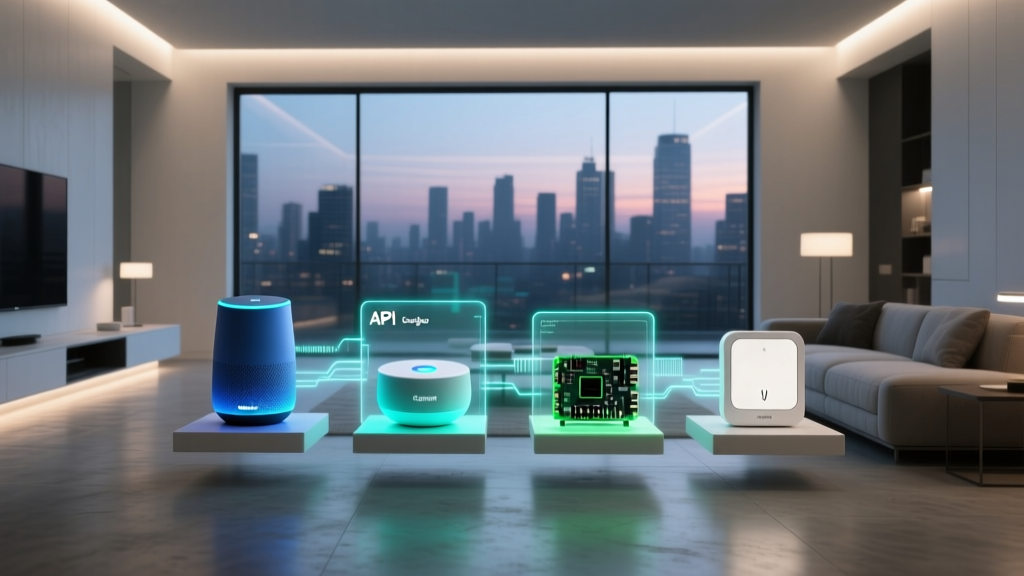
Homebridge is an open-source NodeJS server that mimics the iOS HomeKit API, tricking your Apple devices into recognizing non-compatible hardware. By installing the 'Nest' or 'Google Smart Device Management' plugins, you can expose your Nest thermostats and cameras to Apple Home. Similarly, Scrypted is a powerful home automation server that excels at video transcoding. It can pull RTSP streams from your Google Nest cameras and push them into Apple HomeKit Secure Video, enabling iCloud recording, facial recognition, and rich notifications on your iPhone and Apple TV.
While running these servers requires a dedicated device (such as a Raspberry Pi, an Intel NUC, or a NAS), it is a highly cost-effective way to preserve your camera and thermostat investments during the migration process.
Step-by-Step Migration Action Plan
To ensure a smooth transition without leaving your home in a state of digital chaos, follow this phased migration strategy:
- Audit and Update: Open your Google Home app and list all connected devices. Check the manufacturer's website for each device to confirm if a Matter or Thread firmware update is available. Apply all updates while the devices are still on your Google network.
- Establish the Apple Hub: Set up your Apple TV 4K or HomePod Mini. Ensure it is connected to your primary network and designated as the primary Home Hub in the Apple Home settings.
- Migrate Matter/Thread Devices First: Factory reset your Matter-compatible smart plugs, switches, and sensors. Open the Apple Home app, scan the Matter QR code (or use the NFC tap feature on newer iPhones), and assign them to your rooms.
- Bridge Legacy Hubs: Link your Philips Hue Bridge or SmartThings Station to Apple HomeKit using their native HomeKit integration or Matter bridge capabilities.
- Deploy Software Bridges: Set up Homebridge or Scrypted for your stubborn Nest cameras and proprietary Wi-Fi devices.
- Rebuild Automations: Translate your most critical Google Routines (like security arming and morning lighting) into Apple HomeKit Automations. Test the Geofencing triggers by physically leaving and entering your home radius.
- Decommission Google: Once all automations are verified and Apple HomeKit is functioning reliably, factory reset the remaining Google-exclusive hardware you intend to sell or recycle, and uninstall the Google Home app from your primary devices.
Final Thoughts on Ecosystem Freedom
Switching from Google Home to Apple HomeKit is a significant undertaking that requires careful planning, a solid understanding of network topology, and a willingness to invest in proper hub infrastructure. However, the reward is a highly responsive, privacy-centric smart home that operates independently of cloud outages and respects your personal data. Thanks to the universal adoption of Matter and the power of Thread networking, the days of throwing away perfectly good smart bulbs and plugs just to change your voice assistant are finally over. By leveraging native Matter support and strategic software bridges, you can build an Apple HomeKit ecosystem that is both robust and economically sensible.