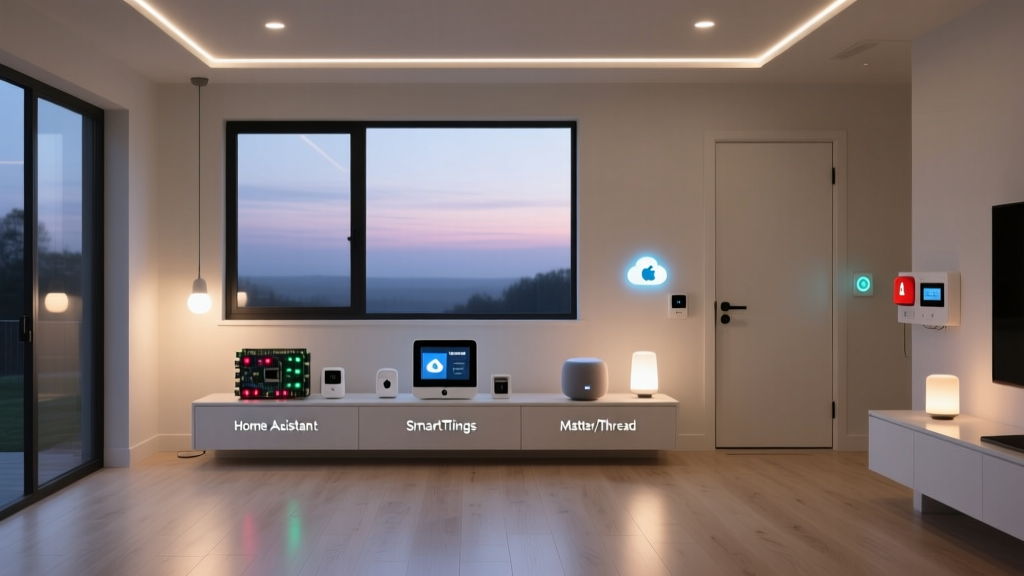
The Case for Local Control in a Cloud-Dependent World
The modern smart home is a marvel of convenience, but it suffers from a critical vulnerability: an over-reliance on the cloud. When Amazon Web Services (AWS) experiences an outage, millions of Ring doorbells, Nest thermostats, and Alexa routines simultaneously become useless. Your home should not require a stable connection to a server farm thousands of miles away just to turn on the living room lights. This is where Home Assistant enters the conversation as the ultimate open-source alternative to Big Tech ecosystems.
Home Assistant is a free, open-source home automation platform designed to run locally on your network. Unlike Amazon Alexa, Google Home, or Samsung SmartThings, Home Assistant processes all logic, automations, and device states locally. This means your smart home continues to function perfectly even if your internet connection goes down. Furthermore, because it is entirely agnostic, it does not lock you into a single brand's walled garden. You can mix Philips Hue bulbs, Lutron Caseta switches, Shelly Wi-Fi relays, and generic Zigbee sensors into one unified, lightning-fast dashboard.
Hardware Options: Building Your Home Assistant Server
To run Home Assistant, you need a dedicated piece of hardware that stays on 24/7. The beauty of the platform is its scalability; you can start with a budget-friendly microcomputer and scale up to a robust home server as your device count grows. Here are the most practical hardware routes, complete with cost ranges and performance expectations.
1. Home Assistant Green (The Plug-and-Play Choice)
Priced at $99 USD, the Home Assistant Green is the official entry-level hub created by Nabu Casa (the company founded by the creators of Home Assistant). It requires zero technical setup. You plug it into your router via Ethernet, connect the power supply, and access the onboarding wizard via your browser. It lacks built-in wireless radios (Zigbee/Thread), so you will need USB dongles for those protocols, but its reliability and dedicated eMMC storage make it vastly superior to SD-card-based setups.
2. Home Assistant Yellow (The Integrated Powerhouse)
At $199 USD (plus the cost of a Compute Module and power supply), the Yellow is designed for enthusiasts. It features a built-in Zigbee and Thread (Matter) radio, eliminating the need for external USB dongles. It also includes an M.2 slot for an NVMe SSD, ensuring lightning-fast database read/write operations, which is crucial when tracking the historical data of hundreds of sensors.
3. Raspberry Pi 5 (The DIY Classic)
The Raspberry Pi 5 ($80 - $100 USD with accessories) remains a popular choice. However, running an operating system off a MicroSD card is a recipe for corruption due to the constant database logging Home Assistant performs. If you choose this route, it is highly recommended to invest in an NVMe HAT or a USB-to-SSD adapter to boot from a solid-state drive, adding roughly $30 to your total build cost.
4. x86 Mini PCs (The Power User's Dream)
For homes with over 150 devices, IP cameras, and heavy integrations, an Intel N100 or N95 Mini PC (like the Beelink S12 Pro, $150 - $180 USD) is the gold standard. These x86 machines support Docker, allowing you to run Home Assistant OS alongside Frigate (for local AI security camera processing), Plex, and Pi-hole on the same machine via virtualization.
Protocol Compatibility: Unifying Your Fragmented Ecosystem
One of the most significant advantages of Home Assistant is its native support for virtually every smart home protocol in existence. While Apple HomeKit restricts you to certified (and often expensive) accessories, Home Assistant bridges the gap between legacy devices and cutting-edge standards.
| Protocol | Range & Power | Best Use Case | Recommended Hardware | Approx. Cost |
|---|---|---|---|---|
| Zigbee 3.0 | Mesh Network / Low Power | Door sensors, temp sensors, smart bulbs | Sonoff Zigbee 3.0 USB Dongle Plus (P-Version) | $25 |
| Z-Wave Plus V2 | Mesh Network / Low Power | Smart locks, heavy-duty relays, garage doors | Aeotec Z-Stick 7 | $45 |
| Wi-Fi (2.4GHz) | Hubless / High Power | Wall switches, smart plugs, RGBW strips | Shelly Plus 1 / Shelly Plug US | $12 - $20 |
| Matter / Thread | Mesh Network / Low Power | Future-proofing, fast local polling | Home Assistant SkyConnect / Yellow | $30 - $199 |
By utilizing the Connectivity Standards Alliance's Matter protocol, Home Assistant is actively future-proofing itself. Matter allows devices to communicate locally over IP networks, and Home Assistant's Matter Server integration is currently one of the most robust and rapidly updated implementations on the market.
Privacy and Security: Keeping Your Data Behind Closed Doors
In an era where data is the world's most valuable commodity, smart home privacy is a massive concern. Voice assistants from major tech companies rely on cloud processing, meaning your voice queries, device usage patterns, and daily routines are constantly transmitted to external servers for telemetry and targeted advertising.
Home Assistant takes a fundamentally different approach: local-first privacy. Your floor plan, device states, camera feeds, and automation logs never leave your local network unless you explicitly configure them to do so. This aligns perfectly with the warnings issued by digital rights organizations. For instance, the Mozilla Foundation's extensive research on IoT privacy highlights how easily consumer smart devices can be compromised or exploited for data harvesting. By keeping the brain of your smart home on a local server, you eliminate the attack surface presented by cloud APIs. You can read more about the inherent risks of connected devices in the Mozilla *Privacy Not Included smart home guide.
If you require remote access while away from home, Home Assistant offers Nabu Casa ($6.50/month), a secure, encrypted remote access tunnel that does not require you to open ports on your home router, maintaining strict security boundaries while supporting the open-source project's development.
Advanced Automations: Where Home Assistant Truly Shines
Big tech ecosystems limit you to basic 'If This, Then That' routines. Home Assistant's automation engine is limited only by your imagination. It supports complex logic, state-tracking, and mathematical templating using Jinja2.
Consider a practical example: Circadian Rhythm Lighting. Instead of simply turning lights on at sunset, Home Assistant can calculate the exact solar elevation angle at your GPS coordinates. As the sun sets, your Philips Hue and Shelly RGBW bulbs gradually shift from 4000K (cool white) to 2000K (warm amber) and dim to 60% brightness. After 10 PM, motion sensors trigger a dim, 10% brightness red light in the hallway to guide you to the bathroom without disrupting your melatonin production.
Furthermore, the ESPHome integration allows DIY enthusiasts to flash custom firmware onto $5 ESP32 microcontrollers. You can build your own presence sensors, air quality monitors (using BME680 sensors), and plant moisture trackers that integrate directly into Home Assistant via Wi-Fi, completely bypassing proprietary Tuya or Smart Life apps.
Ecosystem Latency and Performance Comparison
Because Home Assistant processes logic locally on your LAN, the latency between a sensor trigger and an action execution is virtually imperceptible. Cloud-based ecosystems must send the signal to a remote server, process the logic, and send the command back to your device. The chart below illustrates the average command latency across major ecosystems.
As visualized, Home Assistant's 15ms average latency makes physical switches and motion-activated lights feel instantaneous, eliminating the 'cloud lag' that plagues Wi-Fi devices relying on remote servers.
Home Assistant vs. Big Tech: A Feature Breakdown
- Amazon Alexa: Superior for voice recognition and multi-room audio, but heavily reliant on the cloud, riddled with privacy concerns, and limited in complex conditional logic.
- Apple HomeKit: Excellent privacy and local control via Home Hubs, but severely limited by high hardware costs, strict certification requirements, and lack of support for DIY or niche protocols.
- Samsung SmartThings: Good device compatibility and hub-based execution, but the automation engine is rudimentary, and the platform increasingly pushes users toward cloud-dependent features and subscription models.
- Home Assistant: Unmatched compatibility, total local control, zero mandatory subscriptions, and infinite customization. The trade-off is a steeper learning curve and the requirement to manage your own hardware server.
Getting Started: Your First 30 Days with Home Assistant
Transitioning to Home Assistant does not require you to rip and replace your existing devices. The best approach is incremental adoption. Start by purchasing a Home Assistant Green and a Sonoff Zigbee Dongle. Next, buy a few inexpensive Zigbee door/window sensors and a Shelly Wi-Fi relay for a 'dumb' overhead light.
Use the native dashboard builder to create a clean, mobile-friendly interface for your family. Once comfortable, explore the Home Assistant official documentation to learn about YAML templating and community add-ons like HACS (Home Assistant Community Store). Within 30 days, you will have reclaimed your privacy, eliminated cloud lag, and built a smart home that truly works for you, not for a tech conglomerate's data brokers.