Homey Pro Multi-Protocol Smart Home Ecosystem Review: The Ultimate Hub for Advanced Automation
The modern smart home landscape is a sprawling, fragmented ecosystem of competing standards, proprietary walled gardens, and cloud-dependent devices. For enthusiasts and everyday users alike, the dream of a unified, responsive, and private smart home often feels just out of reach. Enter the Homey Pro, a premium, multi-protocol smart home hub designed by Athom to bridge the gap between disparate wireless technologies and bring true local automation to the masses. In this comprehensive Homey Pro multi-protocol smart home ecosystem review, we will explore every facet of this powerhouse device, from its unparalleled radio array to its advanced automation engine, privacy architecture, and how it stacks up against the competition.
Unlike traditional hubs that lock you into a single brand or rely heavily on distant servers to process basic commands, the current-generation Homey Pro is built on a 'local-first' philosophy. It acts as the central brain of your home, capable of speaking eight different wireless protocols simultaneously. Whether you are upgrading from a basic cloud-based setup or migrating away from a highly complex, DIY server rack, the Homey Pro promises a polished, powerful, and highly reliable experience. Let us dive deep into what makes this spherical marvel a cornerstone of the best smart home setups available today.
Unmatched Multi-Protocol Compatibility: Breaking Down the Walled Gardens
The most striking feature of the Homey Pro is its internal hardware. While most smart home hubs support two or perhaps three wireless protocols, the Homey Pro houses an array of antennas capable of communicating across eight distinct technologies. This multi-protocol approach is not just a marketing gimmick; it is a practical necessity for anyone who has spent years accumulating devices from different eras and manufacturers. By supporting such a wide array of frequencies and standards, Homey Pro effectively eliminates the need for multiple bridges, dongles, and proprietary gateways cluttering your router.
Zigbee and Z-Wave: The Mesh Network Powerhouses
Zigbee and Z-Wave remain the backbone of reliable smart home sensor and lighting networks. Homey Pro features dedicated, high-gain antennas for both protocols. The Z-Wave Plus V2 (700/800 series) chip ensures faster communication, longer range, and enhanced security for your locks and sensors. Meanwhile, the Zigbee 3.0 radio supports thousands of devices, from Philips Hue bulbs to Aqara motion sensors. Because both protocols utilize mesh networking, every mains-powered device you add to your Homey Pro acts as a repeater, extending the range and robustness of your network. For a deeper look at compatible sensors, check out our guide to the best Zigbee motion sensors for mesh networks.
Matter and Thread: Future-Proofing Your Home
The smart home industry is rallying behind Matter, the unified application layer standard, and Thread, its low-power, IP-based mesh networking protocol. Homey Pro is fully equipped with Thread border router capabilities and Matter controller support. This means that as new Matter-over-Thread devices hit the market, they can be commissioned directly to your Homey Pro without relying on a secondary hub like an Apple TV or Nest Hub. This forward-looking integration ensures that your investment is protected as the industry transitions to this new universal standard.
Wi-Fi, Bluetooth, Infrared, and RF 433/868MHz
Where Homey Pro truly separates itself from the pack is its inclusion of legacy and supplementary protocols. The built-in Wi-Fi and Bluetooth radios allow direct integration with LAN-based devices and local Bluetooth sensors. The Infrared (IR) blaster transforms the Homey Pro into a universal remote, capable of controlling 'dumb' TVs, soundbars, and air conditioning units via IR commands. Finally, the RF 433/868MHz transceiver opens the door to a massive market of affordable, legacy smart plugs, weather stations, and motorized blinds that operate on radio frequencies. This holistic approach means that almost nothing in your home is left out of the automation loop.
Best Devices to Pair with Homey Pro for a Complete Setup
To truly leverage the power of the Homey Pro ecosystem, you need to pair it with high-quality, responsive devices. Because the hub is brand-agnostic, you are free to mix and match the best devices on the market rather than settling for a single manufacturer's lineup. Here are the best device categories and recommendations to build a robust, multi-protocol setup.
Smart Lighting and Shading
For lighting, combining Philips Hue (via the Zigbee mesh or the official Hue Bridge app) with IKEA Dirigera or Tradfri Zigbee bulbs provides a perfect balance of color accuracy and affordability. For motorized blinds, pairing Z-Wave or Zigbee roller motors allows Homey Pro to adjust your home's natural light based on the sun's position or the indoor temperature. Explore our comprehensive breakdown of smart lighting ecosystems to find the perfect bulbs for your fixtures.
Climate Control and Energy Management
Climate control is where local processing shines, as you do not want your heating to fail just because your internet connection drops. Integrating smart thermostats like Tado, Nest (via local APIs where possible), or Z-Wave radiator valves allows Homey Pro to create multi-room climate zones. Furthermore, pairing Shelly Wi-Fi relays and energy monitors behind your switches provides real-time power consumption data directly to the Homey dashboard. For complete climate control, review our picks for the best smart thermostats available today.
Security, Access, and Leak Detection
Security demands absolute reliability. Z-Wave is generally preferred for critical security devices due to its strict certification process and lack of Wi-Fi congestion interference. Pairing Homey Pro with Aqara smart locks, Z-Wave door/window sensors from Fibaro or Aeotec, and Zigbee water leak sensors creates a formidable security net. If a leak is detected under the sink, Homey Pro can instantly trigger a Z-Wave smart water valve to shut off the main water supply, all processed locally in milliseconds.
Mastering Homey Flow: Advanced Automation Without the Cloud
The true magic of any smart home hub lies in its automation engine. Homey Pro utilizes a visual programming interface called 'Flow'. Designed to be intuitive for beginners yet incredibly deep for power users, Flow operates on a simple logic structure: Triggers, Conditions, and Actions.
The Basics of Flow
A basic Flow might look like this: When the living room motion sensor detects movement (Trigger), And the sun has set (Condition), Then turn on the hallway lights to 50% brightness (Action). This visual card-based system makes it easy to understand the logic at a glance without writing a single line of code. The Homey app provides thousands of pre-built logic cards from community-developed apps, allowing you to pull data from weather services, local network devices, and complex variables.
Advanced Flow and Logic Gates
For more complex scenarios, Homey offers 'Advanced Flow'. This feature allows for multiple triggers, nested conditions, and parallel actions. You can use logic gates (AND/OR), create custom variables, and implement delays or loops. For example, you can create a 'Movie Night' Flow that triggers when your media server detects a specific movie genre, dims the Zigbee lights, closes the RF-controlled blinds, turns on the IR-controlled soundbar, and pauses your Wi-Fi router's bandwidth-heavy background tasks.
HomeyScript: The Power of JavaScript
When visual cards are not enough, HomeyScript steps in. This feature allows users with programming knowledge to write custom JavaScript snippets that interact directly with the Homey API. You can parse complex JSON data from a local web server, perform advanced mathematical calculations for solar panel efficiency, or trigger webhooks to external services like IFTTT or local Home Assistant instances. HomeyScript bridges the gap between consumer-friendly automation and professional-grade system integration.
Energy Monitoring, Insights, and the Homey Dashboard
One of the most underrated features of the Homey Pro ecosystem is its built-in energy management and insights capabilities. As energy prices fluctuate and homeowners increasingly adopt solar panels and EV chargers, understanding your home's power consumption is vital.
Tracking Every Watt
Homey Pro automatically aggregates energy data from compatible devices. If you have smart plugs with energy monitoring, Zigbee smart meters, or integrated solar inverters, Homey compiles this data into beautiful, easy-to-read graphs. You can track your home's total energy usage, identify phantom loads from appliances on standby, and monitor the charge levels of every battery-powered sensor in your mesh network.
Custom Dashboards for Wall Tablets
The Homey Dashboard feature allows you to create custom, touch-friendly interfaces. This is perfect for mounting a tablet on your wall to serve as a central control panel. You can display live weather data, security camera snapshots, energy consumption graphs, and quick-action buttons for complex Flows. Because the dashboard is hosted locally on the Homey Pro, it loads instantly and remains fully functional even if your external internet connection goes down.
Privacy, Security, and Local Processing: Taking Back Control
In an era of increasing data breaches and privacy concerns, the reliance on cloud servers for basic smart home functions is a major vulnerability. If a manufacturer goes out of business or shuts down its servers, your expensive smart devices can become useless bricks. Homey Pro addresses this with a strict local-first architecture.
The Local-First Advantage
When you issue a command via the Homey app, or when a sensor triggers a Flow, the processing happens entirely on the Homey Pro hardware sitting in your living room. The command travels from your phone to your local router, and directly to the hub. This results in near-zero latency and ensures that your daily routines are not dependent on the stability of external servers. To learn more about securing your network, read our guide on smart home privacy and security.
Secure Remote Access
But what if you want to control your home while away? Homey provides secure remote access via the Homey Cloud. However, unlike other ecosystems that route your local device commands through the cloud, Homey uses the cloud merely as a secure tunnel. Your Homey Pro establishes an outbound, encrypted connection to the Homey Cloud. When you use the app remotely, your command is sent to the cloud, which then passes it down the secure tunnel to your hub. Your local IP address is never exposed, and no video feeds or sensitive sensor data are stored on Athom's servers.
Homey Pro vs. The Competition: Hubitat, SmartThings, and Home Assistant
To truly understand the value proposition of the Homey Pro, it is essential to compare it against the other major players in the advanced smart home hub market. Each platform has its own philosophy, target audience, and set of trade-offs.
Homey Pro vs. Hubitat Elevation
Hubitat is the closest direct competitor to Homey Pro in terms of local processing and multi-protocol support. Hubitat is incredibly powerful and favored by hardcore enthusiasts who do not mind a utilitarian, dated user interface. Hubitat relies heavily on user-written Groovy code for custom device drivers. Homey Pro, on the other hand, offers a vastly superior, modern mobile app, a beautiful web interface, and a much more polished out-of-the-box experience. While Hubitat is generally cheaper, Homey Pro justifies its premium price tag with its superior hardware design, built-in IR/RF radios, and intuitive Advanced Flow engine.
Homey Pro vs. Samsung SmartThings
Samsung SmartThings is the most popular hub on the market, largely due to its low price point and widespread retail availability. However, SmartThings is fundamentally a cloud-first ecosystem. While local execution is possible for certain certified devices, the majority of complex automations and third-party integrations require cloud processing, leading to latency and vulnerability to internet outages. Furthermore, SmartThings is heavily tied to the Samsung ecosystem. Homey Pro is entirely brand-agnostic and processes everything locally, making it the superior choice for users who prioritize reliability and privacy over a low entry price.
Homey Pro vs. Home Assistant
Home Assistant is the undisputed king of open-source smart home software. It is free, infinitely customizable, and supports virtually every device in existence. However, it requires a steep learning curve, a dedicated piece of hardware (like a Raspberry Pi or mini PC), and a willingness to troubleshoot YAML files, Linux command lines, and network configurations. Homey Pro is essentially the 'Apple' approach to the Home Assistant philosophy: it offers 90% of the power with 10% of the headache. For users who want advanced local automation without turning their smart home into a part-time IT job, Homey Pro is the clear winner. If you are curious about the open-source route, check out our Home Assistant beginner's guide.
Setup Tips and Best Practices for Network Optimization
While the Homey Pro is designed to be plug-and-play, the physical environment and network topology of your home can significantly impact its performance. Following these best practices will ensure your mesh networks are stable and your automations are lightning-fast.
Optimal Physical Placement
The spherical design of the Homey Pro is not just aesthetic; it houses a carefully calibrated array of omnidirectional antennas. To maximize signal strength, place the Homey Pro in a central, elevated location in your home. Avoid hiding it inside metal cabinets, behind large TVs, or directly next to your Wi-Fi router, as the 2.4GHz Wi-Fi band can cause severe interference with Zigbee and Thread signals. The included stand allows you to position it perfectly on a shelf or desk.
Managing Mesh Network Congestion
Zigbee and Wi-Fi both operate on the 2.4GHz spectrum. If your Wi-Fi router is set to auto-select channels, it may inadvertently overlap with your Zigbee network, causing dropped sensor readings. It is highly recommended to lock your 2.4GHz Wi-Fi to channel 1, 6, or 11, and then manually set your Homey Pro's Zigbee channel to 15, 20, or 25 to ensure the frequencies do not collide. Additionally, perform a 'Z-Wave Network Heal' via the Homey app whenever you add or move multiple Z-Wave devices to ensure the mesh routing tables are updated.
IoT VLANs and Network Security
For advanced users running a prosumer router (such as Ubiquiti or pfSense), placing your Wi-Fi-based IoT devices on a dedicated Virtual Local Area Network (VLAN) is a great security practice. The Homey Pro can easily bridge these networks. Simply connect the Homey Pro's Wi-Fi radio to your main trusted network, while your smart bulbs and plugs reside on the restricted IoT VLAN. Homey Pro will communicate with them locally via IP, keeping your personal computers and phones isolated from potentially vulnerable smart appliances.
Frequently Asked Questions (FAQ)
Do I need a subscription to use Homey Pro?
No, one of the most significant advantages of the Homey Pro is that it does not require a mandatory subscription for its core features. When you purchase the Homey Pro, you own the hardware and the local software outright. All local automations, device integrations, and dashboard features are completely free. Athom does offer an optional 'Homey Premium' subscription, but this is strictly for users who want to add cloud-based backups, remote access via the cloud tunnel without setting up local port forwarding, and access to premium community apps. For the vast majority of users, the base, subscription-free experience is more than sufficient.
How many devices can Homey Pro support simultaneously?
The current-generation Homey Pro is equipped with a powerful processor and ample RAM, allowing it to support well over 500+ devices simultaneously. However, the practical limit is often dictated by the wireless protocols themselves rather than the hub's processing power. For example, a single Zigbee coordinator can typically handle around 65 direct connections, but by utilizing mains-powered Zigbee routers (like smart plugs and bulbs), you can expand the mesh to support hundreds of end-device sensors. Z-Wave networks are technically limited to 232 nodes, which is more than enough for even the largest estates.
Can Homey Pro integrate with Apple HomeKit, Google Home, and Amazon Alexa?
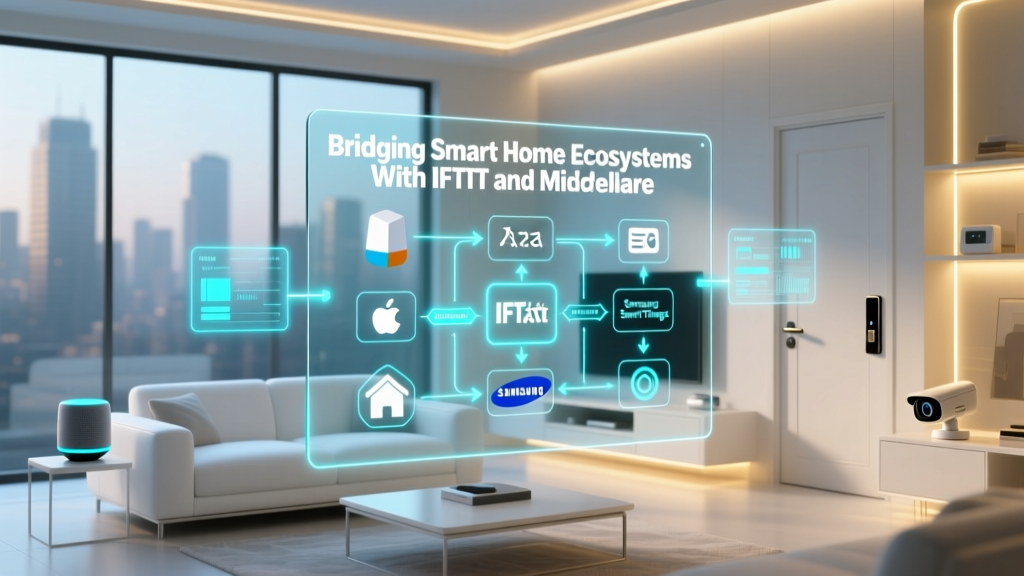
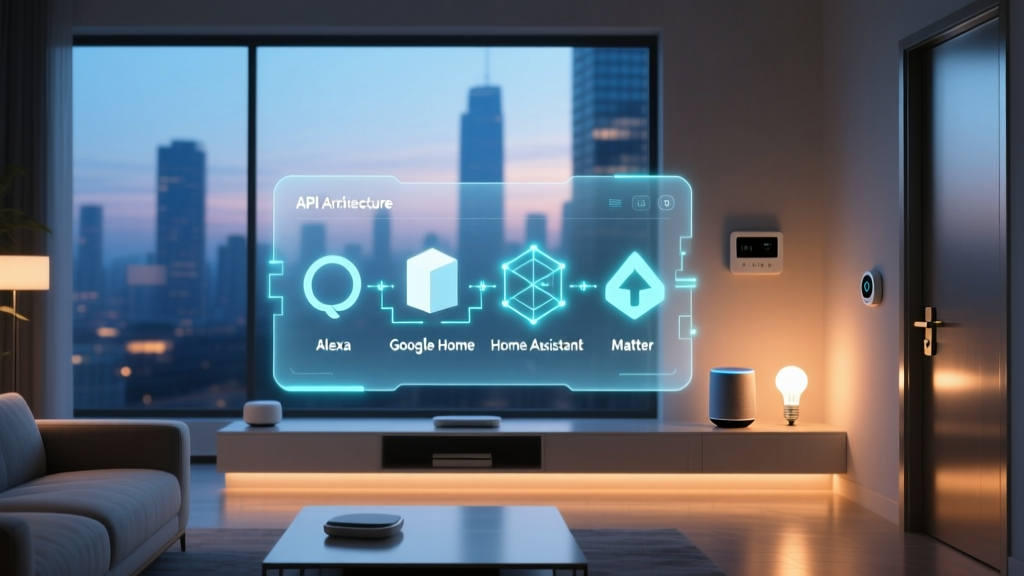
Yes, Homey Pro plays exceptionally well with the major voice assistants and ecosystems. Through the Homey app, you can expose your Homey devices and virtual switches to Apple HomeKit, Google Home, and Amazon Alexa. This allows you to use Siri, Google Assistant, or Alexa for voice control and basic routines, while reserving the heavy, complex, multi-protocol logic for Homey Pro's local Flow engine. Furthermore, with the adoption of Matter, Homey Pro can act as a Matter bridge, exposing its connected Zigbee and Z-Wave devices directly to your Apple or Google ecosystems natively.
What happens to my smart home if the Homey servers go offline?
Because Homey Pro operates on a local-first architecture, an outage of Athom's external cloud servers will have virtually zero impact on your daily smart home operations. Your Flows will continue to run, your motion sensors will still trigger your lights, and your security alarms will still sound. The only features that will be temporarily unavailable during a cloud outage are remote access from outside your home network (if you rely on the Homey Cloud tunnel rather than local port forwarding) and the syncing of data to the Homey mobile app when you are away from your local Wi-Fi.
Is the Homey Pro worth the premium price tag?
The Homey Pro is undeniably one of the most expensive dedicated smart home hubs on the market. However, when you break down the cost, the value proposition becomes clear. To replicate the Homey Pro's capabilities using other methods, you would need to buy a Z-Wave hub, a Zigbee coordinator, a Thread border router, an IR blaster, an RF gateway, and a dedicated mini-PC to run the software. When you factor in the premium build quality, the extensive research and development required to maintain thousands of local device drivers, and the sheer convenience of a unified, polished interface, the Homey Pro is a worthwhile investment for anyone serious about building a reliable, privacy-focused smart home.
Conclusion: The Pinnacle of Smart Home Integration
The Homey Pro stands as a testament to what the smart home industry should aspire to be: open, local, private, and universally compatible. By breaking down the walls between Zigbee, Z-Wave, Matter, Thread, Wi-Fi, and legacy RF protocols, it frees the consumer from the tyranny of single-brand ecosystems. Its visual Flow editor democratizes advanced automation, allowing users to create complex, multi-layered routines without needing a degree in computer science.
While the premium price point may give casual users pause, for the smart home enthusiast who values reliability, local execution, and a polished user experience, the Homey Pro is in a league of its own. It transforms a chaotic collection of smart gadgets into a cohesive, intelligent, and responsive home. If you are ready to take full control of your smart home ecosystem and leave cloud-dependency behind, the Homey Pro is, without a doubt, the ultimate hub to anchor your setup.