The Cloud Conundrum: Why Offline Reliability Matters
There are few things more frustrating in the modern connected home than the 'spinning wheel of death' or the dreaded 'No Response' message in your smart home app. When your internet connection drops, or a cloud server experiences an outage, a poorly designed smart home ecosystem instantly transforms into a collection of expensive, disconnected paperweights. For smart home enthusiasts and everyday users alike, ecosystem reliability and offline functionality are not just premium features—they are absolute necessities.
A truly reliable smart home should not require a connection to a server farm hundreds of miles away just to turn on your living room lights. This is where the concept of 'local control' becomes the gold standard for smart home architecture. Local control means that the commands you issue via your phone, voice assistant, or physical switch are processed entirely within your home network by a local hub. This eliminates the latency introduced by cloud routing and ensures that your automations continue to execute flawlessly even when your ISP goes down.
In the current smart home landscape, two platforms stand out for their commitment to local execution and offline reliability: Apple Home (formerly HomeKit) and Home Assistant. While both prioritize keeping your data on your local network and reducing cloud dependency, they approach the problem from vastly different architectural philosophies. Let us dive deep into how these two ecosystems handle offline functionality, hardware requirements, and long-term reliability.
Apple Home: The Walled Garden's Local Approach
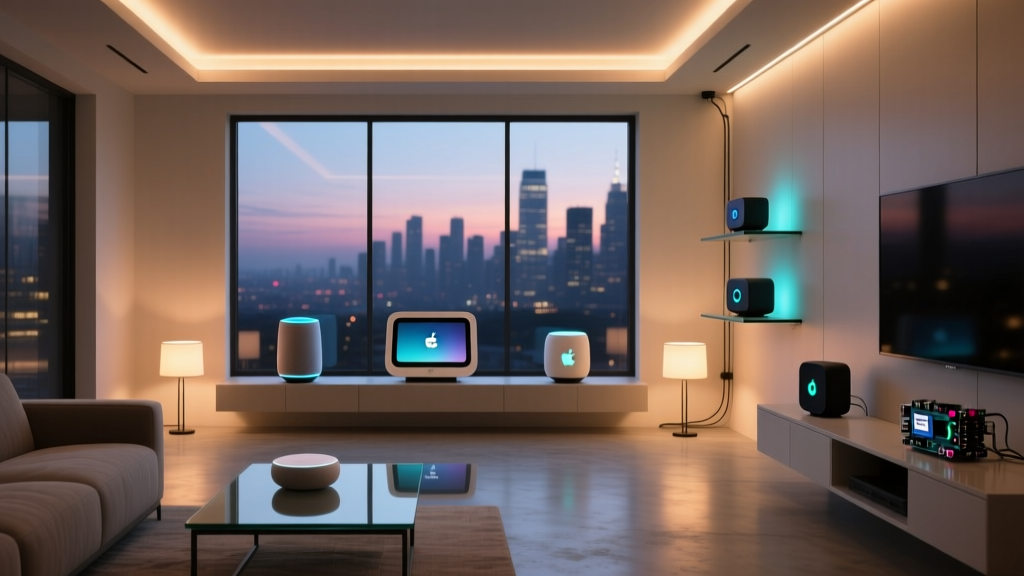
Apple's smart home ecosystem, now simply branded as 'Apple Home,' has long been a champion of local execution, albeit within a tightly controlled walled garden. Unlike ecosystems that rely heavily on cloud processing for every voice command and automation trigger, Apple Home mandates the use of a local Home Hub for advanced features, remote access, and accessory control.
Devices like the Apple TV 4K and the HomePod mini act as the brain of the Apple Home ecosystem. When you trigger an automation—such as turning off all lights when the last person leaves the house—the logic is executed locally on the Apple TV or HomePod. This results in near-instantaneous response times and ensures that your scheduled automations run even if your internet router loses its WAN connection.
According to Apple's official Home accessory guidelines, the ecosystem is built on a foundation of end-to-end encryption and local network communication. Accessories communicate directly with the hub using protocols like Wi-Fi, Bluetooth, and increasingly, Thread. However, Apple's approach to reliability comes with a significant caveat: hardware cost and protocol limitations. You are locked into Apple's premium hub pricing, and while Matter support has broadened the horizon, legacy HomeKit certification remains a restrictive barrier for many niche, high-quality local sensors.
Home Assistant: The Undisputed King of Local Execution
If Apple Home is a curated boutique, Home Assistant is a sprawling, industrial-grade hardware store. Born out of the open-source community, the Home Assistant project was founded on a single, unwavering principle: local control above all else. Home Assistant does not just support local control; it actively penalizes cloud-dependent integrations, hiding them by default and warning users about the privacy and reliability risks they pose.
Home Assistant runs on a local server, which can be anything from a repurposed Raspberry Pi to a dedicated Intel NUC, or the official, purpose-built Home Assistant Green and Yellow boxes. Because it runs entirely on your local network, Home Assistant can integrate with virtually any local protocol: Zigbee, Z-Wave, Matter, Thread, local MQTT brokers, and direct IP control for thousands of devices.
The offline reliability of Home Assistant is unmatched. If your internet goes out, your dashboards, automations, voice assistants (via local Wyoming protocol), and physical switches continue to function without missing a beat. Furthermore, Home Assistant allows for granular control over network polling, local push vs. pull states, and custom fallback routines that are simply impossible in closed ecosystems. The trade-off, however, is a steeper learning curve and the responsibility of maintaining your own server hardware.
Feature & Reliability Comparison
To understand how these two local-first platforms stack up against each other and their cloud-heavy competitors, we must look at the raw specifications and architectural differences. The following table breaks down the core reliability metrics for the top smart home ecosystems.
| Feature | Apple Home | Home Assistant | Amazon Alexa | Samsung SmartThings |
|---|---|---|---|---|
| Primary Hub Cost | $129+ (Apple TV/HomePod) | $99 (HA Green) | $50+ (Echo) | $80+ (Station) |
| Local Execution | Excellent (via Hub) | Unmatched (Native) | Poor (Mostly Cloud) | Mixed (Edge Drivers) |
| Offline Automations | Yes (Core routines) | Yes (100% of routines) | No (Requires Cloud) | Limited (Edge dependent) |
| Protocol Support | Matter, Thread, Wi-Fi | Zigbee, Z-Wave, Matter, Thread, Wi-Fi, BLE | Wi-Fi, Matter, Zigbee (limited) | Zigbee, Z-Wave, Matter, Wi-Fi |
| Privacy & Data | High (End-to-End Encrypted) | Absolute (Data never leaves LAN) | Low (Cloud processed) | Moderate (Cloud processed) |
Visualizing Ecosystem Latency and Uptime
Latency is a critical metric for smart home reliability. When you press a physical smart switch, the delay between the click and the light turning on is dictated by how far the signal has to travel. Cloud-based systems route signals to remote servers and back, introducing noticeable lag. The chart below visualizes the average local latency and overall cloud dependency scores across major platforms.
The Role of Matter and Thread in Local Reliability
No discussion on offline smart home reliability is complete without addressing Matter and Thread. The Connectivity Standards Alliance designed Matter with local control as a foundational pillar, not an afterthought. Matter ensures that certified devices can communicate locally with any compatible controller, breaking down the walled gardens that previously forced users into cloud-dependent silos.
Thread, the networking protocol that often carries Matter traffic, is a game-changer for offline reliability. Unlike Wi-Fi, which can suffer from congestion and router limitations when dozens of IoT devices are connected, Thread creates a self-healing, low-power mesh network. Devices like the Apple TV 4K and the Home Assistant SkyConnect act as Thread Border Routers. If one Thread node loses power, the network dynamically reroutes the signal through other nodes, ensuring that your offline sensor network remains robust and responsive without relying on your primary Wi-Fi router.
For Apple Home users, Thread is natively integrated into their hubs, providing a seamless, zero-configuration local mesh. For Home Assistant users, adding a Thread border router via a simple USB dongle allows for the same level of mesh reliability, while also granting the flexibility to use Zigbee and Z-Wave simultaneously.
Troubleshooting Local Network Bottlenecks
Even the best local smart home ecosystem will fail if the underlying local network is poorly configured. A common misconception is that 'local control' means 'plug and play.' In reality, achieving 99.9% offline reliability requires deliberate network architecture.
1. Wi-Fi Congestion and IoT Traffic: Most consumer Wi-Fi routers struggle to maintain stable connections for more than 30-40 IoT devices. When a router is overwhelmed, Wi-Fi-based smart bulbs and plugs will drop offline, triggering the 'No Response' error. To fix this, migrate as many devices as possible to Zigbee or Thread, reserving your Wi-Fi spectrum for high-bandwidth devices like cameras and phones.
2. IGMP Snooping and mDNS: Local discovery protocols like mDNS (Multicast DNS) are how hubs find local accessories. If your router or mesh Wi-Fi system does not properly support IGMP snooping, multicast traffic will flood the network, causing local automations to time out. Ensuring your router is configured to handle multicast traffic correctly is vital for both Apple Home and Home Assistant.
3. VLAN Segmentation: Advanced users running Home Assistant often place their IoT devices on a separate Virtual Local Area Network (VLAN). While this improves security, it can break local discovery if proper firewall rules and mDNS reflectors are not configured. Apple Home handles this automatically within its own ecosystem, but Home Assistant requires manual network configuration to ensure cross-VLAN communication remains stable during an internet outage.
Actionable Advice: Building an Unbreakable Local Network
If you are ready to prioritize offline functionality, here is a practical, cost-effective hardware blueprint to build a highly reliable local smart home.
The Apple Home Route (Budget: $250 - $400)
- Hub: Apple TV 4K (Ethernet model, $149). The Ethernet port is crucial for ensuring the hub maintains a rock-solid connection to your router, independent of Wi-Fi interference.
- Lighting: Matter-over-Thread bulbs or switches (e.g., Nanoleaf Essentials, $25-$50 per bulb). Thread ensures local mesh reliability.
- Sensors: Eve Motion or Eve Door & Window sensors ($40-$50). Eve devices are Thread-native and integrate flawlessly with Apple Home without a cloud bridge.
The Home Assistant Route (Budget: $150 - $250)
- Server: Home Assistant Green ($99). This plug-and-play box is designed specifically for local execution, eliminating the SD card corruption issues associated with Raspberry Pi builds.
- Radio Dongle: Home Assistant SkyConnect or Sonoff Zigbee 3.0 USB Dongle Plus ($30-$60). This allows you to build a local Zigbee and Thread mesh network.
- Switches: Inovelli or Zooz Z-Wave 800 series switches ($45-$65). Z-Wave remains one of the most reliable, interference-free local protocols for hardwired switches.
Conclusion
When evaluating smart home ecosystems through the lens of reliability and offline functionality, Amazon Alexa and Samsung SmartThings fall short due to their heavy reliance on cloud processing. The true battle for local supremacy is between Apple Home and Home Assistant.
Apple Home offers a highly reliable, secure, and user-friendly local experience, provided you are willing to invest in their premium hub ecosystem and stay within their approved accessory guidelines. It is the best choice for users who want offline reliability without the need to tinker with network settings or server maintenance.
Conversely, Home Assistant is the ultimate tool for those who demand absolute control, zero cloud dependency, and the ability to integrate any local protocol imaginable. While it requires more upfront effort to configure and maintain, the resulting smart home is virtually indestructible, capable of weathering any internet outage with millisecond-level responsiveness. Ultimately, your choice depends on your technical expertise and your willingness to trade convenience for absolute control.