The End of Smart Home Fragmentation
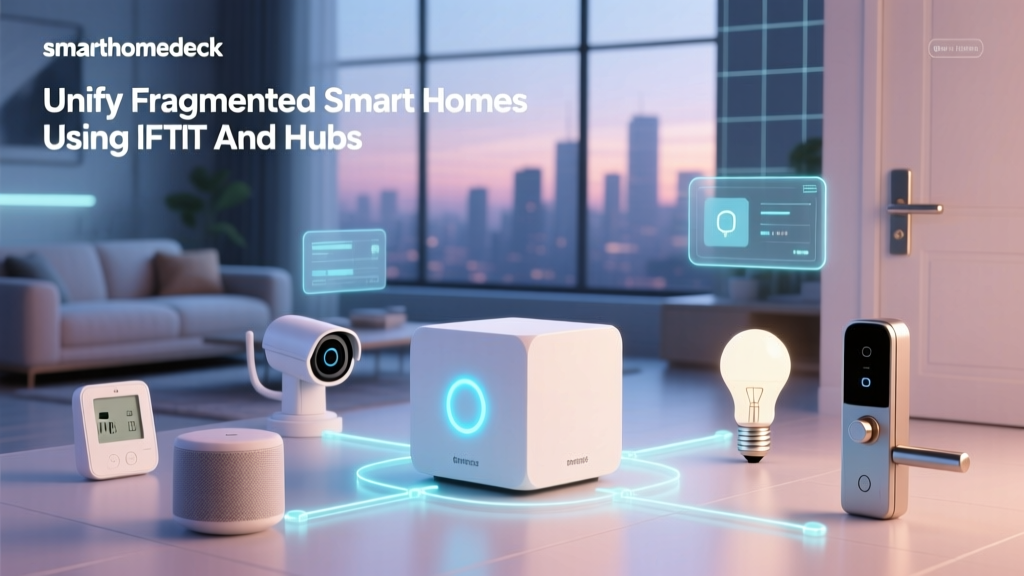
For over a decade, smart home enthusiasts and casual users alike have battled the dreaded 'walled garden' problem. You bought a smart lock for Apple HomeKit, a lighting system for Philips Hue, and a thermostat for Google Nest, only to realize they could not communicate with one another without relying on clunky, cloud-dependent third-party services like IFTTT. The result was a fragmented, slow, and unreliable smart home experience that fell apart the moment your internet connection dropped.
Enter the Connectivity Standards Alliance (CSA), an industry consortium comprising Apple, Google, Amazon, Samsung, and hundreds of other tech giants. Together, they have developed a unified open-source standard designed to eradicate these barriers: Matter. But Matter is only half of the equation. To truly achieve local, low-latency, and reliable control, Matter relies on a robust underlying network layer known as Thread.
In this comprehensive guide from SmartHomeDeck, we will explore how Matter and Thread work together to revolutionize local smart home control, compare the best compatible hardware available today, and provide actionable setup instructions to future-proof your home automation ecosystem.
What is Matter? The Universal Application Layer
Matter is not a wireless protocol like Wi-Fi or Bluetooth; rather, it is an application layer. Think of it as the universal language that smart devices use to talk to each other, regardless of the underlying network. According to the Connectivity Standards Alliance (CSA), Matter ensures that any certified device can be set up and controlled by any Matter-compatible ecosystem—simultaneously.
This brings us to Matter's most groundbreaking feature: Multi-Admin. In the past, if you had an iPhone and your partner had an Android device, you had to choose between Apple HomeKit or Google Home. With Matter, a single smart lock or lighting fixture can be securely paired to both ecosystems at the same time. Both users get native, local control without compromising security or relying on cloud bridging.
Matter runs over three primary network protocols:
- Wi-Fi: Best for high-bandwidth devices like smart displays, cameras, and TVs.
- Ethernet: Ideal for primary hubs and bridges that require rock-solid stability.
- Thread: The gold standard for low-power, battery-operated sensors, smart locks, and lighting.
What is Thread? The Unsung Hero of Local Control
While Matter gets the marketing spotlight, Thread is the technological backbone making local, reliable smart homes possible. As detailed by the Thread Group, Thread is an IPv6-based, low-power mesh networking protocol built on the IEEE 802.15.4 standard.
Unlike Wi-Fi, where every device must connect directly to a central router (creating a bottleneck and draining battery life), Thread devices connect to each other, forming a self-healing mesh network. If one smart bulb loses power, the Thread signal simply routes around it to the next bulb. Furthermore, because Thread uses IPv6 natively, every smart sensor has its own IP address, allowing for direct, local communication with your phone or hub without ever pinging an external cloud server.
Key Takeaway: Thread devices do not connect directly to your Wi-Fi router. They require a Thread Border Router—a device that bridges the 802.15.4 Thread mesh network to your home's Wi-Fi or Ethernet network, enabling local control and internet access for remote management.
Matter vs. Thread vs. Legacy Protocols
To understand why upgrading to a Matter over Thread ecosystem is worth the investment, we must compare it to legacy protocols like Zigbee and Z-Wave.
| Feature | Matter over Thread | Zigbee | Wi-Fi (Matter/Cloud) | Z-Wave |
|---|---|---|---|---|
| Network Topology | Self-Healing Mesh | Mesh (Hub Dependent) | Star (Router Dependent) | Mesh (Hub Dependent) |
| Interoperability | Universal (Multi-Admin) | Brand Locked | Brand/Ecosystem Locked | Brand Locked |
| IP Addressing d> | Native IPv6 | No | Yes | No |
| Power Consumption | Ultra-Low | Low | High | Low |
| Local Execution | Yes (No Hub Required) | No (Hub Required) | Varies | No (Hub Required) |
Top Thread Border Routers and Matter Devices
Building a Thread network requires a Border Router. Fortunately, you likely already own one, or you can purchase one for under $130. Here are the top-rated Thread Border Routers and Matter-compatible devices available today.
1. The Best Thread Border Routers
- Apple TV 4K (Ethernet Model) - $129: Widely considered the most stable Thread Border Router on the market. The Ethernet model ensures that the translation between your Thread mesh and your home network is completely immune to Wi-Fi interference.
- HomePod Mini - $99: A budget-friendly Apple option that doubles as a high-quality smart speaker while silently managing your Thread mesh credentials.
- Google Nest Hub (2nd Gen) - $99: The premier choice for Android and Google Home users. It features a built-in Thread radio and acts as a central hub for Matter over Thread devices.
- Amazon Echo (4th Gen) - $99: The spherical Echo features Zigbee, Bluetooth LE, and Thread radios, making it a versatile Swiss Army knife for Alexa users transitioning to Matter.
2. Essential Matter over Thread Devices
- Eve Energy Smart Plug (Thread) - $39.95: A flagship Matter device that provides real-time energy monitoring and acts as a Thread mesh repeater, extending the range of your network.
- Nanoleaf Essentials A19 Bulb - $19.99: One of the most affordable ways to add Thread to your home. When paired via the Nanoleaf app and exposed to Apple Home or Google Home, it offers instant, zero-latency color control.
- Aqara Door and Window Sensor P2 - $29.99: Powered by a standard CR2032 coin cell, this Matter-native sensor leverages Thread's low power consumption to deliver battery life exceeding two years.
- SwitchBot Matter-Enabled Hub 2 - $89.99: While SwitchBot relies on Bluetooth for its proprietary devices, this hub bridges them into the Matter ecosystem while also functioning as a Thread Border Router and IR blaster.
Visualizing the Speed: Cloud vs. Local Latency
One of the primary reasons enthusiasts flock to Matter over Thread is latency. When you tap a button on your phone to turn off the lights, you want it to happen instantly. Below is a comparison of average command latency across different smart home architectures.
As the chart illustrates, relying on cloud-based Wi-Fi commands introduces a quarter-second delay, which feels sluggish in a modern home. Matter over Thread executes commands locally in roughly 30 milliseconds, making smart home interactions feel indistinguishable from flipping a traditional physical wall switch.
Setting Up Your First Matter over Thread Network
Setting up a Matter device is remarkably similar to pairing Apple HomeKit devices of the past, utilizing standardized QR codes and NFC taps. Here is a step-by-step guide to getting your ecosystem running.
Step 1: Prepare Your Border Router
Ensure your Apple TV 4K, HomePod, or Nest Hub is updated to the latest firmware. In the Apple Home app (detailed on the official Apple Home page), navigate to Home Settings > Hubs & Bridges to verify that your device is listed as a 'Connected' Hub and Border Router.
Step 2: Scan the Matter QR Code
Open your preferred ecosystem app (Apple Home, Google Home, or Samsung SmartThings). Tap the '+' icon and select 'Add Accessory'. Scan the 11-digit or QR code printed on the back of your Matter device. The app will recognize the device's Device Attestation Certificate (DAC) to verify it is a genuine, secure Matter product.
Step 3: Thread Mesh Credential Sharing
When your phone detects that the new device supports Thread, it will automatically share your home's Thread network credentials via Bluetooth Low Energy (BLE). The device will then join the mesh network. You will see a prompt confirming the device is 'Connected via Thread'.
Step 4: Enable Multi-Admin (Optional)
If you wish to share control with a family member using a different ecosystem (e.g., sharing an Apple Home device to a Google Home app), open the device settings in your primary app, select 'Turn On Pairing Mode' or 'Share Access', and scan the newly generated QR code with the secondary device. Both platforms now have equal, local administrative rights.
What About Legacy Devices? The Role of Matter Bridges
You do not need to throw away your existing Zigbee or proprietary smart home gear. The Matter standard includes support for Matter Bridges. Devices like the Philips Hue Bridge or the Aqara Hub M2 act as translators. They take the Zigbee or Bluetooth signals from your legacy sensors and bulbs and package them into Matter data packets. This allows your five-year-old smart bulbs to appear in the Apple Home or Google Home app alongside your brand-new Thread sensors, all executing locally.
Privacy, Security, and Data Handling
Security was a foundational pillar in the development of Matter. Unlike older protocols that relied on simple network passwords, Matter utilizes a blockchain-inspired security model known as the Device Attestation Certificate (DAC). Every single Matter-certified chip contains a unique cryptographic certificate injected at the factory. When you pair a device, your phone verifies this certificate against the CSA's root ledger to ensure the hardware is authentic and has not been tampered with.
Furthermore, because Thread operates locally, your daily automation routines—like motion sensors triggering hallway lights—never leave your home network. This drastically reduces your exposure to cloud data breaches and ensures your smart home continues to function even during a complete internet outage. All local Thread communication is secured with AES-128 encryption, ensuring that packet sniffing on your local network yields nothing but gibberish to potential attackers.
Conclusion: Is It Time to Switch?
The transition to Matter and Thread is not an overnight revolution; it is an ongoing evolution. While early adoption was plagued by firmware bugs and delayed certifications, the ecosystem has now matured into a robust, reliable standard. By investing in a dedicated Thread Border Router and prioritizing Matter-certified devices for your next smart home purchases, you are insulating yourself against planned obsolescence and brand lock-in.
Whether you are deeply entrenched in the Apple ecosystem, prefer the data analytics of Google Home, or rely on Samsung SmartThings, Matter and Thread ensure that your hardware belongs to you, not the cloud. Start small with a Thread smart plug and a border router, and experience the zero-latency, local control that smart home enthusiasts have been dreaming of for over a decade.