Why Migrate From Google Home to Apple HomeKit?
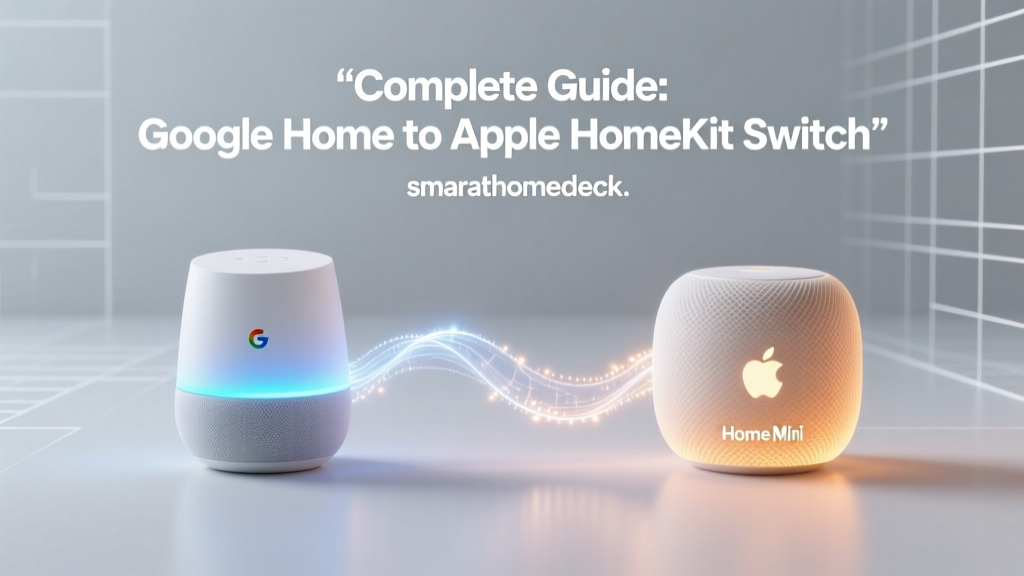
The smart home landscape is constantly evolving, and for many users, the initial convenience of Google Home eventually gives way to concerns regarding data privacy, cloud reliance, and ecosystem lock-in. Migrating from Google Home to Apple HomeKit is not just a change in voice assistants; it is a fundamental shift in how your smart home processes data, executes automations, and integrates with your daily life. While Google Assistant excels at natural language processing and broad third-party compatibility, Apple HomeKit prioritizes local execution, stringent security protocols, and seamless integration within the Apple hardware ecosystem.
According to Apple's privacy framework, smart home data should remain on your devices or be securely encrypted in transit, rather than being mined for advertising profiles. For users transitioning to HomeKit, the appeal lies in HomeKit Secure Video, local automation processing via Apple TV or HomePod hubs, and the powerful Shortcuts app. However, this migration is rarely as simple as flipping a switch. Google has spent years building a 'walled garden' around its Nest products, meaning a strategic, device-by-device migration plan is essential.
The Walled Garden Dilemma: What Stays and What Goes?
Before you begin unplugging devices, you must audit your current hardware. The biggest hurdle in migrating from Google to Apple is that many Google-branded devices are fundamentally incompatible with HomeKit. Nest Thermostats, Nest Cams, Nest Doorbells, and Google Nest speakers do not natively support Apple's ecosystem. Unlike third-party devices that often support multiple platforms simultaneously, Google's proprietary hardware is designed to keep you within the Google Home app.
Conversely, third-party devices that you may have connected to Google Home—such as Philips Hue lighting, Lutron Caseta switches, Ecobee thermostats, and August smart locks—are largely platform-agnostic. These devices can often be migrated to Apple HomeKit without replacing the physical hardware, requiring only a reset or a re-pairing process within the Apple Home app.
Cross-Platform Champions vs. Google Exclusives
- Cross-Platform (Keep & Migrate): Philips Hue, Lutron Caseta, Ecobee, Yale, Schlage, Sonos (via AirPlay 2), Roborock.
- Google Exclusives (Replace): Nest Learning Thermostat, Nest Cam, Nest Doorbell, Google Nest Audio, Chromecast with Google TV.
The Role of Matter and Thread in Your Migration
The introduction of the Matter protocol has significantly altered the smart home migration landscape. Backed by the Connectivity Standards Alliance (CSA), Matter is an open-source, royalty-free connectivity standard designed to unify smart home ecosystems. If you have recently purchased Matter-compatible devices, migrating them from Google Home to Apple HomeKit is vastly simplified through a feature called 'Multi-Admin.' This allows a single device to be controlled by both ecosystems simultaneously without needing a factory reset.
Furthermore, Matter relies heavily on Thread, a low-power mesh networking protocol. Apple devices like the HomePod mini and Apple TV 4K act as Thread Border Routers. When you migrate Thread-enabled devices (like the Nanoleaf Essentials line or Eve Energy smart plugs) to HomeKit, they connect directly to your Apple hubs, bypassing the cloud entirely. This results in instantaneous response times and ensures your smart home continues to function even if your internet connection drops—a stark contrast to Google Home's cloud-dependent architecture.
Device-by-Device Migration Strategy
To execute a smooth transition, you must tackle your home category by category. Below is a comprehensive breakdown of how to handle the core pillars of your smart home.
1. Lighting and Switches
If you use Philips Hue, your migration is painless. The Hue Bridge supports both Google Home and Apple HomeKit simultaneously. Simply open the Apple Home app, select 'Add Accessory,' and scan the HomeKit setup code located on the bottom of your Hue Bridge. Your bulbs will instantly appear in Apple Home. For hardwired switches like Lutron Caseta, the Smart Bridge Pro natively supports HomeKit. You will need to log into your Lutron account via the Apple Home app to authorize the bridge. Neither system requires you to replace your physical bulbs or switches.
2. Climate Control
This is where the 'walled garden' forces your hand. The Google Nest Learning Thermostat does not support HomeKit and currently lacks Matter support for climate control. To gain local, privacy-focused climate automation in Apple Home, you will need to replace it with an Ecobee SmartThermostat Premium (approx. $249). Ecobee natively supports HomeKit, includes a built-in Alexa speaker (if desired), and features remote room sensors that integrate beautifully with Apple Home automations based on occupancy.
3. Smart Locks
Locks are highly sensitive to platform changes. If you have a Yale Assure Lock 2 or Schlage Encode Plus, these feature native HomeKit support and Thread/Matter capabilities. You can remove them from Google Home and pair them directly to Apple HomeKit using the setup code. Apple HomeKit requires locks to be connected via a local hub (Apple TV or HomePod) for remote access, ensuring that your door's status is never routed through a third-party cloud server.
4. Cameras and HomeKit Secure Video (HKSV)
Migrating cameras requires the most effort. Nest Cams must be replaced with HomeKit Secure Video-compatible cameras like the Logitech Circle View or Eufy Indoor Cam. HKSV is a massive selling point for Apple users. Instead of sending video to the cloud for analysis, your Apple TV or HomePod hub downloads the video stream, analyzes it locally using machine learning to detect people, animals, and vehicles, and then encrypts the footage before uploading it to your iCloud+ storage. This guarantees that not even Apple can view your camera feeds.
Cost Analysis: Rip-and-Replace vs. Bridge Migration
One of the primary concerns when switching ecosystems is the financial impact. Fortunately, if you have invested in high-quality third-party accessories, your replacement costs will be limited to hubs and proprietary Google devices.
| Device Category | Google Home Standard | Apple HomeKit Alternative | Estimated Replacement Cost |
|---|---|---|---|
| Smart Speaker / Hub | Nest Audio / Nest Hub ($99-$129) | HomePod mini / Apple TV 4K ($99-$129) | $99 - $129 per room |
| Thermostat | Nest Learning Thermostat ($249) | Ecobee SmartThermostat Premium ($249) | $249 |
| Video Doorbell | Nest Doorbell ($179-$279) | Logitech Circle View Doorbell ($249) | $249 |
| Lighting Hub | Philips Hue Bridge ($59) | Philips Hue Bridge (Keep Existing) | $0 |
| Smart Lock | Schlage Encode (Wi-Fi) | Schlage Encode Plus (HomeKit/Thread) | $299 |
Google to HomeKit Migration Cost Comparison
Understanding iCloud+ Requirements for HomeKit Secure Video
To fully leverage Apple's camera ecosystem, an iCloud+ subscription is mandatory. Apple does not charge per-camera fees like Google Nest Aware or Ring Protect; instead, camera support is tied to your iCloud storage tier.
- 64GB Plan ($0.99/mo): Supports 1 HomeKit Secure Video camera.
- 200GB Plan ($2.99/mo): Supports up to 5 HomeKit Secure Video cameras.
- 2TB Plan ($9.99/mo): Supports an unlimited number of cameras.
Video recordings do not count against your iCloud storage quota, which is a significant financial advantage for users with multiple outdoor cameras. Furthermore, facial recognition is processed locally on your Apple hub, learning the faces of your family members over time without sending biometric data to external servers.
Step-by-Step Execution Plan
Migrating a whole-home smart system requires a methodical approach to avoid downtime and automation failures.
Step 1: Procure Your Apple Hubs
Unlike Google, which relies on cloud servers for remote access and complex automations, Apple HomeKit requires a local hub. Purchase an Apple TV 4K (Wi-Fi + Ethernet) or a HomePod (2nd Gen). These devices act as Thread Border Routers and HomeKit hubs, ensuring your Zigbee, Thread, and Matter devices communicate locally.
Step 2: Audit and Reset Multi-Platform Devices
For devices like Philips Hue, Lutron, and Ecobee, you do not need to factory reset the physical hardware. Simply open the Apple Home app, tap the '+' icon, and scan the HomeKit QR code on the device or bridge. Once paired, you can optionally remove them from the Google Home app to prevent voice command conflicts.
Step 3: Replace Walled-Garden Hardware
Swap out your Nest Thermostat for an Ecobee, and replace Nest Cams with HomeKit Secure Video alternatives. Ensure your new devices are updated to the latest firmware to enable Matter or Thread support where applicable.
Step 4: Recreate Automations in Apple Shortcuts
Google Home 'Routines' will not transfer. You must rebuild them in the Apple Home app. Apple's automation engine is deeply integrated with the Shortcuts app, allowing for complex, conditional logic that Google Home lacks. For example, you can create an automation that turns on your porch lights only if it is after sunset, the weather is raining, and your iPhone's GPS detects you pulling into your driveway.
Step 5: Configure HomeKit Secure Video
Add your new cameras to Apple Home. Assign them to the correct rooms and enable recording features. Ensure your Apple TV or HomePod is designated as the primary hub in the Home settings to handle the local video processing workload.
Privacy and Data Handling: The Ultimate Reward
The primary catalyst for migrating away from Google Home is data sovereignty. Google's business model is inherently tied to data collection and targeted advertising. While Google states that smart home voice commands are not used for ad targeting, the metadata regarding your daily routines, occupancy patterns, and device usage is continuously processed on their servers.
Apple, conversely, operates on a hardware-and-services revenue model. By migrating to HomeKit, you are shifting the computational workload to the edge of your network—inside your own home. Automations trigger locally, camera feeds are analyzed locally, and Siri requests are processed with end-to-end encryption. For privacy-conscious consumers, this architectural difference is worth the upfront cost and effort of hardware replacement.
Conclusion
Migrating from Google Home to Apple HomeKit is a significant undertaking that demands a thorough hardware audit and a willingness to replace proprietary devices. However, the long-term benefits of local execution, unparalleled privacy, and the seamless integration of HomeKit Secure Video make it a highly rewarding transition. By leveraging the new Matter standard for future-proofing and relying on robust third-party brands like Philips Hue and Ecobee, you can build a resilient, privacy-first smart home that serves you, rather than the other way around.