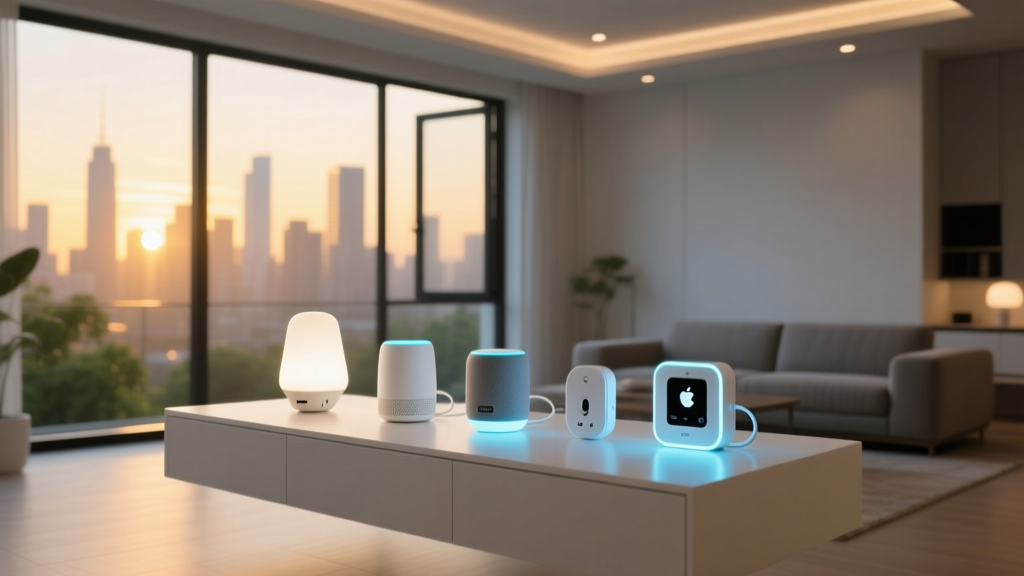
Why Migrate from Amazon Alexa to Apple HomeKit?
For years, Amazon Alexa has been the default entry point into the smart home world. With cheap Echo devices and aggressive pricing on smart plugs and bulbs, it is incredibly easy to build a sprawling, voice-controlled network. However, as smart home enthusiasts mature in their automation journey, many begin to notice the limitations of a purely cloud-dependent, Amazon-centric ecosystem. Latency issues, cloud outages, privacy concerns regarding voice data retention, and a cluttered user interface often push users to seek a more robust, locally processed alternative. Enter Apple HomeKit.
Migrating from Amazon Alexa to Apple HomeKit is no longer the arduous, wallet-draining nightmare it was five years ago. Thanks to the introduction of the Matter protocol and Thread networking, the walls between ecosystems are crumbling. Apple's Home app offers a vastly superior, privacy-first architecture, local processing for instant automation execution, and seamless integration with the Apple Watch and CarPlay. If you are ready to leave the cloud behind and take control of your home's data, this comprehensive guide will walk you through the exact steps, costs, and hardware requirements to successfully switch from Alexa to HomeKit.
The Hardware Audit: What Survives the Switch?
The biggest hurdle in any ecosystem migration is hardware compatibility. Amazon's Alexa is notoriously agnostic, supporting almost any Wi-Fi, Zigbee, or proprietary cloud device on the market. Apple HomeKit, historically, has been a walled garden with strict security requirements (the HomeKit Accessory Protocol, or HAP). Before you unplug your Echo dots, you must audit your current hardware.
Devices that rely purely on Amazon's cloud (like Ring cameras, Blink security systems, and older TP-Link Kasa plugs) will not natively communicate with Apple Home. However, devices that use standard Zigbee 3.0 hubs (like the Philips Hue Bridge) or those that have recently received Matter firmware updates can often be bridged over without replacement.
| Device Category | Popular Alexa Brand | HomeKit Compatibility | Migration Strategy |
|---|---|---|---|
| Smart Plugs | TP-Link Kasa / Amazon | Poor (Pre-Matter) | Replace with Eve Energy or Aqara Smart Plugs |
| Smart Bulbs | Sengled / Wyze | Moderate | Switch to Philips Hue or Nanoleaf Essentials |
| Thermostats | Nest / Amazon | Good (via Matter/Starling) | Keep Nest (via Matter bridge) or buy Ecobee |
| Smart Locks | Ring / Schlage (Z-Wave) | Excellent | Upgrade to Schlage Encode Plus for HomeKey |
| Security Cameras | Ring / Blink | Very Poor | Replace with Eufy, Aqara, or Logitech Circle |
The Magic Bridge: How Matter Changes Migration
If you are switching ecosystems today, you have a massive advantage that early adopters lacked: Matter. According to the Connectivity Standards Alliance (CSA), Matter is an open-source, royalty-free connectivity protocol designed to unify the smart home. It operates primarily over Thread (a low-power, mesh networking protocol) and Wi-Fi, allowing devices to be controlled by multiple ecosystems simultaneously.
With Matter's "Multi-Admin" feature, you do not necessarily have to choose between Alexa and HomeKit during your transition period. You can pair a Matter-compatible device to your Amazon Echo for voice control, and simultaneously commission it to your Apple Home app for local automations and Siri control. This allows for a phased migration. You can slowly replace incompatible Alexa-only devices with Matter-over-Thread alternatives, such as the Eve Energy smart plug or the Aqara Presence Sensor FP2, ensuring your home remains functional while you transition your primary dashboard to the Apple Home App.
Step-by-Step Migration Guide
A successful migration requires careful planning. Do not factory-reset your Alexa devices until your Apple HomeKit foundation is laid. Follow these actionable steps to ensure a smooth transition.
Step 1: Procure a HomeKit Hub and Thread Border Router
Unlike Alexa, which relies on Amazon's AWS cloud servers to process automations and remote access, Apple HomeKit requires a local hub to execute automations and provide remote access via iCloud. Furthermore, to take advantage of modern Matter-over-Thread devices, your hub must act as a Thread Border Router.
- Apple TV 4K (3rd Generation, 128GB model): This is the gold standard for HomeKit hubs. It features an Ethernet port, a built-in Thread Border Router, and ample processing power to handle HomeKit Secure Video (HKSV).
- HomePod mini or HomePod (2nd Gen): Both act as excellent Thread Border Routers and HomeKit hubs. They are ideal if you prefer a smart speaker in your living space over a set-top box.
Step 2: Prepare Your Network Infrastructure
Apple's HomeKit is highly sensitive to network configuration. Ensure your router's IGMP Snooping is enabled (crucial for mDNS discovery, which HomeKit relies on to find devices). If you have a dual-band router, ensure your IoT devices are connected to the 2.4GHz band, but keep your Apple TV or HomePod on the 5GHz band for faster communication with your iPhone.
Step 3: Factory Reset and Re-Pair Compatible Hubs
For devices like the Philips Hue Bridge, you do not need to replace your bulbs. Simply open the Home app, tap the "+" icon, and scan the HomeKit setup code located on the bottom of the Hue Bridge. This instantly imports all connected Zigbee bulbs into Apple Home. For Matter devices, initiate the pairing mode on the device and scan the Matter QR code using your iPhone camera.
Step 4: Rebuild Automations and Scenes
This is the most time-consuming part of the migration. Alexa's "Routines" must be manually translated into Apple's "Automations." Apple's logic engine is significantly more powerful, allowing for complex conditions. For example, you can create an automation that turns on the Ecobee SmartThermostat only if the Eve Motion sensor detects presence and the local weather API reports a temperature below 65°F.
Cost Analysis of Ecosystem Migration
Migrating a fully furnished smart home is not free. While your Philips Hue bulbs and Lutron Caseta switches will transfer over seamlessly (as they use their own proprietary hubs that bridge to HomeKit), your Wi-Fi plugs, Ring cameras, and Alexa-specific sensors will need replacing. Below is a breakdown of the estimated costs to replace incompatible devices in a standard 3-bedroom, 2-bathroom home.
Average Cost to Replace Incompatible Smart Devices by Category
As the data illustrates, security cameras and smart locks represent the highest capital expenditure during a migration. Ring cameras do not support HomeKit or Matter, necessitating a switch to brands like Eufy, Aqara, or Logitech Circle View to utilize HomeKit Secure Video. Similarly, while many Z-Wave locks work with Alexa via a hub, Apple users heavily favor the Schlage Encode Plus or Level Lock+ for their native Apple HomeKey support, allowing you to unlock your door by simply tapping your iPhone or Apple Watch against the lock via NFC.
Privacy and Data Handling: Cloud vs. Local Processing
The primary catalyst for users abandoning Alexa is privacy. Amazon's business model is inherently tied to data collection and retail targeting. While Amazon has introduced local processing for some Zigbee devices, the vast majority of Alexa interactions, routines, and third-party skill executions require a round-trip to Amazon's cloud servers. This introduces latency (often 500ms to 1.5 seconds) and means your home's activity logs are stored on corporate servers.
Apple approaches the smart home fundamentally differently. HomeKit data is end-to-end encrypted and synced via iCloud using your personal Apple ID encryption keys. Apple cannot read your home's floor plan, device states, or automation triggers. Furthermore, HomeKit Secure Video (HKSV) processes camera footage locally on your Apple TV or HomePod to identify people, animals, and vehicles before encrypting and uploading the clips to your private iCloud storage. This local processing not only guarantees privacy but also ensures that your motion-triggered lights turn on in milliseconds, completely eliminating the "cloud lag" that plagues Alexa-heavy homes.
"When you switch to a local-first ecosystem like HomeKit, you aren't just changing the app on your phone; you are reclaiming ownership of your home's behavioral data. The speed difference in automation execution alone is enough to justify the hardware swap."
Final Verdict: Is the Switch Worth It?
Migrating from Amazon Alexa to Apple HomeKit requires an upfront investment in compatible hardware and a dedicated afternoon to rebuild your automation logic. However, the long-term benefits far outweigh the initial friction. By leveraging Matter-over-Thread devices, investing in an Apple TV 4K hub, and replacing cloud-dependent cameras with HomeKit Secure Video alternatives, you will build a smart home that is blazingly fast, immune to internet outages, and fiercely protective of your family's privacy. If you are deeply embedded in the Apple ecosystem with an iPhone, iPad, and Apple Watch, making the switch to HomeKit is the ultimate upgrade for your smart home experience.