The Challenge of the Multi-User Smart Home
When smart home technology first entered the mainstream, it was largely a single-user experience. One tech-savvy early adopter would set up a smart speaker, link their personal calendar, and control the lights. However, as smart home ecosystems have matured, the modern household demands a shared experience. A family of four needs a smart home that can distinguish between a parent asking for a morning commute update and a child asking for a bedtime story. It needs to share grocery lists, coordinate family calendars, and enforce screen-time limits without compromising individual privacy.
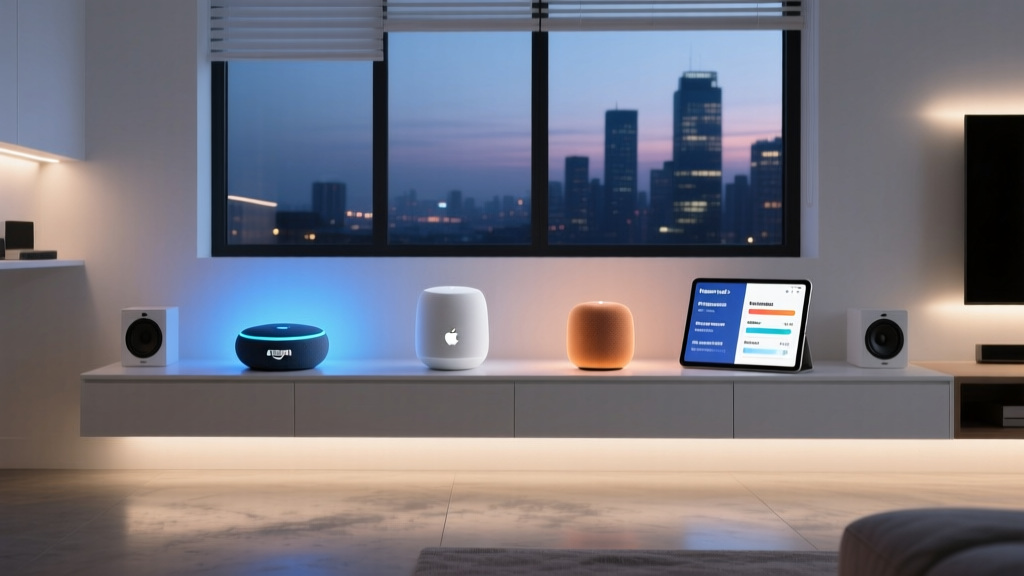
Navigating multi-user access across different ecosystem platforms—namely Amazon Alexa, Google Home, Apple HomeKit, and Samsung SmartThings—can be surprisingly complex. Each platform handles voice recognition, shared permissions, child accounts, and cross-platform compatibility differently. In this comprehensive guide, we break down how each major ecosystem manages family multi-user access, providing actionable setup advice, hardware recommendations, and privacy considerations to help you build a harmonious smart home for everyone under your roof.
Amazon Alexa: Household Sharing and Voice Profiles
Amazon has built one of the most robust multi-user frameworks in the smart home space, primarily through a feature called Alexa Household. This system allows you to link two separate Amazon accounts into a single smart home environment, while also supporting up to four child profiles.
Setting Up an Alexa Household
To create an Alexa Household, both adults must have their own Amazon accounts. Using the Alexa app, the primary account holder can invite the second adult. Once linked, both users share access to smart home devices, routines, and shared lists (like groceries or to-dos). Crucially, Alexa uses Voice ID to distinguish between the two adults. When you ask, 'Alexa, who am I?', the system analyzes your vocal biometrics to route personalized results, such as your specific calendar events or your preferred Spotify playlist.
For the best voice recognition accuracy in a busy family room, we recommend the Echo Show 8 (3rd Gen) (retailing around $149.99). Its spatial audio and advanced microphone array easily pick up distinct voices from across the room, ensuring Voice ID triggers correctly.
Child Profiles and Amazon Kids
Amazon excels in child safety. Parents can create up to four child profiles within the Household. When a child speaks to Alexa, the system automatically applies age-appropriate filters, blocks explicit music, and prevents unauthorized shopping. For deeper parental controls, families can subscribe to Amazon Kids+ ($5.99/month or $59/year), which unlocks thousands of kid-friendly audiobooks, games, and educational skills.
Pro Tip: If Alexa struggles to differentiate between two family members with similar voices, you can retrain Voice ID by going to Settings > Account Settings > Recognized Voices and deleting the old profile, then re-recording the 10-phrase training sequence in a quiet room.
Google Home: Voice Match and Family Groups
Google's approach to multi-user access leverages its massive machine learning infrastructure, resulting in what many consider the most accurate voice recognition on the market: Voice Match. Google Home allows up to six users to join a single 'Home' in the Google Home app, making it ideal for larger families or shared living spaces.
Personal Results and Voice Match
According to Google Nest Support, Voice Match allows the Google Assistant to provide personalized results based on who is speaking. When you ask, 'Hey Google, what's on my calendar?' or 'Remind me to call Mom,' the Assistant routes the query to your specific Google Account. This is a game-changer for busy households where multiple people are shouting queries at a shared Nest Hub Max ($229) in the kitchen.
To set this up, every family member must download the Google Home app, sign in with their own Google account, and join the shared 'Home'. During setup, each user records several voice samples. Google's AI continuously learns from everyday interactions, meaning Voice Match accuracy actually improves over time.
Google Family Group Integration
Google Home ties directly into the broader Google Family Group ecosystem. This allows families to share Google One storage, YouTube Premium memberships, and Google Play purchases. For smart home-specific features, it enables shared access to Nest cameras and doorbells. However, parents should be aware that Google's child account restrictions (managed via Family Link) are slightly less granular on smart speakers compared to Amazon's dedicated Kids profiles, requiring careful configuration of 'Digital Wellbeing' filters to block mature content and set downtime limits.
Apple HomeKit: Seamless iCloud Family Sharing
For families deeply entrenched in the Apple ecosystem, HomeKit offers the most frictionless multi-user experience, tightly integrated with iCloud Family Sharing. Apple allows you to share home control with up to five additional family members (six total), and its approach to privacy is unmatched in the industry.
Inviting Family Members and Siri Recognition
As detailed by Apple Support, sharing a HomeKit home requires the primary admin to send an invitation via iMessage to family members who are already part of your iCloud Family Group. Once accepted, every family member can control lights, locks, and thermostats from their own iPhone, iPad, or Apple Watch.
Siri voice recognition on the HomePod mini ($99) and HomePod (2nd Gen) ($299) is tied to the user's Apple ID and device proximity. If you are holding your iPhone, Siri defaults to your profile. If you are speaking to the HomePod from across the room, it uses on-device machine learning to match your voice to your Apple ID. This ensures that personal messages, reminders, and HomeKit Secure Video feeds remain strictly private to the individual user.
The Mixed-OS Family Dilemma
The major drawback of Apple HomeKit is its exclusivity. If your household includes even one Android user, they will be entirely locked out of controlling the smart home via their phone. In mixed-OS families, Google Home or Amazon Alexa is usually the necessary compromise, as both offer cross-platform app support for iOS and Android.
Samsung SmartThings and the Matter Multi-Admin Standard
Samsung SmartThings approaches multi-user access through Shared Locations. The primary account holder creates a 'Location' (e.g., 'Our House') and invites others via email or phone number. Users are assigned roles: 'Admin' (can add/remove devices and create automations) or 'Member' (can only control existing devices). This is highly effective for families with teenagers who should be able to turn on the lights but shouldn't be deleting the smart lock PIN codes.
However, the most exciting development for multi-user families is the Matter protocol. Matter introduces a feature called Multi-Admin. This allows a single smart device—like an Eve Energy smart plug or a Yale Assure Lock—to be connected to multiple ecosystems simultaneously. This means Mom can control the living room lights using Apple HomeKit on her iPhone, while Dad controls the exact same lights using Google Home on his Android phone, without having to reset the device or choose a single platform. Matter is the ultimate bridge for mixed-OS households.
Comparison Table: Multi-User Features by Ecosystem
| Feature | Amazon Alexa | Google Home | Apple HomeKit | Samsung SmartThings |
|---|---|---|---|---|
| Max Adult Users | 2 (via Household) | 6 (via Home) | 6 (via iCloud) | Unlimited (via Invite) |
| Max Child Profiles | 4 | 5 (via Family Link) | None (Uses ScreenTime) | N/A |
| Voice Recognition | Excellent (Voice ID) | Superior (Voice Match) | Very Good (On-device) | None (App only) |
| Cross-Platform App | Yes (iOS & Android) | Yes (iOS & Android) | No (Apple devices only) | Yes (iOS & Android) |
| Shared Lists/Calendars | Yes | Yes | Yes (via iCloud) | No |
| Estimated Hub Cost | ~$49 (Echo Dot) | ~$99 (Nest Audio) | ~$99 (HomePod mini) | ~$29 (SmartThings Station) |
Ecosystem Multi-User & Family Safety Scores
To help visualize how these platforms stack up regarding family-centric features, we have scored them based on voice profile accuracy and the robustness of child safety controls.
Privacy, Data Handling, and Child Protection
When inviting multiple users—and especially children—into a smart home ecosystem, privacy becomes a paramount concern. Smart speakers are essentially always-listening microphones that send audio to the cloud for processing. How each company handles this data varies significantly.
Voice Recording Retention
By default, Amazon and Google save voice recordings to improve their AI models. However, both platforms now offer auto-deletion settings. We strongly advise families to navigate to their privacy dashboards (Alexa Privacy Hub or Google My Activity) and set voice recordings to auto-delete after 3 months. Apple, conversely, processes most Siri requests on-device via the HomePod's neural engine, and any audio sent to the cloud is associated with a random, rotating identifier rather than your Apple ID, making it the clear winner for privacy-conscious families.
COPPA Compliance and Child Privacy
When setting up accounts for children under 13, ecosystems must comply with strict data protection laws. The Federal Trade Commission (FTC) enforces the Children's Online Privacy Protection Rule (COPPA), which mandates that companies obtain verifiable parental consent before collecting personal information from kids. Amazon's Kids+ environment and Google's Family Link are specifically architected to comply with COPPA, ensuring that children's voice data is not used for targeted advertising or third-party marketing. Parents should avoid letting children use 'adult' profiles, as this bypasses these vital legal protections and exposes them to unfiltered web search results via voice.
Best Practices for Family Smart Home Management
- Standardize Wake Words: If you use both Alexa and Google Home in the same house, assign different wake words (e.g., 'Alexa' in the kitchen, 'Hey Google' in the living room) to prevent devices from talking over one another when a family member asks a question.
- Use PIN Codes for Destructive Actions: Set up voice PIN codes for smart locks, garage doors, and purchasing. This prevents children from accidentally ordering toys or unlocking the front door via voice command.
- Create 'Family' Routines: Build routines that trigger for everyone. For example, a 'Goodnight' routine that turns off all lights, locks the doors, and sets the thermostat to 68°F, regardless of which family member issues the command.
- Audit Permissions Quarterly: As children grow or family members move out, regularly audit your shared access lists in the Alexa, Google Home, and SmartThings apps to revoke access from old users and ensure your digital perimeter is secure.
Conclusion
Choosing the right multi-user smart home ecosystem depends entirely on your family's hardware preferences and privacy tolerance. Amazon Alexa remains the undisputed champion for families with young children, thanks to its robust Kids+ profiles and dedicated hardware. Google Home offers the smartest, most accurate voice recognition for large, busy households where personalized calendars and commutes are essential. Apple HomeKit is the premium, privacy-first choice for families who exclusively use Apple devices, while Matter is slowly emerging as the great equalizer for mixed-OS homes. By taking the time to properly configure voice profiles, child restrictions, and shared permissions, you can transform your smart home from a single-user gadget into a truly cohesive family assistant.