Smart Home Ecosystem Accessibility for Elderly & Disabled Users: A Complete Guide
Smart home technology has evolved far beyond convenience — it has become a powerful tool for independence, safety, and quality of life for elderly individuals and people with disabilities. Whether you are a caregiver looking to support a loved one, an older adult hoping to age in place, or someone managing a physical, sensory, or cognitive disability, choosing the right smart home ecosystem can make a profound difference in daily living.
This comprehensive guide explores how major smart home ecosystems address accessibility needs, which devices work best for specific challenges, how to set up automations that simplify routines, and what privacy considerations you should keep in mind. By the end, you will have a clear roadmap for building an accessible smart home tailored to your unique requirements.
For a broader look at how these platforms compare across all use cases, check out our complete smart home ecosystem comparison hub. Now let us dive into the world of accessible smart home technology.
Platform Overview: Why Smart Home Ecosystems Matter for Accessibility
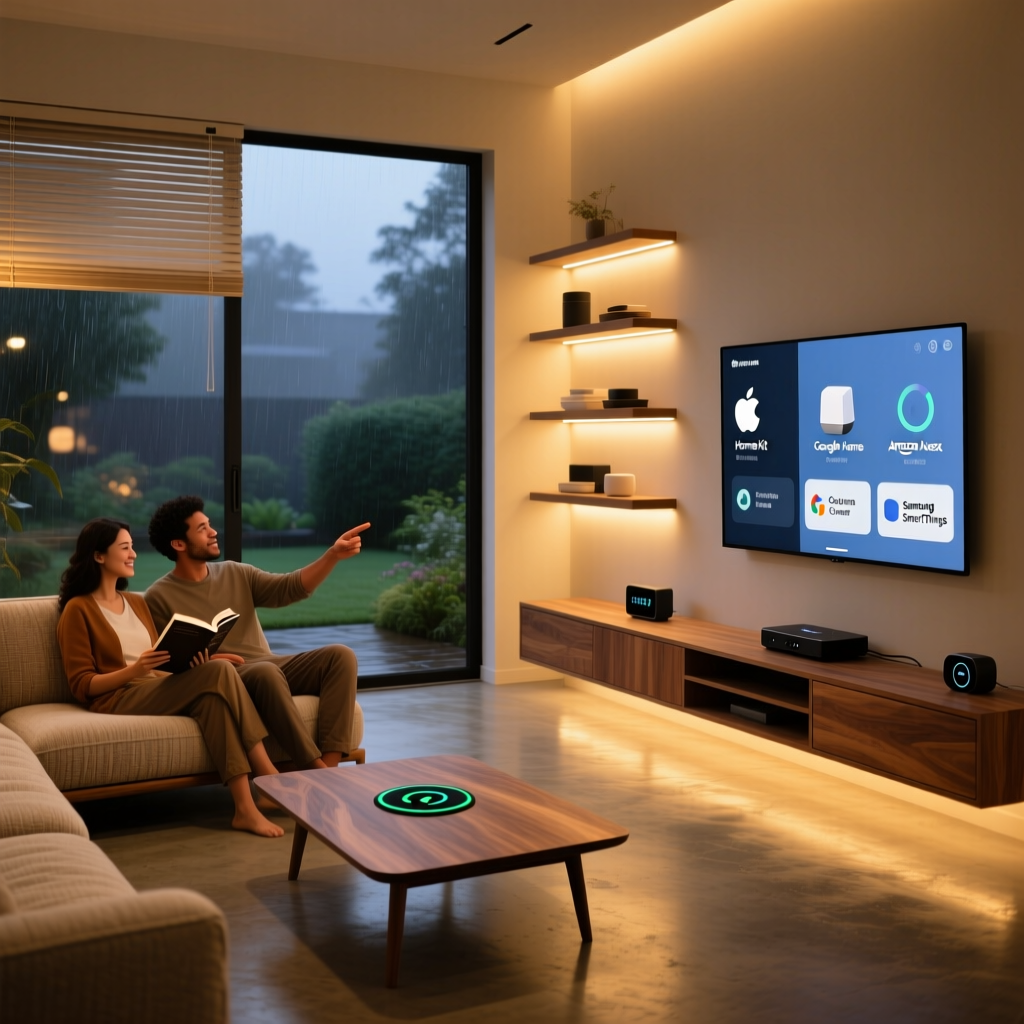
A smart home ecosystem is the underlying platform that connects and controls your devices — from lights and thermostats to locks, cameras, and sensors. The major ecosystems include Amazon Alexa, Google Home, Apple HomeKit, Samsung SmartThings, and emerging standards like Matter. Each offers a different approach to accessibility, and understanding these differences is essential before investing in devices.
The Role of Ecosystems in Accessible Living
For elderly and disabled users, a smart home ecosystem serves as a central nervous system. It replaces physical actions — flipping switches, turning knobs, walking to doors — with voice commands, automated schedules, and remote controls operated from a smartphone or tablet. This is not merely about convenience; it is about preserving autonomy and reducing the need for constant caregiver assistance.
Consider a scenario where an individual with limited mobility needs to adjust the thermostat. Without a smart home, this might require getting up, walking across the room, and manually adjusting a dial. With a properly configured ecosystem, a simple voice command or a tap on a bedside tablet accomplishes the same task instantly. Multiply this across dozens of daily actions, and the cumulative impact on independence is enormous.
Key Accessibility Features Across Major Platforms
Every major ecosystem now includes built-in accessibility features, though they vary in depth and implementation:
- Amazon Alexa: Offers extensive voice control, Alexa Guard for safety monitoring, routines with conditional logic, Drop-In for instant communication between devices, and compatibility with the widest range of third-party devices. Alexa also supports features like Alexa Captioning for Echo Show devices and accessibility skills developed by third parties.
- Google Home: Leverages Google's advanced speech recognition, which tends to handle speech impairments and accents more effectively. Google Assistant supports Voice Match for personalized responses, Interpreter Mode, and deep integration with Android accessibility features like TalkBack and Live Transcribe.
- Apple HomeKit: Prioritizes privacy and seamless integration with Apple's ecosystem of accessibility tools, including VoiceOver, Switch Control, and AssistiveTouch. HomeKit's tighter device certification standards mean fewer compatibility headaches, though the overall device selection is smaller.
- Samsung SmartThings: Provides a hub-based system that excels at sensor-driven automations. SmartThings Station includes fall detection capabilities, and the platform integrates well with Samsung Galaxy devices and their accessibility settings.
For a deeper exploration of each platform, visit our Amazon Alexa ecosystem guide and our Google Home ecosystem overview.
Choosing the Right Ecosystem: Core Considerations
Before selecting an ecosystem, evaluate these factors specific to accessibility needs:
- Primary interaction method: Will the user rely primarily on voice, touch, switches, or automation? This determines which platform's strengths align best.
- Existing technology: Does the user already own a smartphone, tablet, or smart speaker? Building on existing familiarity reduces the learning curve.
- Specific disability or limitation: Mobility, vision, hearing, cognitive, and speech challenges each benefit from different ecosystem strengths.
- Budget: Accessibility setups range from a single smart speaker to a fully sensor-equipped home. Some ecosystems have lower entry costs than others.
- Caregiver access: Will family members or professional caregivers need remote monitoring and control capabilities?
Best Smart Home Devices for Elderly & Disabled Users
The right devices transform a smart home ecosystem from a collection of gadgets into a genuine accessibility tool. Below, we break down the most impactful device categories and explain how they serve specific needs.
Voice Assistants & Smart Speakers
Smart speakers are the cornerstone of an accessible smart home. They provide a hands-free, eyes-free interface that works for nearly every type of disability.
For users with limited mobility, a smart speaker placed in each room eliminates the need to physically interact with switches, remotes, and controls. Voice commands handle everything from adjusting lights to calling family members.
For users with vision impairments, smart speakers with voice feedback provide audible information about weather, time, calendar events, and device status without requiring a screen. Devices like the Amazon Echo Show and Google Nest Hub also offer high-contrast visual displays with large text options for those with partial vision.
For users with cognitive challenges, smart speakers can provide verbal reminders for medication, appointments, and daily routines. The conversational nature of voice assistants is often more intuitive than navigating a smartphone app.
Key recommendations include:
- Amazon Echo (4th Gen): Excellent all-around speaker with Zigbee hub built in, temperature sensor, and broad device compatibility. See our Echo 4th Gen review for details.
- Google Nest Hub (2nd Gen): Features sleep sensing, superior voice recognition, and a fabric design that blends into home environments.
- Apple HomePod mini: Best for users already in the Apple ecosystem, with exceptional sound quality and tight integration with iPhone accessibility features.
- Amazon Echo Show 15: A wall-mountable display ideal for kitchens or common areas, offering large visual interfaces and video calling capabilities.
Smart Lighting
Smart lighting is one of the most immediately impactful accessibility upgrades. For elderly users with reduced vision, automated lighting that turns on when motion is detected can prevent falls in hallways, bathrooms, and staircases during nighttime hours.
For users with mobility limitations, voice-controlled or app-controlled lighting eliminates the need to reach wall switches, which may be positioned at inconvenient heights or locations.
For users with cognitive disabilities or dementia, smart lighting can be programmed to simulate daily routines — bright, cool-white light in the morning to promote alertness, and warm, dim light in the evening to support natural sleep cycles. Lights can also be programmed to flash or change color as visual alerts for doorbells, alarms, or reminders.
Recommended smart lighting options include:
- Philips Hue: The gold standard for smart lighting with exceptional reliability, color options, and ecosystem compatibility. Explore our Philips Hue starter kit review.
- LIFX bulbs: Wi-Fi-based bulbs that do not require a separate hub, making setup simpler for users who want minimal technical complexity.
- Wyze Bulb Color: A budget-friendly option that integrates with both Alexa and Google Assistant.
Smart Locks & Doorbell Cameras
Smart locks address a fundamental accessibility challenge: the physical act of using keys. For users with arthritis, tremors, or limited hand dexterity, inserting and turning a key can be frustrating or impossible. Smart locks replace this with keypad codes, fingerprint recognition, smartphone apps, or voice commands.
Doorbell cameras add another layer of accessibility by allowing users to see and speak with visitors without approaching the door. This is particularly valuable for wheelchair users, individuals recovering from surgery, or elderly users who may be at risk of falls on the path to the front door.
Top recommendations include:
- August Wi-Fi Smart Lock: Retrofits over existing deadbolts, preserving the original key as a backup. Read our August Smart Lock review for a detailed analysis.
- Schlage Encode Plus: Supports HomeKit Secure Video and Apple Home Key, making it ideal for Apple users.
- Ring Video Doorbell Pro 2: Offers head-to-toe video coverage and integrates seamlessly with Alexa for hands-free answering.
- Eufy Video Doorbell Dual: Provides local storage with no subscription fees, which is important for users on fixed incomes.
Sensors & Safety Devices
Sensors are the unsung heroes of accessible smart homes. They enable the home to respond automatically to conditions and events, reducing the cognitive and physical burden on the user.
Motion sensors can trigger lights when someone enters a room, send alerts if an elderly user has not moved for an unusual period, or activate cameras when unexpected motion is detected.
Door and window sensors provide security alerts and can remind users with cognitive challenges whether doors have been left open. For dementia care, these sensors can alert caregivers if exterior doors are opened during nighttime hours.
Water leak sensors protect against flooding from forgotten faucets or appliance failures, a common concern for users who may have difficulty responding quickly to emergencies.
Fall detection sensors and wearable devices can automatically alert emergency contacts or services when a fall is detected, potentially saving lives when the user is unable to call for help.
Explore our guide to the best smart home sensors for detailed reviews and compatibility information.
Smart Thermostats & Plugs
Smart thermostats allow users to control home temperature through voice commands or smartphone apps, eliminating the need to reach and read small thermostat displays. For users with temperature sensitivity related to medical conditions, automated scheduling ensures consistent comfort without manual intervention.
Smart plugs are the simplest and most affordable entry point into smart home technology. They allow any standard appliance — a fan, a coffee maker, a lamp — to be controlled remotely or by voice. For elderly users who are hesitant about technology, smart plugs offer a low-risk way to experience the benefits without replacing familiar appliances.
Automation & Routines: Simplifying Daily Life
While individual smart devices provide convenience, automations and routines are where smart home ecosystems truly shine for accessibility. A well-designed automation can perform a sequence of actions automatically, responding to triggers without requiring any input from the user.
Morning Routines
A morning routine automation can transform the most challenging part of the day for elderly and disabled users. Consider this example:
At 7:00 AM, the following sequence triggers automatically:
- Bedroom lights gradually brighten over 15 minutes, simulating a natural sunrise
- The thermostat adjusts from overnight temperature to a comfortable daytime setting
- The smart speaker announces the weather, calendar events, and any reminders for the day
- The coffee maker (connected via smart plug) begins brewing
- Motorized blinds open to let in natural light
For users with mobility challenges, this routine eliminates multiple physical tasks that would otherwise require getting up, walking to different rooms, and manipulating various controls. For users with cognitive challenges, the verbal announcement of the day's schedule provides structure and reduces anxiety.
Safety & Emergency Automations
Safety-focused automations are perhaps the most critical application for elderly and disabled users. Here are essential automations to configure:
Nighttime safety: When motion is detected in a hallway between 10 PM and 6 AM, pathway lights turn on at low brightness to illuminate the route to the bathroom without causing disorientation from bright light. Lights automatically turn off five minutes after motion ceases.
Stove safety: If a smart plug connected to a stove or space heater has been on for more than two hours, an alert is sent to a caregiver's phone, and the device can be configured to turn off automatically.
Door security: At 10 PM, the system checks all exterior doors. If any door is unlocked, the smart speaker announces which door needs attention, and the smart lock can be configured to lock automatically.
Inactivity monitoring: If no motion is detected in the home for an unusual period during waking hours, an alert is sent to designated caregivers. This provides peace of mind for family members without requiring invasive cameras in private spaces.
Water emergency: If a water leak sensor detects moisture near a water heater or washing machine, the smart speaker announces an alert and a notification is sent to emergency contacts.
Medication & Health Reminders
Smart speakers excel at delivering medication reminders through scheduled announcements. Unlike smartphone notifications, which can be missed or ignored, a voice announcement in the room where the user is located is difficult to overlook.
Advanced setups can include:
- Multi-step medication reminders that ask the user to confirm they have taken their medication
- Escalating alerts — if the user does not confirm within 15 minutes, a second reminder is issued, and if still unconfirmed after 30 minutes, a caregiver is notified
- Integration with smart pill dispensers that track whether medication has actually been dispensed
- Hydration reminders throughout the day, particularly important for elderly users who may have reduced thirst sensation
Communication & Social Connection
Social isolation is a significant concern for elderly and disabled individuals. Smart home ecosystems facilitate communication in several ways:
Drop-In and intercom features: Amazon Alexa's Drop-In feature allows family members to instantly connect to an Echo device in the user's home, functioning like an intercom system. This is invaluable for checking in without requiring the user to answer a phone call.
Video calling: Devices with screens, such as the Echo Show or Google Nest Hub, support video calls that can be initiated by voice command. This is much simpler than navigating a smartphone for users with vision or dexterity challenges.
Photo sharing: Family members can remotely send photos to smart displays, providing a constantly updating digital photo frame that keeps the user connected to family life without any technical effort on their part.
Caregiver Access & Remote Management
All major ecosystems allow caregivers to be added to the smart home with appropriate permission levels. This enables family members to:
- Remotely check device status and sensor readings
- Adjust automations and routines as needs change
- Receive alerts for unusual activity or emergencies
- Control devices on behalf of the user when needed (for example, unlocking the door for a delivery or letting in a home health aide)
- Review activity logs to understand daily patterns
This remote management capability is transformative for long-distance caregivers who want to support aging parents without being physically present.
Privacy, Security & Ethical Considerations
Implementing smart home technology for vulnerable populations raises important privacy and security concerns that must be addressed thoughtfully. Balancing safety monitoring with personal dignity is essential.
Data Privacy Concerns
Smart home devices collect data about daily patterns, routines, voice recordings, and sometimes video footage. For elderly and disabled users, this data can be particularly sensitive, revealing information about health conditions, daily habits, and personal routines.
Each ecosystem handles data differently:
- Apple HomeKit processes most data locally on the user's devices and does not use voice recordings for advertising. This makes it the strongest choice for privacy-conscious users, though its device selection is more limited.
- Amazon Alexa stores voice recordings by default (though they can be deleted) and uses data to improve services. Users can configure auto-deletion schedules and review recordings through the Alexa app.
- Google Home similarly stores interaction data and integrates it with the user's Google account. Privacy controls are available through the Google Account settings.
For maximum privacy, consider these best practices:
- Disable voice recording storage where possible
- Set up automatic deletion of voice recordings on a regular schedule
- Use local-processing hubs (such as Home Assistant or Hubitat) for sensitive automations
- Place cameras only in common areas with the user's informed consent
- Regularly review and revoke access for unused skills, apps, and connected services
Security Best Practices
Elderly and disabled users may be more vulnerable to security threats, making proper setup essential:
- Use strong, unique passwords for all smart home accounts and enable two-factor authentication
- Create a separate Wi-Fi network for smart home devices to isolate them from computers and phones that handle financial transactions
- Keep firmware updated on all devices — most platforms handle this automatically, but it is worth verifying periodically
- Disable unused features such as remote access, voice purchasing, or Drop-In if they are not needed
- Use a guest network for visitors to prevent unauthorized access to the smart home network
Ethical Considerations in Monitoring
When setting up monitoring for elderly or disabled users, ethical considerations must guide every decision:
Informed consent: The user should understand and agree to what is being monitored. Even when cognitive decline makes full consent challenging, the user's dignity and preferences should be respected to the greatest extent possible.
Proportionality: Monitoring should be proportional to actual risk. A user who is independent but has occasional falls may benefit from a fall detection wearable without needing cameras or door sensors. Over-monitoring can feel infantilizing and erode trust.
Transparency: The user should know when they are being monitored and who has access to the data. Hidden cameras or secret monitoring should be avoided except in extreme safety situations where legal and ethical frameworks support such measures.
Independence vs. safety: The goal is to maximize independence, not to eliminate all risk. A smart home should enable the user to live more freely, not create a digital cage. Automations should be designed to support the user's own goals and preferences.
Platform Comparison: Which Ecosystem Is Best for Accessibility?
Choosing the right ecosystem depends on the specific needs, existing technology, and preferences of the user. Below is a detailed comparison across the dimensions that matter most for accessibility.
Voice Recognition & Speech Accessibility
Google Assistant generally leads in voice recognition accuracy, particularly for users with speech impairments, heavy accents, or atypical speech patterns. Google's Project Euphonia initiative specifically aims to improve speech recognition for people with dysarthria and other speech-affecting conditions.
Amazon Alexa offers solid voice recognition and supports far-field voice pickup at greater distances, which is helpful for users who cannot get close to the device. Alexa also offers more third-party accessibility skills.
Apple Siri has improved significantly but historically trails behind Google and Amazon in natural language understanding. However, Siri integrates with Apple's powerful on-device accessibility tools, including VoiceOver and Switch Control.
Samsung SmartThings relies on Bixby or integrates with Alexa and Google Assistant, so voice capabilities depend on the chosen assistant.
Device Compatibility & Selection
Amazon Alexa supports the largest number of third-party devices by a significant margin. If you need a specific type of device — a smart pill dispenser, a particular brand of motorized blinds, or a niche sensor — Alexa is most likely to support it.
Google Home supports a wide range of devices, though slightly fewer than Alexa. Google's Works With program ensures reasonable compatibility across major brands.
Apple HomeKit has the smallest device selection due to stricter certification requirements. However, the devices that are supported tend to be higher quality and more reliable. The adoption of the Matter smart home standard is expanding HomeKit compatibility significantly.
Samsung SmartThings offers strong compatibility through its hub, supporting Zigbee, Z-Wave, and Wi-Fi devices from hundreds of manufacturers.
Ease of Setup & Use
For users who are not technologically inclined, or for caregivers setting up a system remotely, ease of setup is critical:
Amazon Alexa offers the simplest initial setup — plug in an Echo device, download the app, and follow guided instructions. Adding devices is generally straightforward, though the app can feel cluttered with the sheer number of options.
Google Home provides a similarly simple setup experience with a cleaner app interface. Google's ecosystem tends to be more intuitive for users already familiar with Android phones.
Apple HomeKit setup is streamlined for Apple users, with QR code-based pairing and a clean Home app. However, it requires an Apple device (iPhone or iPad) for setup and management, which can be a barrier for users who do not own Apple products.
Samsung SmartThings requires a hub for full functionality, adding a layer of complexity. The app is feature-rich but can be overwhelming for new users.
Cost Comparison
Budget is often a significant factor, particularly for elderly users on fixed incomes:
- Amazon Alexa: Lowest entry cost. Echo Dot devices are frequently on sale for under $30, and compatible devices span every price range. Many affordable Wyze, TP-Link, and Amazon Basics devices work seamlessly.
- Google Home: Competitive pricing with Nest Mini devices often discounted. Compatible device pricing is similar to Alexa.
- Apple HomeKit: Highest cost of entry. HomeKit-certified devices typically carry a price premium, and an Apple device is required for management. An Apple TV or HomePod is needed as a hub for remote access.
- Samsung SmartThings: Moderate cost. The hub itself is reasonably priced, and compatible devices span a wide range of price points.
Summary: Best Ecosystem by Need
| Primary Need | Recommended Ecosystem | Why |
|---|---|---|
| Limited mobility (voice-first) | Amazon Alexa | Broadest device support, excellent far-field voice, extensive routines |
| Speech impairment | Google Home | Superior speech recognition, Project Euphonia, adaptive learning |
| Privacy-focused | Apple HomeKit | Local processing, minimal data collection, strong encryption |
| Budget-conscious | Amazon Alexa | Lowest device costs, frequent sales, affordable compatible products |
| Dementia/cognitive care | Amazon Alexa or Google Home | Strong reminder systems, caregiver tools, Drop-In/intercom features |
| Vision impairment | Apple HomeKit | VoiceOver integration, high-quality audio feedback, Switch Control support |
| Full sensor ecosystem | Samsung SmartThings | Hub-based reliability, extensive sensor support, fall detection |
For more detailed platform breakdowns, explore our Apple HomeKit ecosystem guide and our Samsung SmartThings ecosystem overview.
Getting Started: Step-by-Step Setup Guide
Building an accessible smart home does not require doing everything at once. A phased approach allows the user to become comfortable with each layer of technology before adding more complexity.
Phase 1: Foundation (Week 1-2)
Start with the basics that provide immediate, noticeable benefits:
- Set up a smart speaker in the room where the user spends the most time. Configure voice profiles, enable preferred music services, and practice basic voice commands.
- Add smart bulbs to the two or three most-used light fixtures. Configure voice control and create a simple nighttime routine that turns off all lights at bedtime.
- Install a smart plug on a frequently used appliance, such as a fan or lamp, to demonstrate the convenience of voice control.
Phase 2: Safety & Security (Week 3-4)
Build on the foundation with safety-focused devices:
- Install a smart doorbell camera so the user can see and speak with visitors without going to the door.
- Add a smart lock to the primary entrance, configured with an easy-to-remember code. Set up auto-lock at bedtime.
- Place motion sensors in the hallway and bathroom for nighttime lighting automations.
- Set up a water leak sensor near the water heater and washing machine.
Phase 3: Comfort & Automation (Month 2)
Enhance daily comfort with more advanced automations:
- Install a smart thermostat with scheduled temperature adjustments.
- Create morning and evening routines that coordinate multiple devices.
- Set up medication reminders with confirmation tracking.
- Configure caregiver access so family members can monitor and assist remotely.
Phase 4: Advanced Features (Month 3+)
As confidence grows, explore more sophisticated capabilities:
- Add room-specific sensors for temperature, humidity, and air quality.
- Install motorized blinds for automated light management.
- Set up inactivity monitoring with caregiver alerts.
- Explore health-related integrations such as blood pressure monitors and scales that sync with the smart home ecosystem.
Throughout each phase, prioritize the user's comfort and preferences. If a particular device or automation causes frustration rather than relief, it is better to remove it and try a different approach. The goal is technology that serves the user, not technology that creates additional burdens.
Frequently Asked Questions
Can smart home devices work during a power outage or internet outage?
Most smart home devices require both power and an internet connection to function fully. However, there are strategies to maintain accessibility during outages:
- Smart locks with keypad or key backup can still be operated manually during power outages
- Some smart lights can be configured to turn on automatically when power is restored
- An uninterruptible power supply (UPS) can keep a router and smart hub running for several hours during a power outage
- Hub-based systems (like SmartThings or Hubitat) can often continue running local automations even when the internet is down, though remote access and voice assistant features will be unavailable
- Battery-powered sensors continue to function during power outages and will sync data once connectivity is restored
For critical safety needs, always maintain non-smart backups — a physical key for the door, a battery-powered flashlight, and a charged mobile phone that can make emergency calls.
How do I help an elderly parent who is resistant to smart home technology?
Technology resistance is common among older adults, and it usually stems from fear of complexity, concern about privacy, or a feeling that technology is unnecessary. Here are effective strategies:
- Start with a single, obvious benefit: Rather than introducing a full ecosystem, start with one device that solves a specific frustration. A smart speaker that plays favorite music by voice command or a smart plug that turns on a hard-to-reach lamp can demonstrate value without overwhelming.
- Frame it as independence, not monitoring: Emphasize how the technology helps the user do things for themselves rather than framing it as a way for you to watch over them.
- Pre-configure everything: Set up devices, create routines, and configure settings before presenting them. The user should experience the benefits without having to deal with setup complexity.
- Use familiar language: Instead of saying "I installed a smart home system," say "I set up the lights so you can turn them on with your voice" or "This little speaker can play your music and remind you about your pills."
- Be patient with the learning curve: Allow time for adjustment. Visit frequently during the first few weeks to troubleshoot issues and reinforce positive experiences.
Are smart home devices covered by insurance, Medicare, or disability assistance programs?
Coverage varies significantly depending on the specific device, the user's condition, and the program:
- Medicare generally does not cover consumer smart home devices like smart speakers or smart lights. However, some Medicare Advantage plans have begun offering smart home benefits as part of supplemental coverage, particularly for fall prevention devices and remote monitoring systems.
- Medicaid waiver programs in some states may cover certain smart home modifications under home and community-based services (HCBS) waivers, particularly when they support aging in place or disability independence goals.
- Veterans Affairs (VA) offers smart home technology through various programs, including the VA's smart home initiative for veterans receiving home health care.
- Vocational rehabilitation programs may fund smart home devices when they enable a disabled individual to maintain employment.
- Non-profit organizations such as Rebuilding Together and Area Agencies on Aging sometimes provide grants or assistance for home modifications that include smart home technology.
- Private long-term care insurance policies may cover home modifications and assistive technology under certain provisions.
Always consult with a social worker, occupational therapist, or benefits counselor to explore available funding options specific to your situation and location.
What is the best smart home setup for someone with dementia or Alzheimer's disease?
Designing a smart home for someone with dementia requires a balance between safety monitoring and preserving the individual's sense of independence and dignity. Key recommendations include:
- Automated lighting that follows circadian rhythms — bright during the day, warm and dim in the evening — can help regulate sleep-wake cycles, which are often disrupted in dementia
- Door sensors with alerts to caregivers when exterior doors are opened, particularly during nighttime hours when wandering is most common and most dangerous
- Stove and appliance safety through smart plugs or specialized devices that automatically shut off cooking appliances after a set period
- Simplified interfaces — remove unnecessary devices and features. The environment should feel familiar, not cluttered with unfamiliar technology
- GPS tracking through a wearable device or smartwatch in case the individual wanders outside the home
- Photo-based communication through smart displays that show rotating family photos, which can provide comfort and support memory
- Music therapy through smart speakers programmed with playlists of music from the individual's youth, which has been shown to reduce agitation and improve mood in dementia patients
- Consistent routines programmed into the smart home to provide structure — the same morning announcement, the same evening wind-down sequence, creating predictable patterns that reduce confusion
It is essential to work with the individual's healthcare team, including occupational therapists and geriatric specialists, to design a setup that addresses specific symptoms and stages of cognitive decline.
How do I ensure smart home devices remain accessible as the user's needs change over time?
Accessibility needs are rarely static. Physical abilities may decline, new health conditions may develop, or existing conditions may improve with treatment. Building flexibility into the smart home setup is essential:
- Choose ecosystem-agnostic devices when possible: Devices that support multiple ecosystems (such as those compatible with the Matter standard) can be migrated between platforms if needs change.
- Review automations quarterly: Schedule regular reviews of all routines and automations to ensure they still match the user's current abilities and preferences.
- Keep physical controls available: Smart devices should augment, not replace, physical controls. A smart light should still be operable via its physical switch for times when voice control is not practical.
- Maintain a device inventory: Keep a written list of all devices, their locations, account credentials (stored securely), and configuration details. This ensures that caregivers or technicians can maintain the system even if the original installer is unavailable.
- Plan for caregiver transitions: If a primary caregiver becomes unavailable, ensure that access credentials and system knowledge can be transferred to a new caregiver smoothly.
- Stay current with platform updates: Smart home ecosystems regularly add new accessibility features. Periodically review platform announcements to take advantage of new capabilities that may benefit the user.
For ongoing guidance on maintaining and expanding your accessible smart home, explore our smart home setup guides and device reviews for the latest recommendations and compatibility information.
Conclusion: Empowering Independence Through Technology
Smart home technology represents one of the most significant advances in accessible living in decades. When thoughtfully implemented within a cohesive ecosystem, these devices do far more than automate household tasks — they restore independence, provide safety nets, facilitate communication, and improve quality of life for elderly individuals and people with disabilities.
The key to success lies in choosing the right ecosystem for the user's specific needs, starting with high-impact devices that address immediate challenges, and building gradually toward a comprehensive system. Privacy and ethical considerations must guide every decision, ensuring that technology serves the user's dignity and autonomy rather than undermining them.
Whether you are setting up a single smart speaker for a parent who lives alone, or designing a fully automated home for someone with complex disabilities, the principles remain the same: start with the person, not the technology. Understand their daily challenges, respect their preferences, and let the technology disappear into the background, quietly making life easier, safer, and more connected.
For more information on specific devices and platforms, browse our ecosystem comparison guides and device reviews to find the perfect solutions for your accessible smart home.