Smart Home Ecosystem for Aging in Place: The Complete Guide to Elderly Care Technology
Aging in place — the ability to live safely, independently, and comfortably in your own home as you grow older — has become one of the most important goals for seniors and their families. Rather than moving to assisted living facilities, more older adults are choosing to remain in familiar surroundings, surrounded by memories, neighbors, and routines. Smart home technology has emerged as one of the most powerful tools to make this choice realistic, safe, and dignified.
A well-designed smart home ecosystem for aging in place does far more than turn lights on and off. It can detect falls, remind someone to take medication, alert family members if a daily routine is disrupted, simplify video calls with grandchildren, and give caregivers peace of mind without stripping away the senior’s independence. When the right devices work together under a single platform, the result is a home that quietly supports its occupant — never intruding, always watching, and ready to help the moment something goes wrong.
In this comprehensive guide, we will walk through how to build a complete smart home ecosystem tailored for elderly care. You will learn which devices matter most, how to set them up in a senior-friendly way, which automations deliver the greatest safety benefits, how to balance monitoring with privacy, and which major platform — Amazon Alexa, Google Home, or Apple HomeKit — is the best fit for your loved one’s needs. Whether you are a caregiver, an adult child planning ahead, or a senior exploring your own options, this article will give you a clear roadmap.
Platform Overview: What Makes a Smart Home Ecosystem Right for Aging in Place
Not every smart home setup is suitable for elderly users. A system built for a tech-savvy thirty-year-old will often fail a senior who has limited mobility, reduced vision, hearing loss, or mild cognitive decline. The ideal aging-in-place ecosystem is defined by five core characteristics that should guide every device and automation you choose.
Voice-first control. Seniors often struggle with small touchscreens, tiny buttons, and app-based interfaces. A strong voice assistant — whether Alexa, Google Assistant, or Siri — becomes the primary remote control for the entire home. Voice commands eliminate the need to find a phone, open an app, or remember which switch does what. For someone with arthritis, Parkinson’s tremors, or low vision, voice control is not a convenience; it is an accessibility requirement.
Passive monitoring. The best elderly care ecosystems do not require the senior to do anything. Motion sensors, door contact sensors, smart plugs on appliances, and bed occupancy sensors quietly build a picture of daily life. If the coffee maker does not turn on by 8:00 a.m., or if the bathroom door has been closed for three hours, the system can alert a caregiver. This approach respects autonomy while providing a safety net.
Reliable emergency response. Falls, medical events, and sudden confusion can happen without warning. A mature ecosystem integrates fall detection, emergency voice calling, and caregiver notifications into a single workflow. Devices like smart displays with video calling, wearable fall detectors, and always-listening voice assistants create multiple redundant paths for help to arrive.
Simplicity and consistency. Seniors benefit enormously from a single, unified platform. Mixing three different apps, four different voice assistants, and incompatible devices creates confusion and failure points. Choosing one primary ecosystem and staying within it — even if it means paying a small premium for compatible devices — pays off in reliability and ease of use.
Remote caregiver access. Family members and professional caregivers need a way to check in, adjust settings, and receive alerts without being physically present. The best platforms offer shared home access, remote control, and notification routing so that a daughter in another state can see that her father is up, active, and safe.
For a deeper look at how different smart home hubs fit into this picture, our smart home hub comparison breaks down the strengths of each option for multi-generational households.
Best Smart Home Devices for Elderly Care and Aging in Place
Building an aging-in-place ecosystem starts with choosing the right devices. Below are the categories that matter most, along with specific types of products that consistently perform well in senior homes. Each category solves a real problem that older adults and their caregivers face every day.
Smart Displays for Communication and Routine
Smart displays are arguably the single most valuable device in an elderly care setup. A screen combined with a voice assistant gives seniors a visual anchor for reminders, video calls, weather, photos, and simple controls. Devices like the Amazon Echo Show, Google Nest Hub, and similar smart displays can be configured to show a rotating photo frame of family members, display the day’s schedule, and launch video calls with a single voice command.
For seniors who live alone, a smart display placed in the kitchen or living room becomes a friendly presence. It can announce reminders for medication, hydration, and meals. It can read audiobooks aloud, play favorite music from decades past, and answer questions without requiring the user to pick up a phone. Many caregivers report that a smart display reduces loneliness noticeably within the first few weeks of installation.
Check out our hands-on reviews of the top smart displays to find the right size and platform for your loved one’s home. Larger screens are generally better for seniors with vision challenges, and models with physical camera shutters help address privacy concerns.
Motion and Door Sensors for Activity Monitoring
Passive activity monitoring is the backbone of a respectful aging-in-place system. Small motion sensors placed in hallways, kitchens, bathrooms, and bedrooms create a timeline of movement throughout the day. Door contact sensors on the front door, refrigerator, and medicine cabinet add another layer of insight. Together, they answer the question every caregiver asks: “Is everything okay today?”
Modern sensors are inexpensive, battery-powered, and easy to install with adhesive strips. They do not record video or audio, which makes them far more acceptable to privacy-conscious seniors than cameras. A typical setup might include a motion sensor in the bedroom to confirm the person got up in the morning, a sensor in the kitchen to confirm breakfast was prepared, and a door sensor on the front entrance to alert if the door opens at an unusual hour — a critical safety feature for seniors with dementia or wandering tendencies.
Our motion sensor roundup covers the most reliable models that work across the major ecosystems and hold up well in real-world senior homes.
Smart Locks and Video Doorbells
Security and access control are essential for seniors who may have difficulty getting to the door quickly, who may forget who they let in, or who rely on visiting caregivers. A smart lock allows family members to grant temporary access codes to home health aides, delivery drivers, or neighbors without hiding a key under the mat. A video doorbell lets the senior see and speak to whoever is at the door from anywhere in the house, reducing the risk of opening the door to strangers.
For seniors with mobility issues, the ability to unlock the door with a voice command or automatically when a trusted caregiver arrives can be life-changing. Some smart locks also send notifications when the door is locked or unlocked, giving family members confirmation that a visiting nurse arrived on time.
Browse our smart lock reviews and video doorbell guides for models that integrate cleanly with voice assistants and offer reliable battery life.
Smart Lighting for Fall Prevention
Falls are the leading cause of injury among older adults, and poor lighting is one of the biggest contributing factors. Smart lighting solves this problem elegantly. Motion-activated path lights in hallways and bathrooms ensure that a senior getting up at night never walks in darkness. Lights that turn on automatically at sunset remove the need to remember to flip switches. Voice-controlled bedside lamps mean someone does not have to get out of bed to turn off the light.
Smart bulbs with adjustable color temperature can also support healthy sleep cycles by shifting to warm, dim light in the evening. For seniors with dementia, consistent lighting routines help reinforce the difference between day and night, reducing sundowning behaviors.
Our smart lighting guides cover bulbs, switches, and motion-activated fixtures that work well in senior homes.
Smart Plugs and Appliance Monitoring
A smart plug is one of the most underrated tools in elderly care. Plugging the coffee maker, kettle, space heater, or stove ignition into a smart plug allows caregivers to confirm that appliances are being used normally — and to turn them off remotely if they have been left on. A forgotten space heater or stove burner is a serious fire risk, and smart plugs provide a simple safeguard.
Smart plugs also enable helpful automations: the coffee maker can turn on automatically at 7:00 a.m., a lamp can turn on at sunset, and a fan can shut off after a set period. These small touches make the home feel responsive without requiring the senior to learn new habits.
Wearables and Fall Detection Devices
Wearable devices with fall detection add a critical layer of safety when the senior is away from home or in a part of the house without sensors. Modern smartwatches and dedicated medical alert pendants can detect hard falls and automatically call emergency services or designated contacts. Some also include GPS tracking, which is invaluable for seniors with Alzheimer’s or other conditions that cause wandering.
The key to success with wearables is compliance. A device that sits in a drawer provides no protection. Choosing a comfortable, water-resistant model that the senior is willing to wear all day — including in the shower, where many falls occur — is more important than picking the device with the most features.
Setting Up a Senior-Friendly Smart Home: Practical Tips
The difference between a smart home that works beautifully for an elderly user and one that causes frustration almost always comes down to setup. A thoughtful installation takes a few extra hours but prevents months of confusion and support calls. Here are the principles that consistently lead to success.
Start Small and Expand Gradually
Resist the urge to install twenty devices on the first weekend. Begin with a smart display in the main living area, a motion sensor in the hallway, and a smart plug on a lamp or coffee maker. Let the senior get comfortable with voice commands and the rhythm of the system. Once they are confident, add door sensors, additional lights, and more advanced automations. A phased rollout also gives caregivers time to learn the system alongside the senior.
Use Clear, Natural Voice Commands
Seniors do not want to memorize cryptic phrases like “activate scene evening relaxation.” Configure routines with natural language that matches how the person actually speaks. “Alexa, call my daughter” should launch a video call. “Hey Google, I fell down” should trigger an emergency routine. “Siri, turn on the night light” should illuminate the path to the bathroom. Test every command with the senior present and adjust until it feels intuitive.
Place Devices Where They Will Actually Be Used
A smart speaker in a rarely used guest room is wasted money. Place voice assistants and smart displays in the rooms where the senior spends the most time: the bedroom, the kitchen, the favorite chair in the living room, and the bathroom if privacy concerns can be addressed. Motion sensors should cover the main paths of travel — bedroom to bathroom, bedroom to kitchen — rather than every corner of the house.
Label Everything Physically
Even with voice control, seniors benefit from physical reminders. A small label near a smart plug that says “Coffee Maker — say ‘turn on coffee’” reinforces the connection between the device and the command. A printed sheet of common voice commands on the refrigerator becomes a trusted reference. Do not rely on the senior remembering how the system works from memory alone.
Configure a Dedicated Caregiver Account
Every major smart home platform allows you to share home access with family members or caregivers. Set this up early, before it is needed in an emergency. The caregiver should be able to view device status, receive notifications, run routines remotely, and adjust settings without having to log in as the senior. Test remote access from a different location to confirm it works as expected.
Ensure Strong Wi-Fi and Power Backup
A smart home is only as reliable as its network. Seniors often live in older homes with poor Wi-Fi coverage, so invest in a mesh Wi-Fi system that reaches every room. Consider a small uninterruptible power supply (UPS) for the router and main hub so the system stays online during short power outages. A dead smart home during an emergency is worse than no smart home at all.
For a detailed walkthrough of network setup, our network setup guide covers mesh systems, VLANs, and reliability tips.
Automations That Improve Safety, Independence, and Peace of Mind
Devices are only half of the equation. The real power of a smart home ecosystem for aging in place comes from automations — the invisible routines that run in the background and respond to events without any action from the senior. Below are the automations that deliver the most value in real-world elderly care situations.
Morning Check-In Routine
Every morning at a set time, the system confirms that the senior is up and active. A motion sensor in the bedroom or hallway triggers the routine. If no motion is detected by 9:00 a.m., the smart display in the bedroom gently asks, “Good morning, are you okay?” If there is no response within a few minutes, a notification is sent to the designated caregiver. This simple routine has saved lives by catching medical events that occurred overnight.
Medication and Hydration Reminders
Voice assistants excel at scheduled reminders. Set daily announcements for medication times, water intake, and meals. Pair these with smart plugs on a lamp near the medication to create a visual cue — the lamp blinks when it is time to take pills. For seniors who sometimes forget whether they already took their medication, a smart pill dispenser integrated with the ecosystem can confirm doses and alert caregivers if one is missed.
Nighttime Path Lighting
Motion sensors in the hallway and bathroom trigger low-level warm lighting between 10:00 p.m. and 6:00 a.m. The lights stay on for two minutes after motion stops, then fade out slowly. This automation alone prevents countless nighttime falls and gives both the senior and caregiver better sleep.
Stove and Appliance Safety Shutoff
If a smart plug on the coffee maker, kettle, or space heater has been on for more than a set duration — say, two hours — the system turns it off automatically and notifies the caregiver. For gas stoves, dedicated smart shutoff valves with motion sensors can cut the gas supply if no motion is detected in the kitchen for a period of time while the burner is on.
Door and Wandering Alerts
For seniors with dementia or cognitive decline, a door sensor on the front entrance can trigger an immediate alert if the door opens between 10:00 p.m. and 6:00 a.m. Some caregivers pair this with an audible announcement on indoor smart speakers (“The front door is open”) to gently redirect the senior back inside. GPS-enabled wearables add another layer of protection if wandering does occur.
Emergency Voice Routines
Configure phrases like “help,” “I fell,” or “call my daughter” to trigger an emergency routine. The routine can place a voice or video call to a family member, send a text with the home address to emergency contacts, turn on all the lights in the house to help responders find the senior, and unlock the front door for paramedics. Test this routine regularly so everyone knows it works.
Weather and Air Quality Announcements
Older adults are more vulnerable to extreme heat, cold, and poor air quality. A daily morning announcement summarizing the weather and any heat or air quality advisories helps the senior make safe decisions about going outside. Automations can also trigger the air conditioner or air purifier when conditions reach unsafe thresholds.
Explore more automation ideas in our automation guides, where we break down routines for every room and lifestyle.
Privacy, Security, and Caregiver Access: Getting the Balance Right
Privacy is often the biggest objection seniors raise when a smart home is proposed. Many older adults grew up in an era when the idea of a microphone in the home was unthinkable, and they are understandably wary of cameras, always-listening devices, and data collection. Addressing these concerns honestly is essential to adoption.
Be Transparent About What Each Device Hears and Sees
Walk through every device with the senior and explain exactly what it does. A smart speaker listens for a wake word and then records a short clip — it is not recording all day. A motion sensor detects movement but does not capture images. A door sensor only knows whether the door is open or closed. Demystifying the technology removes much of the fear.
Use Physical Privacy Controls
Choose devices with physical microphone mute buttons and camera shutters, and show the senior how to use them. Many smart displays allow the camera to be physically covered when not in use. Place cameras only in common areas and entryways, never in bedrooms or bathrooms. If cameras are used at all, they should be the exception, not the rule.
Prefer Sensors Over Cameras
For activity monitoring, motion sensors, door sensors, and smart plugs provide nearly all the safety benefits of cameras with a fraction of the privacy intrusion. A caregiver does not need to see their parent making breakfast; they only need to know that the kitchen motion sensor triggered at 8:15 a.m. and the coffee maker smart plug turned on. This distinction matters enormously to seniors who value their dignity.
Secure the Network and Accounts
A smart home for an elderly user is a high-value target for scammers and hackers. Use strong, unique passwords for every account, enable two-factor authentication everywhere it is offered, and keep the router firmware updated. Consider a separate Wi-Fi network or VLAN for smart devices so that a compromised smart bulb cannot reach a personal computer. Our smart home security guide covers these steps in detail.
Define Caregiver Access Clearly
Decide in advance what caregivers can and cannot see. A professional home health aide may need access to door lock codes and basic routines but not activity history. A family member may need full access. Most platforms support multiple access levels — use them. Put these agreements in writing so that everyone’s expectations are clear, especially when multiple family members are involved.
Respect the Right to Disconnect
A senior should always be able to turn off monitoring if they choose, even if the caregiver disagrees. Autonomy is a core part of aging with dignity. Build the system so that it supports independence rather than replacing it, and revisit the level of monitoring as the senior’s needs change over time.
Comparing Ecosystems: Alexa vs Google Home vs Apple HomeKit for Seniors
Choosing the right platform is one of the most consequential decisions you will make. Each of the three major ecosystems has distinct strengths and weaknesses when it comes to elderly care. There is no single best answer — the right choice depends on the senior’s existing devices, the caregiver’s technical comfort, and the specific features that matter most.
Amazon Alexa: The Most Mature Elderly Care Platform
Alexa has invested more in senior-specific features than any other platform. Alexa Together is a dedicated subscription service that includes 24/7 urgent response, caregiver tools, activity alerts, and remote setup. Alexa’s voice recognition is strong, its smart home compatibility is the broadest of the three platforms, and the Echo Show lineup offers excellent smart displays for video calling. For most families starting from scratch, Alexa is the default recommendation for aging in place.
The downsides are real: Amazon’s ecosystem is more commercial and ad-driven than its competitors, the app can feel cluttered, and privacy-minded users may be uncomfortable with Amazon’s data practices. Still, the feature depth and device compatibility are hard to match.
Google Home: The Best Voice Assistant, Weaker Smart Home Depth
Google Assistant is widely regarded as the most natural-sounding and accurate voice assistant, which matters for seniors with speech patterns that other platforms struggle to understand. Google’s Nest Hub displays are excellent for photo frames and video calls through Google Meet. Integration with Android phones is seamless, and Google’s calendar and reminder features are mature.
However, Google’s smart home device compatibility, while broad, is slightly narrower than Alexa’s, and the platform has historically been less stable as Google rebrands and restructures its smart home division. For a senior already deep in the Google ecosystem — Gmail, Android, Google Calendar — it is a strong choice. For everyone else, Alexa usually wins on breadth.
Apple HomeKit: The Privacy-First Option
HomeKit is the clear winner on privacy and security. Apple’s approach to data is more restrictive, devices are vetted more carefully, and the overall experience is cleaner and less commercial. For seniors who already use iPhones and iPads, HomeKit feels familiar and integrates beautifully with FaceTime, Messages, and Apple’s health ecosystem.
The tradeoffs are significant: HomeKit-compatible devices are often more expensive, the selection is smaller, and voice control through Siri is noticeably less capable than Alexa or Google Assistant for complex smart home tasks. HomeKit is the right choice when privacy is the top priority and the household is already invested in Apple products.
Other Options Worth Considering
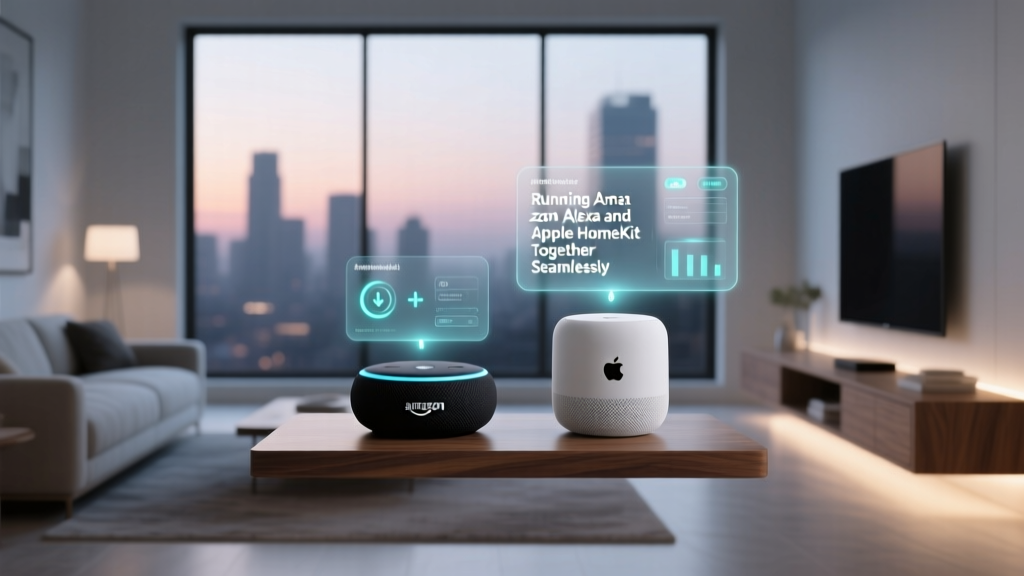
Samsung SmartThings is a strong hub-based platform that works well for sensor-heavy setups. Hubitat offers local processing and exceptional reliability for caregivers who want a system that keeps working when the internet goes down. For advanced users willing to invest time, Home Assistant provides unmatched customization and privacy, though it requires more technical skill to set up and maintain. Our ecosystem comparison hub dives deeper into each option.
Which Platform Should You Choose?
If you are starting fresh and want the most complete elderly care feature set, choose Amazon Alexa with an Echo Show as the centerpiece. If the senior is an iPhone user who values privacy above all else, choose Apple HomeKit. If the household is already Android and Google-centric, Google Home is a natural fit. Whatever you choose, commit to it fully — mixing ecosystems in a senior’s home creates confusion and support headaches that are rarely worth the savings.
Frequently Asked Questions
How much does a smart home for aging in place typically cost?
A basic aging-in-place setup with a smart display, two or three sensors, a smart plug, and a smart bulb can be assembled for under $300. A more comprehensive system with door locks, video doorbell, multiple sensors, fall detection wearables, and dedicated caregiver subscriptions typically ranges from $800 to $2,000 in hardware plus $10 to $25 per month in subscription fees. Compared to the cost of assisted living — which averages several thousand dollars per month — the investment is modest and often extends the time a senior can remain at home by years.
Can smart home technology really detect falls reliably?
Fall detection has improved dramatically in recent years, but no system is perfect. Wearable devices with accelerometers and gyroscopes — including certain smartwatches and dedicated medical alert pendants — detect hard falls with high accuracy. Room-based radar sensors, such as those offered by a few specialized manufacturers, can detect falls without requiring the senior to wear anything, though they are more expensive and less widely available. The best approach is layered: combine a wearable with environmental sensors and emergency voice routines so that multiple paths exist for help to be summoned.
Will my elderly parent actually use the system, or will it gather dust?
Adoption depends almost entirely on setup and introduction. Systems that are imposed without explanation, loaded with complicated commands, or placed in inconvenient locations will be abandoned. Systems that are introduced gradually, configured around the senior’s actual language and routines, and focused on genuine benefits — video calls with grandchildren, favorite music, easy lighting control — tend to be embraced enthusiastically. Start with features the senior actively wants, then add safety features quietly in the background. The best systems are the ones the senior forgets are there.
What happens to the smart home during a power outage or internet failure?
This is a critical consideration that many families overlook. Most smart home devices rely on both power and internet to function. Plan for both failure modes. A small UPS on the router and main hub keeps the core system online through short outages. Choose devices with local control capability — smart switches that still work physically, locks with key backup, and hubs that can run automations locally when the cloud is unreachable. Have a non-smart fallback plan for emergencies: a charged mobile phone, a list of emergency numbers on paper, and a physical key hidden with a trusted neighbor.
Is a smart home enough, or do we still need a professional caregiver or medical alert service?
A smart home ecosystem is a powerful complement to professional care, not a replacement for it. It excels at passive monitoring, reminders, communication, and environmental control. It does not replace hands-on medical care, physical therapy, meal preparation, or the human connection that a visiting caregiver provides. For most families, the ideal arrangement combines a well-configured smart home with regular visits from family members, scheduled professional care as needed, and a traditional medical alert service as a final safety net. The smart home extends the reach of everyone involved and fills the gaps between visits, which is where many serious incidents occur.
Building a smart home ecosystem for aging in place is one of the most meaningful investments you can make in a loved one’s quality of life. Done thoughtfully, it preserves independence, reduces caregiver stress, and creates a home that quietly supports its occupant through the later chapters of life. Start small, choose one platform, focus on the automations that matter most, and expand as confidence grows. The technology is ready — and so, with the right approach, is your family.