Smart Home Ecosystem for Multi-Household & Shared Property Management
Managing smart home technology across multiple households or shared properties presents a unique set of challenges that go far beyond configuring a single-family residence. Whether you are a landlord overseeing several rental units, a property manager responsible for an apartment complex, a homeowner running an accessory dwelling unit (ADU), or a family sharing a multi-generational home, the need for a robust, scalable, and secure smart home ecosystem is more pressing than ever.
Unlike a single-occupant smart home where one person controls every device, multi-household environments demand granular access control, centralized monitoring, tenant privacy protections, and automation workflows that serve different users without creating conflicts. The right ecosystem can transform how you manage properties — reducing maintenance costs, improving security, streamlining tenant communication, and boosting energy efficiency across every unit.
In this comprehensive guide, we explore everything you need to know about building and maintaining a smart home ecosystem tailored for multi-household and shared property management. From choosing the right platform and compatible devices to setting up automations, protecting privacy, and comparing leading solutions, this article serves as your definitive resource.
Platform Overview: What Defines a Multi-Household Smart Home Ecosystem
A multi-household smart home ecosystem is not simply a consumer platform scaled up. It requires architectural features that most standard smart home setups do not address out of the box. At its core, such an ecosystem must support the following capabilities:
Centralized Management Dashboard
The backbone of any shared property smart home system is a centralized dashboard that gives property managers or primary administrators a bird's-eye view of all connected units. This dashboard should display device status, alert notifications, energy consumption metrics, and automation logs across every household in the property. Platforms like smart home hubs with multi-location support serve as the nerve center for these operations.
Role-Based Access Control
Not every user needs the same level of control. A well-designed multi-household ecosystem implements role-based access control (RBAC), allowing administrators to assign permissions such as:
- Administrator: Full control over all devices, automations, and user management across all units
- Property Manager: Access to shared spaces, maintenance alerts, and system diagnostics without access to private tenant data
- Tenant/Resident: Control over devices within their specific unit only
- Maintenance Staff: Temporary or limited access to specific devices for repair and upkeep
- Guest: Time-limited, restricted access to shared amenities like gates, pools, or laundry facilities
Scalability Across Units
Whether you are managing two units or two hundred, the ecosystem must scale without performance degradation. This means cloud-based infrastructure with local processing fallbacks, mesh networking capabilities, and support for hundreds of connected devices per location. The best platforms allow you to add new units, onboard new tenants, and deploy new device types without requiring a complete system overhaul.
Interoperability & Device Agnosticism
Shared properties often contain a mix of device brands and communication protocols. A multi-household ecosystem must support Zigbee, Z-Wave, Wi-Fi, Bluetooth, Thread, and the emerging Matter standard to ensure that devices from different manufacturers can coexist and communicate seamlessly. This interoperability is essential for properties where existing devices may already be installed or where different tenants prefer different brands.
Remote Management & Mobile Access
Property managers and landlords are rarely on-site at all times. Remote management capabilities — including mobile apps, web portals, and API integrations — allow administrators to monitor and control systems from anywhere. This is especially critical for vacation rental properties, multi-site portfolios, and situations where rapid response to maintenance issues is required.
Best Devices & Setup Tips for Shared Property Smart Home Systems
Choosing the right devices is the foundation of a successful multi-household smart home deployment. Below, we break down the essential categories of devices and provide setup tips tailored for shared property environments.
Smart Locks & Access Control
Smart locks are arguably the most critical device in any shared property ecosystem. They enable keyless entry, temporary access codes for guests and maintenance workers, and audit trails that record who entered and when. For multi-household properties, look for smart locks that support:
- Multiple unique access codes per unit (at least 20-30 codes)
- Scheduled access windows (e.g., cleaning staff access only on Tuesdays from 10 AM to 2 PM)
- Remote lock and unlock capabilities via the central management platform
- Auto-lock functionality to ensure doors are never left unsecured
- Integration with your chosen ecosystem hub for centralized monitoring
For detailed recommendations, explore our smart lock reviews to find models that integrate seamlessly with multi-property management platforms. Popular choices for shared properties include the Schlage Encode, Yale Assure Lock 2, and the August Wi-Fi Smart Lock, all of which offer robust access management features.
Setup Tip: Install smart locks on all entry points, including individual unit doors, shared amenity rooms, mailrooms, and exterior gates. Use a standardized naming convention (e.g., "Unit-201-FrontDoor," "Shared-Gym-Entry") to make identification easy in the management dashboard.
Smart Thermostats & Climate Control
Heating and cooling costs represent one of the largest expenses in multi-unit properties. Smart thermostats allow property managers to set temperature boundaries, monitor energy usage per unit, and implement automated schedules that reduce waste. When selecting thermostats for shared properties, prioritize models that offer:
- Remote temperature monitoring and adjustment per unit
- Energy usage reporting and analytics
- Occupancy-based adjustments using motion or presence sensors
- Temperature range limits to prevent extreme settings that could damage pipes or inflate utility bills
- Multi-zone support for larger units or common areas
Check out our smart thermostat reviews for in-depth comparisons of models suitable for multi-household deployments. The Ecobee SmartThermostat Premium and Google Nest Learning Thermostat are standout options, offering excellent multi-location management features and energy reporting tools.
Setup Tip: In properties where tenants pay their own utilities, configure thermostats to give tenants full control within a reasonable range (e.g., 62°F to 82°F). In properties where the landlord covers utilities, implement more restrictive schedules and use occupancy sensors to reduce heating and cooling in unoccupied units.
Security Cameras & Video Doorbells
Security is a top concern for both property managers and tenants. A comprehensive camera system covering common areas, parking lots, hallways, and building exteriors provides peace of mind and valuable evidence in the event of incidents. For shared properties, camera systems should include:
- Cloud and local storage options for footage retention
- Motion detection with customizable zones and sensitivity settings
- Night vision and weather resistance for outdoor cameras
- Two-way audio for video doorbells at unit entrances
- Privacy masking to ensure cameras do not capture areas where tenants have a reasonable expectation of privacy
Browse our security camera reviews and video doorbell reviews for top-rated options. The Ring Alarm system, Arlo Pro series, and Reolink camera systems are particularly well-suited for multi-unit properties due to their scalable camera support and professional monitoring options.
Setup Tip: Never install cameras inside individual units or in areas where tenants expect privacy (bathrooms, inside windows). Clearly communicate camera locations to all tenants and include camera placement details in lease agreements. Use signage at building entrances to notify visitors that the property is under video surveillance.
Smart Lighting & Electrical
Smart lighting in common areas reduces energy costs and enhances security. Automated lighting schedules, motion-activated fixtures, and remote control capabilities make it easy to manage illumination across hallways, parking structures, stairwells, and outdoor pathways. Key considerations include:
- Motion sensor integration for automatic on/off in low-traffic areas
- Dusk-to-dawn scheduling for exterior lighting
- Dimming capabilities for common areas that serve multiple purposes
- Smart plugs and switches for managing shared appliances (laundry machines, vending equipment)
- Energy monitoring at the circuit or outlet level
Visit our smart lighting guide for product recommendations. Philips Hue, Lutron Caseta, and TP-Link Kasa devices are reliable choices for multi-unit properties, offering commercial-grade reliability and broad ecosystem compatibility.
Setup Tip: Use Zigbee or Z-Wave-based lighting systems rather than Wi-Fi for common areas. These protocols create mesh networks that strengthen as more devices are added, making them ideal for large properties with dozens or hundreds of light fixtures. Reserve Wi-Fi-based smart plugs for individual unit use where device counts are lower.
Leak Detectors & Environmental Sensors
Water damage is one of the most costly issues in multi-unit properties. A single undetected leak can damage multiple units and cost tens of thousands of dollars in repairs. Smart leak detectors and environmental sensors provide early warning and, in some cases, automatic shutoff capabilities. Essential features include:
- Instant push notifications when moisture is detected
- Integration with smart water valves for automatic shutoff
- Temperature and humidity monitoring to detect conditions conducive to mold growth
- Battery life of at least one year to reduce maintenance overhead
- Compact form factor for placement under sinks, behind toilets, and near water heaters
Setup Tip: Place leak detectors in every unit under kitchen sinks, bathroom vanities, near water heaters, and behind washing machines. In common areas, install detectors near boiler rooms, sprinkler system controls, and laundry facilities. Pair detectors with a smart water shutoff valve like the Flo by Moen or Phyn Smart Water Shutoff for automated damage prevention.
Smart Hubs & Controllers
The smart hub is the central brain of your multi-household ecosystem. For shared properties, you may need a hub per unit or a centralized hub with extended range, depending on the property layout. Key hub features for multi-household management include:
- Support for multiple communication protocols (Zigbee, Z-Wave, Wi-Fi, Thread, Matter)
- Multi-location or multi-property management from a single account
- Local processing to ensure automations continue running even if internet connectivity is lost
- API access for integration with property management software
- Professional monitoring and alert escalation options
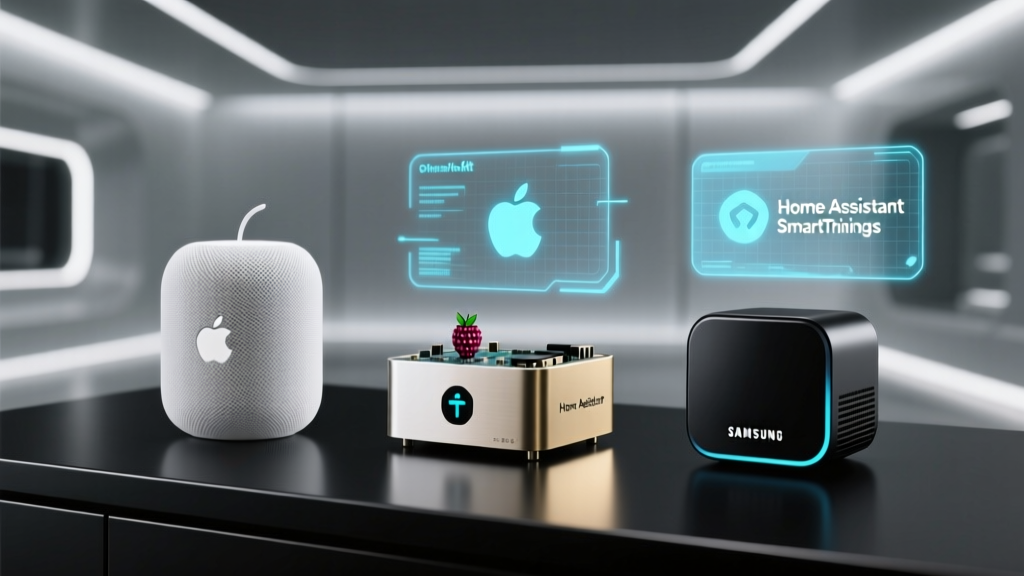
Explore our smart hub comparison for detailed reviews. The Samsung SmartThings Station, Hubitat Elevation, and Home Assistant (for advanced users) are top choices for multi-household deployments, each offering different balances of ease of use and customization.
Automation Strategies for Multi-Household Properties
Automation is where a multi-household smart home ecosystem truly delivers value. Well-designed automations reduce manual management tasks, improve tenant satisfaction, lower operational costs, and enhance security. Below are the most impactful automation strategies for shared property environments.
Tenant Turnover Automation
One of the most time-consuming aspects of property management is tenant turnover. Smart home automation can streamline this process significantly:
- Move-Out Sequence: When a tenant's lease ends, automatically revoke all access codes, reset thermostat schedules to energy-saving defaults, turn off unit-specific smart lights, and notify the property manager that the unit is ready for inspection.
- Move-In Sequence: When a new tenant is onboarded, automatically generate unique access codes, activate the unit's devices under the new tenant's profile, set welcome lighting scenes, and configure the thermostat to comfortable defaults.
- Maintenance Mode: Between tenants, activate a maintenance automation that provides temporary access codes for cleaners, painters, and repair technicians while logging all entries and exits.
Energy Management Automations
Energy waste in shared properties directly impacts the bottom line. Implement these automations to reduce consumption:
- Vacant Unit Detection: Use occupancy sensors and smart lock activity to detect when a unit is unoccupied for extended periods. Automatically adjust thermostats to energy-saving temperatures and turn off non-essential lighting.
- Common Area Scheduling: Program hallway, stairwell, and exterior lighting to follow sunrise/sunset schedules with motion-override capabilities for late-night activity.
- Peak Load Management: In properties with demand-based utility pricing, automate high-energy devices (EV chargers, pool pumps, HVAC systems) to operate during off-peak hours.
- Shared Laundry Scheduling: Use smart plugs on shared laundry machines to enable scheduling, usage tracking, and automatic notifications when a cycle is complete so the next tenant can use the facility.
Security & Safety Automations
Automated security routines provide continuous protection without requiring constant human oversight:
- Nighttime Perimeter Lockdown: At a set time each evening, automatically lock all exterior doors and gates, activate exterior cameras and lighting, and arm perimeter sensors.
- Unauthorized Access Alerts: If a door is forced open or an access code is used outside its authorized window, trigger an immediate alert to the property manager, activate nearby cameras, and sound an audible alarm if appropriate.
- Fire & CO Response: If a smart smoke or carbon monoxide detector triggers, automatically unlock all entry and exit doors in the affected unit (to facilitate evacuation and emergency responder access), activate hallway emergency lighting, and send alerts to all building occupants and the property manager.
- Package Delivery Notifications: When a video doorbell detects a delivery at a shared entrance, send a notification to the relevant unit's tenant with a snapshot of the package.
Maintenance & Proactive Monitoring
Preventive maintenance is far less expensive than emergency repairs. Smart home automations can help identify issues before they become costly problems:
- HVAC Filter Reminders: Track HVAC runtime hours and automatically generate maintenance tickets when filters are due for replacement.
- Water Usage Anomalies: Monitor smart water meter data for unusual consumption patterns that may indicate leaks. If usage exceeds normal parameters by a defined threshold, send an alert and optionally activate the water shutoff valve.
- Battery Monitoring: Track battery levels across all wireless devices (locks, sensors, detectors) and generate replacement alerts when levels drop below 20%.
- Device Health Checks: Schedule automated daily health checks that ping all connected devices and report any that are offline or malfunctioning.
Tenant Communication Automations
Effective communication between property managers and tenants is essential for a harmonious shared living environment. Smart home platforms can facilitate this through:
- Automated Announcements: Use smart displays in common areas or push notifications to tenant apps to broadcast building-wide announcements (e.g., water shutoff for maintenance, pest control schedules, community events).
- Maintenance Request Integration: Allow tenants to submit maintenance requests through the smart home app, which then creates a ticket, assigns it to the appropriate staff member, and provides the tenant with status updates.
- Emergency Broadcasts: In the event of severe weather, power outages, or other emergencies, send automated alerts to all tenants with safety instructions and status updates.
Privacy & Security Considerations for Shared Properties
Privacy and security are paramount in multi-household smart home deployments. Tenants have a legal and ethical right to privacy within their homes, and property managers must balance the benefits of smart technology with the responsibility to protect personal data. Below are the critical considerations and best practices.
Data Privacy & Tenant Rights
Smart home devices collect significant amounts of data — from occupancy patterns and daily routines to voice recordings and video footage. In a shared property context, this data collection raises important privacy concerns:
- Transparency: Clearly disclose all smart home devices installed in the property, what data they collect, how that data is stored, and who has access to it. Include this information in lease agreements and provide a separate smart home addendum.
- Consent: Obtain explicit consent from tenants before installing any devices that collect data within their units. Tenants should have the option to opt out of certain data collection features while still benefiting from core smart home functionality.
- Data Minimization: Collect only the data necessary for property management purposes. Avoid storing unnecessary data such as voice assistant recordings, detailed occupancy logs, or personal usage patterns.
- Data Retention: Establish clear data retention policies. Delete tenant data within a reasonable period after move-out (typically 30-90 days, depending on local regulations).
- Legal Compliance: Familiarize yourself with applicable privacy regulations such as GDPR (for European tenants), CCPA (for California properties), and local landlord-tenant laws that may govern smart home technology in rental properties.
Network Security Architecture
A multi-household property requires a robust network infrastructure that separates tenant traffic from management systems and prevents unauthorized access:
- Network Segmentation: Create separate VLANs (Virtual Local Area Networks) for management devices, tenant devices, and guest access. This prevents tenants from accessing management systems and prevents compromised tenant devices from affecting the broader network.
- Dedicated IoT Network: Place all smart home devices on a dedicated IoT network that is isolated from both tenant and management networks. This limits the attack surface if a smart device is compromised.
- Enterprise-Grade Wi-Fi: Use commercial-grade access points (such as Ubiquiti UniFi or TP-Link Omada) that support multiple SSIDs, VLAN tagging, and client isolation. Consumer-grade routers are not suitable for multi-unit properties.
- Firewall Rules: Implement firewall rules that restrict IoT devices from initiating outbound connections to unknown servers and prevent lateral movement between network segments.
- Regular Firmware Updates: Establish a schedule for updating firmware on all network equipment, smart hubs, and connected devices. Enable automatic updates where possible and test critical updates in a staging environment before deploying property-wide.
Access Control Best Practices
Managing who can access what — both digitally and physically — is one of the most complex aspects of shared property smart home management:
- Unique Credentials: Never share access codes, passwords, or digital keys between tenants or staff members. Every individual should have unique, traceable credentials.
- Automatic Revocation: Configure the system to automatically revoke access when a tenant's lease ends, a staff member's employment terminates, or a guest's authorized window expires.
- Multi-Factor Authentication: Require multi-factor authentication (MFA) for all administrative accounts and any actions that affect security (e.g., unlocking doors remotely, changing access codes).
- Audit Logging: Maintain comprehensive audit logs of all access events, configuration changes, and administrative actions. Review these logs regularly and retain them for a period consistent with your data retention policy.
- Physical Key Backup: Always maintain a physical key backup system for all smart locks. Technology can fail, and emergency access must never depend solely on electronic systems.
Camera & Recording Policies
Video surveillance in shared properties requires careful policy development to balance security with privacy:
- Placement Restrictions: Cameras should only be placed in common areas and building exteriors. Never install cameras inside individual units, in bathrooms, in changing areas, or in any location where tenants have a reasonable expectation of privacy.
- Signage Requirements: Post visible signage at all camera-monitored areas to comply with surveillance notification laws.
- Footage Access: Restrict access to recorded footage to authorized personnel only. Implement role-based access so that, for example, a maintenance worker cannot review security camera footage.
- Retention Periods: Establish a clear footage retention policy (typically 30-90 days) and ensure footage is automatically deleted after the retention period expires.
- Tenant Access to Footage: Develop a process for tenants to request footage related to incidents affecting them (e.g., package theft, vandalism) while protecting the privacy of other individuals captured in the footage.
Comparing Leading Ecosystems for Multi-Household Management
Not all smart home ecosystems are created equal when it comes to multi-household and shared property management. Below, we compare the leading platforms across the criteria that matter most for this use case.
Samsung SmartThings
Samsung SmartThings is one of the most versatile ecosystems for multi-household management, offering broad device compatibility and a well-developed app ecosystem. Its strengths include:
- Support for Zigbee, Z-Wave, Wi-Fi, Thread, and Matter protocols
- SmartThings Hub supports hundreds of devices per location
- Robust automation engine with conditional logic
- SmartThings Station provides affordable hub functionality for individual units
- Integration with Samsung SmartThings Home Life for family member management
Limitations: SmartThings does not natively support multi-property management from a single dashboard. Property managers with multiple locations may need to use third-party solutions or the SmartThings API to build a centralized view. Best suited for smaller multi-household properties (2-10 units).
Home Assistant
Home Assistant is an open-source platform that offers unparalleled customization and control, making it a powerful option for technically proficient property managers:
- Complete control over data — all processing happens locally
- Supports thousands of device integrations across virtually every protocol
- Highly customizable dashboards that can be tailored per unit or per user role
- Add-on ecosystem for advanced features like energy monitoring, security, and communication
- Active community and extensive documentation
Limitations: Requires significant technical expertise to set up and maintain. No official commercial support or SLA. Each unit typically requires its own Home Assistant instance, and centralized management requires additional configuration. Best suited for tech-savvy property managers or those willing to invest in professional setup.
Amazon Alexa & Ring
Amazon's ecosystem, combining Alexa devices with Ring security products, offers a widely adopted and user-friendly platform for shared properties:
- Alexa Guard and Alexa Together features for monitoring and safety
- Ring Alarm and Ring cameras integrate seamlessly for comprehensive security
- Ring Neighborhoods feature for community-wide security awareness
- Broad third-party device compatibility through Alexa Skills
- Familiar interface that most tenants already know how to use
Limitations: Amazon's ecosystem is primarily designed for single-household use. Multi-property management requires using Amazon Business accounts or third-party integrators. Voice data privacy concerns may be a consideration for some tenants. The Ring subscription cost per device can add up across many units.
Google Home & Nest
Google's ecosystem, anchored by Nest products and Google Home, offers strong AI-driven features and excellent user experience:
- Nest Thermostats and Nest cameras are industry-leading in their categories
- Google Home app supports home member roles with different permission levels
- Google's AI capabilities enable intelligent automations and energy savings
- Nest Aware subscription provides advanced camera features like familiar face detection
- Matter support ensures future-proof compatibility
Limitations: Like Amazon, Google's ecosystem is optimized for single households. Managing multiple properties requires separate "homes" in the Google Home app, which can become cumbersome at scale. Google's data collection practices may raise privacy concerns for some tenants. Limited Z-Wave and Zigbee support without additional hubs.
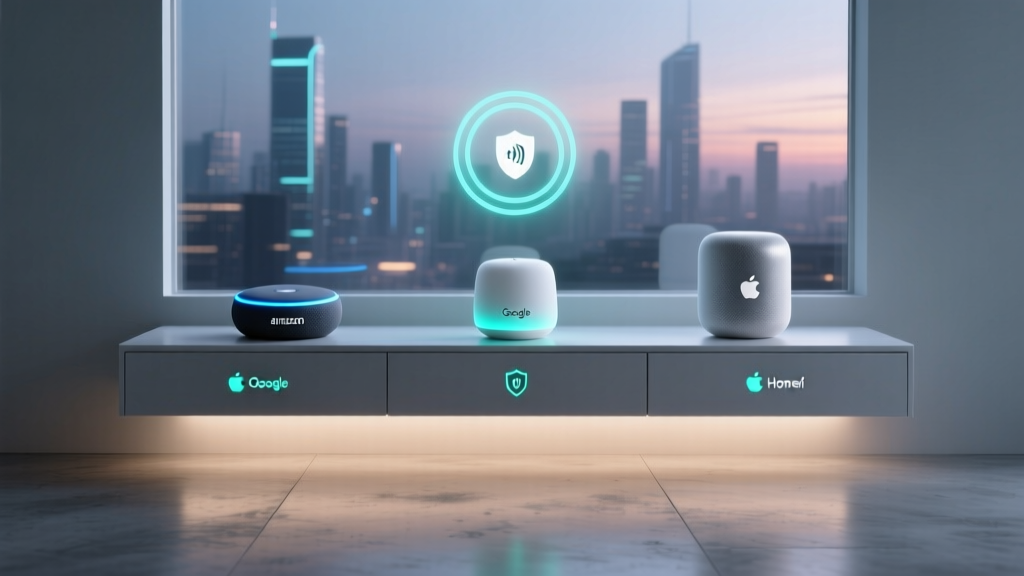
Apple HomeKit
Apple HomeKit offers the strongest privacy protections of any major ecosystem, making it attractive for privacy-conscious property managers and tenants:
- End-to-end encryption for all device communication
- HomeKit Secure Video for encrypted camera footage
- Home app supports multiple homes and user roles (admin, member, guest)
- Strict accessory certification ensures device quality and reliability
- HomePod and Apple TV serve as capable home hubs
Limitations: HomeKit-compatible devices tend to be more expensive. The ecosystem is limited to Apple device users for management, which may not be practical for all property managers or tenants. Device selection is more limited compared to SmartThings or Home Assistant. Best suited for premium properties where privacy is a key selling point.
Commercial-Grade Platforms
For large-scale multi-household properties (50+ units), purpose-built commercial platforms may be more appropriate than consumer ecosystems:
- STRATIS: Purpose-built for multifamily properties, offering building-wide smart home management, energy analytics, and integration with property management software like Yardi and RealPage.
- SmartRent: A leading smart home platform for multifamily communities, offering self-guided tours, smart locks, thermostats, leak detection, and a centralized management portal.
- Igloohome: Specializes in smart locks and access management for vacation rentals and multi-unit properties, with robust temporary access code features.
- ButterflyMX: Focuses on video intercom and building access systems for multi-tenant properties, with smartphone-based entry and package room management.
Considerations: Commercial platforms typically require contracts, professional installation, and ongoing subscription fees. However, they offer features specifically designed for property management workflows that consumer platforms lack, such as integration with leasing software, self-guided tour capabilities, and bulk device provisioning.
Frequently Asked Questions
Can I use a consumer smart home platform like SmartThings or Google Home for managing multiple rental units?
Yes, consumer platforms can work for small multi-household properties (typically 2-10 units), but with limitations. Most consumer platforms are designed around a single "home" concept, meaning you will need to create separate home profiles for each unit or property. This approach works for small portfolios but becomes unwieldy as the number of units grows. For properties with more than 10 units, consider commercial-grade platforms like SmartRent or STRATIS, or invest in a custom Home Assistant setup with centralized dashboards. Regardless of the platform, ensure that each tenant has independent control over their unit's devices and that the property manager can monitor shared systems without accessing private tenant data.
How do I handle smart home device ownership when tenants move in and out?
The best practice is for the property owner or management company to retain ownership of all installed smart home devices. Devices should be considered part of the property's infrastructure, similar to appliances or HVAC systems. When a tenant moves out, the property manager performs a factory reset on all devices in the unit, removes the departing tenant's accounts and access credentials, and provisions the devices for the incoming tenant. Include clear language in the lease agreement specifying that smart home devices are property of the landlord, that tenants may not remove or replace them, and that the landlord will maintain and repair them as needed. Provide tenants with a user guide for all installed devices at move-in to reduce support requests and ensure proper use.
What internet infrastructure do I need for a multi-household smart home deployment?
A reliable, high-capacity internet connection is essential for any multi-household smart home system. For properties with up to 10 units, a business-grade broadband connection (minimum 200 Mbps download, 20 Mbps upload) with a commercial-grade router and multiple access points is typically sufficient. For larger properties, consider a dedicated fiber connection with redundant failover (such as a secondary connection via a different ISP or a 5G backup). Deploy enterprise-grade Wi-Fi access points (such as Ubiquiti UniFi, TP-Link Omada, or Aruba Instant On) with support for multiple SSIDs and VLAN segmentation. Each unit should have its own Wi-Fi network for tenant use, while smart home devices should operate on a separate, dedicated IoT network. Budget approximately $50-$150 per unit for networking equipment, plus ongoing internet service costs.
How do I address tenant privacy concerns about smart home devices?
Addressing privacy concerns proactively is essential for tenant satisfaction and legal compliance. Start by creating a comprehensive smart home disclosure document that lists every device installed in the property, explains what data each device collects, describes how data is stored and protected, and identifies who has access to the data. Hold a walk-through with new tenants to demonstrate all devices and answer questions. Offer tenants the ability to disable certain features (such as voice assistant recording or camera recording within their unit) while maintaining essential functionality. Choose platforms that prioritize local data processing over cloud-based processing where possible, as this reduces the amount of personal data transmitted to third-party servers. Finally, establish and communicate a clear data breach response plan so tenants know how they will be notified if their data is ever compromised.
What is the typical return on investment for smart home technology in multi-household properties?
The ROI for smart home technology in shared properties varies depending on the property type, local market, and specific devices deployed, but most property managers report positive returns within 12-24 months. Key ROI drivers include: energy savings of 15-30% on common area utilities through smart lighting and HVAC automation; reduced water damage costs through early leak detection (the average water damage claim exceeds $10,000); lower vacancy rates as smart home amenities are increasingly expected by renters (studies show tenants are willing to pay $20-$40 more per month for smart home features); reduced maintenance costs through proactive monitoring and automated maintenance scheduling; and improved security leading to lower insurance premiums and fewer liability claims. For vacation rental properties, smart locks and automated guest communication can reduce management time by 30-50%, significantly improving operational efficiency. To maximize ROI, start with high-impact devices (smart locks, thermostats, leak detectors) and expand the system incrementally based on measured results.
Building a smart home ecosystem for multi-household and shared property management is a significant investment, but one that delivers compounding returns in efficiency, security, tenant satisfaction, and operational cost savings. By selecting the right platform, deploying appropriate devices, implementing thoughtful automations, and maintaining rigorous privacy and security standards, property managers can create living environments that are safer, more efficient, and more enjoyable for everyone involved.
For more detailed product recommendations, explore our complete device reviews and ecosystem comparisons to find the perfect smart home solutions for your property management needs.