The Evolution of the Smart Home Hub
The smart home has evolved from a collection of disjointed Wi-Fi plugs into a complex, multi-protocol network requiring dedicated silicon. At the center of this network sits the smart home hub. While early ecosystems relied entirely on cloud servers to process commands, modern platforms are increasingly shifting toward local processing to reduce latency, enhance privacy, and ensure reliability during internet outages. However, this shift has drastically altered the hardware requirements for running a robust smart home.
Whether you are building a simple lighting automation setup or a comprehensive local AI-driven security network, understanding the physical hardware demands of your chosen ecosystem is critical. In this comprehensive guide, we compare the hub hardware requirements across the major smart home platforms—Amazon Alexa, Google Home, Apple HomeKit, Samsung SmartThings, and Home Assistant—analyzing processing power, protocol support, network topology, and total cost of ownership.
Cloud-First Ecosystems: Amazon Alexa and Google Home
Amazon and Google have traditionally subsidized their hub hardware, offering devices at or below cost to lock users into their cloud-based services. The hardware requirements for these ecosystems are relatively low for the end-user, as the heavy computational lifting is done in AWS or Google Cloud data centers.
Amazon Echo (4th Gen) and Echo Show 10
The 4th Generation Amazon Echo spherical smart speaker represents Amazon's most capable standalone hub. It features Amazon's AZ1 Neural Edge processor, which allows for on-device voice processing and local execution of certain Zigbee routines. Crucially, it includes built-in Zigbee and Matter-over-Thread radios. From a hardware perspective, the Echo requires a stable 2.4GHz Wi-Fi connection for cloud communication, but its internal radios act as a border router for Thread devices. The entry cost is approximately $99, making it an accessible bridge into the Matter ecosystem without requiring secondary dongles.
Google Nest Hub and Nest Connect
Google's approach is slightly more fragmented. The Nest Hub (2nd Gen) acts as a Thread border router but lacks a native Zigbee radio. To bridge older Zigbee devices, users must rely on third-party hubs or cloud-to-cloud integrations. Google's hardware relies heavily on its cloud infrastructure for complex automations, meaning local processing capabilities are severely limited compared to competitors. The hardware footprint is minimal, and power consumption is low, but users are entirely dependent on internet connectivity for advanced routines.
The Premium Walled Garden: Apple HomeKit
Apple's HomeKit ecosystem demands premium hardware, both in terms of cost and network infrastructure. Apple prioritizes local processing and strict security protocols, which requires robust on-device silicon.
Apple TV 4K (Ethernet Model)
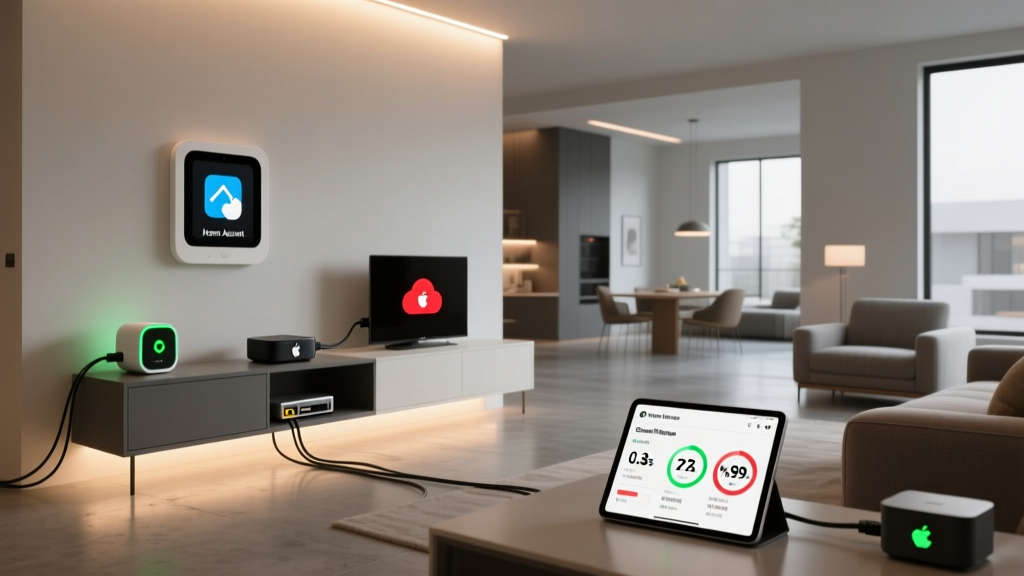
To unlock the full potential of HomeKit, specifically remote access and Thread border routing, an Apple TV 4K is required. According to Apple Support, the Apple TV 4K acts as the primary home hub, utilizing its A15 Bionic chip to process local automations with near-zero latency. The hardware requirement here is specific: you must purchase the Ethernet model (starting around $149) to gain access to the built-in Thread radio. The Wi-Fi-only model lacks Thread support, which severely limits its utility in a modern Matter-over-Thread network. Furthermore, Apple's ecosystem demands a highly stable local network; users frequently need to invest in enterprise-grade mesh Wi-Fi systems (like Eero or Ubiquiti) to prevent HomeKit accessory dropouts, indirectly raising the hardware barrier to entry.
The Protocol Aggregator: Samsung SmartThings
Samsung SmartThings occupies the middle ground, offering broad protocol support while maintaining a cloud-dependent automation engine, though local processing is slowly improving.
SmartThings Station and Aeotec Smart Home Hub
The newer SmartThings Station (approx. $69) is a compact hub designed primarily for Matter and Thread, acting as a border router while also serving as a wireless charger. However, it lacks Zigbee and Z-Wave radios. For users with legacy devices, the Aeotec Smart Home Hub (a rebranded SmartThings Hub v3, approx. $139) remains the gold standard, packing Zigbee, Z-Wave, and Ethernet connectivity into a single puck. The hardware requirements for SmartThings are moderate, but the system's reliance on cloud servers for complex logic means that local hardware specs are less important than your router's upload speed and overall internet stability.
The Local Command Center: Home Assistant
Home Assistant represents the polar opposite of cloud-first ecosystems. It is an open-source, local-first platform that demands dedicated, always-on computing hardware residing on your local network. The hardware requirements scale dramatically based on your automation ambitions.
Home Assistant Green and Intel NUC
For beginners, the Home Assistant Green (approx. $99) provides a plug-and-play solution. It features a Rockchip RK3566 CPU, 8GB of RAM, and 64GB of eMMC storage. This hardware is specifically tuned to handle hundreds of Zigbee and Z-Wave devices via USB dongles (like the Sonoff Zigbee 3.0 or Aeotec Z-Stick) without breaking a sweat. However, for advanced users integrating local AI—such as running Frigate NVR for object detection or Whisper for local voice-to-text—the hardware requirements skyrocket. These users typically deploy Intel NUC mini-PCs (Core i5, 16GB+ RAM, NVMe SSDs) costing $300 to $500, often supplemented by a Google Coral TPU ($60-$100) to offload machine learning tasks. The trade-off is absolute privacy and zero cloud latency.
Hardware Specifications and Cost Comparison
To visualize the differences in entry-level hardware requirements, we have compiled a comparison of the primary hubs for each ecosystem. This table highlights the baseline cost, required network topology, and local processing capabilities.
| Ecosystem | Primary Hub Hardware | Est. Cost | Native Protocols | Local Processing | Network Requirement |
|---|---|---|---|---|---|
| Amazon Alexa | Echo (4th Gen) | $99 | Zigbee, Thread, Wi-Fi | Limited (Edge routines) | 2.4GHz Wi-Fi |
| Google Home | Nest Hub (2nd Gen) | $99 | Thread, Wi-Fi | Minimal | 2.4GHz Wi-Fi |
| Apple HomeKit | Apple TV 4K (Ethernet) | $149 | Thread, Wi-Fi, Ethernet | High | Stable Wi-Fi + Ethernet backhaul |
| SmartThings | Aeotec / ST Hub v3 | $139 | Zigbee, Z-Wave, Ethernet | Moderate | Ethernet preferred |
| Home Assistant | HA Green / Intel NUC | $99 - $400+ | Requires USB Dongles | Absolute | Hardwired Ethernet |
Visualizing the Trade-Off: Cost vs. Local Independence
The following chart illustrates the relationship between the baseline cost of a hub and its capability to process automations locally without internet access. As the data shows, achieving true local independence generally requires a higher initial hardware investment or a commitment to open-source platforms.
Network Topography and Physical Placement
When comparing hardware requirements, one often overlooked factor is physical placement and network topology. A hub is only as good as its radio environment and network connection.
The Ethernet Imperative
For ecosystems relying on cloud processing (Alexa, SmartThings), placing the hub in a central location with strong Wi-Fi is usually sufficient. However, for local-first ecosystems like Home Assistant and Apple HomeKit, hardwired Ethernet is practically a mandatory hardware requirement. Wi-Fi introduces latency and packet loss, which can cause local automations to stutter. If your router is in a basement and your living space is on the second floor, you must factor in the cost and effort of running Cat6 Ethernet cables or utilizing Powerline adapters to ensure your hub maintains a stable backbone connection.
Zigbee and Z-Wave Interference
Hubs with integrated Zigbee radios (like the Echo 4th Gen or SmartThings Hub) face severe hardware limitations regarding physical placement due to USB 3.0 and 2.4GHz Wi-Fi interference. If you place your SmartThings hub directly next to your Wi-Fi router, the noise floor will drown out the Zigbee signals, resulting in a mesh network that constantly drops devices. Actionable advice: Always use a USB extension cable (for dongles) or place standalone hubs at least 10 feet away from your primary Wi-Fi access points to preserve radio integrity.
The Matter and Thread Hardware Shift
The introduction of Matter and Thread is fundamentally rewriting the hardware requirements for smart home hubs. According to the Connectivity Standards Alliance (CSA), Matter is designed to unify ecosystems, but it relies heavily on Thread for low-power devices. Thread requires 'Border Routers' to bridge the low-power mesh network to your home's IP network (Wi-Fi/Ethernet).
This means that modern hub hardware must now include Thread radios. Apple's decision to include Thread only in the Ethernet-equipped Apple TV 4K is a prime example of hardware segmentation. Similarly, Amazon and Google are updating their flagship speakers to act as Thread Border Routers. For Home Assistant users, this means purchasing a dedicated Thread border router (like the Home Assistant SkyConnect or a standalone Thread gateway) to integrate Matter-over-Thread devices into their local YAML automations. The hardware footprint is expanding; where one hub used to suffice, modern setups often require a primary logic hub alongside dedicated border routers distributed throughout the home to ensure Thread mesh coverage.
Storage and RAM Requirements for Local AI
As smart homes mature, the definition of a 'hub' is expanding to include local AI processing. Ecosystems like Home Assistant allow users to run local Large Language Models (LLMs) for voice control, or computer vision models for security cameras. This shifts the hardware requirement from a simple radio bridge to a full-fledged edge server.
If you plan to use local AI, 8GB of RAM (found in the HA Green) is the bare minimum. For a smooth experience running Frigate NVR with multiple camera streams and Whisper for voice transcription, 16GB to 32GB of DDR4/DDR5 RAM and a dedicated NVMe SSD are required to handle the intense read/write operations and memory caching. Cloud ecosystems completely abstract this requirement away, but at the cost of monthly subscription fees for features like Nest Aware or Ring Home.
Conclusion: Matching Hardware to Your Automation Ambitions
The hardware requirements for your smart home hub depend entirely on your tolerance for cloud reliance, your budget, and your technical expertise. If you want a low-maintenance, voice-centric home and do not mind cloud latency, the Amazon Echo 4th Gen or Google Nest Hub offers the lowest hardware barrier to entry. If you demand premium local processing, strict privacy, and seamless integration within an Apple ecosystem, the Apple TV 4K (Ethernet) is a mandatory, albeit expensive, investment.
For the ultimate tinkerer who values absolute local control, privacy, and protocol agnosticism, Home Assistant paired with an Intel NUC and dedicated USB radios remains the undisputed champion, provided you are willing to manage the hardware and network infrastructure. As Matter and Thread continue to mature, expect the hardware lines to blur further, with border routing capabilities becoming a baseline requirement across all ecosystems.