The Hidden Flaw of Cloud-Dependent Smart Homes
Picture this: A severe thunderstorm rolls through your neighborhood, knocking out your cable line and taking your internet connection down with it. Suddenly, your smart home transforms into a frustratingly dumb one. Your smart bulbs refuse to respond to voice commands, your automated blinds are stuck in the open position, and your smart thermostat fails to execute its evening cooldown routine. For millions of smart home enthusiasts, this scenario is a frequent and infuriating reality.
The root of the problem lies in cloud dependency. Many mainstream smart home ecosystems route every single command through remote servers located hundreds or thousands of miles away. When you press a button on your smartphone to turn on your living room lights, the signal travels from your phone, through your ISP, to a cloud server, back through the internet, into your home router, and finally to the light bulb. This architecture introduces severe latency (often 200 to 500 milliseconds) and creates a massive single point of failure: your internet connection.
At SmartHomeDeck, we believe a true smart home should be resilient, responsive, and reliable, regardless of your ISP's uptime. In this comprehensive guide, we evaluate the offline reliability and local processing capabilities of the major smart home ecosystems, helping you build a setup that survives the inevitable internet outage.
Why Local Processing and Offline Functionality Matter
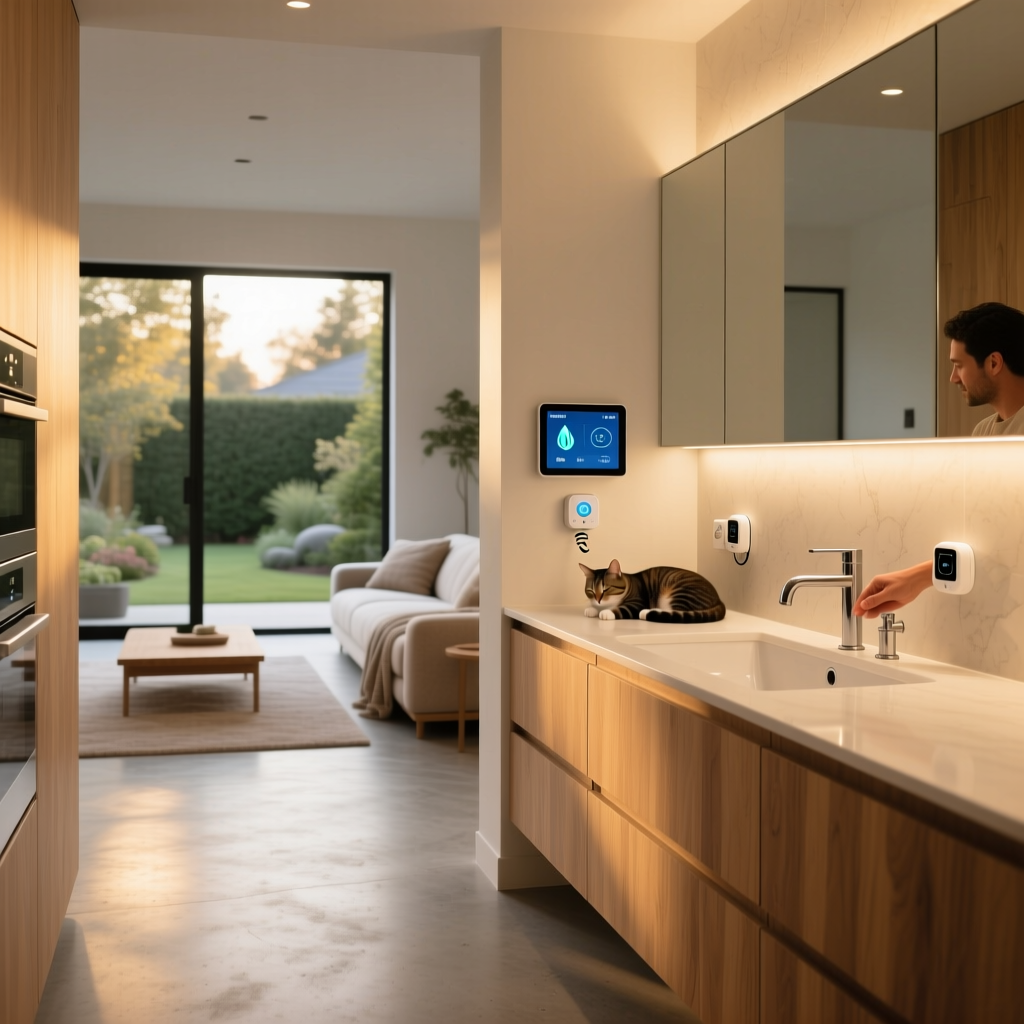
Local processing means that the logic, automations, and device communications are handled entirely within your home's Local Area Network (LAN). The hub or server acts as the brain, communicating directly with your devices via protocols like Zigbee, Z-Wave, Thread, or local Wi-Fi.
The benefits of local control are threefold:
- Lightning-Fast Latency: Local commands execute in under 10 milliseconds, making smart switches feel as instantaneous as traditional wired switches.
- Unbreakable Reliability: Automations continue to run flawlessly even if your modem is unplugged or your ISP experiences a regional outage.
- Enhanced Privacy: Your daily routines, occupancy data, and camera feeds never leave your property, shielding you from cloud data breaches and corporate telemetry.
As the open-source community has long argued, perfect home automation requires local execution to ensure the system feels like a natural extension of the home rather than a fragile web application.
Ecosystem Showdown: Offline Reliability Compared
Not all platforms are created equal when the Wi-Fi drops. Let us break down how the major ecosystems handle offline functionality.
Home Assistant: The Undisputed King of Local Control
Home Assistant was built from the ground up with a local-first philosophy. It operates entirely on your local network, requiring zero cloud connectivity to run your automations, control devices, or trigger scripts. Whether you are running it on a Raspberry Pi, an Intel NUC, or the official Home Assistant Green ($99), the system caches its state and executes logic locally.
By utilizing local add-ons like Zigbee2MQTT and Z-Wave JS UI, Home Assistant bypasses manufacturer clouds entirely. Even if your internet is down for a week, your motion-triggered lighting, HVAC automations, and security alarms will function perfectly. The only caveat is that setting up remote access (for when you are away from home) requires a secure tunnel like Tailscale or Cloudflare, but local control remains completely independent.
Apple HomeKit: The Premium Walled Garden with Local Fallback
Apple HomeKit offers excellent offline reliability, provided you stay within its curated ecosystem. HomeKit uses Bonjour (mDNS) for local device discovery and relies on a central hub—like the Apple TV 4K ($129+) or HomePod mini ($99)—to process automations locally.
If your internet goes down, native HomeKit devices (like Eve Energy plugs, Philips Hue bulbs via the Hue Bridge, and Lutron Caseta switches) will continue to respond to physical switches and local sensors. However, HomeKit's reliability can fracture if you rely on third-party Wi-Fi devices that require cloud handshakes to bridge into HomeKit. Furthermore, Siri voice commands are heavily cloud-dependent; without the internet, you are limited to physical switches and automated sensor triggers.
Samsung SmartThings: Improving with Edge Drivers
Historically, SmartThings was notoriously cloud-dependent, rendering automations useless during internet outages. However, Samsung has made significant strides with the introduction of SmartThings Edge Drivers. Edge Drivers allow compatible Zigbee, Z-Wave, and LAN devices to execute automations locally on the hub itself.
While basic lighting and sensor automations now survive outages, complex routines involving geofencing, third-party Wi-Fi integrations, and advanced webhooks still require a cloud connection. The SmartThings Station ($69) serves as an excellent local hub for Matter and Thread devices, but users must carefully vet their device list to ensure local execution is supported.
Matter and Thread: The Future of Local Mesh Networks
Matter and Thread represent the most significant shift toward offline reliability in smart home history. According to the Connectivity Standards Alliance (CSA), Matter is designed to operate over local IP networks, ensuring that device-to-device communication happens on your LAN without cloud intervention.
Thread takes this a step further by creating a self-healing, low-power mesh network. Unlike Wi-Fi, which relies on a single router, Thread devices communicate with one another, utilizing Thread Border Routers (like the Apple TV 4K, Google Nest Hub, or Amazon Echo) to bridge the mesh to your local network. As The Verge's comprehensive guide to Matter and Thread explains, this mesh topology eliminates single points of failure and keeps local automations running smoothly even if your primary Wi-Fi router reboots.
Amazon Alexa & Google Home: The Cloud-Reliant Giants
Despite their market dominance, Amazon Alexa and Google Home are fundamentally cloud-first platforms. While both companies have introduced limited local processing features (such as Alexa's Local Skills and Google's Local Home SDK), the vast majority of automations, voice processing, and device integrations require a constant connection to AWS or Google Cloud servers. During an internet outage, an Echo Dot or Nest Hub essentially becomes a Bluetooth speaker and a digital clock. For users prioritizing reliability, these ecosystems should be used strictly as voice interfaces layered on top of a local hub, not as the primary automation engine.
Honorable Mention: Lutron Caseta
While not a comprehensive software ecosystem like Home Assistant, the Lutron Caseta lighting ecosystem deserves mention for its bulletproof offline reliability. Using its proprietary Clear Connect RF protocol, the Caseta Smart Bridge processes all Pico remote and sensor automations locally. It is widely considered the gold standard for lighting reliability, functioning flawlessly regardless of internet or router status.
Feature Comparison Table
| Ecosystem | Local Processing | Offline Automations | Voice Control Offline | Primary Hub Requirement |
|---|---|---|---|---|
| Home Assistant | 100% Local | Full Support | Partial (via local Wyoming/Rhasspy) | HA Green, Intel NUC, Pi |
| Apple HomeKit | High (Native Devices) | Full Support | No (Siri requires cloud) | Apple TV 4K, HomePod |
| SmartThings | Moderate (Edge Drivers) | Partial Support | No | SmartThings Station / Hub v3 |
| Matter / Thread | 100% Local IP / Mesh | Full Support | Depends on Voice Assistant | Thread Border Router |
| Amazon Alexa | Very Low | Highly Limited | No | Echo Device |
| Google Home | Very Low | Highly Limited | No | Nest Hub / Speaker |
Visualizing Ecosystem Reliability Scores
To help you visualize how these platforms stack up against each other regarding offline survival, we have scored them based on automation continuity, device responsiveness, and local logic execution during a simulated 24-hour internet outage.
Actionable Steps to Bulletproof Your Smart Home
Choosing a local-first ecosystem is only half the battle. To achieve true offline reliability, you must also fortify your home's physical network and power infrastructure. Here are the most effective, actionable steps you can take today.
1. Deploy a UPS for Your Network and Hubs
Your local hub cannot process offline automations if it loses power. A localized grid blackout often accompanies severe weather that takes down the internet. Invest in an Uninterruptible Power Supply (UPS) to keep your modem, router, and smart home hubs running. The CyberPower CP1500PFCLCD ($220) or the more compact APC BE600M1 ($90) can keep a low-power mesh network and router alive for several hours during a blackout, ensuring your security sensors and emergency lighting remain operational.
2. Prioritize Zigbee, Z-Wave, and Thread over Wi-Fi
Wi-Fi is designed for high-bandwidth data transfer, not for managing dozens of low-latency IoT commands. A router can easily become overwhelmed by 50+ Wi-Fi smart bulbs, leading to dropped packets and network crashes. Offload your smart home traffic to dedicated mesh networks. Zigbee and Z-Wave operate on separate frequencies (2.4GHz and 908.42MHz respectively), keeping your primary Wi-Fi network clear for laptops and streaming devices while providing highly reliable, local mesh routing for sensors and switches.
3. Use Smart Switches Instead of Smart Bulbs
A common mistake in smart home design is relying entirely on smart bulbs (like Philips Hue or LIFX) controlled by dumb switches. If the internet drops and the local hub experiences a software glitch, a smart bulb turned off at the wall becomes completely useless. Instead, install smart switches or relays (like Inovelli Red Series or Shelly Plus 1) behind your existing wall plates. This ensures that the physical switch always controls the load locally, while the smart ecosystem handles the automation layer.
4. Implement Network Segmentation (VLANs)
While not strictly an offline issue, network congestion can cause local hubs to drop connections, mimicking an outage. Advanced users should utilize a router that supports Virtual LANs (VLANs), such as the Ubiquiti UniFi Dream Router ($199) or the Asus RT-AX86U ($250). By isolating your IoT devices on a dedicated 2.4GHz VLAN, you prevent broadcast storms from smart devices from interfering with your primary computing traffic and your local hub's ability to process mDNS discovery requests.
5. Maintain Static IPs or DHCP Reservations
When your router reboots during a brief power flicker, it may assign new IP addresses to your local hubs and Wi-Fi smart plugs. If your local automation server (like Home Assistant or a local Node-RED instance) is looking for a device at its old IP address, the automation will fail. Always configure your router's DHCP server to assign static IP reservations for all smart home hubs, bridges, and critical Wi-Fi devices.
Conclusion
The promise of a smart home is convenience, but that convenience evaporates the moment your internet connection drops. If you live in an area prone to severe weather, or if you simply value a responsive and private living space, transitioning to a local-first ecosystem is essential. Home Assistant remains the undisputed champion of offline reliability and granular control, while Apple HomeKit and the emerging Matter/Thread standards offer excellent, user-friendly local processing for the mainstream consumer. By combining a local hub with dedicated mesh protocols and a reliable UPS, you can build a smart home that is not only intelligent but truly resilient.