The Hidden Vulnerability of Cloud-Dependent Smart Homes
The modern smart home is a marvel of convenience, allowing you to control lighting, climate, and security from anywhere in the world. However, this interconnected utopia harbors a critical vulnerability: reliance on the cloud. When your Internet Service Provider (ISP) experiences an outage, or when a major cloud server like AWS goes down, a cloud-dependent smart home quickly devolves into a frustrating maze of unresponsive switches and locked doors.
For smart home enthusiasts and everyday users alike, offline functionality is not just a luxury; it is a fundamental requirement for a reliable living space. The "Wife/Husband Acceptance Factor" (WAF) plummets the moment a family member cannot turn off the living room lights because the internet router is rebooting. To build a truly resilient smart home, you must prioritize ecosystems that process data locally, ensuring that your automations, physical switches, and sensors continue to function even when the outside world goes dark.
What Makes a Smart Home Truly Offline-Capable?
Before diving into specific ecosystems, it is crucial to understand the mechanics of local processing. An offline-capable smart home relies on a local hub that resides inside your home network. This hub communicates directly with your devices using local radio frequencies or local network protocols, bypassing external servers entirely.
- Zigbee and Z-Wave: These mesh networking protocols communicate directly with a local hub via a dedicated radio stick. They do not require an internet connection to trigger automations.
- Thread: A newer, IP-based mesh protocol that operates locally and integrates seamlessly with border routers.
- LAN Control (Wi-Fi/Ethernet): Some Wi-Fi devices support Local Area Network (LAN) control, allowing the hub to send commands directly to the device's local IP address rather than routing the command through a cloud server.
If an ecosystem requires a command to travel from your phone to a cloud server, and then back to your home's Wi-Fi router to reach a smart bulb, it is cloud-dependent. If the command travels from a local hub directly to the bulb via Zigbee or LAN, it is offline-capable.
Home Assistant: The Undisputed Champion of Local Control
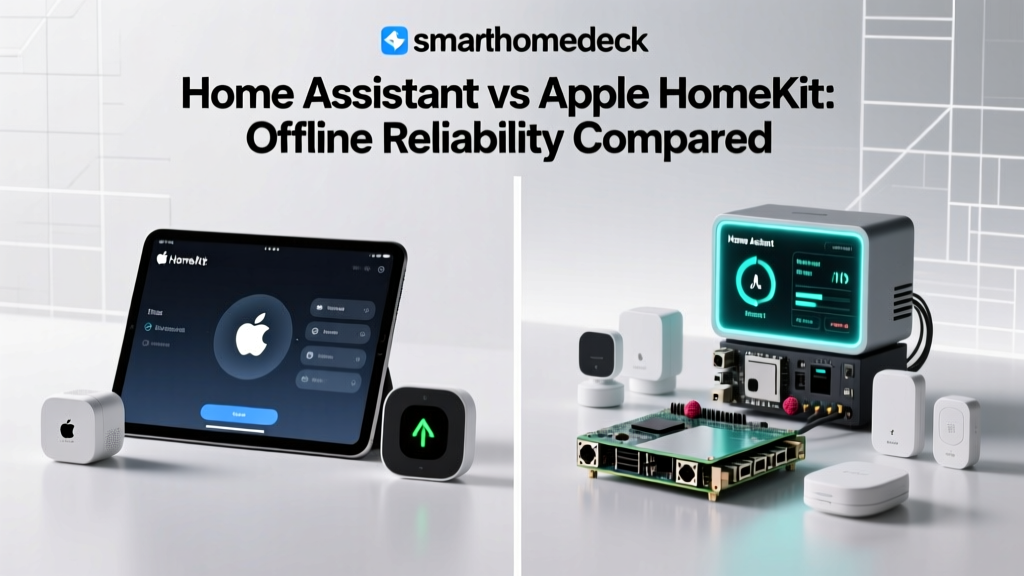
When discussing offline reliability, Home Assistant stands alone at the top of the hierarchy. Built from the ground up with a "local-first" philosophy, Home Assistant is an open-source home automation platform that runs on a local server, completely independent of external cloud services.
Hardware and Cost
To run Home Assistant, you need dedicated hardware. The most accessible entry point is the Home Assistant Green (priced around $99), a plug-and-play hub designed specifically for the platform. For power users, the Home Assistant Yellow ($100 to $200+, depending on the Compute Module) includes built-in Zigbee and Thread radios, as well as Power over Ethernet (PoE) support. Alternatively, many enthusiasts repurpose old Intel NUCs or Raspberry Pis to run the software for a fraction of the cost.
Offline Capabilities
Home Assistant's offline reliability is absolute. Integrations like Zigbee2MQTT, Z-Wave JS, and local LAN protocols for brands like LIFX, TP-Link Kasa, and Shelly operate entirely on your local network. If you unplug your home's WAN cable, your motion-triggered lighting, climate schedules, and security alarms will continue to execute with sub-50-millisecond latency. Furthermore, local voice control is possible by integrating open-source speech-to-text engines like Whisper and Piper, though this requires significant local processing power.
Apple HomeKit: The Premium, User-Friendly Local Ecosystem
For users who prefer a polished, commercial ecosystem over open-source tinkering, Apple HomeKit offers the best balance of user-friendliness and local processing. Apple has heavily invested in local execution, provided you have the correct hardware acting as a home hub.
Hardware and Cost
To enable local automations and remote access, you need an Apple Home Hub. Currently, this means an Apple TV 4K (starting at $129) or a HomePod Mini ($99). According to the Apple Support Home Hub Guide, these devices act as the brain of your HomeKit setup, processing commands locally and serving as Thread border routers.
Offline Capabilities
HomeKit excels at local execution for native accessories. If your internet goes down, physical HomeKit switches, sensor-based automations (like a motion sensor turning on a Hue bulb), and HomeKit Secure Video processing (on supported local networks) continue to work flawlessly. However, there is a major caveat: Siri requires an internet connection. While your automations and physical switches will survive an outage, voice commands will fail until the internet is restored. Additionally, HomeKit's strict accessory certification process means fewer compatible devices compared to Home Assistant, though the Matter standard is slowly bridging this gap.
Samsung SmartThings: The Hybrid Compromise
Samsung SmartThings occupies a middle ground. Historically, SmartThings was heavily cloud-dependent, suffering from severe latency and total paralysis during AWS outages. However, recent architectural shifts have improved its local reliability, though it remains a hybrid system.
Hardware and Cost
The SmartThings Station ($99) and the older SmartThings Hub v3 serve as the primary local coordinators. The Station also doubles as a wireless charger and a Matter/Thread controller.
Offline Capabilities
Samsung introduced "Edge Drivers" (Lua-based code that runs locally on the hub) to bring local processing to Zigbee, Z-Wave, and select LAN devices. If a device has a local Edge Driver, its automations and physical switch controls will survive an internet outage. However, the SmartThings mobile app relies heavily on cloud polling, meaning you may not be able to view device statuses or manually trigger routines from your phone during an outage, even if the local hub is functioning. Furthermore, many Wi-Fi integrations and complex routines still default to cloud processing.
Feature Comparison: Offline Reliability Matrix
To help you choose the right platform for your resilience needs, here is a structured comparison of the three major ecosystems regarding their offline capabilities.
| Feature | Home Assistant | Apple HomeKit | Samsung SmartThings |
|---|---|---|---|
| Primary Hub Hardware | HA Green / Yellow / NUC | Apple TV 4K / HomePod Mini | SmartThings Station / Hub v3 |
| Approximate Hub Cost | $99 - $250 | $99 - $150 | $99 |
| Local Automations | 100% (Native) | 95% (Native Accessories) | 70% (Edge Drivers Only) |
| Offline Voice Control | Yes (via Whisper/Piper) | No (Siri requires Cloud) | No (Bixby/Alexa require Cloud) |
| App Access Offline | Yes (Local LAN Dashboard) | Partial (Home App local cache) | No (App requires Cloud) |
| Setup Difficulty | High (Steep learning curve) | Low (Plug and play) | Medium (App-driven) |
Visualizing Latency: Cloud vs. Local Execution
One of the most noticeable benefits of local processing is the elimination of latency. When a motion sensor triggers a light, cloud-dependent systems must send a signal to a server and back, resulting in a noticeable delay. Local systems execute almost instantly. The chart below illustrates the average automation execution latency across the three ecosystems when comparing an active internet connection versus an offline state.
Ecosystem Latency Comparison
Note: SmartThings' offline latency spikes significantly because non-Edge devices fail to execute entirely, forcing the system to time out before registering a failure, whereas local-native systems execute instantly.
Building an Offline-Resilient Smart Home: Actionable Steps
Choosing the right hub is only half the battle. To guarantee your smart home survives an internet outage, you must implement the following best practices:
1. Prioritize Zigbee, Z-Wave, and Thread Over Wi-Fi
Wi-Fi smart plugs and bulbs are notorious for cloud dependency. Even if they support LAN control, a congested Wi-Fi network can cause local timeouts. Invest in a dedicated Zigbee or Z-Wave USB coordinator (like the Sonoff Zigbee 3.0 USB Dongle Plus) and build a dedicated mesh network. Thread is also an excellent choice for local reliability, as it creates a self-healing mesh network that doesn't rely on your main Wi-Fi router.
2. Implement Local DNS and Network Segmentation
Use a local DNS sinkhole like Pi-hole or AdGuard Home. By blocking the cloud telemetry domains of your smart devices, you force them to communicate locally and prevent them from entering an error state when the internet drops. Additionally, place your IoT devices on a separate VLAN to protect your main network from potential security vulnerabilities.
3. Use Smart Relays with Physical Overrides
Never replace a standard wall switch with a smart bulb without a way to control it locally. Instead, use smart relays like the Shelly 1 or Aqara T1 behind your existing dumb switches. This ensures that even if the hub dies or the network collapses, the physical toggle on the wall still cuts or restores power to the fixture.
4. Invest in a Local UPS for Your Network Gear
An offline hub is useless if your local network switch and Wi-Fi access points lose power during a blackout. Connect your modem, router, local hub, and primary network switch to an Uninterruptible Power Supply (UPS). A 600VA UPS can keep your core local network alive for hours during a grid failure.
The Impact of Matter and Thread on Offline Reliability
The introduction of the Matter standard is fundamentally shifting the smart home landscape toward local reliability. According to the Connectivity Standards Alliance (CSA), Matter is designed to prioritize local, IP-based communication. When a Matter device connects to your network via Thread or Wi-Fi, it broadcasts its local IP address to the hub, allowing commands to be sent directly over your LAN without touching the cloud.
Thread, in particular, is a game-changer for offline resilience. Unlike Wi-Fi, which can bog down when dozens of IoT devices connect to a single router, Thread creates a low-power, self-healing mesh network. If one Thread node loses connection to the border router, the data simply reroutes through another node. As more manufacturers adopt Matter over Thread (such as Nanoleaf, Eve, and Aqara), the need for cloud-dependent hubs will continue to diminish, making offline reliability a standard feature rather than an enthusiast workaround.
Conclusion
When evaluating smart home ecosystems, the allure of flashy features and cloud-based voice assistants often overshadows the critical importance of local reliability. If your primary goal is absolute control, zero latency, and total independence from internet outages, Home Assistant is the undisputed king, provided you are willing to climb the learning curve. For those who demand a premium, user-friendly experience and can accept the loss of Siri during an outage, Apple HomeKit offers the best commercial local processing. Samsung SmartThings remains a viable hybrid option, though its reliance on cloud infrastructure for app access and complex routines holds it back from true offline supremacy.
Ultimately, a truly smart home should not require an internet connection to function. By investing in local hubs, prioritizing mesh protocols like Zigbee and Thread, and implementing local network safeguards, you can build a resilient ecosystem that keeps your home running smoothly, no matter what happens in the cloud.