The Evolution of SmartThings: Beyond the Cloud
Most consumers view Samsung SmartThings as a simple smartphone application—a convenient remote control for turning lights on and off or checking a security camera feed. However, beneath the surface of the user-friendly mobile interface lies one of the most powerful, customizable, and locally-focused smart home ecosystems on the market. For years, SmartThings relied heavily on cloud-based processing, utilizing Groovy-based Device Type Handlers (DTHs) that sent signals from your home hub to Samsung servers and back. This architecture introduced latency, required a constant internet connection, and raised privacy concerns for data-heavy devices.
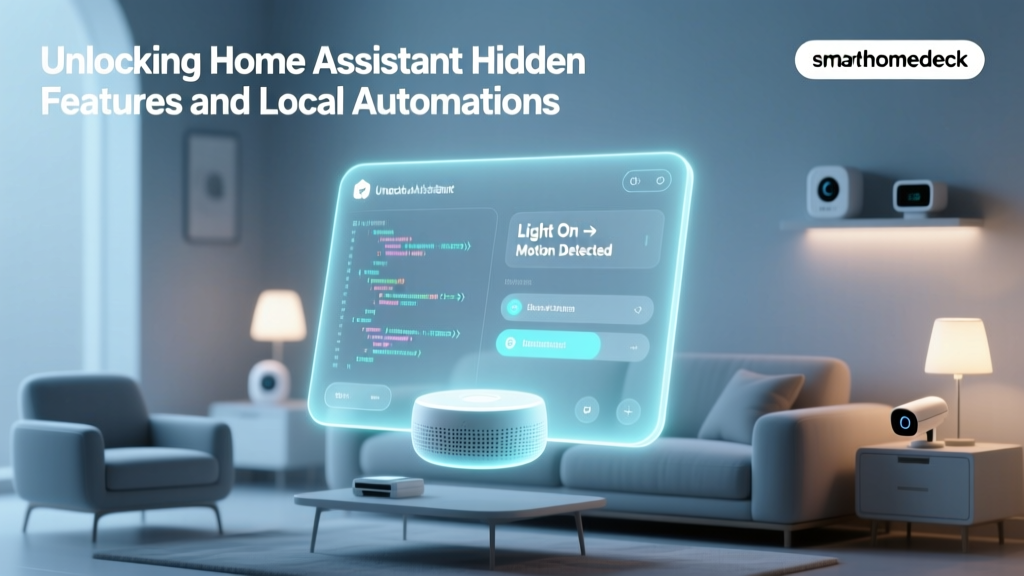
Today, the ecosystem has undergone a massive architectural overhaul. By transitioning to SmartThings Edge Drivers, Samsung has transformed its hubs into local processing powerhouses. This shift has unlocked a treasure trove of hidden capabilities, exclusive features, and advanced automations that the average user never sees. In this comprehensive guide, we will explore the hidden depths of the SmartThings ecosystem, detailing how to leverage local execution, granular energy monitoring, Thread border routing, and community-driven Edge channels to build a truly responsive and private smart home.
What Are SmartThings Edge Drivers?
Edge Drivers are the backbone of the modern SmartThings architecture. Unlike the legacy cloud-dependent Groovy code, Edge Drivers are written in Lua, a lightweight, high-performance scripting language. These drivers run directly on the SmartThings Hub's local hardware in a secure, sandboxed environment. According to the Samsung SmartThings Developer Documentation, this local execution model drastically reduces the computational burden on Samsung's cloud servers while simultaneously empowering the end-user with faster, more reliable device control.
When you add a new Zigbee or Z-Wave device to your network, the hub automatically searches for a matching Edge Driver. If found, the device pairs locally. This means that even if your internet service provider experiences an outage, your local automations—such as motion sensors triggering hallway lights or a leak sensor shutting off a smart water valve—will continue to function flawlessly.
How to Verify Local Execution
Many users are unaware that they can verify exactly which devices are processing locally. To check this hidden status:
- Open the SmartThings app and select your Hub.
- Navigate to the Devices tab.
- Look for a small badge or text indicator that reads 'Local Execution' or check the device routing information.
- Devices routed through the cloud will display a cloud icon or indicate a dependency on an external server (common with Wi-Fi-only devices like TP-Link Kasa or older Ring products).
Hidden Capability 1: Zero-Latency Automations
The most immediate benefit of Edge Drivers is the elimination of cloud latency. In a cloud-dependent setup, a motion sensor detecting movement sends a signal to the hub, which pings the cloud server, processes the automation logic, and sends a command back to the hub to turn on a smart bulb. This round-trip typically takes between 600ms and 1200ms. While a one-second delay might seem negligible, in practical application—like walking into a dark bathroom—it feels sluggish and unnatural.
With Edge Drivers, the logic is evaluated on the hub's local processor. The latency drops to roughly 30ms to 50ms, creating an instantaneous, 'hardwired' feel. To maximize this hidden capability, ensure your automation routines only include local devices. If you include a single cloud-dependent device (like a Wi-Fi smart plug) in a native SmartThings Routine, the entire routine may be forced to execute via the cloud, reintroducing latency.
Hidden Capability 2: Granular Energy Monitoring via SmartThings Energy
While platforms like Apple HomeKit offer basic device control, SmartThings possesses a deeply integrated, hidden dashboard known as SmartThings Energy. This feature allows users to track real-time and historical power consumption down to the watt, provided they use compatible hardware. This is an exclusive feature that transforms your smart home from a convenience tool into an active energy management system.
Recommended Hardware for Energy Tracking
To unlock this capability, you need devices that support energy reporting via Zigbee or Z-Wave Edge Drivers:
- Samsung SmartThings Wi-Fi Smart Plug (approx. $25): While Wi-Fi plugs are generally cloud-dependent, Samsung's proprietary plug integrates deeply with the Energy dashboard, offering real-time wattage draw and daily kWh calculations.
- Aeotec Home Energy Meter (approx. $60): This is the gold standard for whole-home monitoring. It features clamp-on CT (Current Transformer) sensors that attach directly to your main electrical panel's breaker lines. It supports up to 200A and reports bidirectional energy flow, making it ideal for homes with solar panels.
- Zooz ZEN15 Z-Wave Plus Power Switch ($35): A heavy-duty smart plug capable of handling 15A loads, perfect for monitoring high-draw appliances like window AC units, refrigerators, or space heaters.
Configuring Cost Thresholds and Alerts
The hidden power of SmartThings Energy lies in its automation integration. You can configure the app with your local utility's cost per kWh (e.g., $0.14/kWh). Once configured, you can build advanced automations based on financial thresholds rather than just time or state. For example, you can create a routine that sends a push notification or flashes your Philips Hue lights red if your daily energy expenditure exceeds $5.00 before 8:00 PM, prompting you to turn off unnecessary HVAC zones.
Hidden Capability 3: Thread Border Routing and Matter Compatibility
As the smart home industry transitions toward the Matter standard, the underlying networking protocols are shifting. Thread, an IPv6-based, low-power mesh networking protocol, is the backbone of Matter. However, Thread devices cannot communicate directly with your Wi-Fi router; they require a Thread Border Router to bridge the Thread mesh network to your local IP network.
Many users do not realize that specific SmartThings hubs double as hidden Thread Border Routers. By enabling this feature, your SmartThings ecosystem can natively support Matter-over-Thread devices like the Eve Energy Smart Plug, Nanoleaf Smart Bulbs, and various Aqara sensors without requiring an Apple TV or HomePod.
SmartThings Hub Comparison Matrix
Not all SmartThings hubs are created equal when it comes to hidden local capabilities and Thread support. Below is a comparison of the current and legacy hardware options available on the market.
| Hub Model | Protocol Support | Local Processing | Thread Border Router | Avg Price |
|---|---|---|---|---|
| SmartThings Station | Zigbee, Thread, Matter, Wi-Fi | Yes (Edge) | Yes (Native) | $70 |
| SmartThings Hub v3 (2018) | Zigbee, Z-Wave, Wi-Fi | Yes (Edge) | Yes (via OTA Update) | $120 (Refurb) |
| Aeotec Smart Home Hub | Zigbee, Z-Wave, Wi-Fi | Yes (Edge) | No | $120 |
Note: The SmartThings Station is currently the most cost-effective way to gain local Edge processing combined with native Thread border routing, though it lacks Z-Wave support, which is critical for users with older legacy devices.
Hidden Capability 4: Tapping into Community Edge Channels
Samsung maintains an official repository of Edge Drivers, but the true hidden capability of the platform lies in its open architecture, which allows community developers to publish custom drivers. Many Zigbee devices purchased from brands like Sonoff, Moes, or Third Reality may not work perfectly out-of-the-box with Samsung's generic drivers. They might pair, but advanced features like power reporting or specific button presses may fail.
By using the SmartThings CLI (Command Line Interface), power users can enroll their hubs into community-maintained Edge Driver channels. One of the most famous community developers is Mariano Colmenarejo, who maintains a massive repository of custom Zigbee Edge Drivers that unlock hidden features in hundreds of off-brand sensors and switches.
How to Enroll in a Custom Edge Channel
- Download and install the SmartThings CLI on your computer (available for Windows, macOS, and Linux).
- Authenticate your account via the terminal using the command:
smartthings login. - Obtain the channel invitation URL or ID from the SmartThings Community Forums.
- Enroll your hub by running:
smartthings edge:channels:enroll [CHANNEL_ID]. - Open the SmartThings mobile app, navigate to the Hub settings, and select Driver Install to push the custom Lua code to your local hub.
This process completely bypasses the cloud, downloading the driver directly from the community server to your hub via your local network, ensuring that niche devices operate with the same speed and reliability as first-party Samsung hardware.
Advanced Automations: Beyond the Basic App
While the native SmartThings app has improved its 'Routines' engine, it still lacks the complex logic gates required for true power users. The hidden capability here is integrating the local SmartThings ecosystem with third-party local logic engines like SharpTools. SharpTools offers a Rule Engine that can read the local state of your Edge-driven devices and execute complex logic (e.g., 'If motion is detected, AND lux is below 40, AND the TV is off, THEN dim lights to 30%').
Furthermore, for users who want to build custom dashboards that pull data directly from the local hub API, tools like Home Assistant can be run on a local Raspberry Pi and integrated with SmartThings via the official SmartThings Integration. This allows Home Assistant to act as the visualization layer, while the SmartThings Hub acts as the dedicated, high-performance Zigbee/Z-Wave radio and local execution engine.
Privacy and Data Handling: The Local Advantage
Privacy is a growing concern in the smart home sector. Devices that rely on cloud processing require your telemetry data, usage habits, and sometimes even audio/video feeds to pass through corporate servers. By maximizing the use of SmartThings Edge Drivers, you inherently enhance your home's privacy profile.
Because Edge Drivers process automation logic locally, the metadata regarding when you turn on your lights, when your doors unlock, and when motion is detected does not need to be transmitted to Samsung's analytics servers to trigger a routine. Furthermore, by utilizing local RTSP streams for compatible cameras (bypassing cloud subscriptions), users can maintain a closed-loop security system. While the SmartThings app itself requires a Samsung account for initial setup and remote access, the day-to-day operational data of a fully Edge-configured home remains largely confined to the local network.
Conclusion
Samsung SmartThings is no longer just a cloud-dependent remote control; it is a sophisticated, locally-processed smart home operating system. By understanding and leveraging Edge Drivers, users can eliminate latency, ensure reliability during internet outages, and unlock granular energy monitoring capabilities that rival specialized commercial systems. Whether you are utilizing the SmartThings Station for Thread border routing or diving into community Lua scripts to perfect your Zigbee mesh, the hidden capabilities of SmartThings offer an unparalleled balance of convenience, speed, and local privacy. To truly master your smart home, look beyond the app interface and embrace the power of the local Edge.