Why Migrate From Samsung SmartThings to Apple HomeKit?
Migrating your smart home ecosystem is a significant undertaking, but for many enthusiasts and privacy-conscious homeowners, moving from Samsung SmartThings to Apple HomeKit is a necessary evolution. While Samsung SmartThings has long been the king of device compatibility—supporting Zigbee, Z-Wave, Wi-Fi, and Thread out of the box—its reliance on cloud-based processing for complex routines and its ad-supported interface have pushed many users toward Apple's walled garden. Apple HomeKit offers unparalleled local execution speed, end-to-end encryption, and a unified, ad-free user interface across iOS, iPadOS, and macOS devices.
However, the migration process is rarely as simple as unplugging one hub and plugging in another. SmartThings and HomeKit speak fundamentally different languages, particularly when it comes to legacy protocols like Z-Wave. Fortunately, the advent of the Matter smart home standard has created a viable bridge between these two ecosystems. In this comprehensive guide, we will walk you through auditing your current hardware, leveraging Matter to save money, rebuilding your hub infrastructure, and translating your automations for a seamless transition to the Apple Home app.
Phase 1: Auditing Your SmartThings Hardware
Before you begin unpairing devices or purchasing new Apple hardware, you must conduct a thorough audit of your existing SmartThings setup. Categorize your devices by their underlying wireless protocol, as this will dictate your migration path.
- Wi-Fi Devices: Smart plugs, thermostats (like Ecobee), and cameras. Many of these have native HomeKit support or can be bridged via manufacturer apps.
- Zigbee 3.0 Devices: Philips Hue bulbs, Aqara sensors, and IKEA Tradfri products. These can often be migrated to HomeKit by utilizing their respective native bridges (e.g., the Philips Hue Bridge) or via Matter.
- Z-Wave Devices: This is your biggest hurdle. Apple HomeKit does not support Z-Wave natively, nor does it support Z-Wave over Matter. If you rely heavily on Z-Wave locks, switches, or sensors, you will either need to replace them or introduce a third-party software bridge like Home Assistant to act as a middleman.
- Thread Devices: Newer sensors and smart blinds from brands like Eve and Nanoleaf. These are natively compatible with HomeKit and will transition seamlessly once you have an Apple Thread Border Router in place.
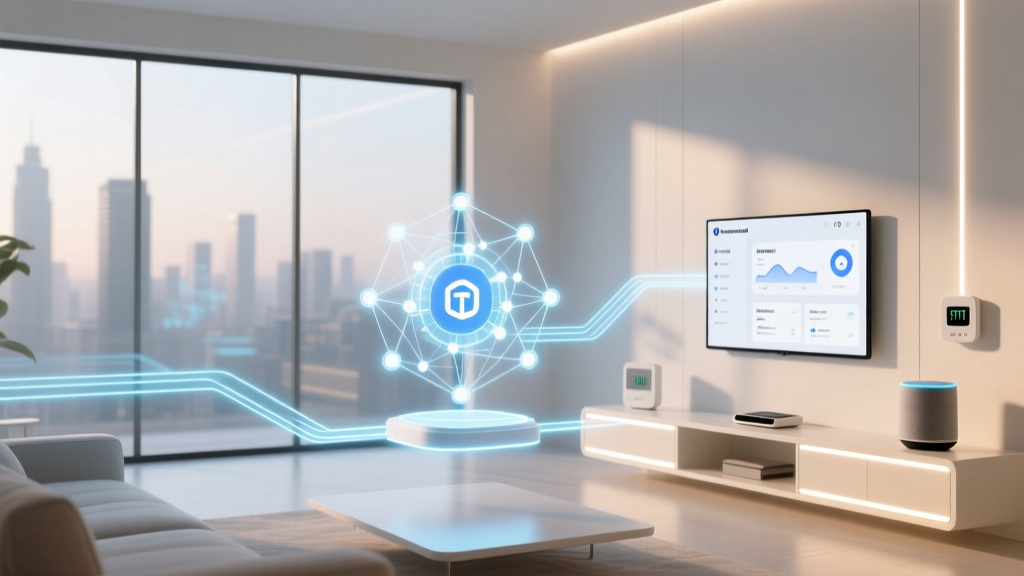
Understanding the Matter standard is crucial here. Matter is designed to be an application layer that runs over Wi-Fi, Ethernet, or Thread. It does not run over Zigbee or Z-Wave directly, though hubs can act as 'Matter Bridges' to expose legacy devices to Matter-compatible ecosystems like Apple Home.
Phase 2: The Matter Bridge Solution
The most cost-effective way to migrate from SmartThings to HomeKit without throwing away hundreds of dollars of hardware is by utilizing the SmartThings Hub as a Matter Bridge. If you own a SmartThings Hub v3 (2018 model or newer) or the newer SmartThings Station, Samsung has rolled out firmware updates that allow these hubs to bridge connected Zigbee and Wi-Fi devices into Apple Home via Matter.
Step-by-Step Matter Bridging:
- Update Firmware: Ensure your SmartThings Hub is running the latest firmware via the SmartThings app.
- Enable Matter Beta/Settings: Navigate to the Hub settings in the SmartThings app and look for the Matter controller or bridging options.
- Generate Pairing Code: Select the option to 'Connect to Matter Hub' or 'Share via Matter'. The app will generate a QR code and a numeric setup code.
- Apple Home Integration: Open the Apple Home app on your iPhone or iPad, tap the '+' icon, select 'Add Accessory', and scan the QR code or enter the manual code.
- Assign and Name: Apple Home will pull in your bridged SmartThings devices. You can now assign them to rooms and rename them for Siri voice control.
Pro Tip: Matter bridging is not instantaneous. Expect a slight latency (100-300ms) when controlling bridged Zigbee devices compared to native HomeKit Thread or Wi-Fi devices. For critical automations like motion-triggered lighting, native devices are still preferred.
Phase 3: Rebuilding the Hub Infrastructure
Apple HomeKit does not use a traditional 'hub' box like SmartThings. Instead, it relies on Apple TV and HomePod devices to act as Home Hubs and Thread Border Routers. To replicate the mesh network reliability of SmartThings, you must invest in the right Apple infrastructure.
- Apple TV 4K (3rd Generation): Priced around $129 to $149, this is the ultimate HomeKit hub. It includes a built-in Thread Border Router and an Ethernet port (on the higher-tier model), ensuring rock-solid local communication for your smart locks and sensors.
- HomePod mini ($99): Also features a Thread Border Router. Placing one on each floor of your home ensures that Thread devices (like Eve Door & Window sensors) have a strong, low-latency mesh network to communicate with the Apple Home brain.
- Network Considerations: Unlike SmartThings, which isolates Zigbee/Z-Wave traffic on its own radios, HomeKit relies heavily on your home Wi-Fi for IP-based devices. Ensure your router can handle 30+ IoT devices by utilizing a dedicated 2.4GHz IoT SSID or upgrading to a Wi-Fi 6 mesh system like Eero or TP-Link Deco.
Device Migration and Replacement Guide
Not every device can be bridged. Below is a strategic breakdown of how to handle specific device categories, along with estimated costs if a full replacement is required.
| Device Category | SmartThings Protocol | HomeKit Migration Path | Est. Replacement Cost |
|---|---|---|---|
| Smart Lighting | Zigbee 3.0 (Philips Hue) | Bridge via Hue Bridge (HomeKit native) | $0 (Use existing) |
| Contact Sensors | Z-Wave Plus / Zigbee | Replace with Thread/Matter (Eve/Aqara) | $40 - $60 per sensor |
| Smart Locks | Wi-Fi / Z-Wave | Replace with HomeKit Secure Lock | $200 - $300 |
| Thermostats | Wi-Fi (Ecobee / Nest) | Ecobee (Native) / Nest (Matter beta) | $0 - $250 |
| Smart Plugs | Zigbee / Wi-Fi | Matter Bridge or Replace | $15 - $25 |
Charting the Costs: Bridging vs. Replacing
One of the most common concerns during an ecosystem migration is the financial impact. By leveraging the SmartThings Hub as a Matter bridge for compatible Zigbee and Wi-Fi devices, homeowners can save hundreds of dollars compared to a rip-and-replace strategy. The chart below illustrates the cost difference for a standard 15-device smart home setup.
As visualized above, while smart locks and specific Z-Wave sensors will require capital investment to achieve native HomeKit Secure functionality, the bulk of your lighting and plug infrastructure can be preserved for free or for the cost of a software update.
Phase 4: Translating Automations and Routines
SmartThings is famous for its deep, albeit sometimes clunky, automation engine. Users often rely on third-party tools like SharpTools or WebCoRE to create complex, multi-condition routines. Apple HomeKit's automation engine is vastly more user-friendly and executes locally, but it lacks native support for webhooks, complex variables, or external API calls without third-party intervention.
Key Translation Concepts:
- Geofencing: SmartThings 'Presence Sensors' translate directly to Apple Home's 'When People Arrive/Leave' triggers, which utilize the GPS and Bluetooth of your Apple devices for highly accurate, battery-efficient geofencing.
- Time of Day vs. Sun Position: Apple Home excels at solar-based automations. You can easily set lights to turn on '15 minutes before sunset', a feature that required custom routines or external weather integrations in SmartThings.
- Stateful Conditions: In SmartThings, you might use a virtual switch to track a home state (e.g., 'Guest Mode'). In HomeKit, you can use 'Stateless Programmable Switches' or dummy sensors via third-party apps, but native HomeKit relies heavily on the physical state of devices and the 'People' presence tracking.
If your SmartThings setup relies heavily on webhooks (e.g., triggering a smart home event when a specific email arrives or a weather alert is issued), you will likely need to run a lightweight instance of Homebridge or Home Assistant on a Raspberry Pi to act as a webhook receiver and bridge those specific triggers into Apple Home.
Privacy and Data Handling: Samsung vs. Apple
The primary catalyst for many migrating to HomeKit is data privacy. Samsung SmartThings processes the majority of its automations in the cloud. This means that when your motion sensor triggers a light, the signal travels from the sensor, to the hub, to a Samsung server in the cloud, back to the hub, and finally to the bulb. This introduces latency and requires you to trust Samsung's cloud security and data retention policies.
Apple HomeKit operates on a fundamentally different philosophy. Automations are processed locally on your Home Hub (Apple TV or HomePod). The data regarding your device states, camera feeds, and routines is end-to-end encrypted and synced via iCloud. Apple cannot read your HomeKit data, and advertisers cannot access your smart home usage patterns. Furthermore, HomeKit Secure Video (HKSV) allows compatible cameras to encrypt video footage locally before uploading it to your private iCloud storage, ensuring that even if a camera manufacturer's servers are compromised, your video feeds remain secure.
Final Thoughts on Ecosystem Migration
Migrating from Samsung SmartThings to Apple HomeKit is a journey that trades broad, chaotic compatibility for a refined, secure, and blazing-fast local experience. By auditing your hardware, utilizing the SmartThings Hub as a Matter bridge where possible, and strategically replacing Z-Wave devices with Thread-native alternatives, you can modernize your home without bankrupting yourself. While you may lose the granular, code-level automation capabilities of WebCoRE, you gain a smart home that respects your privacy, responds instantly to Siri commands, and integrates flawlessly with the Apple devices you use every day.