Thread Border Router Ecosystem Setup & Compatibility Guide
Building a reliable smart home starts with choosing the right connectivity backbone. Thread has emerged as one of the most promising mesh networking protocols for smart home devices, offering low latency, high reliability & seamless integration with modern ecosystems. At the heart of every Thread network sits a critical component: the Thread border router. This device acts as a bridge between your Thread mesh network & your home's Wi-Fi or Ethernet infrastructure, enabling Thread-enabled devices to communicate with the broader internet, cloud services & other smart home platforms.
Understanding Thread border router ecosystem setup & compatibility is essential for anyone looking to build a future-proof smart home. Whether you are deeply invested in Apple HomeKit, Google Home, Amazon Alexa or a combination of platforms, knowing which border routers work with your existing devices & how to configure them properly can save you countless hours of troubleshooting. In this comprehensive guide from SmartHomeDeck, we will walk you through everything you need to know about setting up a Thread border router ecosystem that works harmoniously across all your smart home devices.
Platform Overview: Understanding Thread Border Routers & the Smart Home Ecosystem
What Is a Thread Border Router?
A Thread border router is a dedicated networking device that connects a Thread mesh network to other IP-based networks such as Wi-Fi or Ethernet. Think of it as a translator & gateway rolled into one. Thread devices in your home — such as smart sensors, locks, light bulbs & thermostats — communicate with each other using the Thread protocol, which operates on the same 2.4 GHz frequency as Wi-Fi but uses the IEEE 802.15.4 standard. This mesh topology means every Thread device can relay messages for other devices, creating a robust, self-healing network that does not rely on a single point of failure.
The border router sits at the edge of this mesh, translating Thread network traffic into standard IP packets that can traverse your home network & reach cloud services or your smartphone. Without a border router, your Thread devices can still communicate locally with each other, but they cannot be controlled remotely, receive firmware updates or integrate with voice assistants & automation platforms.
Why Thread Matters for Modern Smart Homes
Thread was designed from the ground up to address the limitations of existing smart home protocols. Unlike Zigbee or Z-Wave, Thread is IP-native, meaning every device on a Thread network has its own IP address. This eliminates the need for proprietary hubs & makes Thread devices inherently compatible with any IP-based system. Thread also supports mesh networking natively, unlike Bluetooth or Wi-Fi, which typically rely on star topologies where every device connects directly to a central hub or router.
The introduction of Matter — the unified smart home standard backed by Apple, Google, Amazon, Samsung & hundreds of other companies — has made Thread even more important. Matter uses Thread as one of its primary transport layers alongside Wi-Fi. When you purchase a Matter-compatible device, there is a strong chance it will use Thread for communication, making a border router essential for your setup.
The Thread Ecosystem Landscape
Multiple companies now manufacture Thread border routers, often integrated into other smart home devices. Apple, Google, Amazon, Nanoleaf, Eve & several networking companies have all released products with border router functionality. However, not all border routers are created equal. Compatibility varies depending on your primary smart home platform, the specific Thread implementation & whether the manufacturer has committed to open Thread standards or proprietary extensions.
Before diving into setup & configuration, it is crucial to understand which border routers exist, what ecosystems they support & how to choose the right one for your needs. For a broader look at compatible accessories, check out our smart home accessories reviews to find devices that work seamlessly with your Thread network.
Best Thread Border Router Devices & Setup Tips
Top Thread Border Router Devices
Choosing the right border router is the most critical decision you will make when building a Thread ecosystem. Here are the leading options available, organized by platform compatibility:
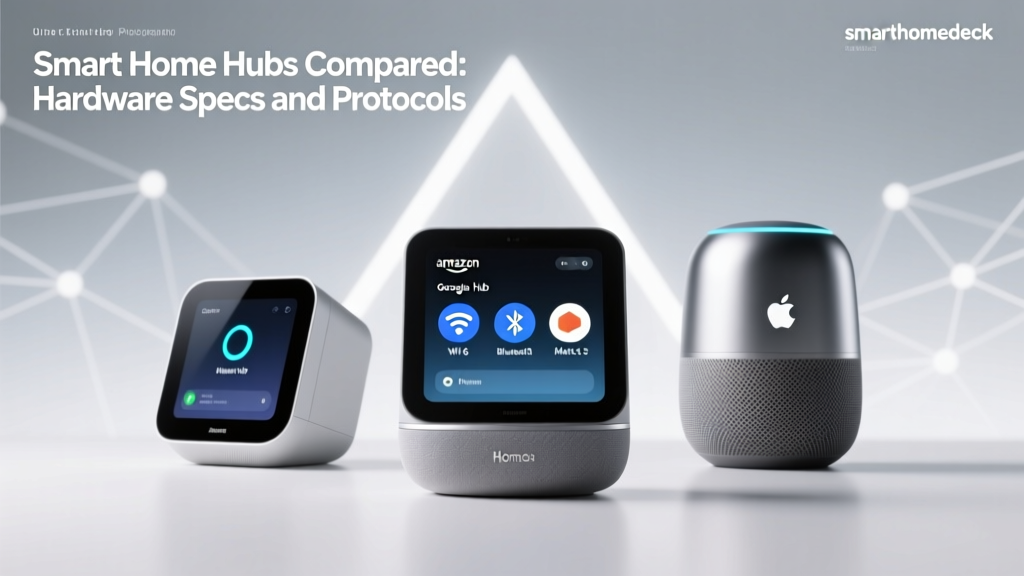
Apple HomePod & HomePod mini
Apple's HomePod (2nd generation) & HomePod mini both function as Thread border routers when connected to an Apple HomeKit ecosystem. These devices are excellent choices if you primarily use Apple Home for smart home control. The HomePod mini is particularly popular due to its compact size, affordable price point & reliable Thread performance. Apple's implementation is tightly integrated with HomeKit, providing a seamless experience for iPhone & iPad users. Both HomePod models support Thread 1.1 & are expected to receive updates for Thread 1.2 & 1.3 compatibility as the standard evolves.
Google Nest Hub (2nd Gen) & Nest Hub Max
Google's Nest Hub smart displays include built-in Thread border router functionality. The Nest Hub (2nd generation) & Nest Hub Max are both capable of managing Thread networks within the Google Home ecosystem. These devices are ideal if you use Google Assistant as your primary voice platform & want tight integration with Google's smart home services. Google has been a strong advocate for Thread & Matter, making their border routers reliable choices for cross-platform compatibility.
Google Nest Wifi Pro
For users who want to combine their mesh Wi-Fi system with Thread border router capabilities, the Google Nest Wifi Pro is an outstanding option. This Wi-Fi 6E mesh router includes Thread border router functionality in every node, meaning you get whole-home Thread coverage alongside your Wi-Fi mesh. This is particularly useful for larger homes where a single border router might not provide adequate Thread coverage for all rooms. Explore more about smart speakers & displays that double as border routers.
Amazon Echo (4th Gen)
Amazon's Echo (4th generation) smart speaker includes a built-in Thread border router & Zigbee hub, making it one of the most versatile smart home hubs available. If you are invested in the Alexa ecosystem, this device provides Thread support alongside Alexa voice control, Zigbee device connectivity & smart home hub functionality. The spherical design houses a capable speaker alongside the networking hardware, making it a multi-functional addition to any room.
Amazon eero 6 & eero Pro 6E
Amazon's eero mesh Wi-Fi systems also include Thread border router functionality. The eero 6, eero 6+ & eero Pro 6E all support Thread, providing border router capabilities across your entire mesh network. This approach is similar to the Nest Wifi Pro, combining Wi-Fi mesh with Thread in a single device. For homes already using eero for Wi-Fi, enabling Thread support requires nothing more than a firmware update & configuration in the eero app.
Nanoleaf Essentials Thread Products
Nanoleaf was one of the first companies to embrace Thread for consumer smart home products. Their Nanoleaf Essentials line — including smart bulbs & light strips — uses Thread natively & the Nanoleaf Bridge or compatible border routers from other manufacturers can manage these devices. Nanoleaf's early adoption of Thread makes their products excellent test cases for border router compatibility.
Eve Energy & Eve Products
Eve Systems has been a vocal supporter of Thread & Matter. Several Eve products, including the Eve Energy smart plug & Eve Door & Window sensor, support Thread connectivity. While Eve does not manufacture its own border router, their products are designed to work with Thread border routers from Apple, Google & other certified manufacturers. Browse our smart lighting reviews for Thread-compatible bulbs & switches that integrate seamlessly with your border router.
Step-by-Step Thread Border Router Setup
Setting up a Thread border router is generally straightforward, but the process varies depending on the device & ecosystem you are using. Below is a generalized setup guide that applies to most border routers:
- Ensure Your Network Is Ready: Before setting up a border router, make sure your Wi-Fi network is stable & operating on the 2.4 GHz band (Thread operates on 2.4 GHz IEEE 802.15.4, which coexists with but is separate from Wi-Fi 2.4 GHz). Ensure your router supports IPv6, as Thread is an IPv6-native protocol.
- Place the Border Router Centrally: Position your border router in a central location within your home for optimal Thread mesh coverage. Avoid placing it inside cabinets, behind metal objects or near large appliances that could interfere with radio signals.
- Power On & Connect to Wi-Fi: Plug in your border router device & connect it to your home Wi-Fi network using the manufacturer's companion app. For devices like the HomePod mini, this is done through the Apple Home app. For Nest devices, use the Google Home app.
- Enable Thread in Settings: Navigate to the network or smart home settings within the companion app & enable Thread functionality. On some devices, Thread is enabled by default; on others, you may need to manually activate it.
- Add Thread Devices: Once your border router is active, you can begin adding Thread-compatible devices to your network. Most Thread devices are added by scanning a QR code, using a pairing code or pressing a pairing button on the device. The companion app will guide you through this process.
- Verify Thread Network Status: After adding devices, check your companion app to verify that all devices are connected via Thread & that the mesh network is functioning properly. Most apps will show a network topology map indicating which devices are communicating through the mesh.
- Add Additional Border Routers (Optional): For larger homes, consider adding multiple border routers to improve coverage & redundancy. Thread supports multiple border routers on the same network, & devices will automatically route through the nearest available border router.
Tips for Optimal Thread Network Performance
- Use Multiple Thread Router-Eligible Devices: Thread is a mesh protocol, meaning every mains-powered Thread device can act as a router node, extending the mesh. The more Thread devices you have, the stronger your mesh becomes.
- Avoid Wi-Fi Channel Conflicts: While Thread uses a different protocol than Wi-Fi, both operate in the 2.4 GHz spectrum. Set your Wi-Fi to channels 1, 6 or 11 & configure your Thread network to use a non-overlapping channel (typically channel 11, 15, 20 or 25 in the 802.15.4 numbering scheme).
- Keep Firmware Updated: Thread border router firmware updates often include performance improvements, security patches & compatibility enhancements. Enable automatic updates on all your border routers & Thread devices.
- Monitor Network Health: Periodically check your Thread network status in your companion app. Look for devices that have fallen off the mesh or are experiencing high latency, which could indicate interference or placement issues.
Automation & Integration Across Smart Home Platforms
Thread & Matter: The Power Couple of Smart Home Automation
The relationship between Thread & Matter is one of the most significant developments in smart home history. Matter is an application-layer protocol that defines how smart home devices communicate, while Thread is a transport-layer protocol that defines how data moves between devices. When combined, they create a powerful, interoperable smart home ecosystem where devices from different manufacturers can work together seamlessly.
With a Thread border router in place, Matter-compatible devices can communicate locally without relying on cloud services. This means faster response times, continued operation during internet outages & improved privacy since your device data does not need to leave your home network for routine operations. If you are exploring smart home hubs that support both Thread & Matter, you will find options that maximize this synergy.
Cross-Platform Automation Scenarios
One of the most compelling advantages of a Thread border router ecosystem is the ability to create automations that span multiple platforms. Here are some powerful automation scenarios enabled by Thread & border router compatibility:
Unified Lighting Control
With Thread-compatible smart bulbs from different manufacturers connected through a border router, you can create lighting scenes that activate based on time of day, occupancy or other triggers. A Thread-enabled motion sensor from one brand can trigger lights from another brand, all coordinated through your preferred smart home platform. The low latency of Thread ensures that lights respond almost instantaneously to sensor triggers, eliminating the lag that plagues some Wi-Fi-based automation setups.
Climate & Energy Management
Thread-compatible thermostats, temperature sensors & smart plugs can work together to create sophisticated climate management automations. For example, a Thread temperature sensor in your bedroom can communicate with a smart thermostat to adjust heating or cooling based on actual room conditions rather than a single thermostat reading. Smart plugs can monitor energy usage & automatically turn off devices that are consuming power unnecessarily.
Security & Access Control
Thread-enabled door & window sensors, smart locks & security cameras can form a comprehensive security network. When a door sensor detects an opening, it can trigger lights to turn on, cameras to begin recording & send notifications to your phone — all with minimal latency thanks to Thread's efficient mesh networking. Our smart security device reviews cover many Thread-compatible options for building a robust home security system.
Platform-Specific Automation Capabilities
Apple HomeKit Automations
Apple's HomeKit platform offers sophisticated automation capabilities when paired with a Thread border router. HomePod or HomePod mini serving as a border router also acts as a HomeKit hub, enabling automations that run even when your iPhone is not at home. You can create automations based on time, location, sensor triggers, accessory states & even NFC tag scans. Siri Shortcuts can extend these automations with complex conditional logic.
Google Home Automations
Google Home provides a visual automation builder that makes it easy to create complex routines. With a Nest Hub or Nest Wifi Pro as your Thread border router, you can build automations that combine Thread devices with Wi-Fi devices, Google services & third-party integrations. Google's "Starter" & "Action" framework allows for highly customizable triggers & responses.
Amazon Alexa Routines
Alexa Routines offer similar automation capabilities, with the added benefit of Alexa's extensive skill ecosystem. When using an Echo (4th Gen) or eero router as your Thread border router, you can create routines that combine Thread devices with Alexa-compatible products from thousands of manufacturers. Alexa's "When this happens" & "Do this" interface makes automation creation accessible even to beginners.
Multi-Admin & Cross-Ecosystem Control
One of the most powerful features of Thread combined with Matter is multi-admin capability. This allows a single Thread device to be controlled by multiple smart home platforms simultaneously. For example, a Thread smart plug could be added to both Apple Home & Google Home, allowing different family members to control it using their preferred platform. The border router facilitates this by bridging Thread traffic to your home network, where each platform's hub can communicate with the device independently.
This multi-admin capability is a game-changer for households where family members use different ecosystems. No longer do you need to choose a single platform & force everyone to use it. With Thread, Matter & a compatible border router, everyone can use the platform they prefer while sharing the same underlying smart home devices. Check our ecosystem guides for more on building a multi-platform smart home.
Privacy & Security Considerations for Thread Networks
How Thread Protects Your Data
Privacy & security are paramount when building any smart home network, & Thread was designed with these concerns at its core. The Thread protocol includes several built-in security features that make it one of the most secure smart home networking standards available:
- AES-128 Encryption: All Thread network traffic is encrypted using AES-128 encryption at the network layer. This means that even if someone intercepts the radio signals between Thread devices, they cannot read the data without the encryption key.
- Network-Wide Key Management: Thread uses a commissioning process where devices are securely added to the network using verified methods such as QR codes, NFC taps or Bluetooth Low Energy (BLE) commissioning. This prevents unauthorized devices from joining your Thread mesh.
- No Single Point of Failure: Because Thread is a mesh protocol, there is no single hub whose compromise could expose your entire network. If one node is compromised, the rest of the mesh continues to operate securely.
- Separate Network Credentials: Thread network credentials are separate from your Wi-Fi credentials. Even if someone gains access to your Wi-Fi password, they cannot automatically access your Thread network.
Border Router Security Best Practices
While the Thread protocol itself is highly secure, the border router represents a bridge between your Thread network & your broader home network. Securing this bridge is essential:
- Keep Border Router Firmware Updated: Manufacturers regularly release security patches for border routers. Enable automatic updates & check for updates manually if you notice any unusual behavior on your network.
- Secure Your Wi-Fi Network: Since the border router connects to your Wi-Fi, ensure your Wi-Fi network uses WPA3 (or at minimum WPA2) encryption with a strong, unique password. Consider creating a separate VLAN or guest network for smart home devices if your router supports it.
- Use Strong Platform Accounts: The companion apps used to manage border routers (Apple Home, Google Home, Alexa) are protected by your platform account credentials. Use strong, unique passwords & enable two-factor authentication on all accounts.
- Review Device Permissions: Periodically review which devices are connected to your Thread network & remove any that are no longer in use. Most companion apps allow you to see a list of connected devices & their network roles.
- Disable Remote Access If Not Needed: If you do not need to control your Thread devices remotely, consider disabling cloud-based remote access in your companion app settings. This reduces the attack surface by keeping all communication local.
Local vs. Cloud Processing
One of the significant privacy advantages of Thread border routers is the ability to process automations locally. When automations are processed locally — meaning the logic runs on the border router or a local hub rather than in the cloud — your device data never leaves your home network. This is particularly important for privacy-sensitive devices such as door locks, security cameras & occupancy sensors.
Apple's HomeKit ecosystem is particularly strong in this regard, as HomePod-based border routers process most automations locally. Google Home & Amazon Alexa are increasingly moving toward local processing as well, especially for Matter-compatible devices connected via Thread. When setting up automations, check whether your platform supports local execution & prioritize it for privacy-sensitive scenarios.
Data Minimization Strategies
Beyond securing your Thread network, consider these data minimization strategies to protect your privacy:
- Choose Devices from Privacy-Focused Manufacturers: Companies like Eve, Aqara & others have built their brands around privacy-first smart home products. Many Eve products work exclusively with Thread & HomeKit, offering strong privacy guarantees.
- Limit Cloud Integrations: While it may be tempting to connect every device to every available cloud service, each integration represents a potential data-sharing arrangement. Only enable cloud integrations that you actively use.
- Read Privacy Policies: Before adding a new Thread device to your network, review the manufacturer's privacy policy to understand what data is collected, how it is used & whether it is shared with third parties.
- Use Local-First Platforms: Platforms like Home Assistant (when paired with a compatible Thread adapter) offer fully local smart home control with no cloud dependency. While setup is more complex, the privacy benefits are substantial.
Thread Border Router Comparison: Choosing the Right Device for Your Ecosystem
Comparison by Ecosystem Compatibility
Not all Thread border routers are compatible with all smart home ecosystems. Here is a detailed comparison to help you choose the right device:
| Border Router Device | Primary Ecosystem | Matter Support | Multi-Admin | Additional Features |
|---|---|---|---|---|
| Apple HomePod mini | Apple HomeKit | Yes | Yes | Siri, AirPlay, Intercom |
| Apple HomePod (2nd Gen) | Apple HomeKit | Yes | Yes | Siri, AirPlay, Temperature & Humidity Sensor |
| Google Nest Hub (2nd Gen) | Google Home | Yes | Yes | Google Assistant, Sleep Sensing |
| Google Nest Hub Max | Google Home | Yes | Yes | Google Assistant, Camera, Nest Aware |
| Google Nest Wifi Pro | Google Home | Yes | Yes | Wi-Fi 6E Mesh Router |
| Amazon Echo (4th Gen) | Amazon Alexa | Yes | Yes | Alexa, Zigbee Hub, Temperature Sensor |
| Amazon eero 6 / 6+ / Pro 6E | Amazon Alexa | Yes | Yes | Wi-Fi Mesh Router, Zigbee (some models) |
| Apple TV 4K (Wi-Fi + Ethernet) | Apple HomeKit | Yes | Yes | Streaming, Siri, HomeKit Hub |
Performance Comparison
When evaluating border routers, performance encompasses several factors including mesh coverage, device capacity, latency & reliability:
Coverage & Range
Thread operates on the 2.4 GHz band using IEEE 802.15.4, which typically provides indoor range of approximately 30 to 100 feet depending on building materials & interference. A single border router can manage a Thread mesh of dozens of devices, but coverage depends heavily on the number of mains-powered Thread router-eligible devices in your mesh. For homes under 1,500 square feet, a single border router with a handful of Thread devices is usually sufficient. Larger homes may benefit from multiple border routers or strategically placed Thread router-eligible devices to extend coverage.
Device Capacity
Thread networks can theoretically support hundreds of devices, but practical limits depend on the border router's processing power & memory. Apple HomePod-based border routers have been tested with 50+ Thread devices without issues. Google Nest devices & Amazon Echo devices show similar capacity. For most homes, device capacity will not be a limiting factor.
Latency
One of Thread's greatest strengths is its low latency. Thread networks typically deliver message latency of 10 to 50 milliseconds within the mesh, significantly faster than most Wi-Fi-based smart home devices. Border routers add minimal additional latency when bridging to your home network, typically adding less than 5 milliseconds. This makes Thread ideal for applications where responsiveness matters, such as lighting control & security sensors.
Reliability & Self-Healing
Thread's mesh topology provides inherent reliability through self-healing. If one node in the mesh fails or is removed, the network automatically reroutes traffic through alternative paths. Border routers enhance this reliability by providing a stable connection point between the Thread mesh & your home network. Having multiple border routers adds another layer of redundancy — if one border router goes offline, Thread devices can route through an alternative border router.
Cost Comparison
The cost of a Thread border router varies significantly depending on whether you are purchasing a dedicated border router or a multi-function device:
- Budget Option ($50–$100): HomePod mini or Google Nest Hub (2nd Gen) offer excellent Thread border router functionality at an affordable price. These devices also serve as smart speakers & voice assistants, providing additional value beyond border routing.
- Mid-Range ($100–$200): Apple HomePod (2nd Gen), Nest Hub Max & Amazon Echo (4th Gen) fall in this range. These devices offer premium audio quality, additional sensors & enhanced smart home capabilities alongside Thread border router functionality.
- Premium ($200–$400+): Google Nest Wifi Pro & Amazon eero systems are premium options that combine mesh Wi-Fi with Thread border routing. These are ideal for users who want to upgrade their entire home network infrastructure while adding Thread support. While the upfront cost is higher, the value of combining two essential networking functions in one system is compelling.
Choosing Based on Your Primary Ecosystem
Your choice of border router should align with your primary smart home ecosystem:
- Apple Users: If you use iPhone, iPad & Apple Home as your primary platform, the HomePod mini or HomePod (2nd Gen) is the clear choice. Apple's tight hardware-software integration provides the most seamless Thread experience in the HomeKit ecosystem. The Apple TV 4K with Ethernet is also an excellent option if you want a border router that doubles as a streaming device.
- Google Users: For those invested in Google Home & Google Assistant, the Nest Hub (2nd Gen) offers the best value. If you also need mesh Wi-Fi, the Nest Wifi Pro is an outstanding all-in-one solution.
- Amazon Users: Echo (4th Gen) is the go-to choice for Alexa users, offering Thread, Zigbee & Alexa in a single device. For whole-home coverage, the eero mesh systems provide both Wi-Fi & Thread across every node.
- Multi-Platform Homes: If your household uses multiple ecosystems, consider a Matter-compatible border router from any major manufacturer. With Matter's multi-admin feature, devices connected through any border router can be shared across platforms. You may also want to explore our Matter ecosystem guide for detailed cross-platform setup instructions.
Frequently Asked Questions About Thread Border Router Compatibility
Do I need a Thread border router if I already have a smart home hub?
It depends on the hub you currently have. Many modern smart home hubs — including the Apple HomePod mini, Google Nest Hub & Amazon Echo (4th Gen) — already include Thread border router functionality. If your existing hub supports Thread, you likely do not need a separate border router. However, if you have an older hub that only supports Zigbee, Z-Wave or Wi-Fi, you will need to add a Thread border router to your network to use Thread-compatible devices. Check your hub's specifications or companion app settings to confirm whether Thread is supported. If you are unsure, our smart home hub reviews break down Thread compatibility for every major hub on the market.
Can I use multiple Thread border routers from different manufacturers?
Yes, Thread supports multiple border routers on the same network, & they can be from different manufacturers. Thread's open standard ensures that border routers from Apple, Google, Amazon & other certified manufacturers can coexist on the same Thread network. In fact, using multiple border routers from different ecosystems is one of the best ways to ensure cross-platform compatibility. For example, having both a HomePod mini & a Nest Hub on your network allows Thread devices to be accessible from both Apple Home & Google Home simultaneously. Thread devices will automatically select the optimal border router based on proximity & network conditions, so you do not need to manually configure routing.
What happens to my Thread network if the border router goes offline?
When a border router goes offline, your Thread mesh network continues to function locally. Thread devices can still communicate with each other through the mesh, meaning automations that run locally will continue to work. However, you will lose remote access, cloud-based features & the ability to control Thread devices from outside your home until the border router comes back online. If you have multiple border routers, Thread devices will automatically failover to an available border router, minimizing disruption. This self-healing capability is one of Thread's key advantages over hub-dependent protocols like Zigbee or Z-Wave. To maximize reliability, consider deploying at least two border routers in your home.
Is Thread compatible with my existing Zigbee or Z-Wave devices?
Thread is not directly compatible with Zigbee or Z-Wave devices, as they use different radio protocols & network architectures. However, many modern smart home hubs support multiple protocols simultaneously. For example, the Amazon Echo (4th Gen) includes both a Thread border router & a Zigbee hub, allowing it to manage both types of devices within the same Alexa ecosystem. Similarly, hubs like Samsung SmartThings & Home Assistant with appropriate adapters can bridge Zigbee, Z-Wave & Thread devices into a unified smart home experience. If you are transitioning from Zigbee or Z-Wave to Thread, you can do so gradually, adding Thread devices alongside your existing setup without needing to replace everything at once. For more on building a mixed-protocol smart home, visit our protocol comparison guide.
How do I know if a smart home device is Thread-compatible?
Thread-compatible devices are typically marked with the Thread logo on their packaging or product listing. Additionally, devices that carry the Matter logo often use Thread as their transport protocol (though some Matter devices use Wi-Fi instead). When shopping for Thread devices, look for the following indicators: the Thread Certified logo, the Matter logo (check specifications to confirm Thread transport), explicit mention of "Thread" in the product description & compatibility listings on the Thread Group's official website. Manufacturers like Eve, Nanoleaf, Aqara, Yale & GE Cync have extensive Thread-compatible product lines. Always verify Thread compatibility before purchasing, as some product lines offer both Thread & non-Thread variants that look identical on the shelf. Our device reviews always specify Thread compatibility to help you make informed purchasing decisions.
Final Thoughts on Building Your Thread Border Router Ecosystem
Thread border routers represent the future of smart home connectivity. By providing a reliable, low-latency, secure bridge between your Thread mesh network & the broader internet, border routers enable the seamless smart home experiences that consumers have been waiting for. Whether you choose an Apple HomePod, Google Nest Hub, Amazon Echo or a mesh Wi-Fi system with integrated Thread support, the key is to start with a solid foundation & build your ecosystem thoughtfully.
As Matter adoption continues to grow & more manufacturers release Thread-compatible devices, the value of having a robust Thread border router setup will only increase. Investing in the right border router today positions your smart home for years of compatibility, performance & growth. Start with one or two Thread devices, expand your mesh gradually & enjoy the benefits of a smart home that just works.
For more smart home guides, device reviews & ecosystem comparisons, explore the full library of content at SmartHomeDeck.com. Whether you are just starting your smart home journey or optimizing an advanced setup, our expert reviews & guides are designed to help you make confident decisions about every device in your connected home.