The Fragmented Smart Home Reality
The modern smart home is a marvel of convenience, but it is also a landscape deeply divided by walled gardens. You might have chosen the robust voice control of Amazon Alexa for your living room, while your spouse insists on the privacy and security of Apple HomeKit for the bedroom. Meanwhile, your outdoor security relies on Google Nest, and your lighting is a mix of Philips Hue and budget-friendly Wi-Fi bulbs. When it comes time to create a unified automation—like turning on all lights and adjusting the thermostat when a security camera detects motion—you quickly realize that these ecosystems do not natively speak the same language.
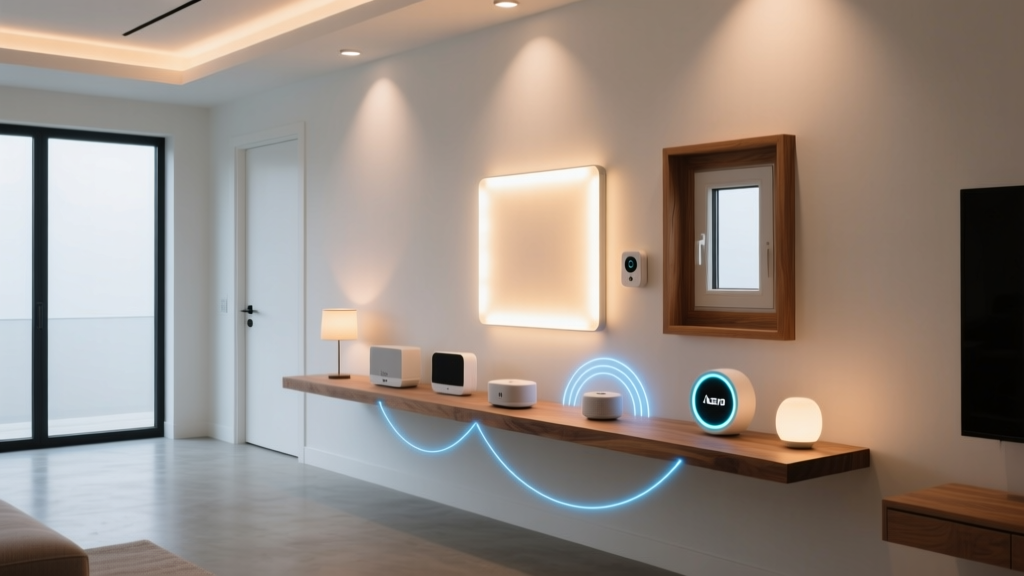
This fragmentation is where third-party integration platforms and bridging hubs become essential. Rather than replacing your existing devices to fit into a single ecosystem, you can use tools like IFTTT (If This Then That), Homebridge, Hubitat, and Home Assistant to act as universal translators. In this comprehensive guide, we will explore how to bridge the gap between Amazon Alexa, Google Home, and Apple HomeKit, providing actionable advice, cost analyses, and specific product recommendations to create a truly unified smart home.
The Evolution of IFTTT: From Free Webhooks to Premium Automations
For years, IFTTT was the undisputed king of free, cross-platform smart home automations. It operated on a simple premise: 'If [Trigger] happens, then do [Action].' However, as the smart home industry matured and API costs rose, IFTTT transitioned to a premium model. Today, to build complex, multi-step applets that bridge different ecosystems, you need IFTTT Pro, which costs approximately $3.92 per month (billed annually) or $4.99 monthly.
What IFTTT Pro Brings to the Table
IFTTT Pro allows for multi-step applets, conditional logic (If/Then/Else), and faster execution times. It is particularly useful for bridging cloud-based ecosystems that lack native local integrations. For example, if you own a Ring Video Doorbell (an Amazon company) but use Apple HomeKit, Ring does not natively support Apple's ecosystem. Using IFTTT, you can create an applet where the Ring motion sensor acts as the trigger, and a HomeKit-compatible smart plug or a virtual switch acts as the action, effectively bridging the two clouds.
However, IFTTT is entirely cloud-dependent. This means your automations rely on external servers, internet connectivity, and the API rate limits of the services involved. If your internet goes down, your IFTTT automations stop working. Furthermore, cloud latency can result in a delay of 1 to 3 seconds between a trigger and an action, which is noticeable when turning on lights.
Hardware Bridges: Hubitat Elevation and Local Processing
To overcome the latency and reliability issues of cloud-based services like IFTTT, many advanced users turn to local hardware hubs. The Hubitat Elevation C-8 (priced around $99.95) is a powerhouse for third-party integration. Unlike SmartThings, which relies heavily on cloud processing, Hubitat processes automations locally on the device itself.
Bridging Zigbee and Z-Wave to Cloud Ecosystems
Hubitat natively supports Zigbee and Z-Wave protocols, allowing you to connect hundreds of third-party sensors from brands like Aqara, Ecolink, and Inovelli. Once these devices are paired to the Hubitat, you can expose them to Amazon Alexa and Google Home via native Hubitat skills. This means you can buy a budget-friendly Z-Wave motion sensor, connect it to Hubitat, and instantly control your Alexa-compatible Wi-Fi lights based on that sensor's data, all without relying on IFTTT or external cloud servers.
While Hubitat integrates beautifully with Alexa and Google, its native Apple HomeKit support is limited. To bridge Hubitat devices into HomeKit, users typically rely on a community-developed app called 'HomeKit Bridge' or use Hubitat in tandem with a software bridge like Homebridge, which we will discuss next.
Software Bridges: Homebridge and Home Assistant
When hardware hubs fall short, software bridges step in to fill the void. These platforms run on local servers, Raspberry Pis, or dedicated mini-PCs, offering unparalleled flexibility for cross-ecosystem integration.
Homebridge: The Apple HomeKit Savior
Apple HomeKit is notorious for its strict certification requirements, leaving many popular smart home devices out in the cold. Homebridge is a lightweight Node.js server that emulates the iOS HomeKit API, allowing you to expose non-native devices to Apple Home. With over 2,000 community-built plugins, Homebridge can integrate almost anything into HomeKit, from Ring cameras and Nest thermostats to Xiaomi air purifiers and Sony Bravia TVs.
Running Homebridge requires a dedicated device, such as a Raspberry Pi 4 (approximately $55-$75) or a pre-configured Homebridge Hub (around $120). Once set up, you can create a virtual HomeKit switch that is actually triggered by an IFTTT webhook, effectively creating a two-way bridge between Apple's walled garden and the rest of the smart home world.
Home Assistant: The Ultimate Integration Hub
If Homebridge is a scalpel for Apple HomeKit, Home Assistant is a Swiss Army knife for the entire smart home. Boasting over 2,500 official integrations, Home Assistant can pull data from Amazon Alexa, Google Home, IFTTT, MQTT, and virtually every smart home API in existence. The recently released Home Assistant Green ($99) offers a plug-and-play local server experience that rivals commercial hubs.
Home Assistant allows you to ingest data from an IFTTT webhook, process it through complex local logic (e.g., checking local weather APIs, sun elevation angles, and room occupancy), and then push commands out to Alexa, Google, and HomeKit simultaneously. It is the gold standard for third-party integration, though it comes with a steeper learning curve than IFTTT or Hubitat.
Cost Analysis: Building Your Integration Bridge
Before diving into cross-ecosystem automations, it is important to understand the financial commitment required to bridge these platforms. Below is a breakdown of the costs associated with the most popular integration methods.
| Platform | Type | Processing | Estimated Cost | Best Use Case |
|---|---|---|---|---|
| IFTTT Pro | Cloud Service | Cloud | $47/year | Simple webhooks, linking cloud-only APIs |
| Hubitat C-8 | Hardware Hub | Local | $99.95 (One-time) | Zigbee/Z-Wave to Alexa/Google bridging |
| Homebridge | Software | Local | $60-$120 (Hardware) | Exposing non-HomeKit devices to Apple |
| Home Assistant Green | Hardware/Software | Local | $99 + $78/yr (Nabu Casa) | Total ecosystem unification and complex logic |
Latency Comparison: Cloud vs. Local Bridges
One of the most critical factors in smart home automation is latency—the time it takes for an action to occur after a trigger is activated. When bridging ecosystems, cloud services like IFTTT introduce significant delays compared to local hubs. The chart below illustrates the average latency you can expect when triggering a smart light across different ecosystems using various bridging methods.
As the data shows, relying on IFTTT to bridge a Ring sensor to an Alexa bulb can result in a delay of over a second. For security lighting or immediate convenience, local processing via Hubitat or Home Assistant is vastly superior.
Step-by-Step: Bridging a Ring Doorbell to Apple HomeKit
To demonstrate the power of combining these tools, let us walk through a practical, real-world scenario: You own a Ring Video Doorbell and use Apple HomeKit as your primary ecosystem. Ring does not support HomeKit natively. Here is how to bridge them using Homebridge and IFTTT.
Step 1: Set Up Homebridge
- Install Homebridge on a Raspberry Pi or a dedicated mini-PC using the official Homebridge OS image.
- Access the Homebridge web UI and install the homebridge-ring plugin. This plugin uses Ring's unofficial API to pull your doorbell's status, camera feeds, and motion events directly into Apple HomeKit.
- Pair Homebridge with your Apple Home app using the provided QR code. Your Ring Doorbell will now appear in HomeKit as a motion sensor and a camera.
Step 2: Create Cross-Ecosystem Automations
Now that the Ring Doorbell is exposed to HomeKit via Homebridge, you no longer need IFTTT for basic automations. You can use Apple's native Home app to create an automation: 'When Ring Doorbell detects motion, turn on the porch lights.'
However, if you want to trigger an Amazon Alexa routine (e.g., having your Echo Show announce 'Someone is at the door') when the Ring is pressed, you can use Homebridge to create a 'Dummy Switch' that syncs with Alexa, or use an IFTTT webhook triggered by Home Assistant to push the event to the Alexa API.
Step 3: Utilizing IFTTT Webhooks for Legacy Devices
If you have an older, non-smart intercom system connected to a Shelly relay, and you want it to trigger an IFTTT applet that sends a Telegram message and turns on your Hue lights, you would configure the Shelly device to send an HTTP POST request to your unique IFTTT Webhook URL. This bypasses the need for the Shelly device to have native IFTTT support, proving that webhooks are the ultimate universal translator for third-party integration.
Privacy and Data Handling in Cross-Ecosystem Bridges
When you bridge ecosystems, you are inevitably sharing data across different corporate servers. Using IFTTT means your device triggers, usage patterns, and home occupancy data are routed through IFTTT's servers, as well as the servers of the trigger and action services. For privacy-conscious users, this is a significant concern.
This is why local bridges like Home Assistant and Hubitat are highly recommended. By keeping your automations on a local network, your data never leaves your home. Home Assistant's optional Nabu Casa cloud service ($6.50/month) provides secure, end-to-end encrypted remote access without selling your data to third-party advertisers. When bridging Apple HomeKit with Amazon Alexa via a local hub, you maintain the privacy benefits of Apple's architecture while still enjoying the hardware compatibility of Amazon's ecosystem.
The Impact of Matter on Third-Party Bridges
No discussion on smart home integration is complete without addressing Matter, the new industry-standard protocol backed by Apple, Amazon, Google, and Samsung. Matter aims to eliminate the need for third-party bridges by allowing devices to communicate natively across ecosystems via local IP networks and Thread mesh networks.
However, Matter is not a magic bullet for legacy devices. While new smart plugs and bulbs may feature the Matter logo, your existing Zigbee sensors, Z-Wave locks, and proprietary cloud cameras will not suddenly become Matter-compatible. Furthermore, Matter currently lacks support for complex logic, advanced camera integrations, and legacy appliance control. Therefore, platforms like IFTTT, Homebridge, and Home Assistant will remain essential for the foreseeable future, acting as the glue that binds your legacy devices to your new Matter-enabled ecosystem.
Conclusion
Unifying your smart home does not require throwing away your existing devices or committing entirely to a single corporate ecosystem. By leveraging the cloud-based flexibility of IFTTT, the local reliability of Hubitat, and the software versatility of Homebridge and Home Assistant, you can build a resilient, cross-platform smart home. Whether you are trying to expose a Ring camera to Apple HomeKit or trigger Google Home routines from a Z-Wave sensor, the right combination of bridges and hubs will ensure your home works for you, regardless of the logos on the boxes.